
SSTS student files: catch every change before passes print
Every NSW operator on the School Student Transport Scheme (SSTS) works from the same file: a CSV exported from the TfNSW Student Portal. Each one lists every student again, in full. Nothing in it marks what changed since the last one, so finding the changes is the work. The family that moved. The child who left. The second parent who applied. The school name that no longer matches.
Miss one and it turns up later: a pass printed for a child who has left, a letter sent to the wrong parent’s address, a stop kept for a student who moved suburbs. It matters most in the November and January reviews, when the whole list is checked with the schools.
Where the SSTS file catches operators out
A typical SSTS file catches operators out in the same few ways.
It never says what changed. TfNSW cannot send only the differences. Every export lists every student again, so a student appearing in the file tells you nothing on its own.
A child who leaves just disappears. TfNSW does not list an ended entitlement as ended. The row is simply gone. Unless someone notices the gap, that pass stays current in your system.
A house move looks like a new application. A family that moves gets a new Entitlement ID. The child keeps the same Student ID, but on the face of the file it is a new pass.
Shared care is two rows, and the Joint Custody column cannot be trusted. A child with two households has a row for each, one per parent, and the column often says no when the answer is yes.
The school name may not match. The name in the file does not always match the official school name, and a renamed school breaks the link to your school stop.
One child can have two Student IDs, and siblings can look like one child. A parent who applies twice can create a second Student ID. Brothers and sisters share a surname, a home and a parent, so they can look like the same child.
Parents keep the data. Only a parent can correct the TfNSW portal, so the file goes stale. TfNSW assesses eligibility, but whether a child still rides your bus is something only you can see.
One parent’s address kept off the other’s record
In shared care the two households are often separated parents, and an address can be confidential between them, sometimes under a court order. Once one parent’s address is on the other’s record, staff can read it out over the phone, post a letter to it or print it on a pass. Correcting the record afterwards does not undo that.
Busable keeps each household separate. Two rows count as the same parent only when the name matches and the email or phone matches too. When it cannot be sure, it adds a second guardian rather than guessing. A duplicate guardian is easy to see and fix. A wrongly merged one is a disclosure nobody notices.
Each pass shows the address of the household it belongs to: on the travel pass, the student page and the printed card. Where a child has two households and the pass cannot be matched to one, no address is shown at all.
Every change in front of you before anything is saved
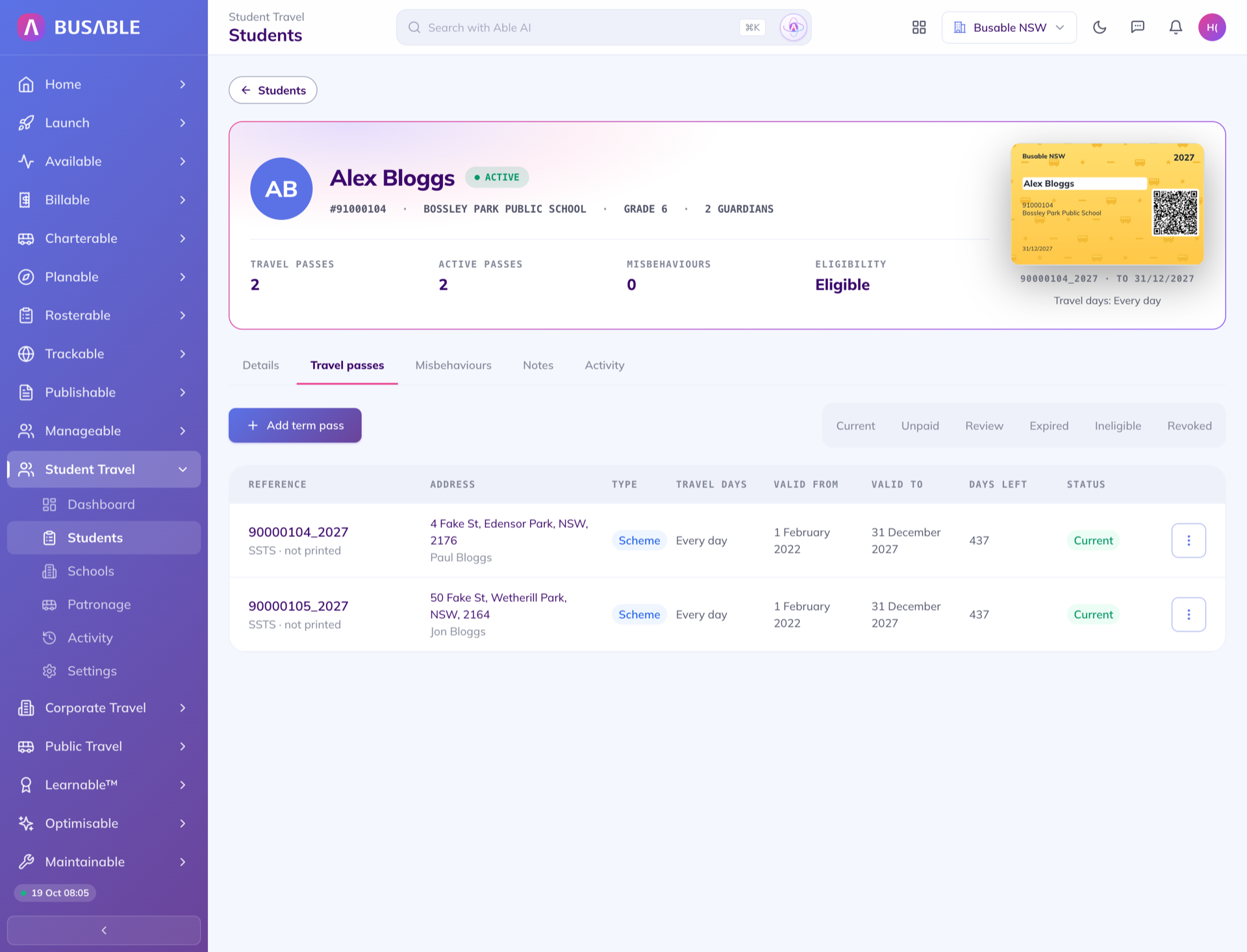
Busable reads the file and changes nothing. It turns it into a review: for each student, every field the file would change, with what Busable holds beside what the file sends. Nothing reaches a student’s record, a pass or a parent’s details until someone saves that student.
A family moves
When a family moves, the review shows the new address beside the old one, ends the old pass and adds the new one, as one decision. Busable also measures the straight-line distance from the new address and shows it against the TfNSW threshold for the student’s year. It is guidance; the assessment stays with TfNSW.
A child leaves
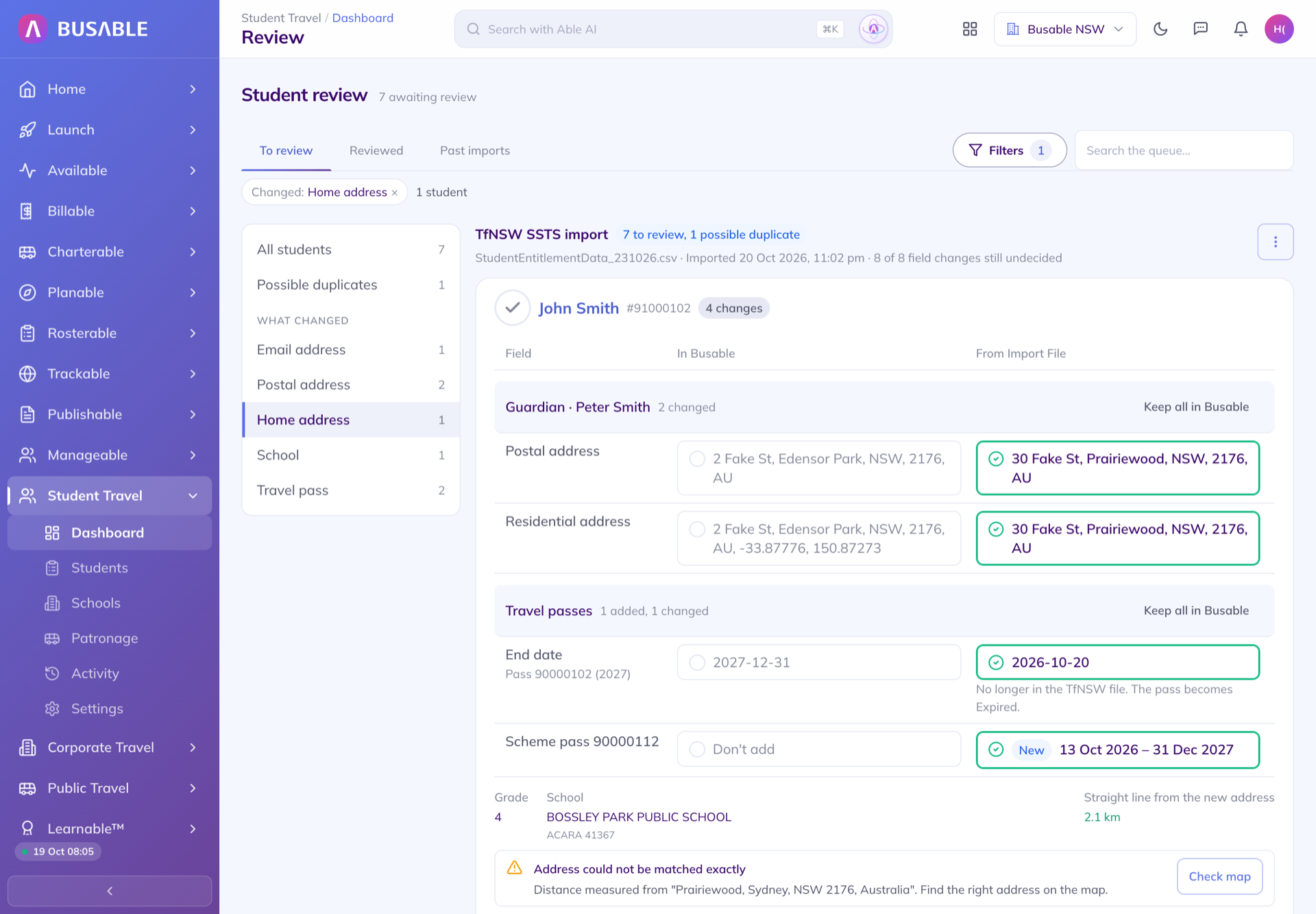
A student the file no longer lists is flagged as removed instead of staying current. Saving ends their pass and makes them inactive, unless they still hold another current pass such as a term pass. If more than one in ten current passes are missing, Busable ends nothing and tells you the file looks incomplete.
The same child twice
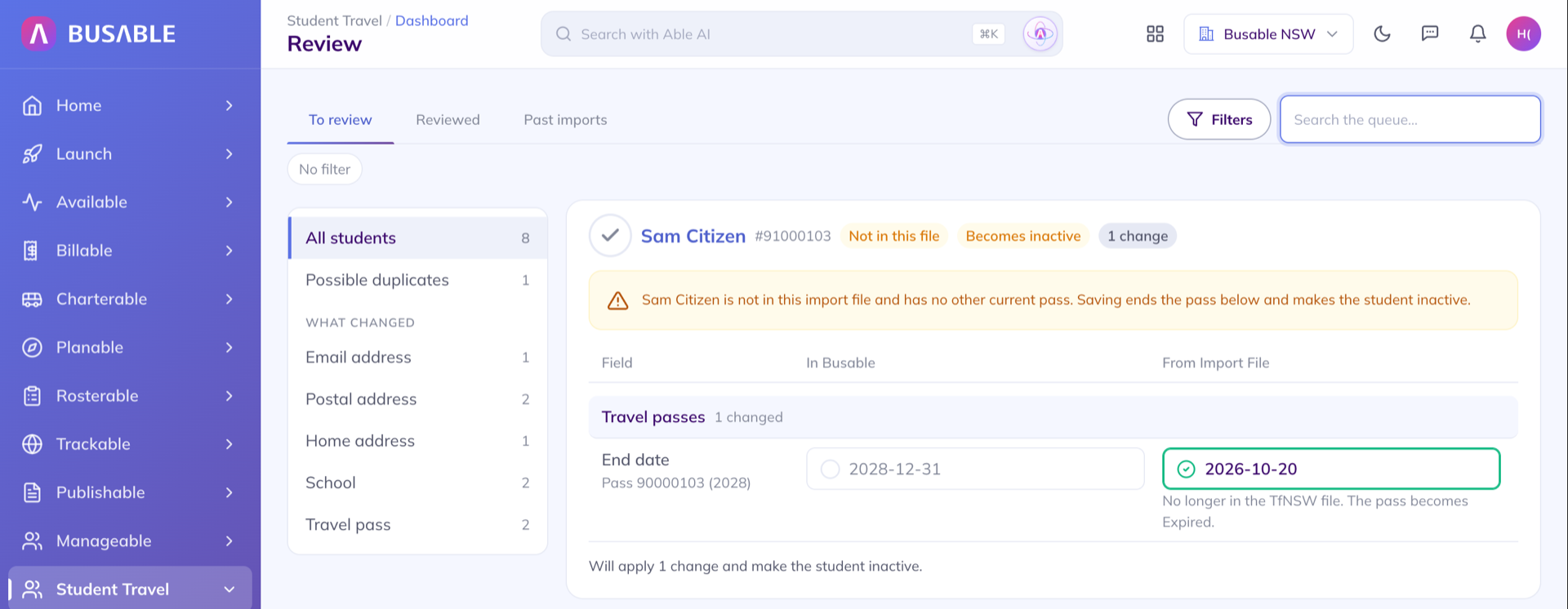
Possible duplicates come in pairs, with a match score and what the two records share. You choose to merge them or keep both. Nothing is merged automatically, a merge can be undone, and siblings are not paired, because a pair needs the same first name and surname.
School names that don’t match
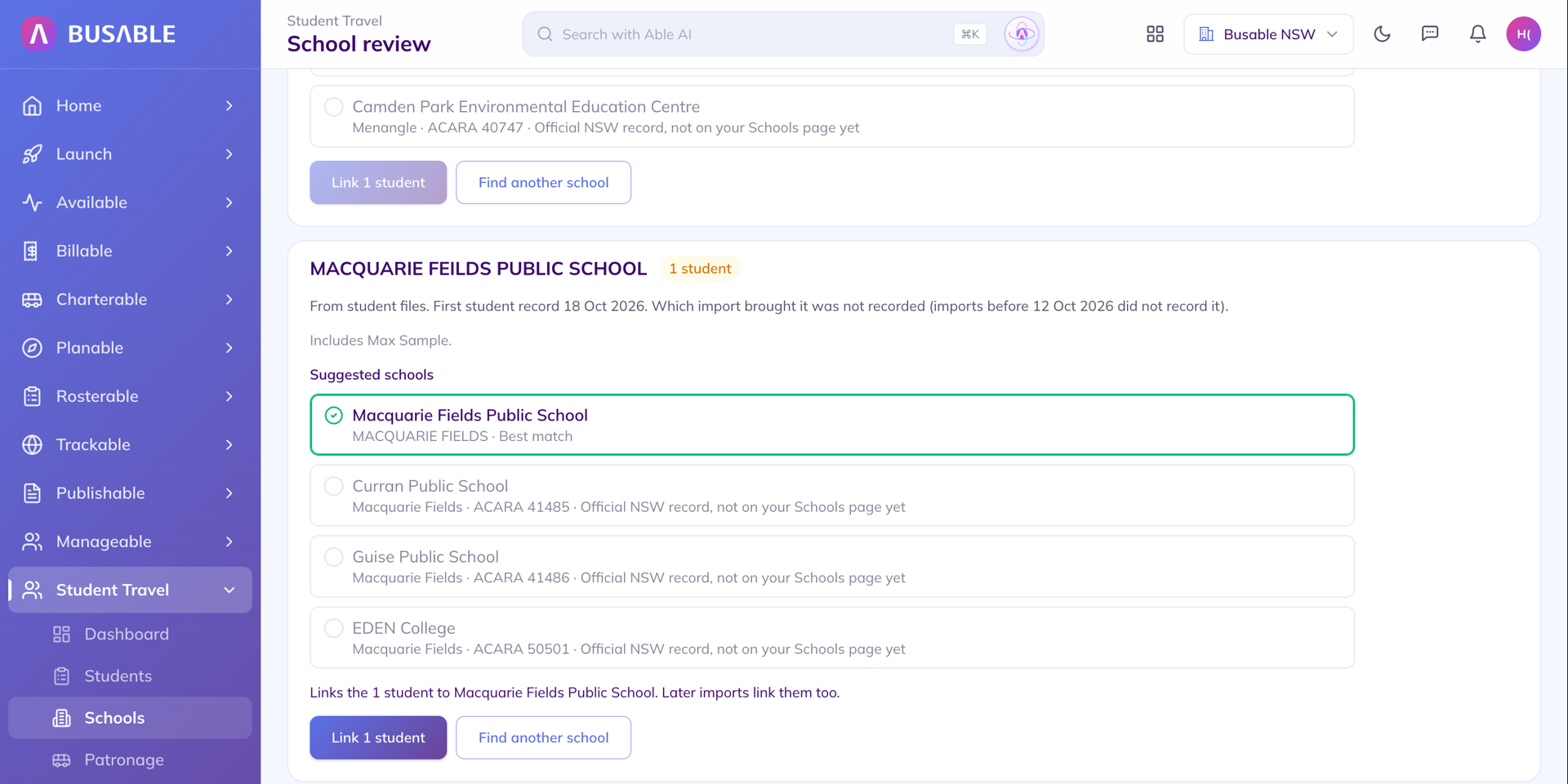
School names the file spells differently are listed once, with suggestions from the NSW school register. Link the name to the right school and every student imported under it is linked in the same step, and later files keep the link.
Your decisions stick
Keep a value as it is in Busable and later imports stop asking while the file keeps sending the same value. A pass you suspended or banned keeps that status whatever the file says. Every ruling of not eligible carries a reason, such as Area Unserviced or Left School. At the start of the year, filter to the students whose only change is their grade and save them together.
Frequently asked questions
What are the SSTS distance thresholds?
As published by TfNSW: Kindergarten to Year 2 have no distance test, Years 3 to 6 qualify at 1.6 km straight line or 2.3 km walking, and Years 7 to 12 qualify at 2 km straight line or 2.9 km walking. TfNSW assesses eligibility. Busable measures the straight-line distance and shows it beside each student as guidance.
Who decides whether a student is eligible?
TfNSW assesses eligibility under the scheme. In Busable, every new pass waits for a person to approve it, and ruling a student not eligible needs a reason, such as Area Unserviced or Left School. The file never makes that decision for you.
Does approving a student email the parent?
Only if you choose to. When you save, you can approve and email the entitlement confirmation to each guardian, or approve without emailing and send it later from the student’s travel pass.
What happens to students on a term pass?
A term pass is never ended by an SSTS import. A student who still holds one stays active even when their SSTS pass drops out of the file. If a term-pass student later applies through SSTS, Busable shows the two records as a pair so you can merge them.
Can a saved review be undone?
Yes, for the latest import. Undo puts back the values that review wrote and returns the student to the review queue. A merge can be undone too, as long as neither record has changed since.
Ready for the November review?
See your SSTS file as a list of decisions, one student at a time, before the next round of checks with schools.
Book a demo