
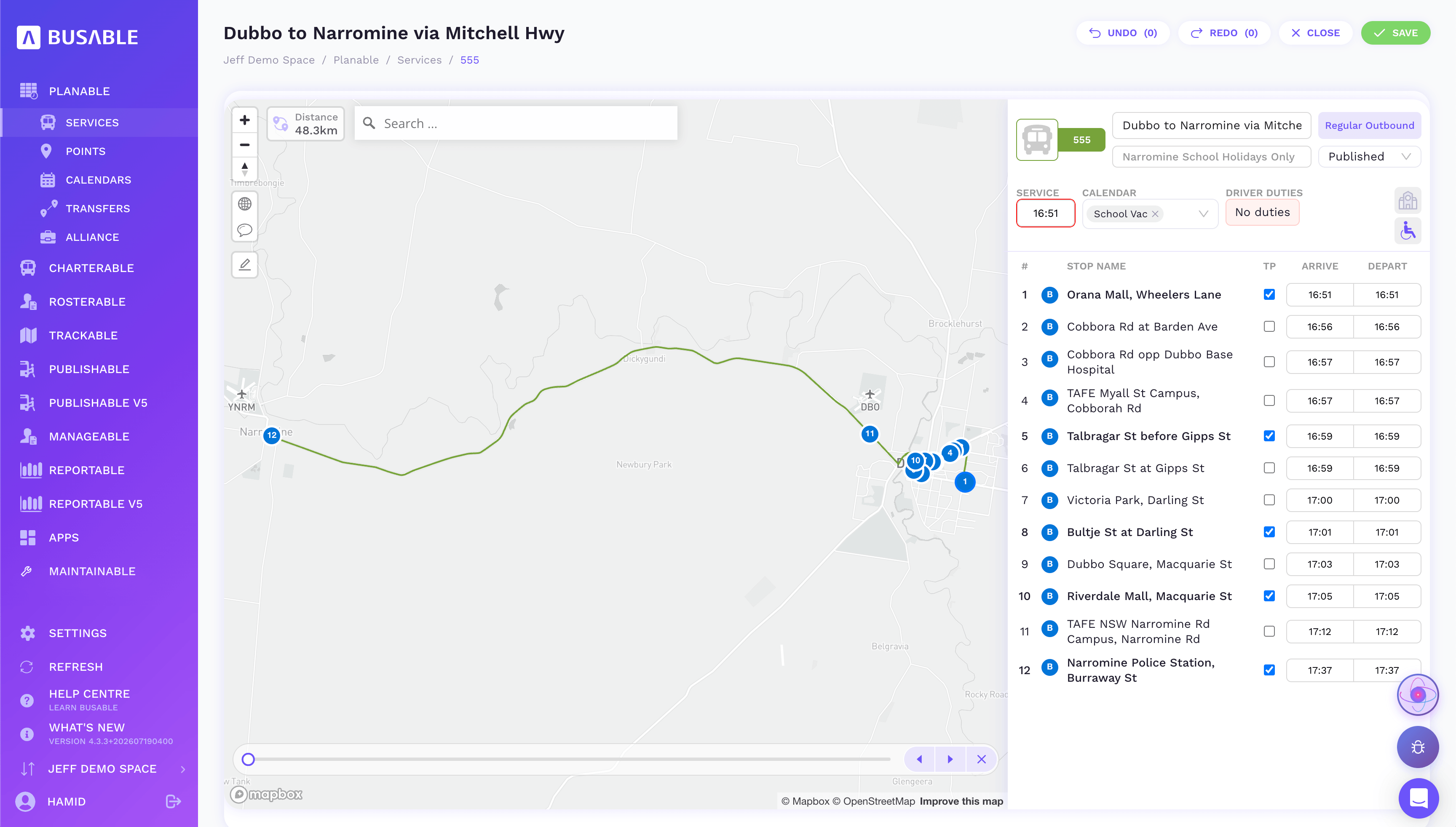
Stops and times, beside the map
Arrival and departure at every stop, with your timing points marked and the calendar it runs on.
Know exactly what your services run, down to the metre and the minute — the figures you price contracts on, roster against and report on.
the map-based route builder · your points library · calendars · the connections between services
Draw the route, build the timetables against it, and set the calendars that say when it runs. Intuitive enough that planning your own network stops being a specialist job.
Arrival and departure at every stop, with your timing points marked and the calendar it runs on.
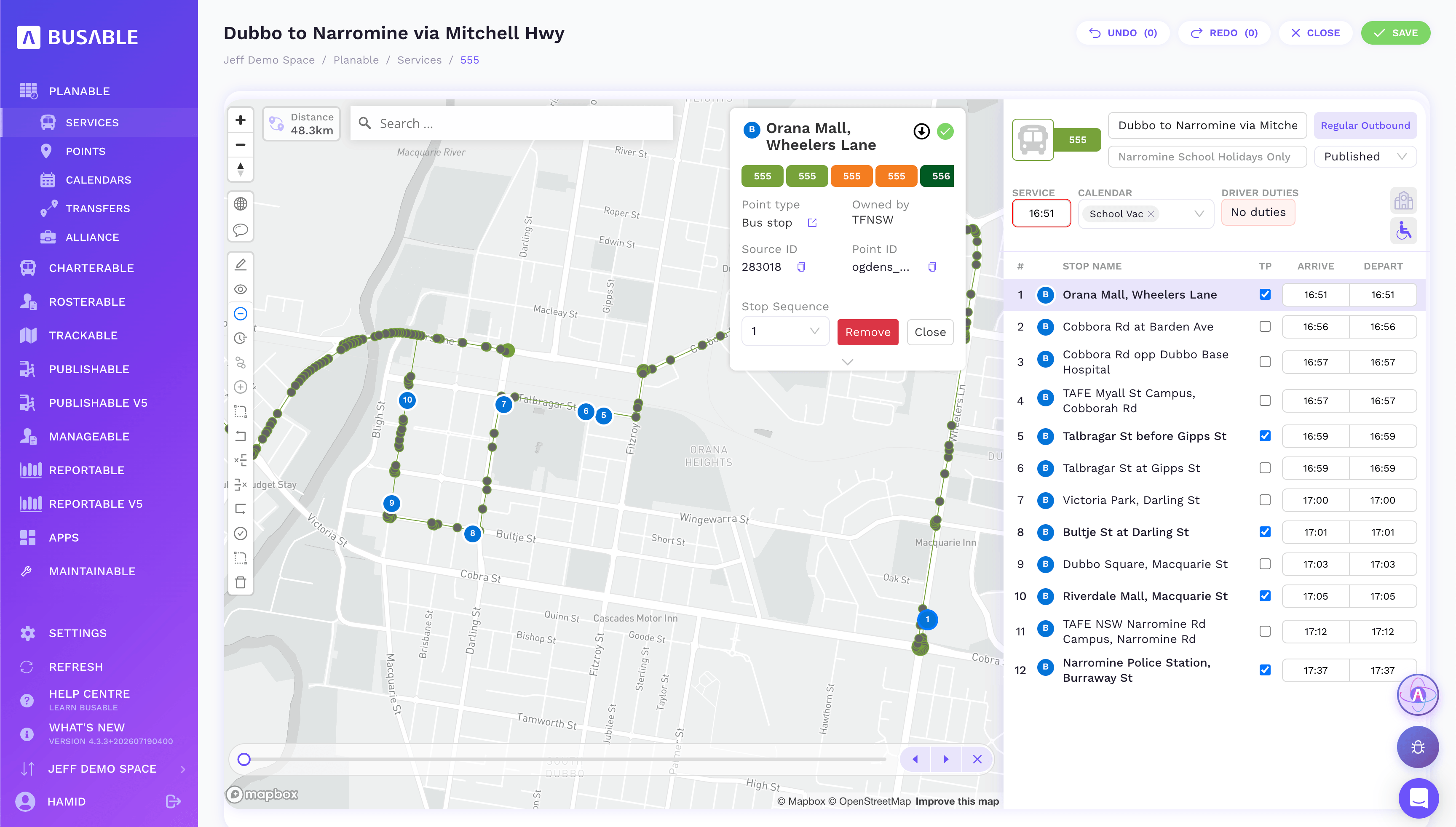
Tap a stop to see and fix its details right on the map.
Every bus stop and school in one shared library, with validation that flags duplicates and unverified stops before they bite.
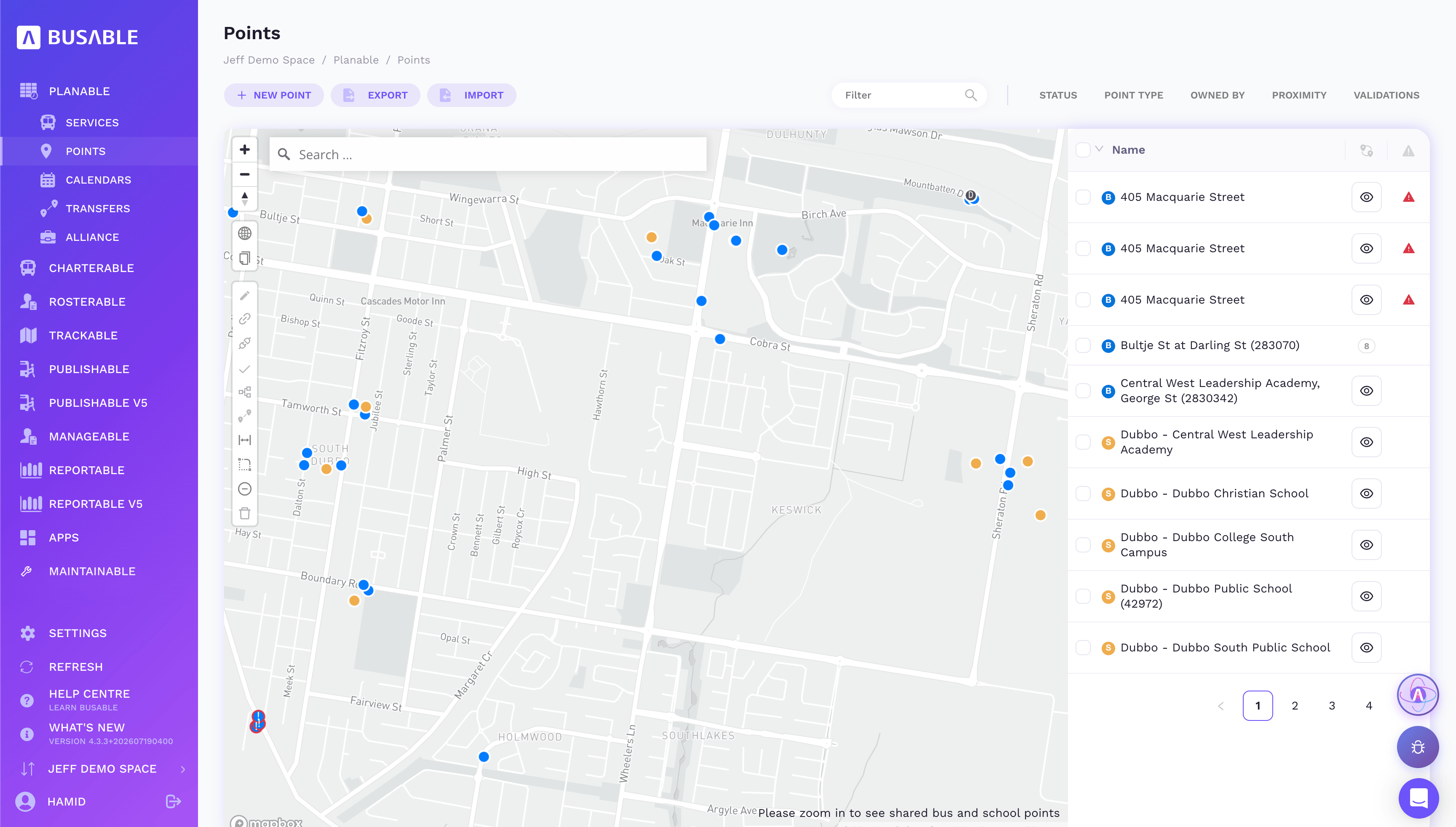
The whole point library, with validation flags on anything that needs a look.
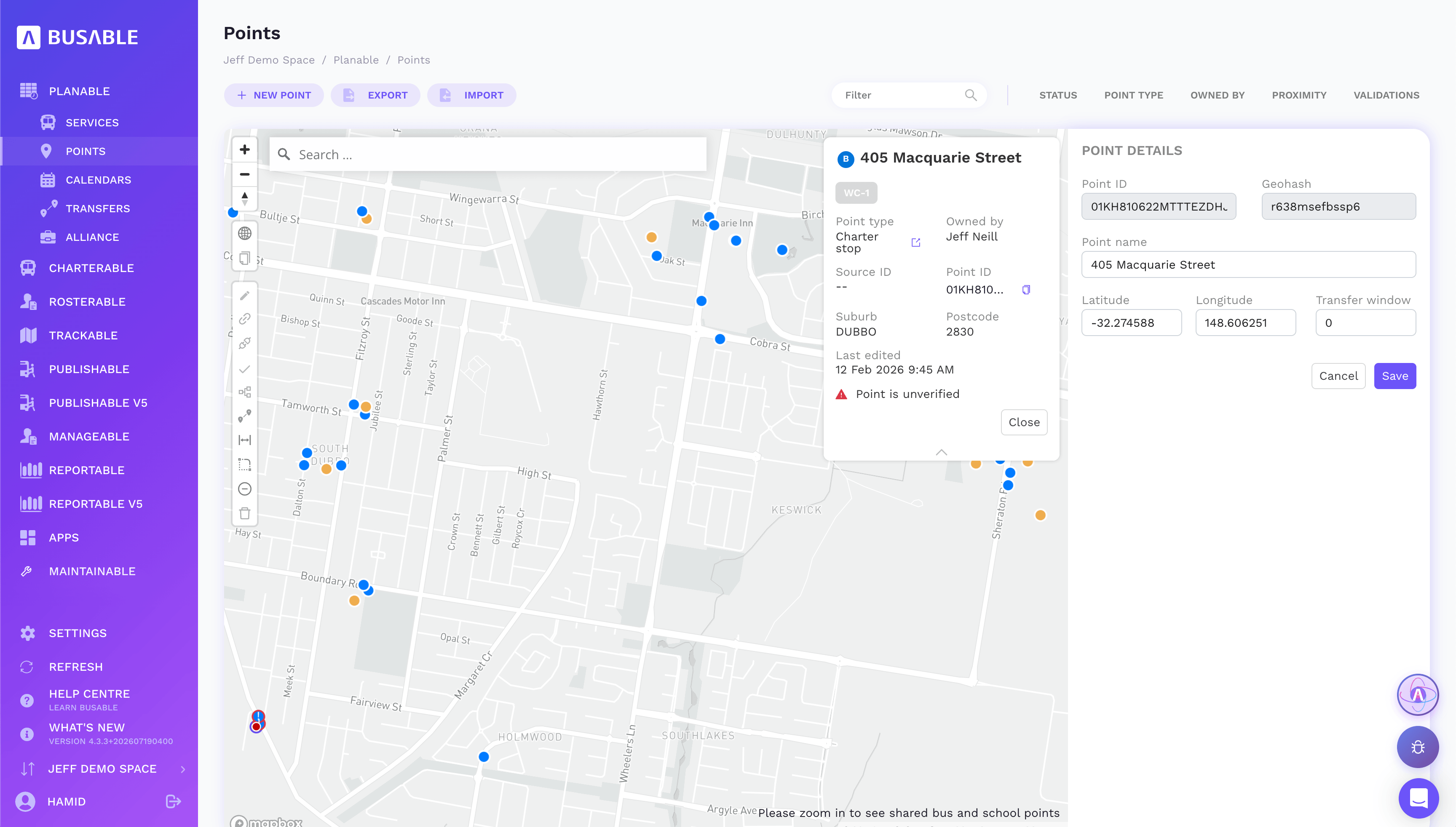
Check coordinates, suburb and status, and verify a stop without leaving the map.
Set the days each service runs, then exclude public and school holidays once and have every service respect them.
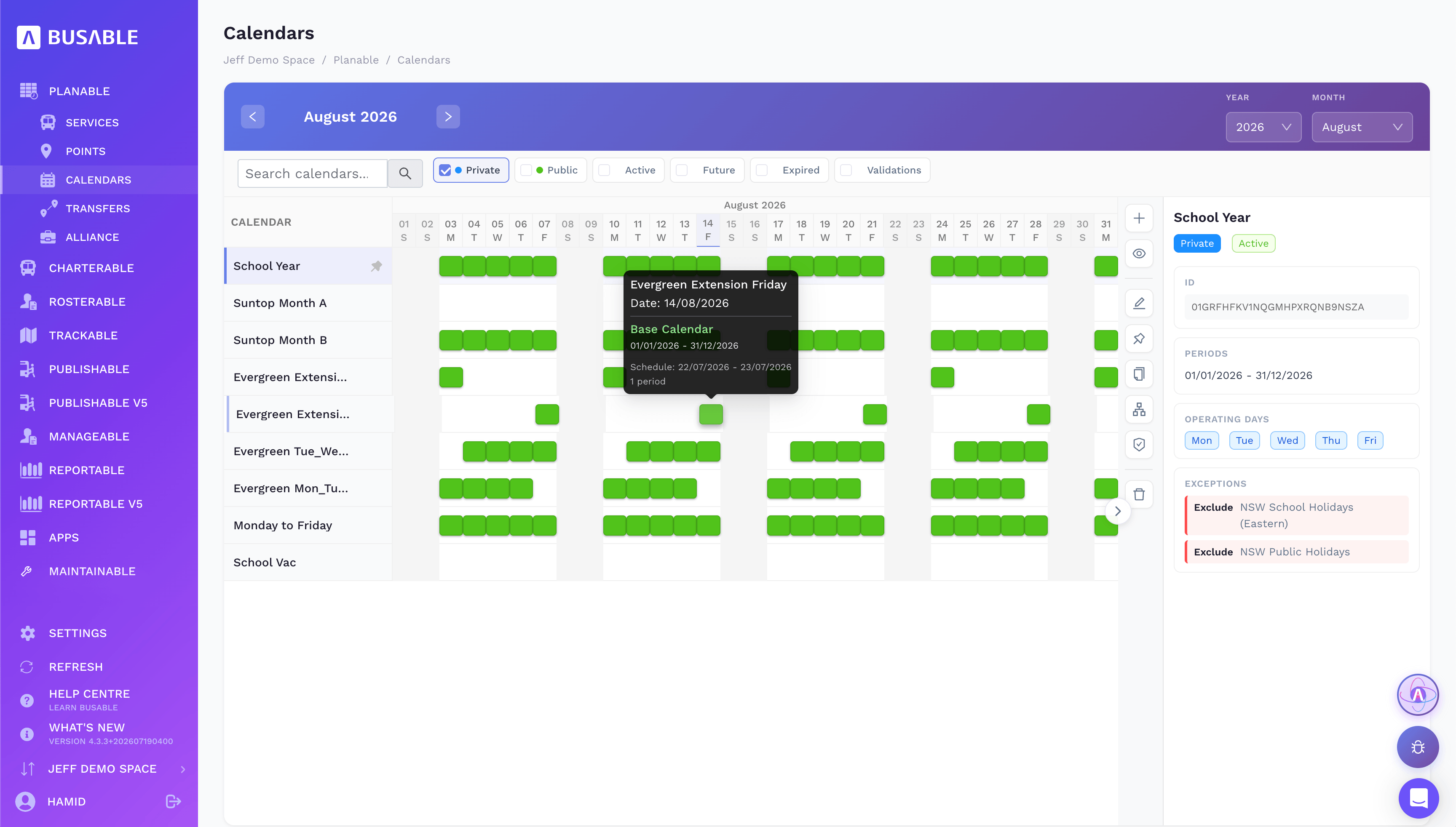
School terms, weekdays and vacation patterns, with holiday exceptions applied across the board.
Planable checks every service against the others so feeder runs meet the main service — and repairs the ones that don't.
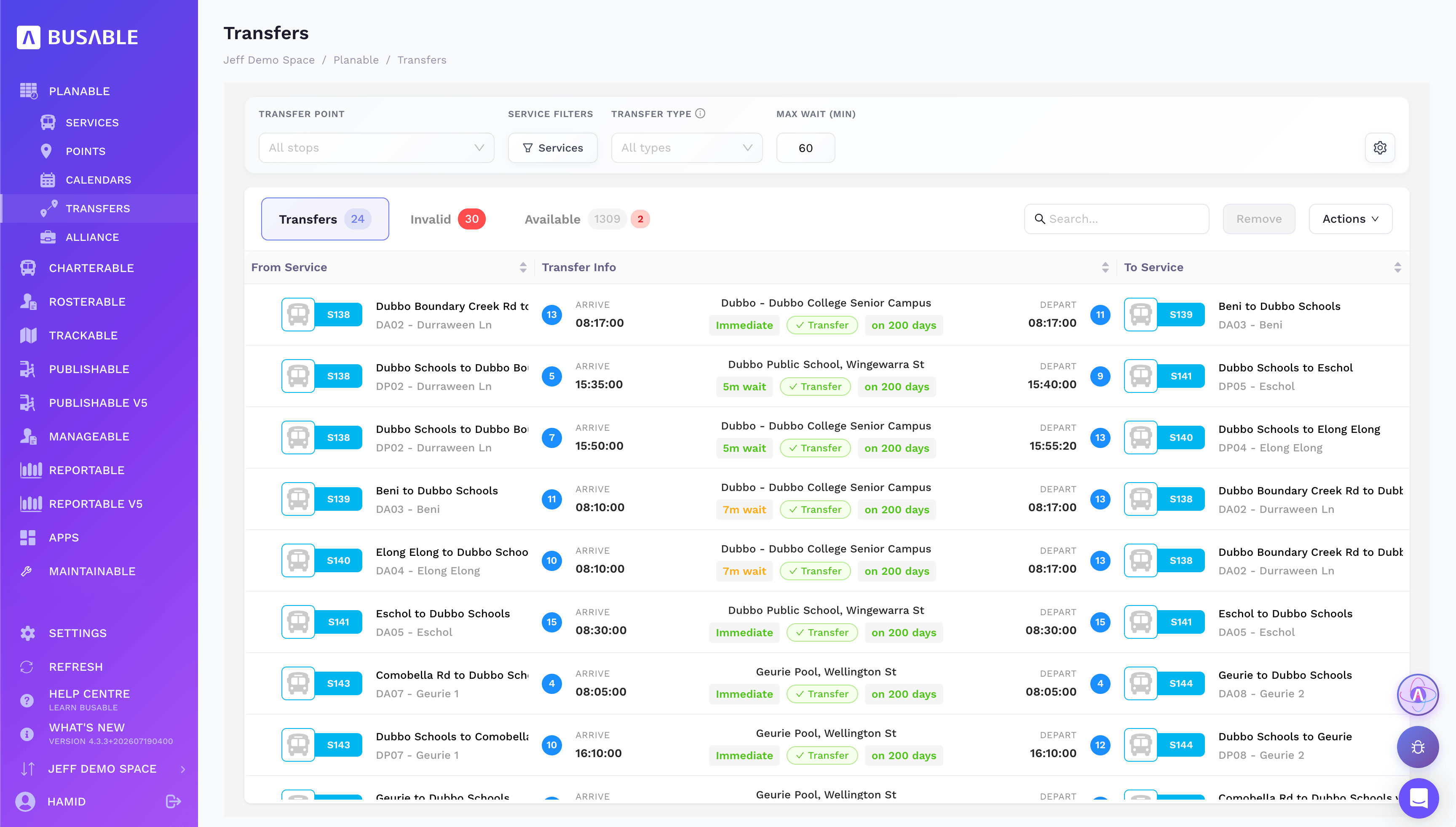
From service to service, with wait times and how often each transfer runs.
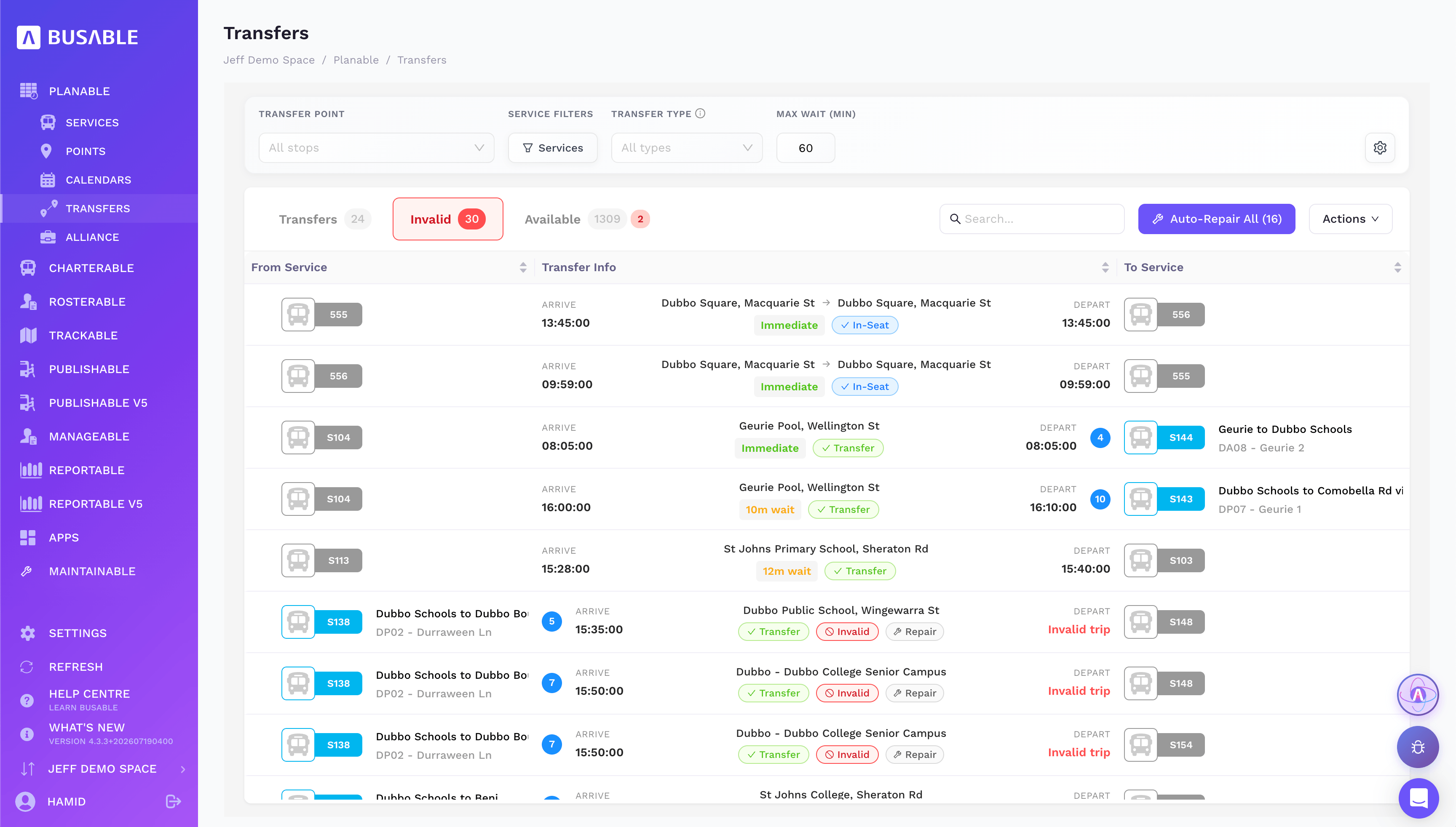
Invalid connections are flagged, with one-click auto-repair across the lot.
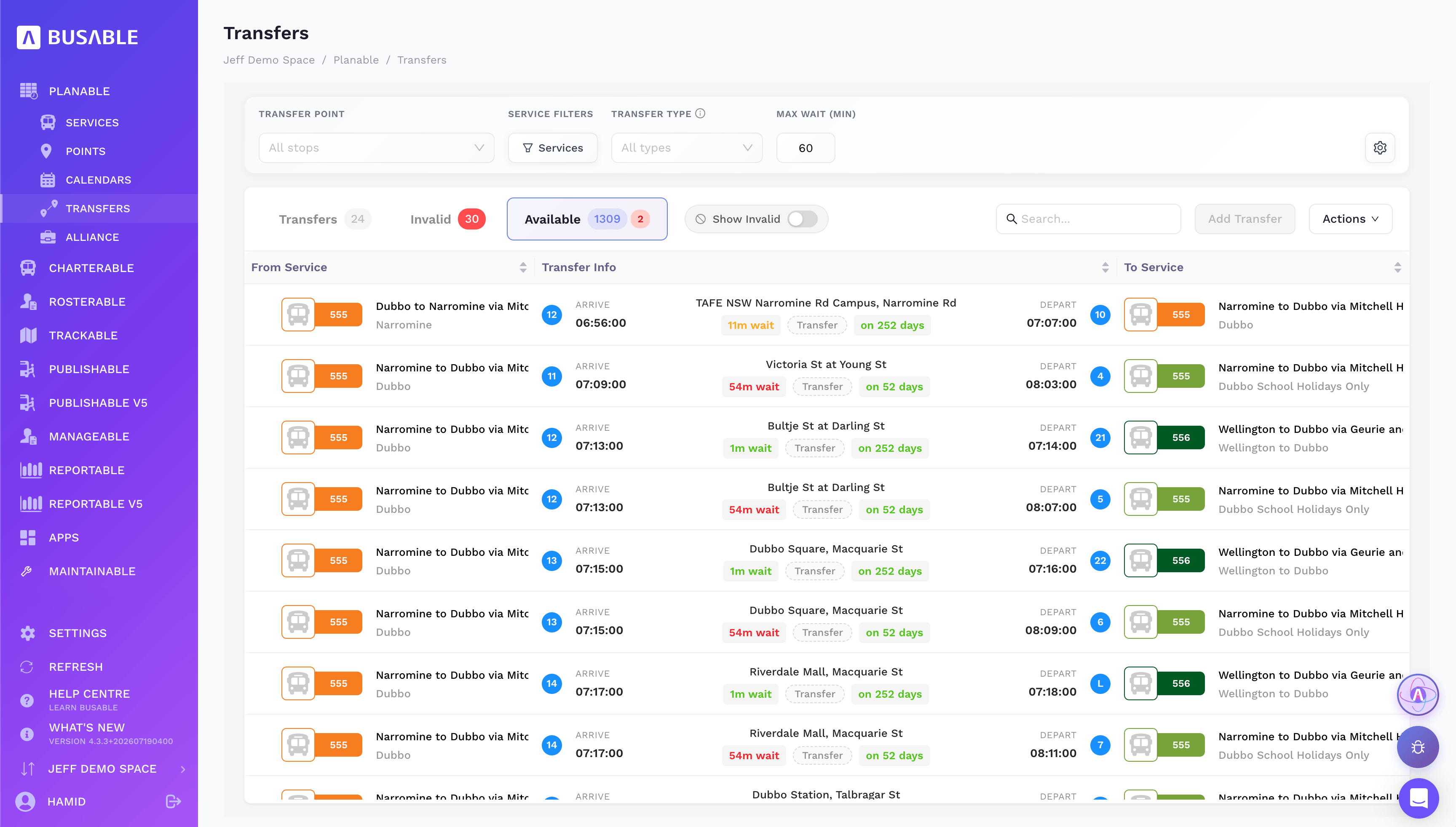
Every connection the timetable makes possible, ready to add.
We'll load your routes and walk you through it end to end.
Book a demo