
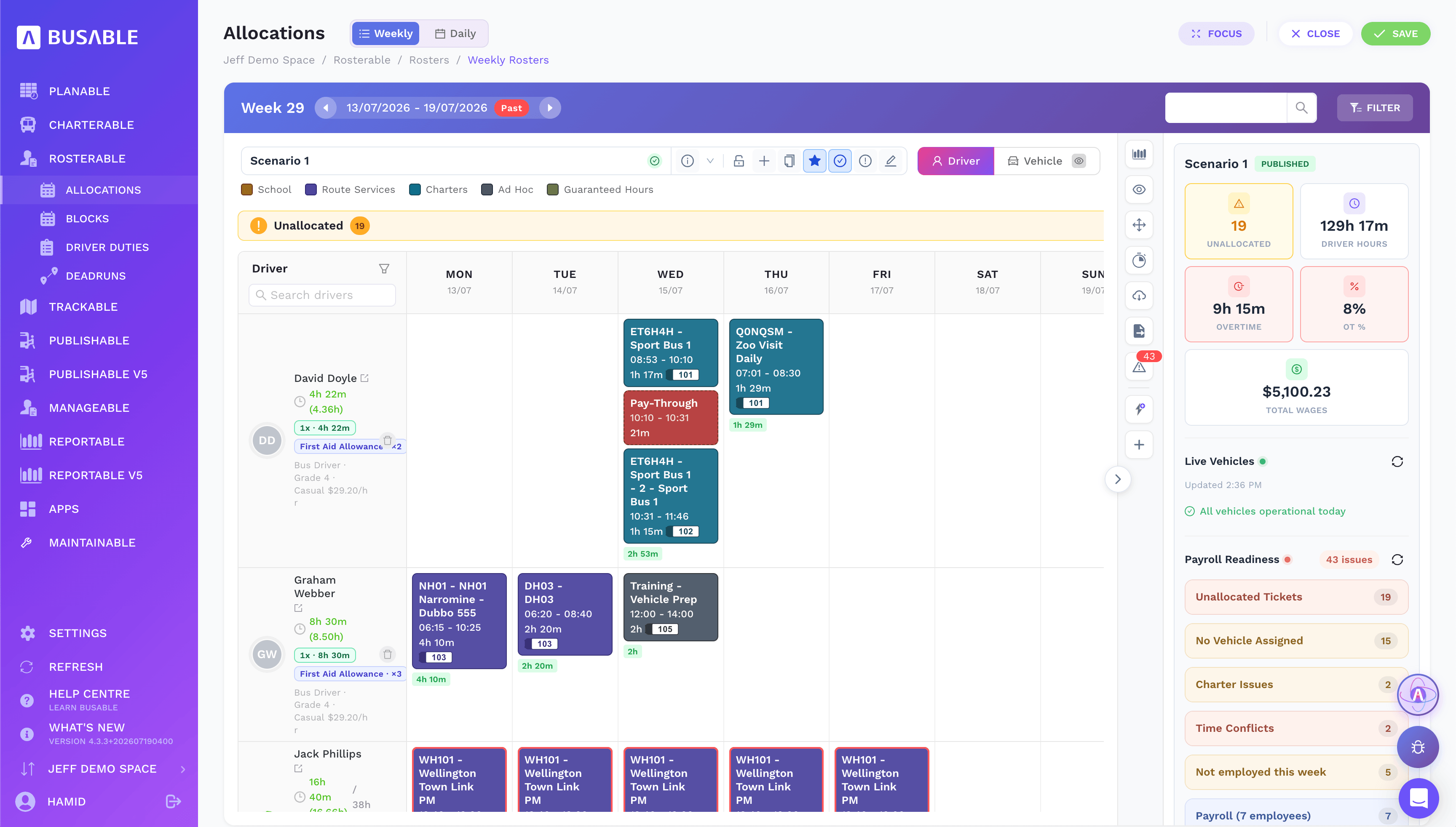
Who's driving what, all week
The weekly board with driver hours, overtime, wages and a payroll-readiness check as you build.
See who's driving what at a glance, reshuffle the day when a run goes late or a driver calls in sick, and build shifts with award and fatigue limits flagged as you go — so you can see what a change costs before you publish it.
The roster board · unallocated work & clashes · the day on a timeline · your driver-duty library · the run sheet behind every duty
Every driver and every duty across the week, colour-coded by work type — school, route, charter, ad hoc. Scenario totals, overtime and wages update as you go, with payroll readiness flagged down the side.
The weekly board with driver hours, overtime, wages and a payroll-readiness check as you build.
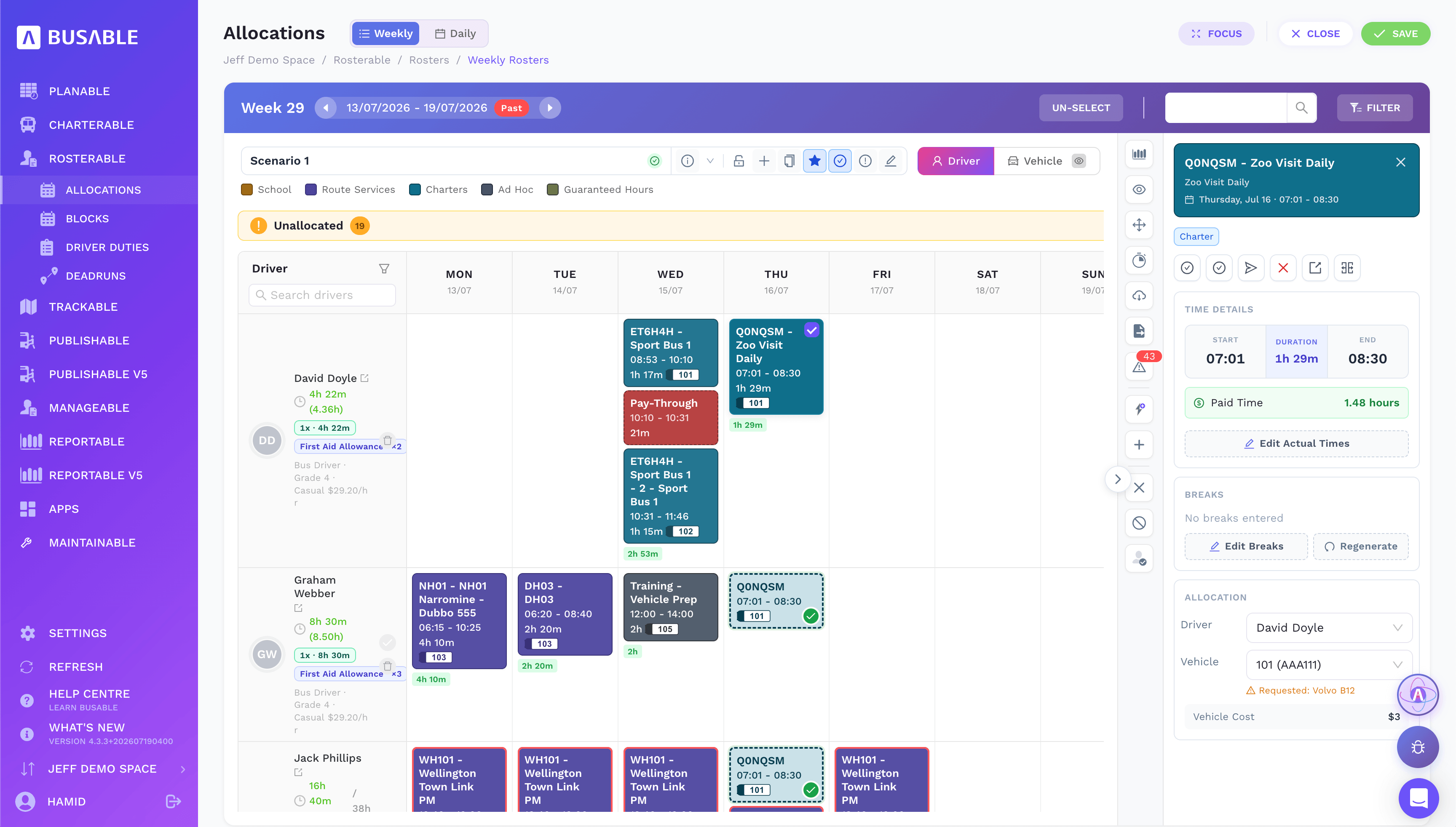
Pick a duty to set the driver, vehicle, breaks and actual times — with the requested vehicle flagged.
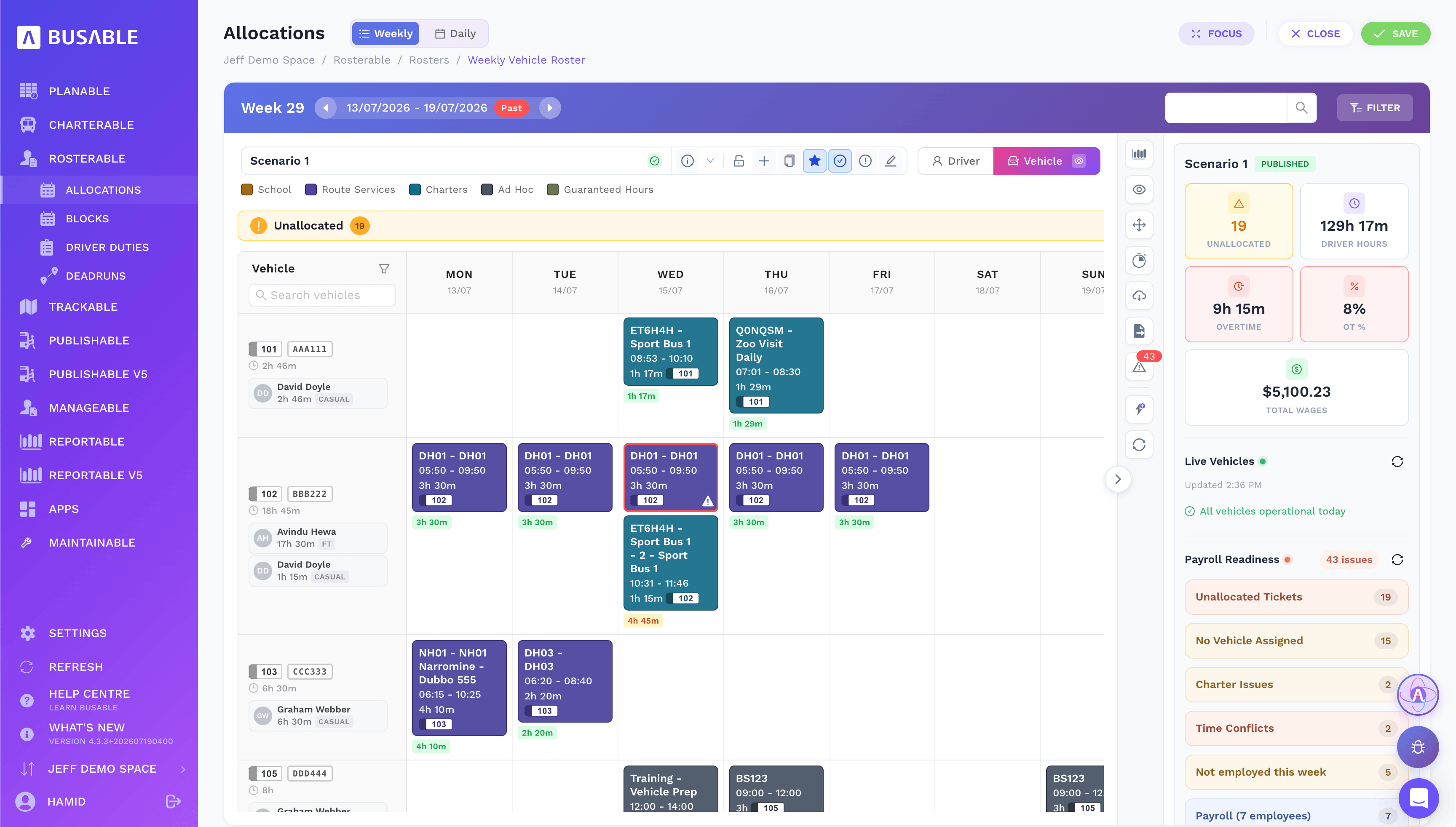
Flip the same week to a vehicle view to check how each bus is used and who's on it.
The unallocated tray shows every duty still without a driver or vehicle, and clashes are flagged as you go — no driver, no vehicle, time conflicts — so you fix them before you publish.
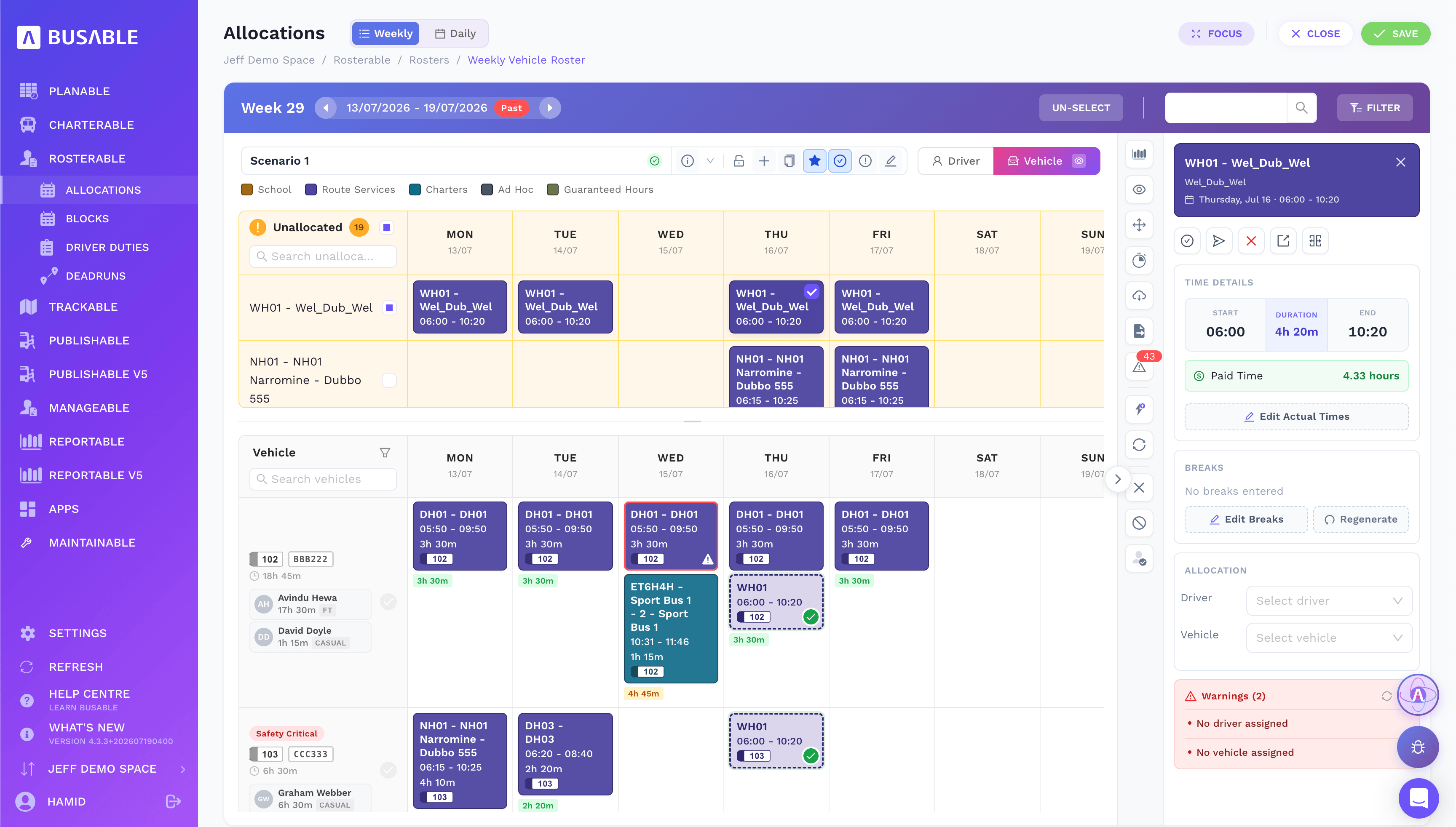
Unallocated duties up top and warnings on the side — assign a driver and vehicle and the flags clear.
Switch to the daily timeline to see the day laid out across the clock — drag a duty onto a driver or a bus, and gaps and breaks show up as you go.
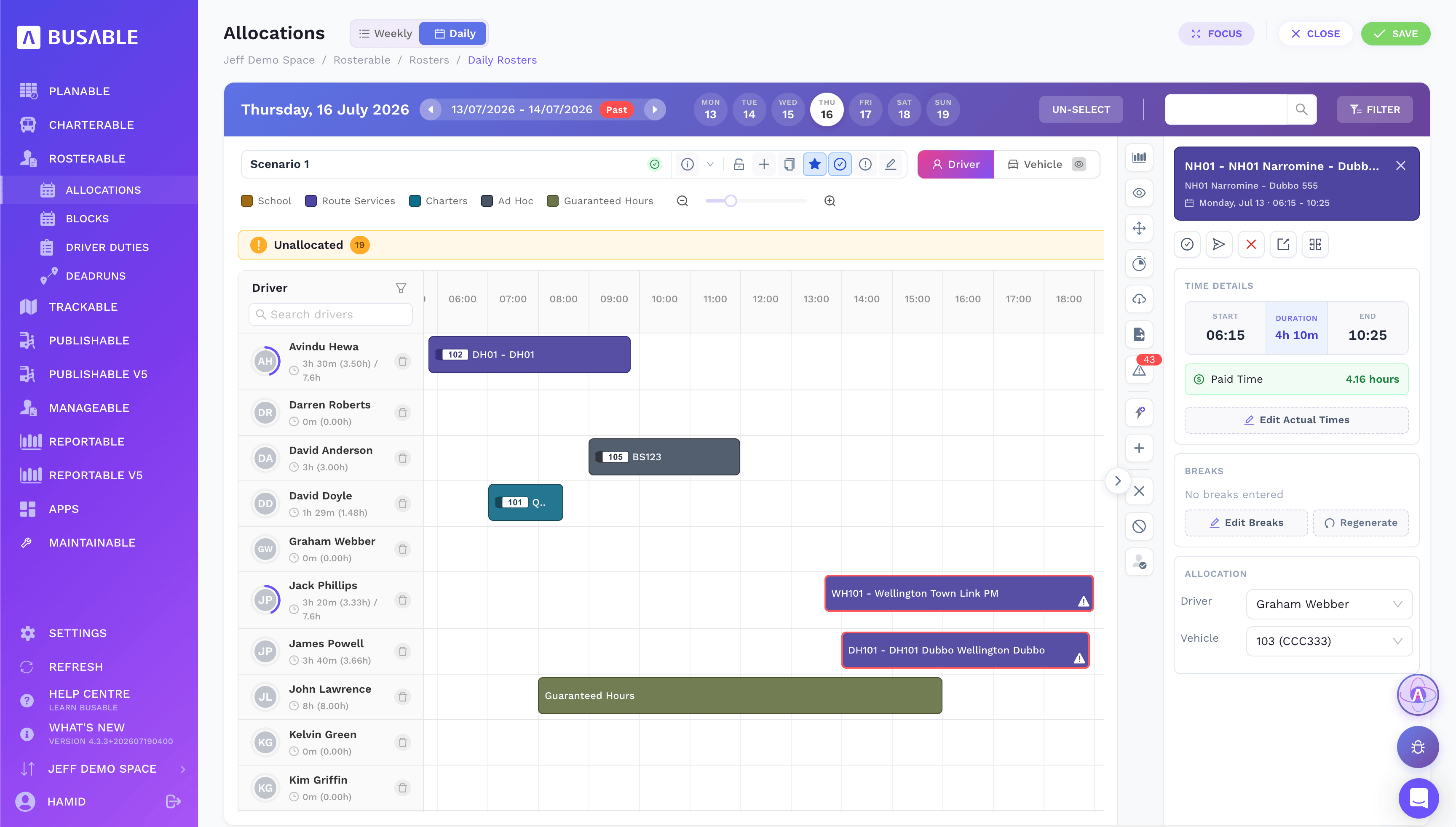
Duties laid out on a time axis per driver, with guaranteed hours and total time.
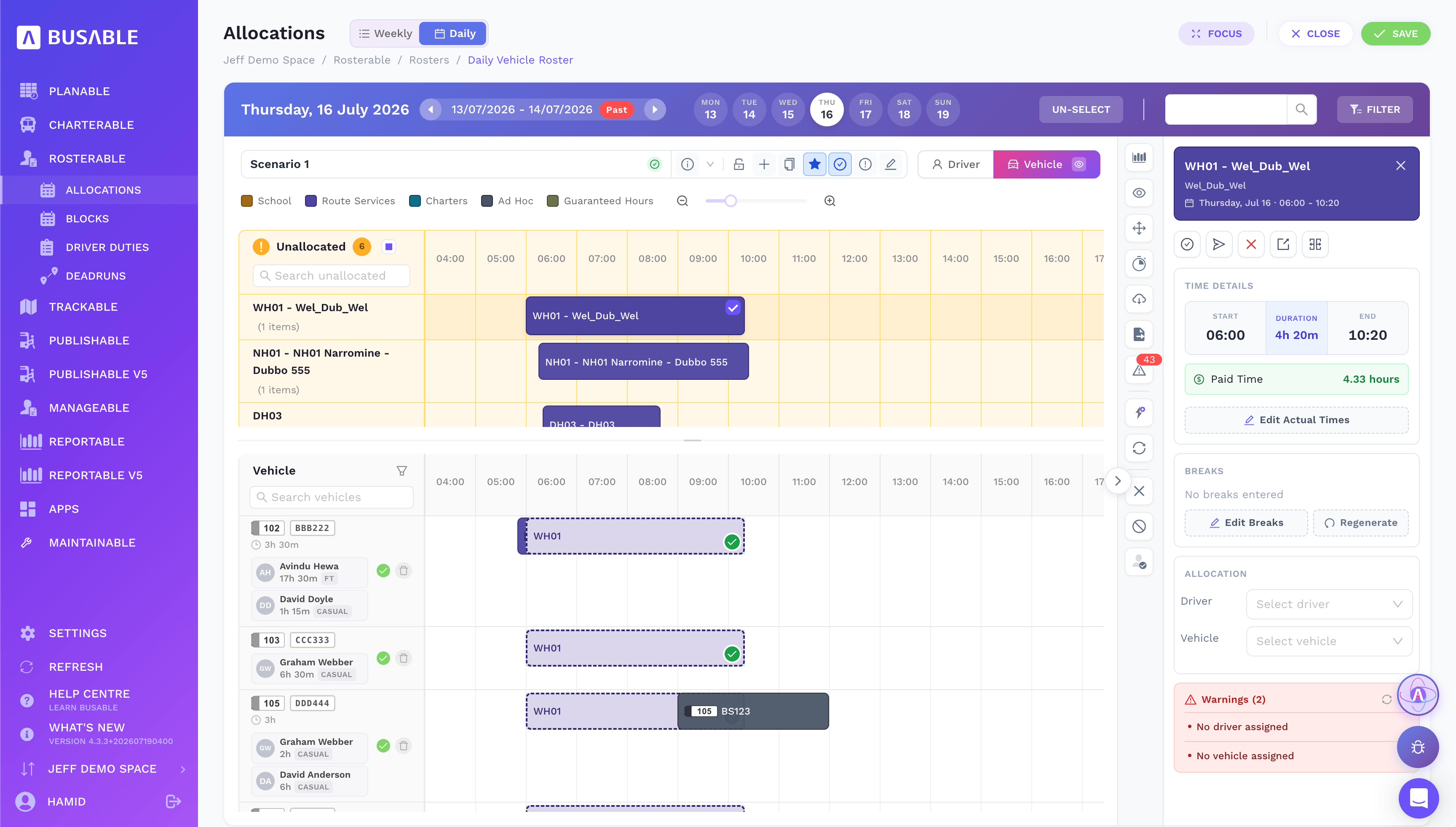
The unallocated tray sits above the vehicles — drag a duty onto the right bus.
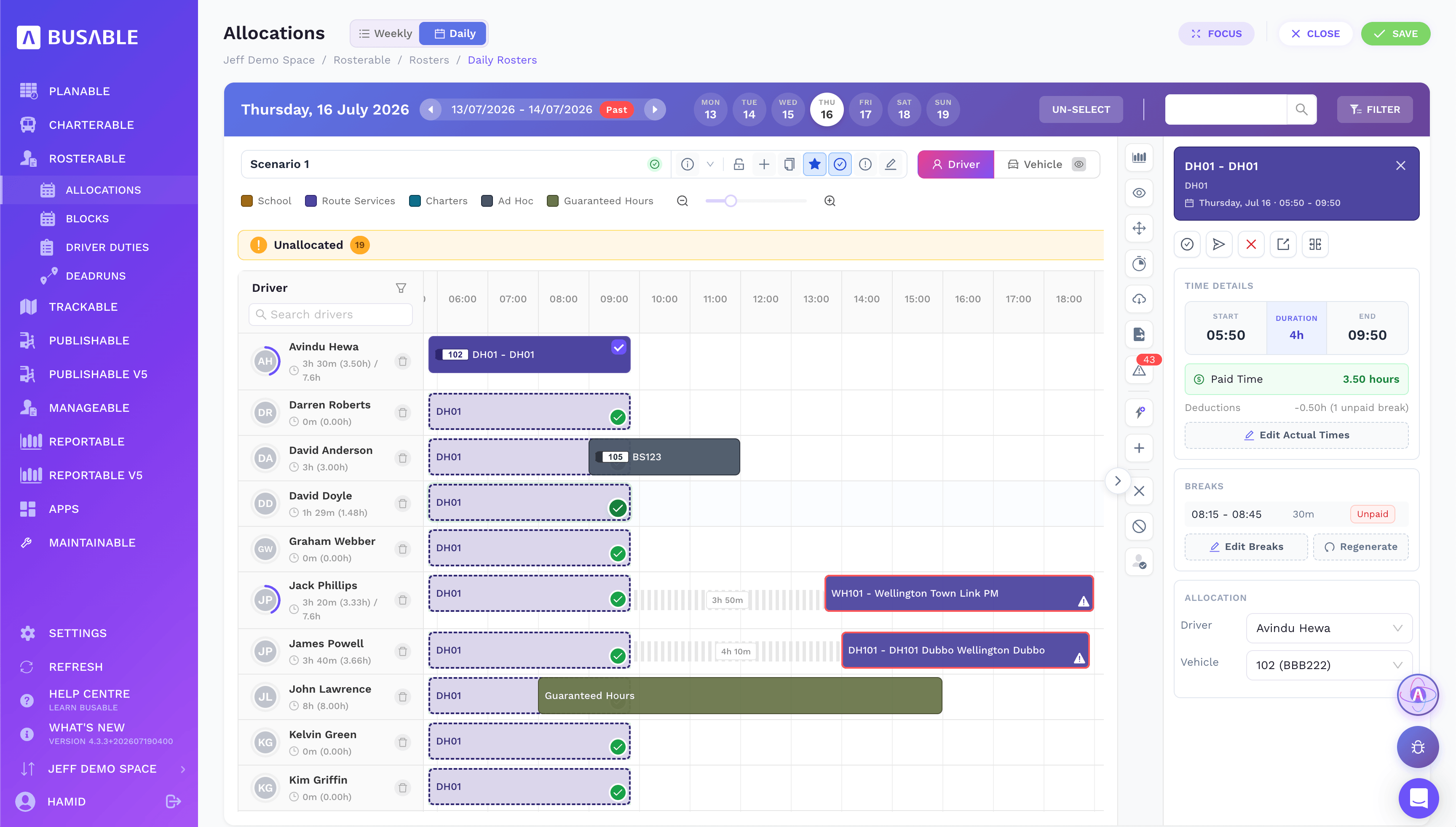
Drop a duty across drivers and see gaps, breaks and unpaid time before you commit.
Every driver duty in one list — sign-on, sign-off, duration, distance and the calendar it runs on. Build a duty once and roster it as often as you need.
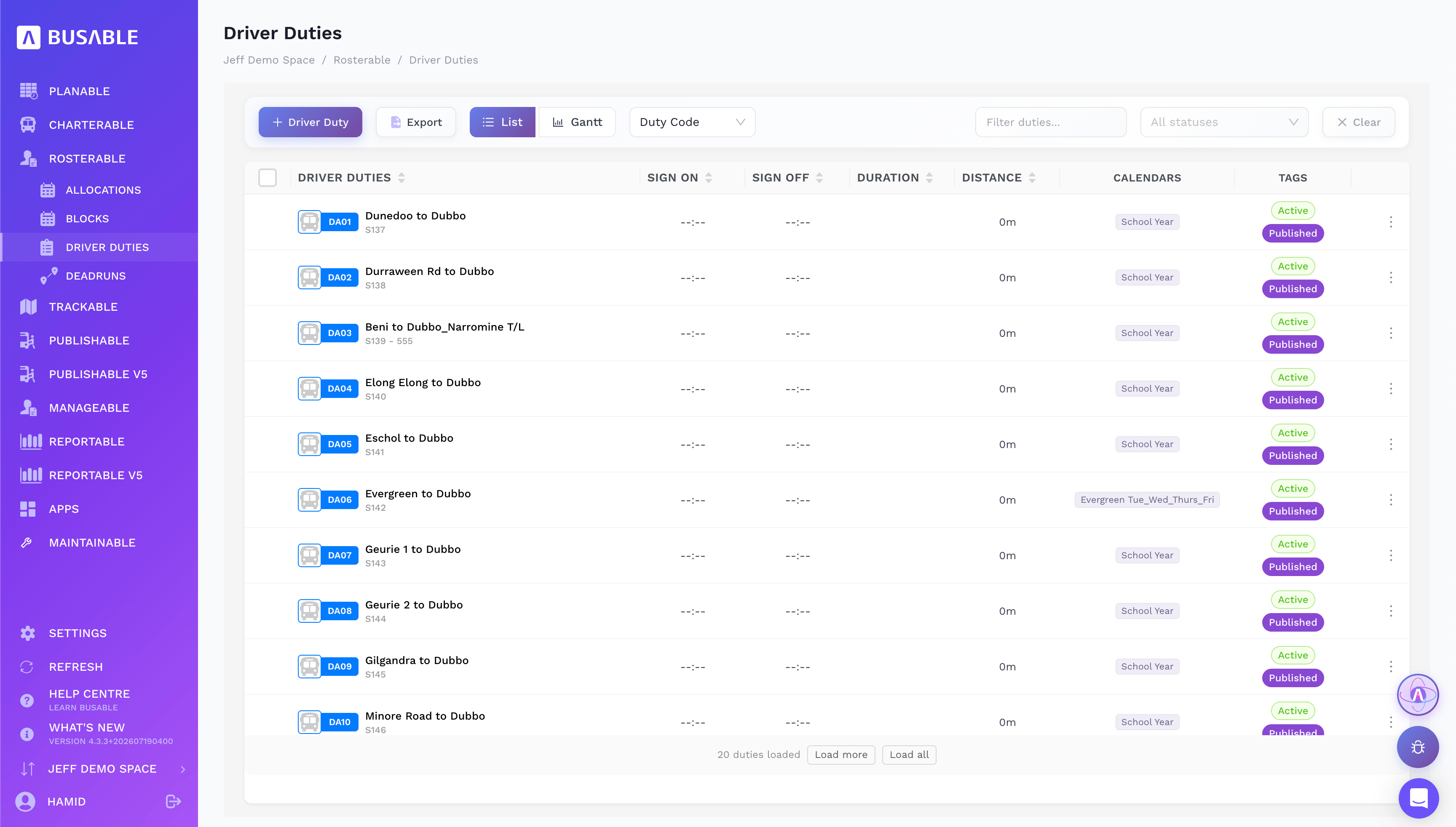
Duty codes, times and calendars, tagged active or draft, ready to drop onto the roster.
Each duty is a full run sheet — sign-on, pre-departure checks, the legs and services, breaks and sign-off — mapped end to end. Build it once and publish it to your drivers when you are ready.
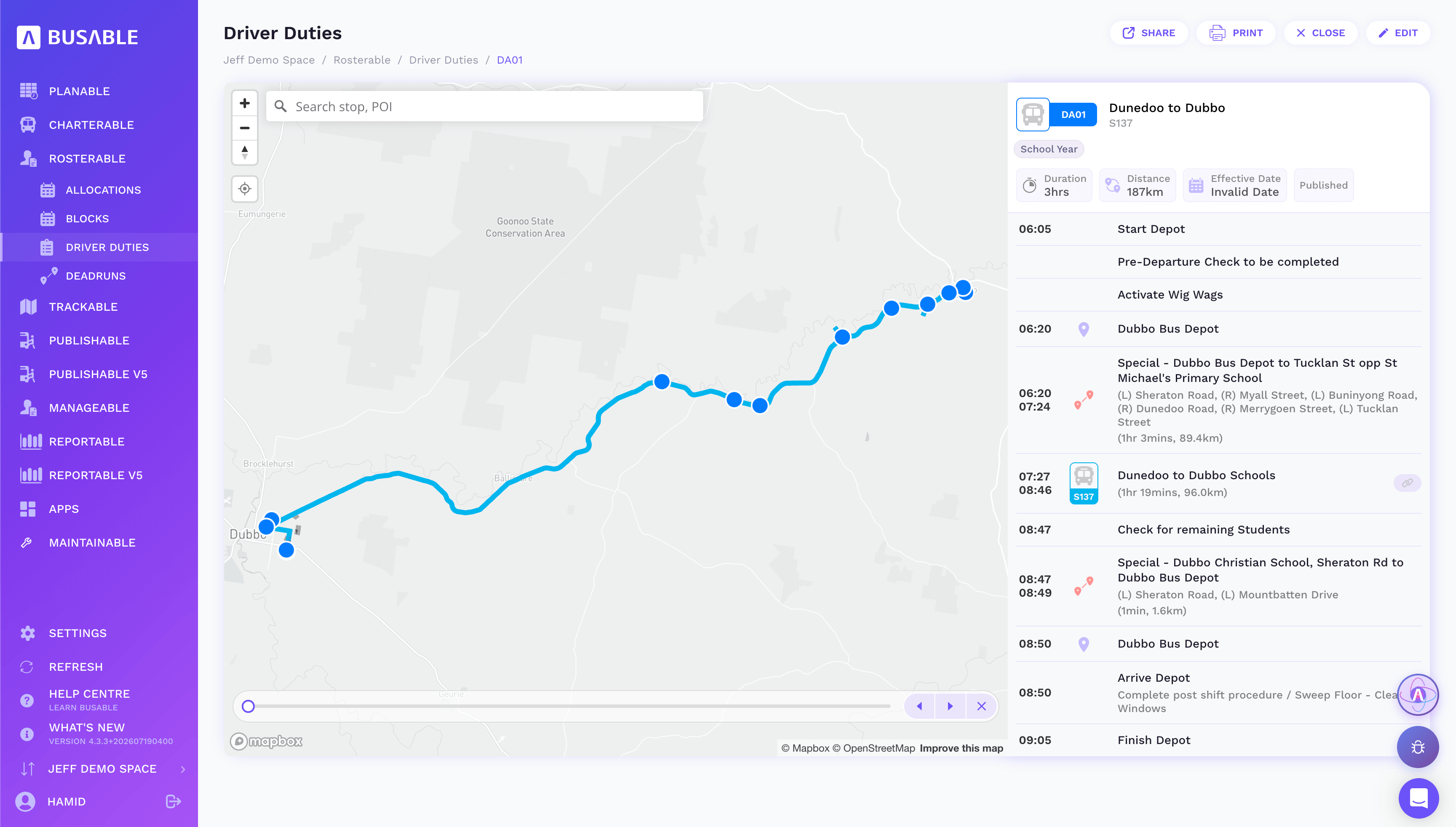
The whole duty on the map, with every stop, check and service and the time it happens.
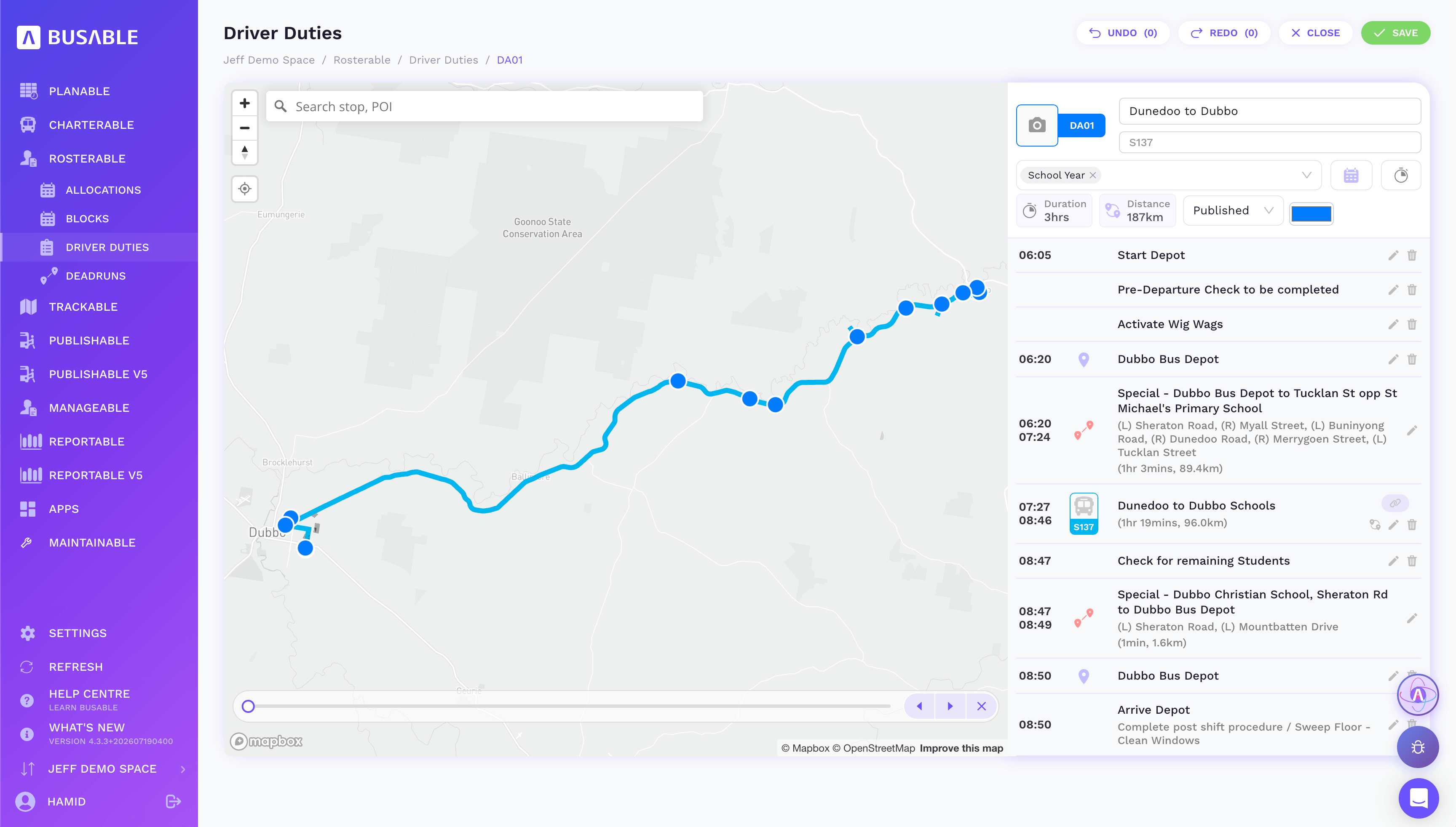
Add checks, special legs and services, set the times and breaks, then publish.
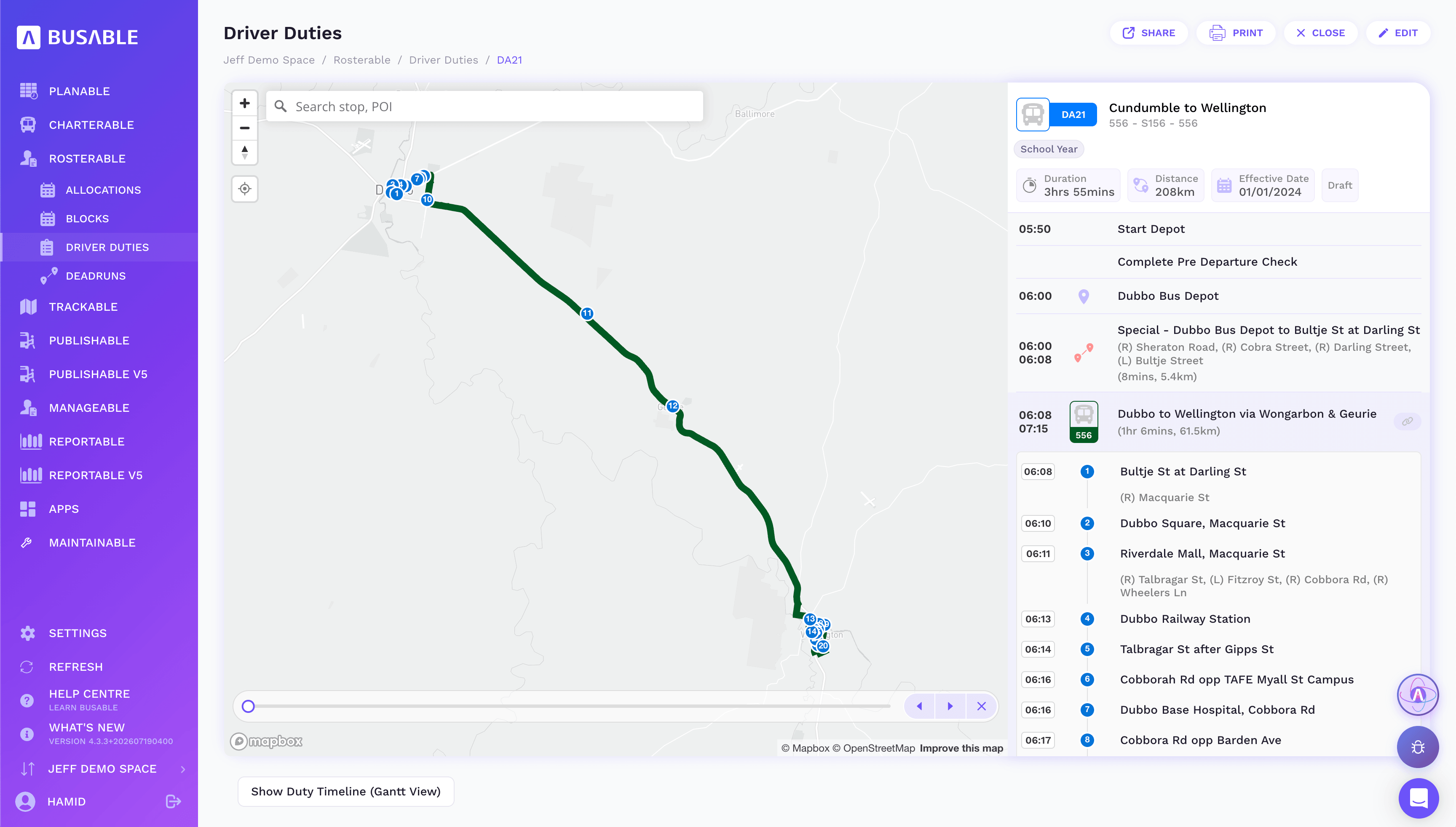
Every timing point on the service leg, with a Gantt view of the duty when you need it.
We'll load your duties and drivers and walk you through it end to end.
Book a demo