
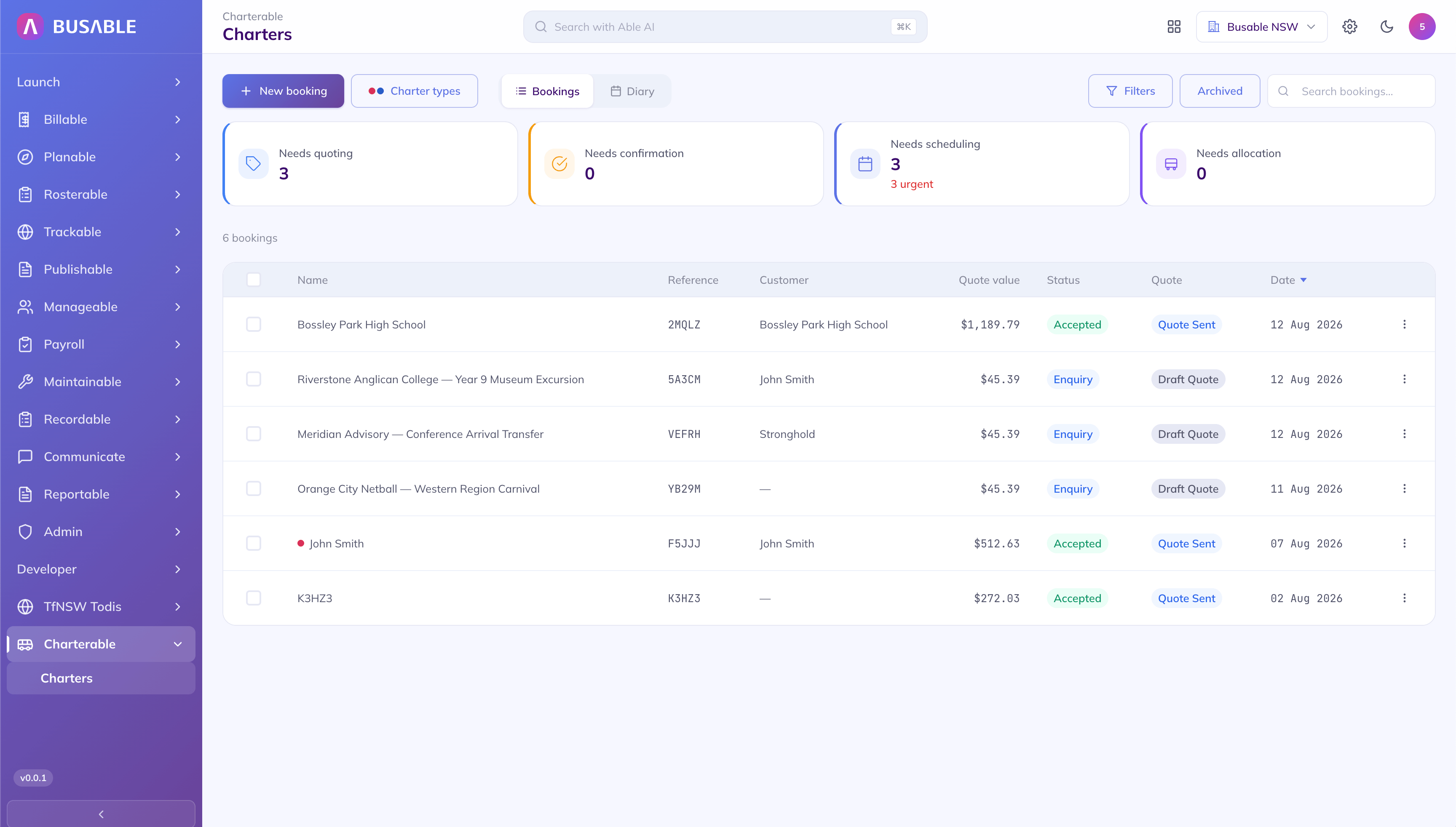
What's waiting on you
What needs quoting, what needs scheduling and which of those are urgent — then every booking with its reference, customer, value and quote status.
Every enquiry in one list with what it needs next. Build the job date by date, price in the hours the coach sits idle, and send the quote on your letterhead — then it goes to the roster without being typed up a second time.
Needs quoting, needs confirmation, needs scheduling, needs allocation — four counts across the top, with the urgent ones called out. Underneath, every enquiry with its value and where the quote is up to.
What needs quoting, what needs scheduling and which of those are urgent — then every booking with its reference, customer, value and quote status.
Flip to the diary and the same bookings group by day, with a count on every date that has work. Today, tomorrow and the rest of the month — so you know what the depot is carrying before you take the next enquiry.
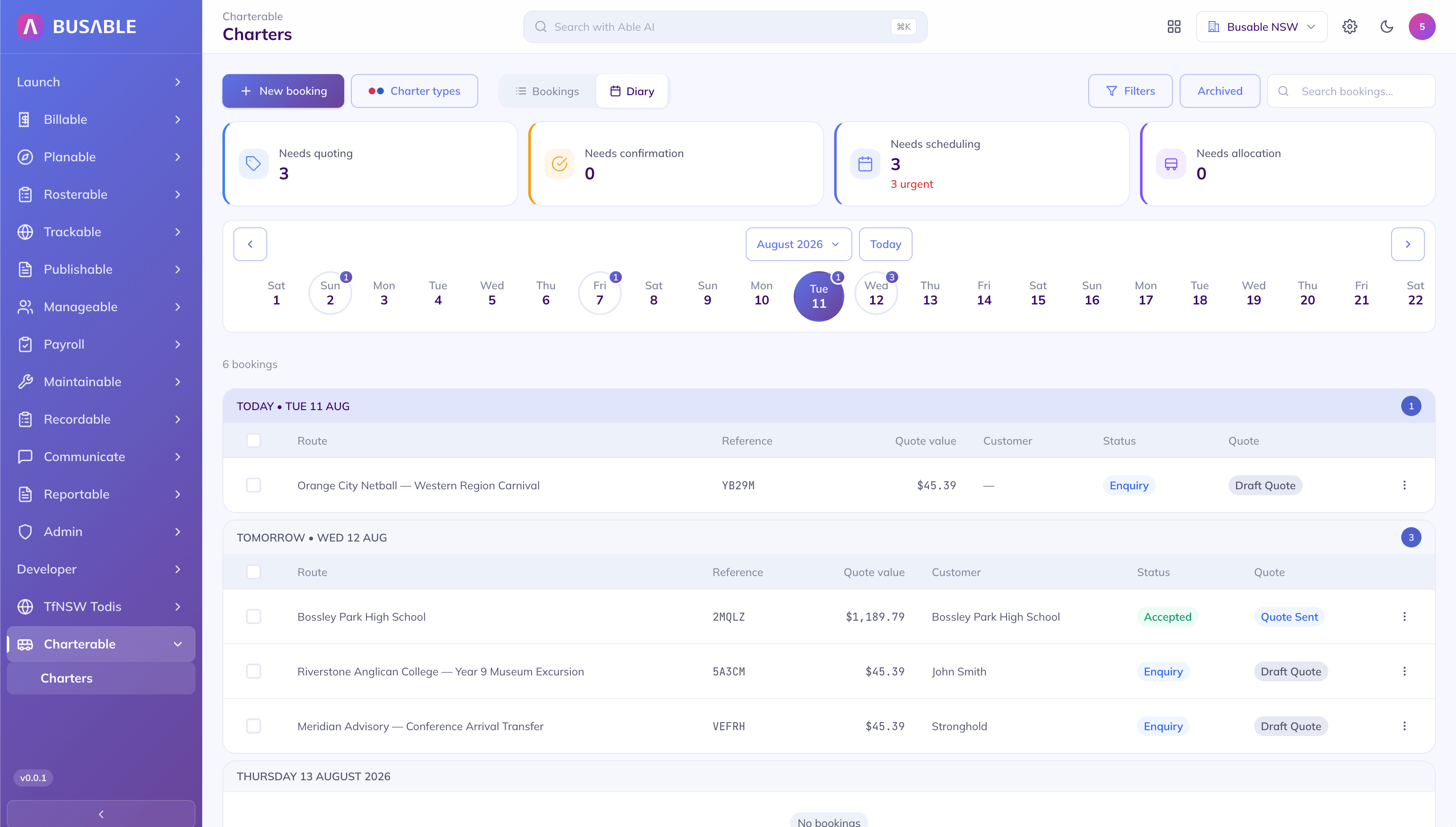
A strip across the month with a count on each day that has work, and that day's bookings listed under it.
Charter details, every travel date and every movement on one screen. The gap between the run out and the run home is costed the way it actually happens — you set whether the driver stays and is paid for the wait, and whether the coach holds on site — because the hours on the ground are where a charter's margin goes.
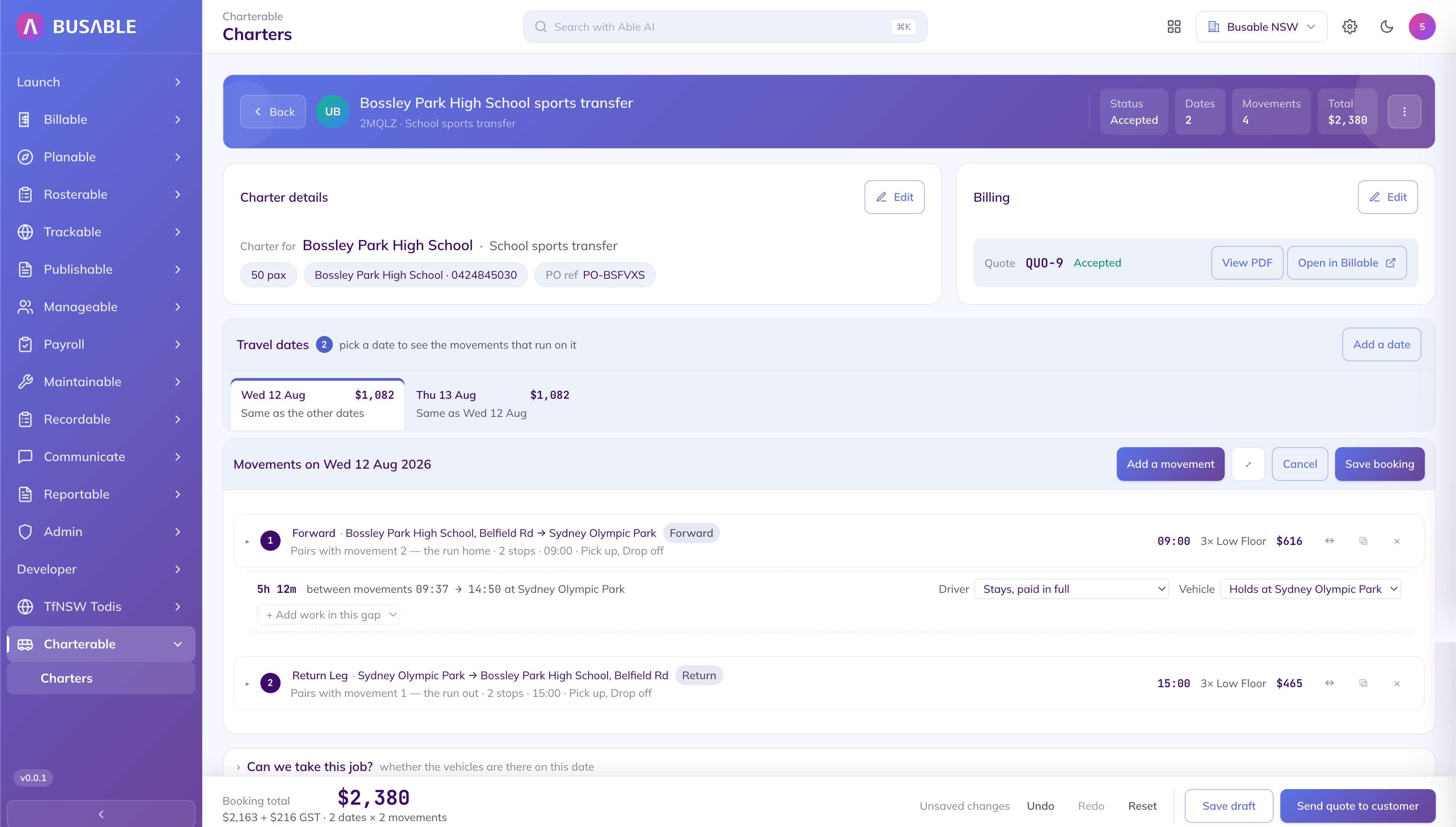
The passenger count, the PO reference, every travel date, and the hours on the ground between the run out and the run home — costed, not forgotten.
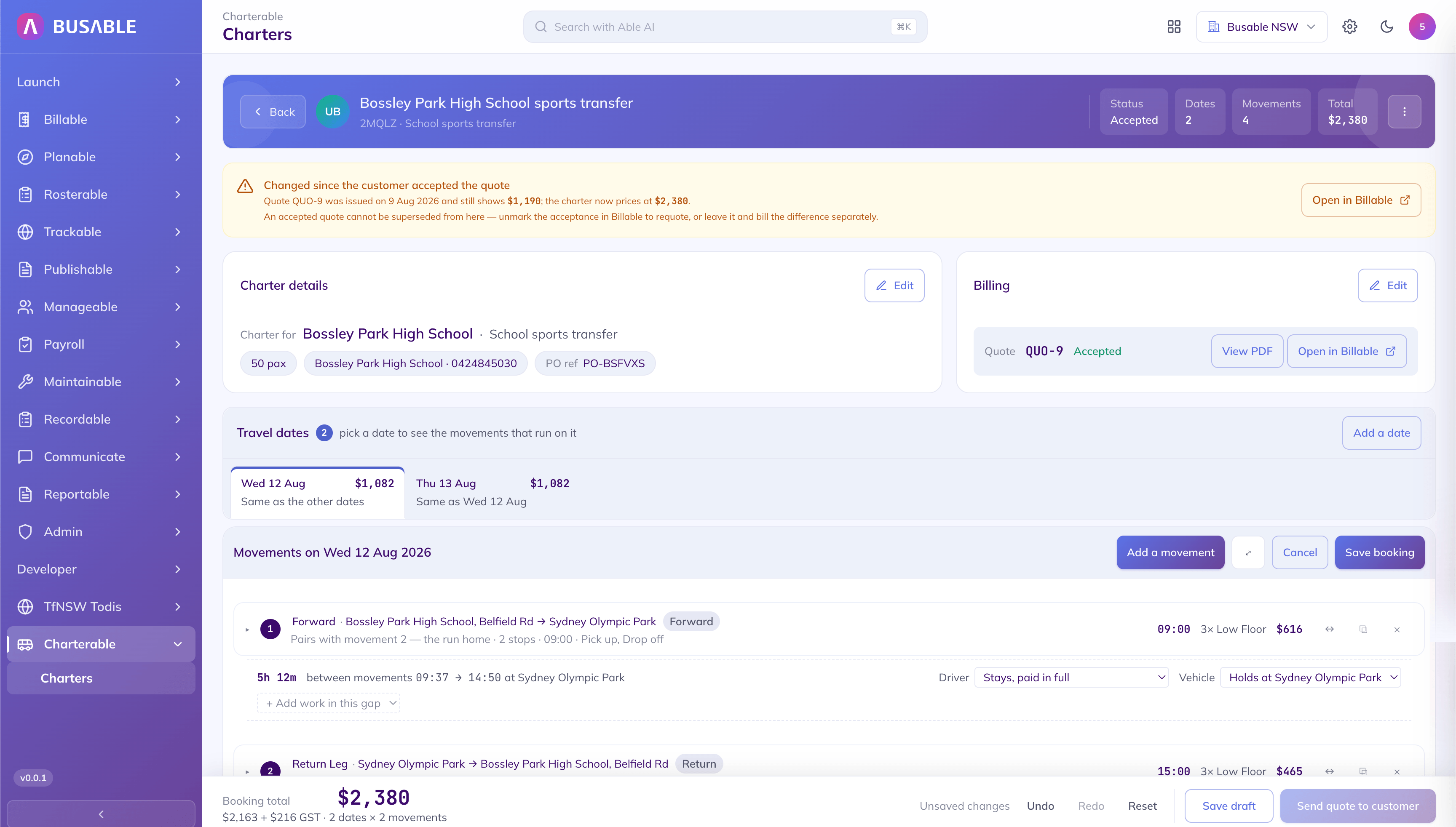
The customer accepted one price; the charter now prices higher. The gap is flagged on the booking before it reaches an invoice.
Open a movement and lay it out stop by stop — where it picks up, where it sets down, how long on the ground at each. The distance, the travel time and the finish time work themselves out, and the run draws itself on the map.
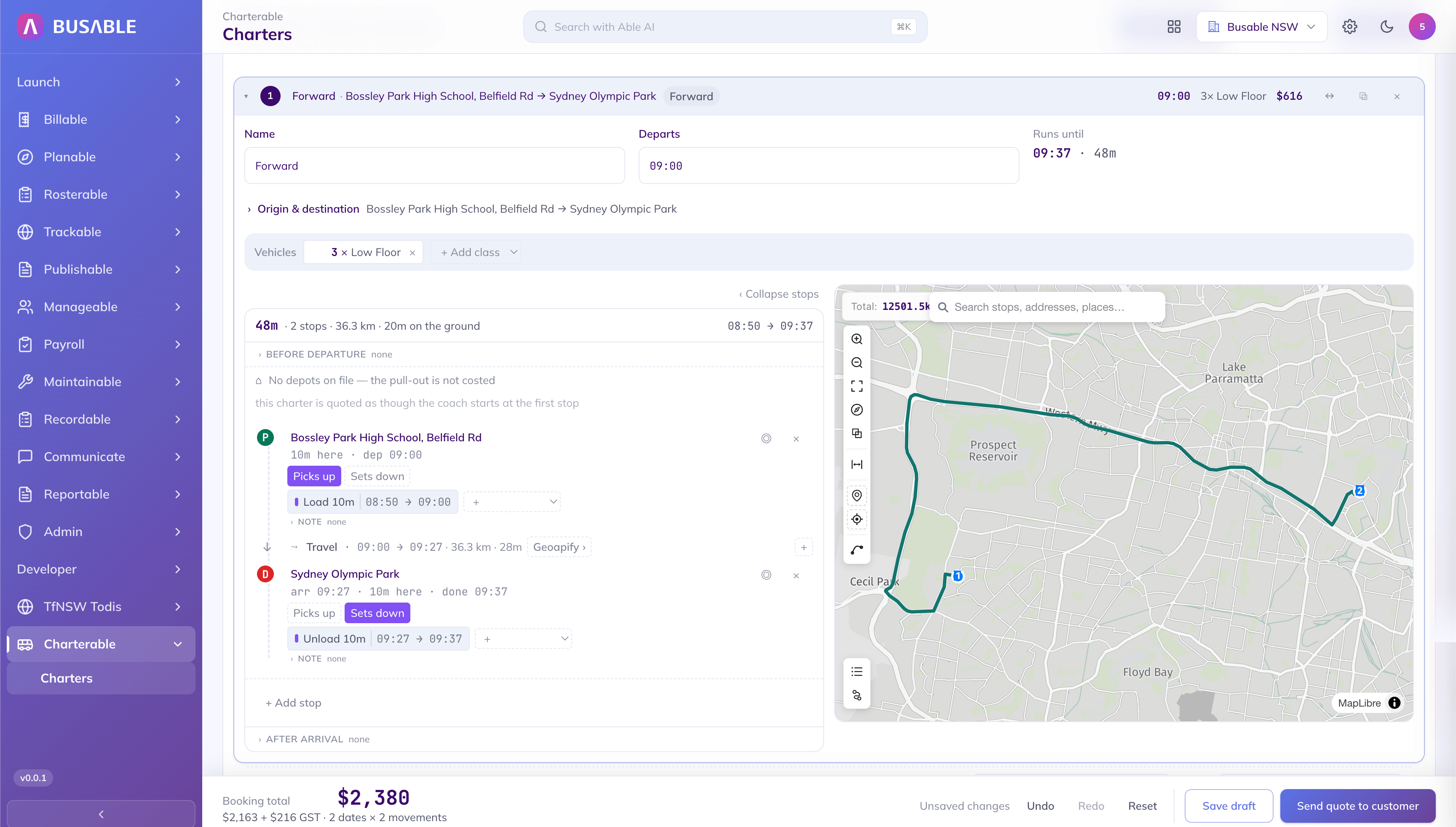
Where it picks up, where it sets down, and the minutes loading at each end — the kilometres and the finish time follow.
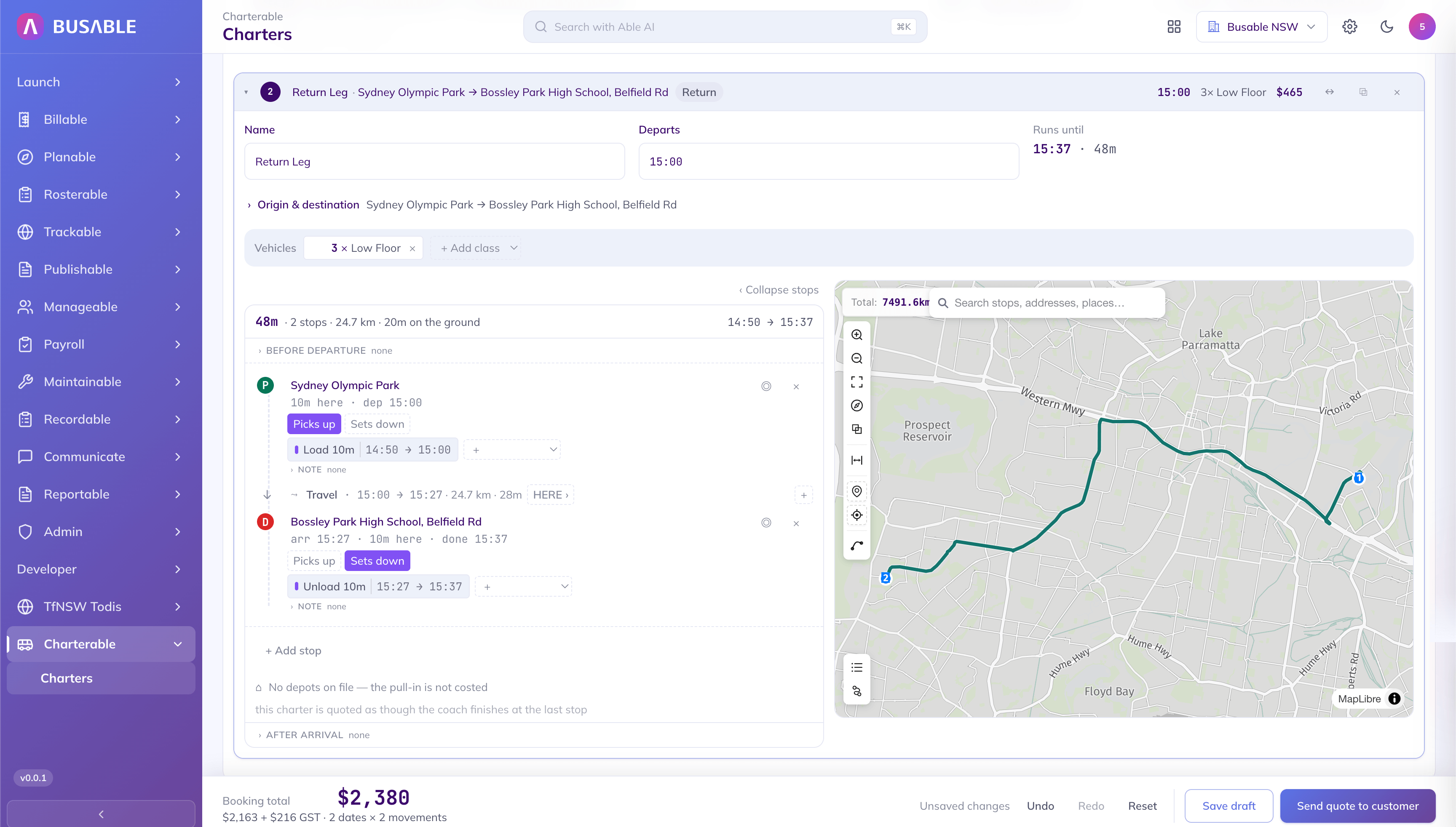
The return leg the same way — out of the venue, back to the school, with its own stops, kilometres and times.
Before the quote goes out, check the vehicles are actually there. This booking is laid against everything else running that day, class by class, with where you sit against your own fleet at every half hour.
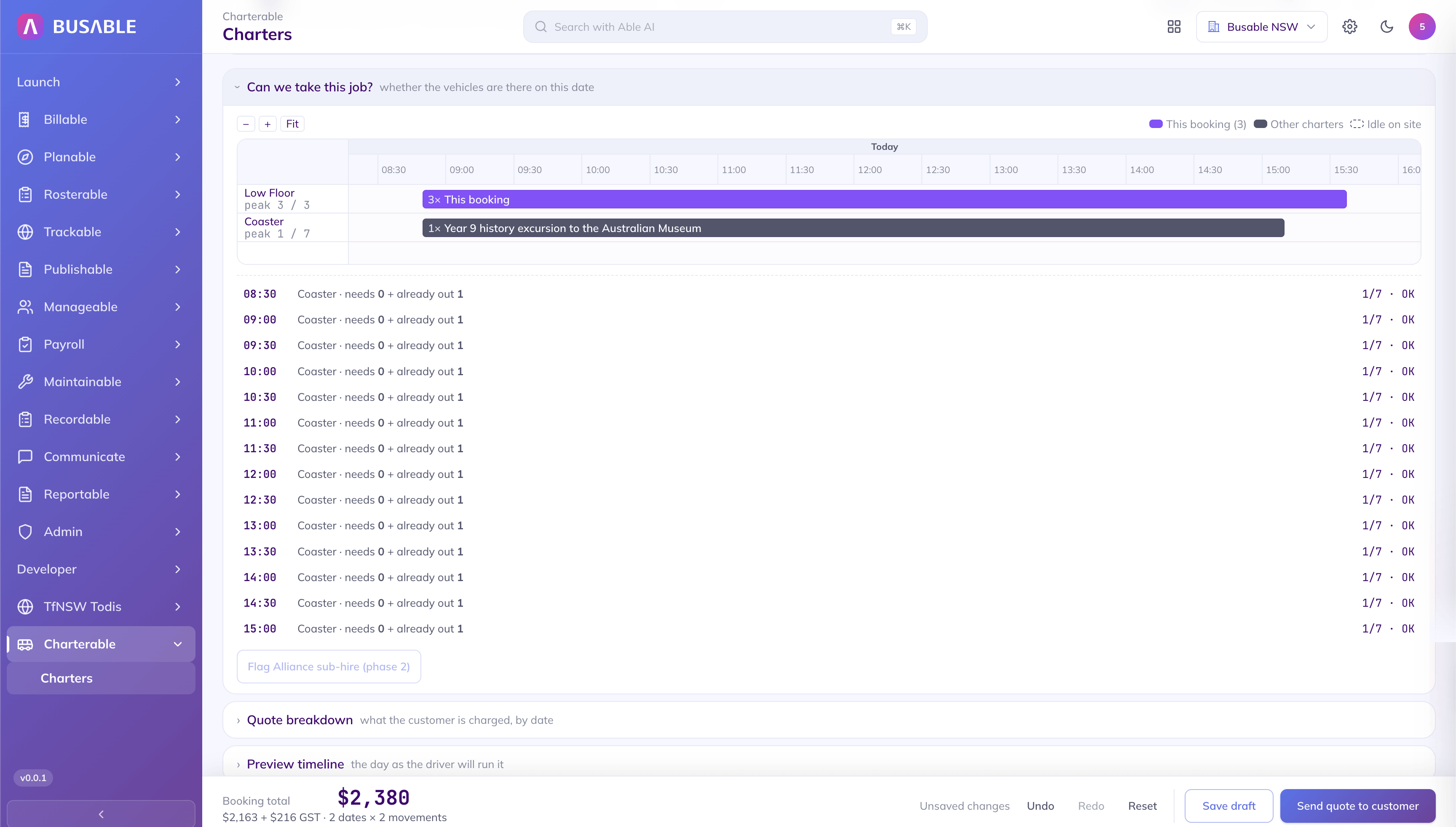
This booking takes every low floor on the fleet, while the coasters sit well clear. Every half hour checked against what's already out.
The quote broken down by date and by movement, so when a customer asks why a two-day job costs what it costs, the answer is already on the screen. Subtotal, GST and the booking total all read off the movements you built.
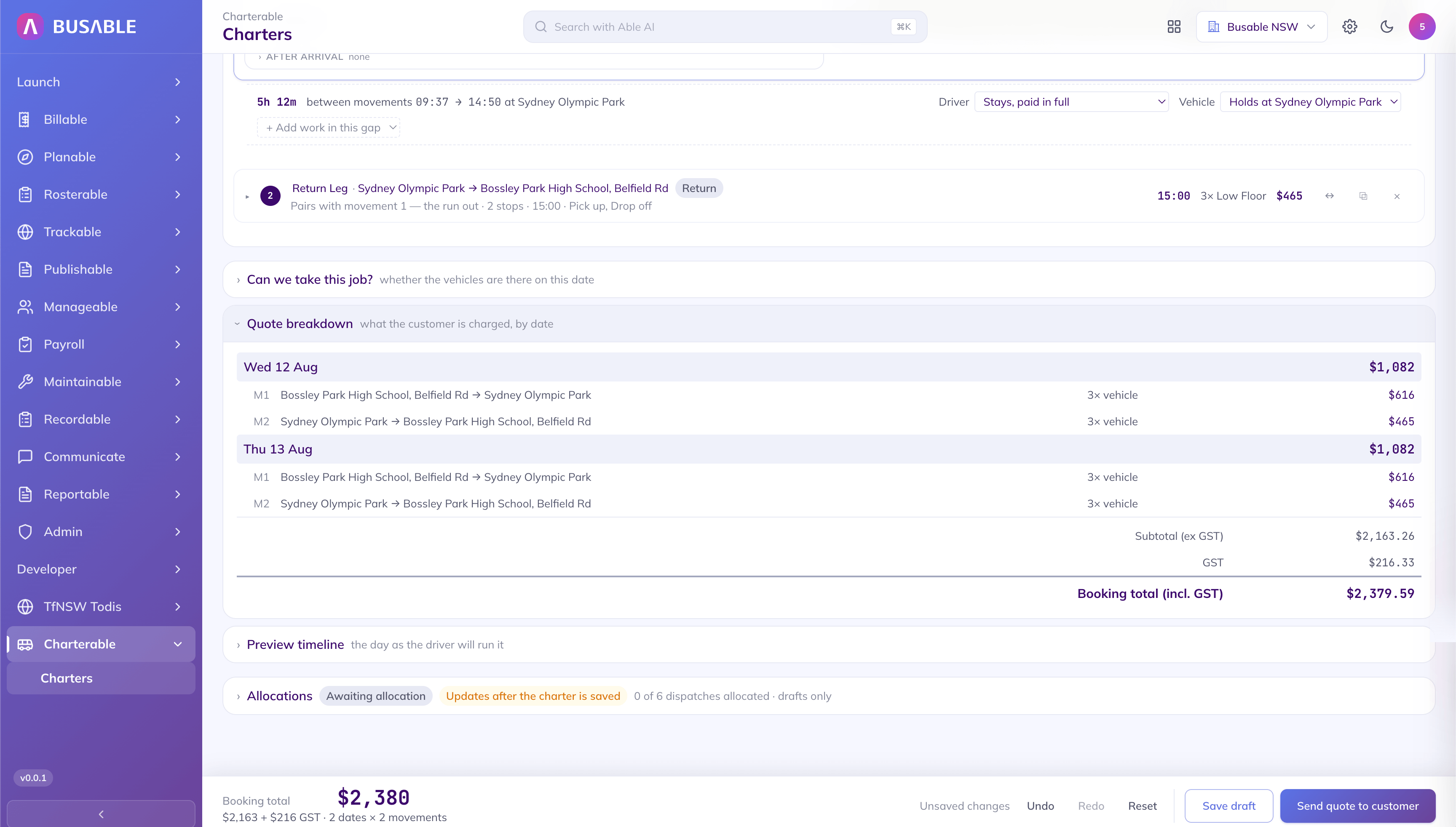
A total against each travel date, each split into the run out and the run home, then the subtotal and GST underneath.
The quote goes out as a document on your letterhead, carrying the movements you built and the prices you set. When the customer accepts, it is already in Billable against the charter — one button from an invoice, with a dated trail of when it was sent and accepted.
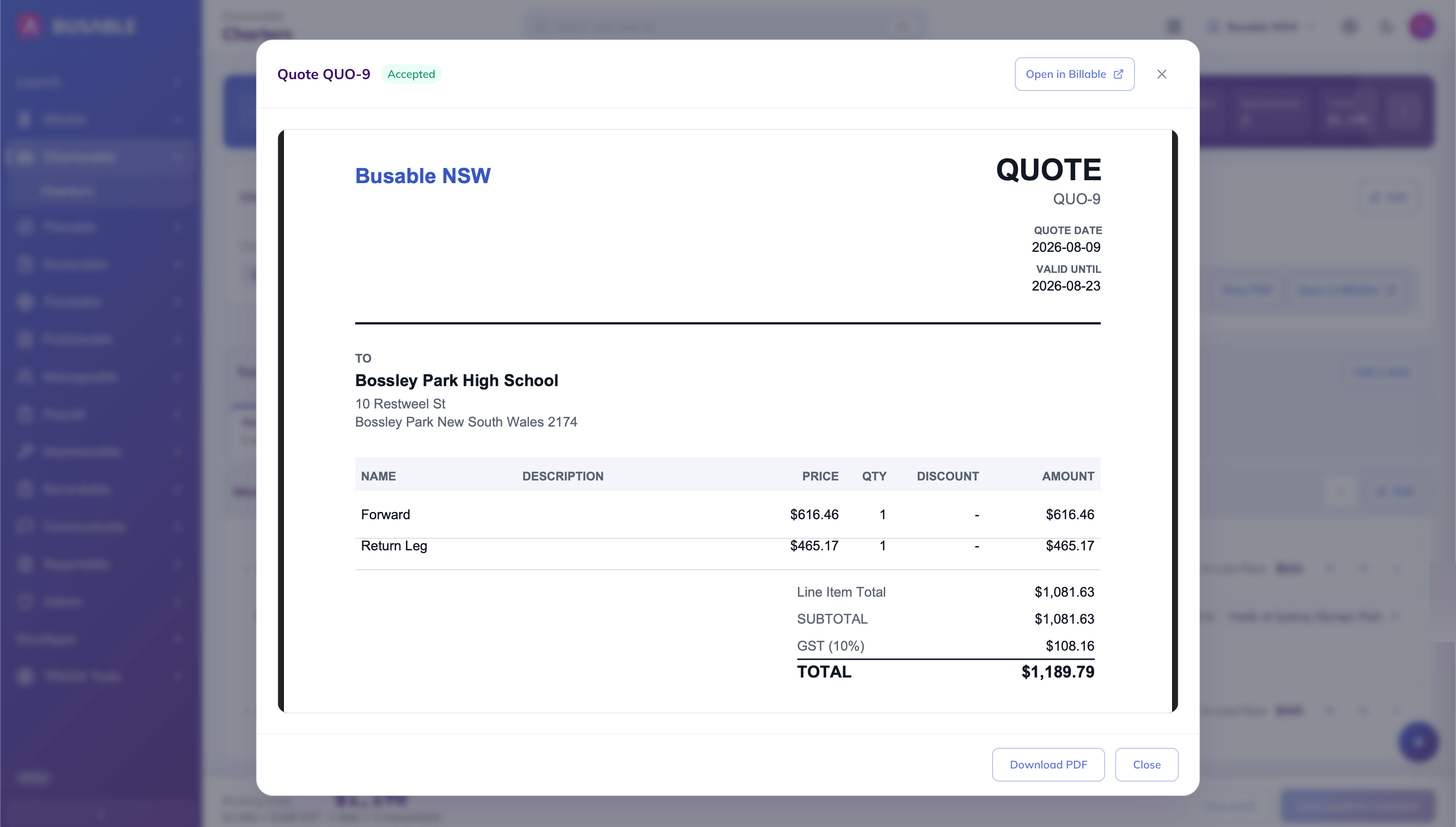
The quote on your letterhead — a line for each movement, the GST, and the date it is valid to. Marked accepted once the customer says yes.
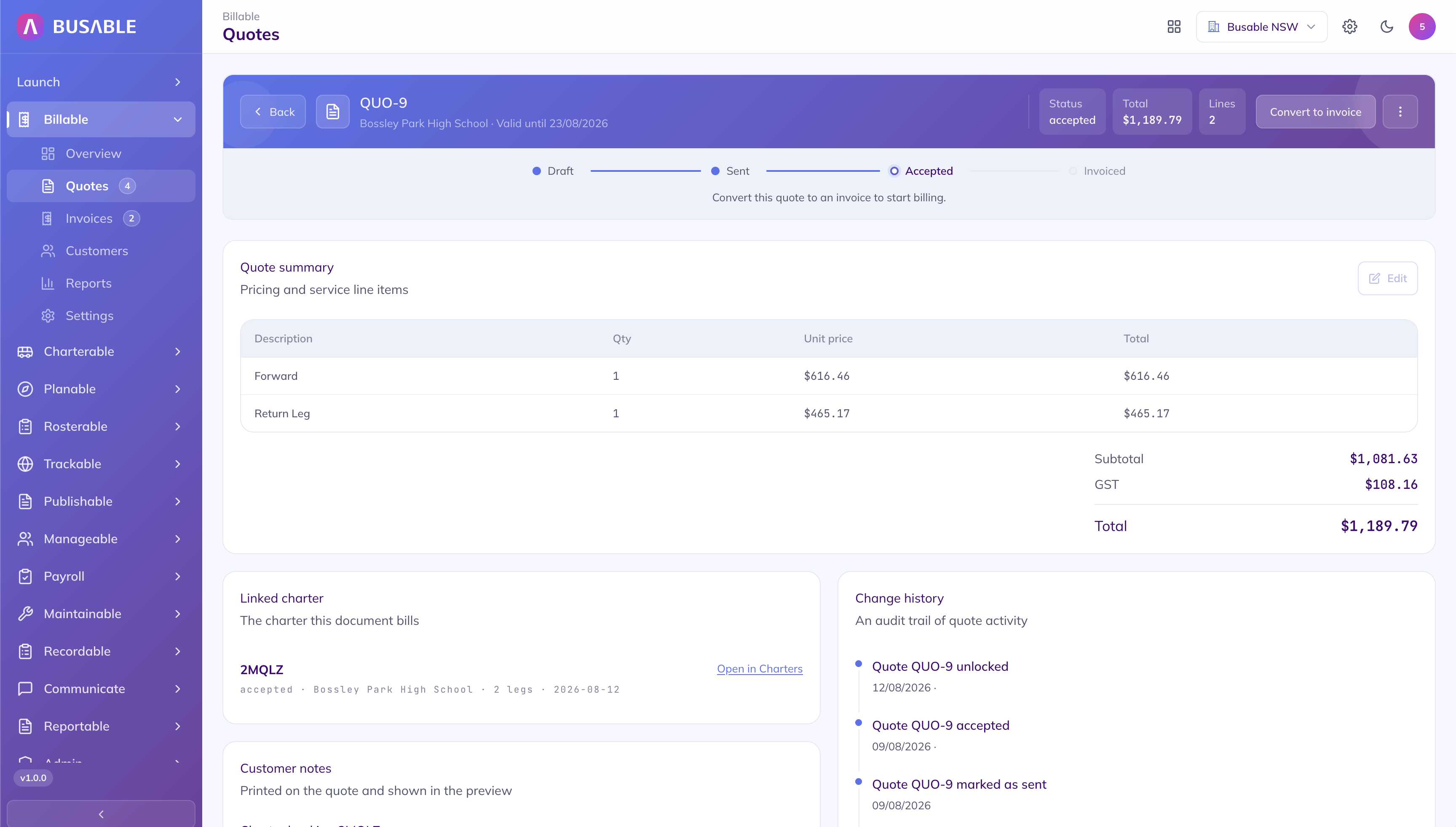
Draft, sent, accepted, invoiced — where the quote is up to, with the charter it came from linked beside it and the invoice a button away.
See the day the way the driver will run it, then hand it over. Every dispatch the charter creates lands on the allocation board in Rosterable™ — sitting in the unallocated tray until you set a driver and a vehicle, with the class the charter asked for carried across. Draft it as a scenario first, so nothing touches the live roster until you are ready.
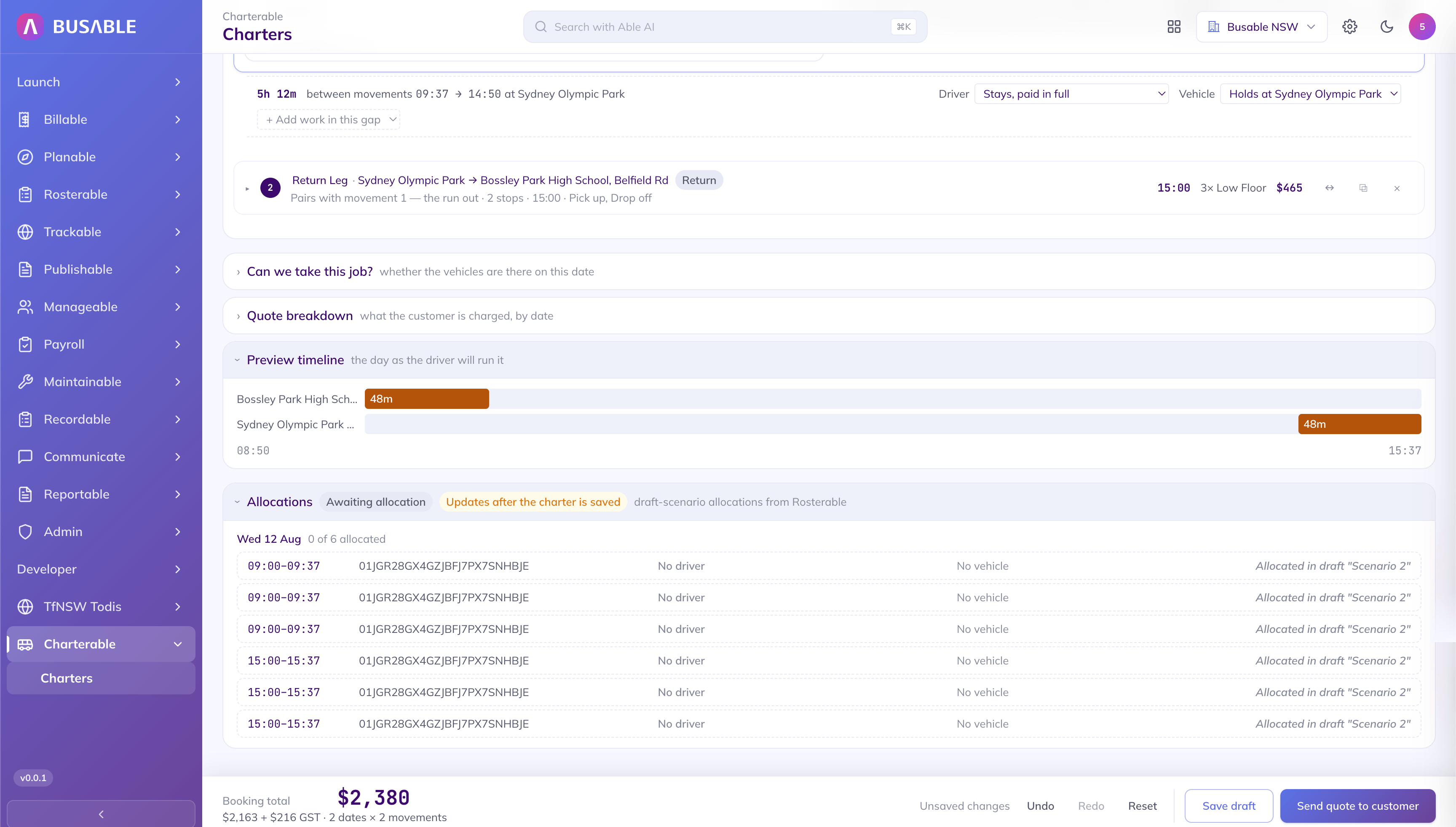
Every dispatch the runs create, none allocated yet, each showing where it sits in a draft roster scenario.
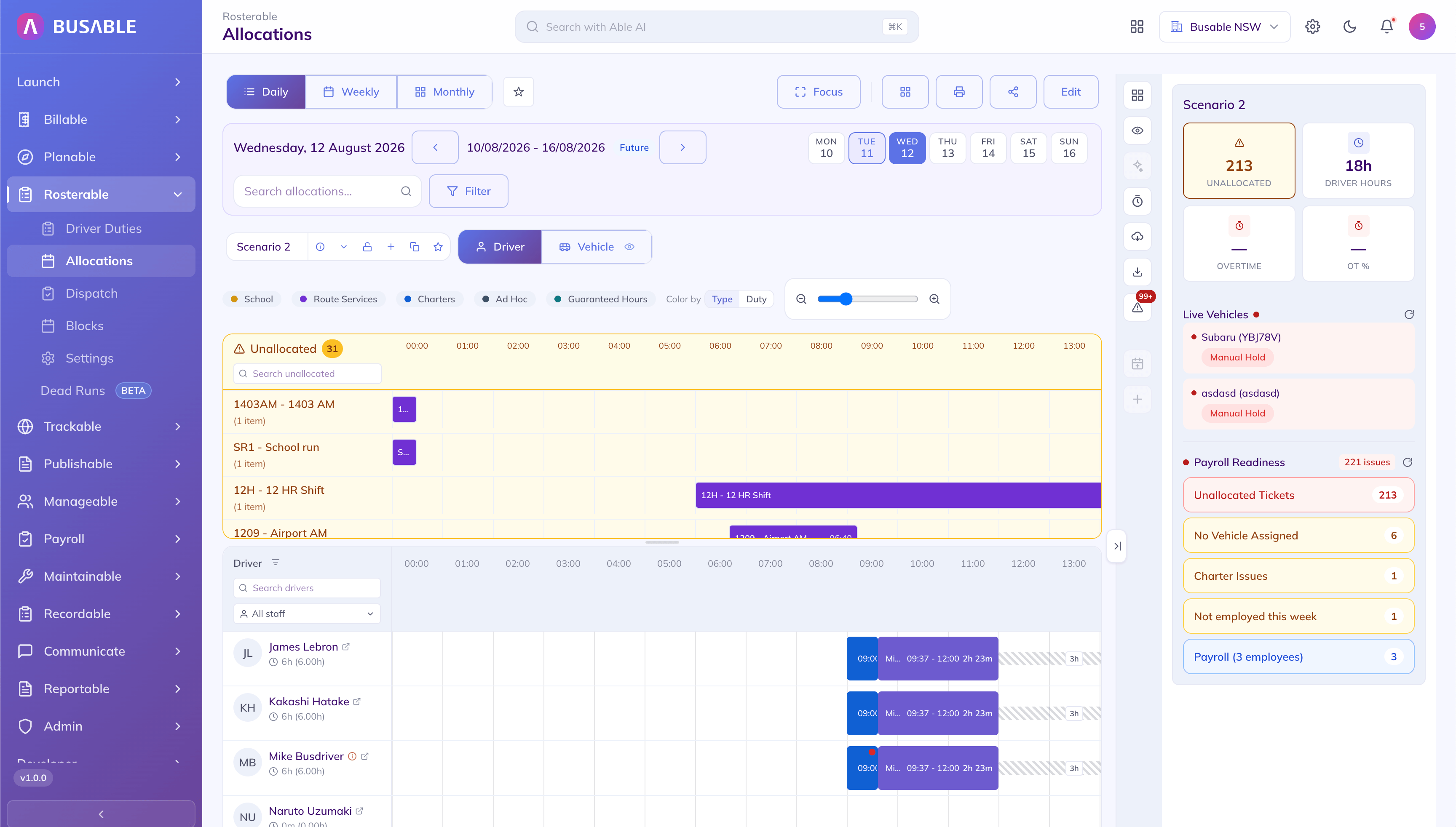
The charter's runs sit on the drivers' rows, with the rest of the day still in the unallocated tray and payroll readiness flagged down the side.
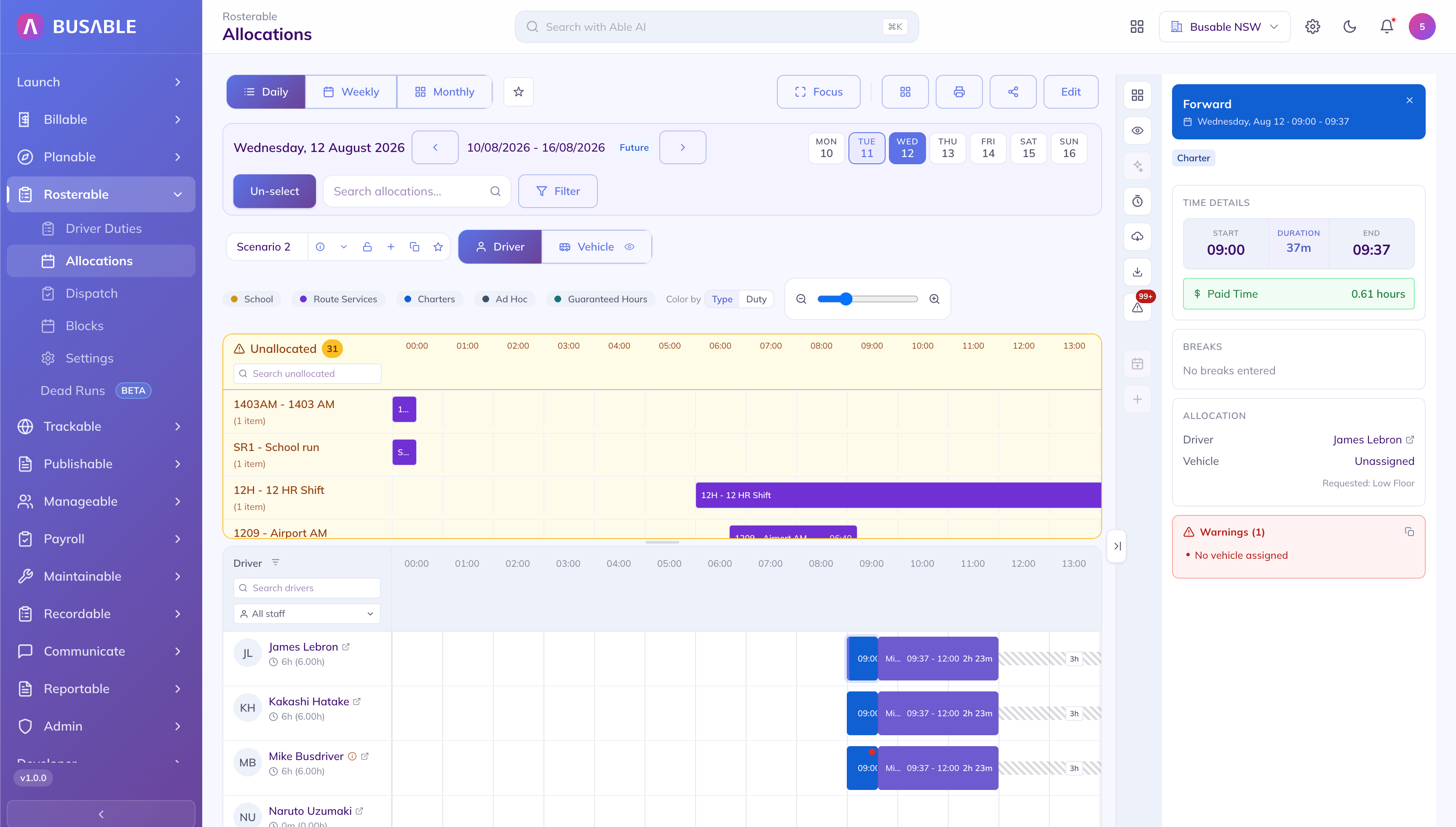
Pick a run and it is the movement you built — same name, same times, tagged Charter — on a driver, with a warning that the low floor it asked for is still unassigned.
We'll load one of your own charters and price it end to end with you.
Book a demo