
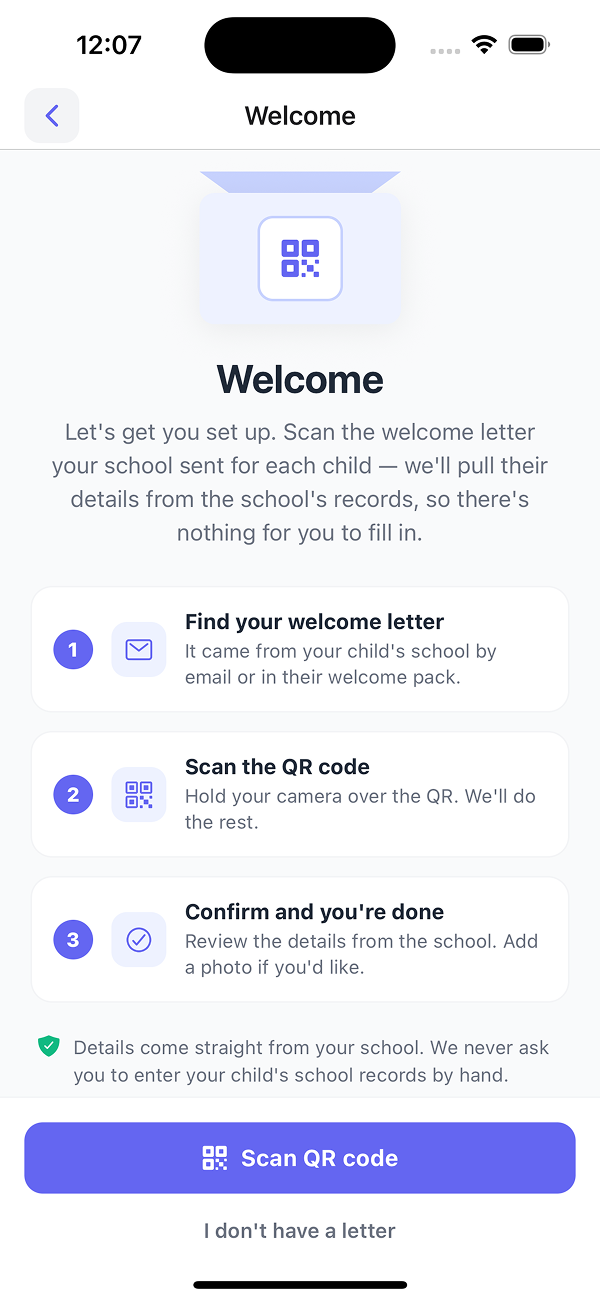
A three-step setup
Parents find the welcome letter from the school, scan the QR code, and confirm the student's details. No forms to fill in.
Parents, schools, and operators on the same platform. Booking, live tracking, manifests, alerts, and OTR -- one screen for each.
Start with the parent app, then the school dashboard, then the operator console.
Parents register by scanning a QR code on a welcome letter from the school. The app pulls student details directly from the school's records.
Parents find the welcome letter from the school, scan the QR code, and confirm the student's details. No forms to fill in.
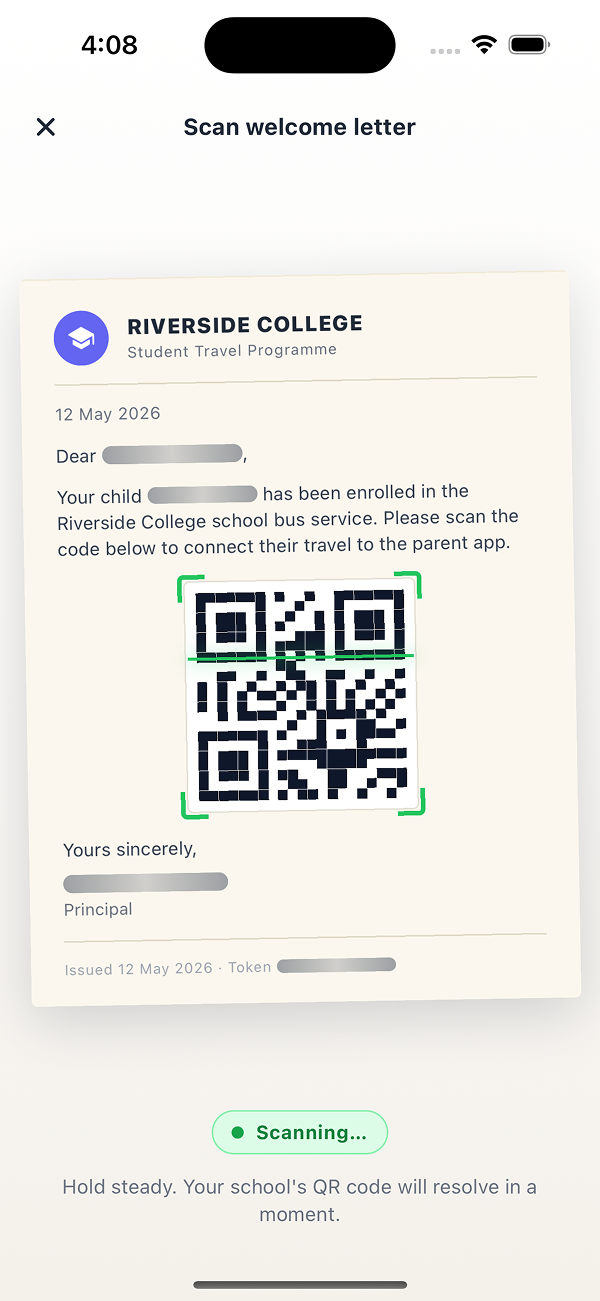
The QR code connects the parent to the correct student, route, and school account. No manual data entry on either side.
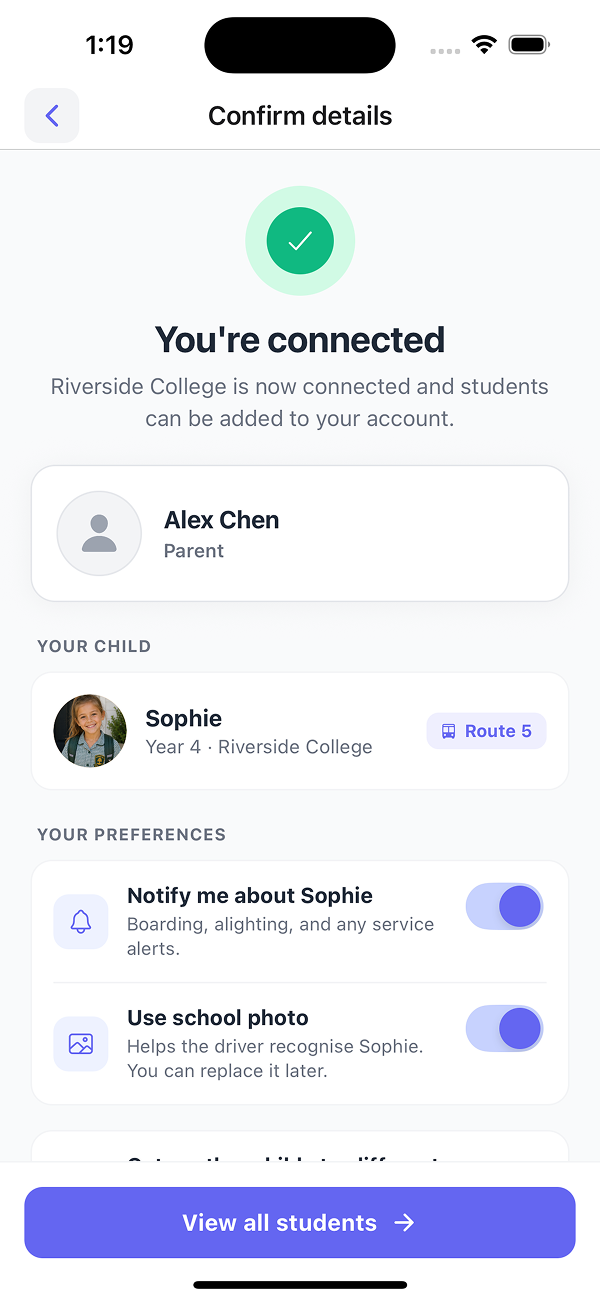
The student appears on their assigned route with notification preferences set by the parent. Onboarding completes without a call to your office.
Parents see the bus position, route progress, and ETA from the same GPS feed your dispatch uses in Trackable™. Reduces the volume of "where is the bus" calls into your office.
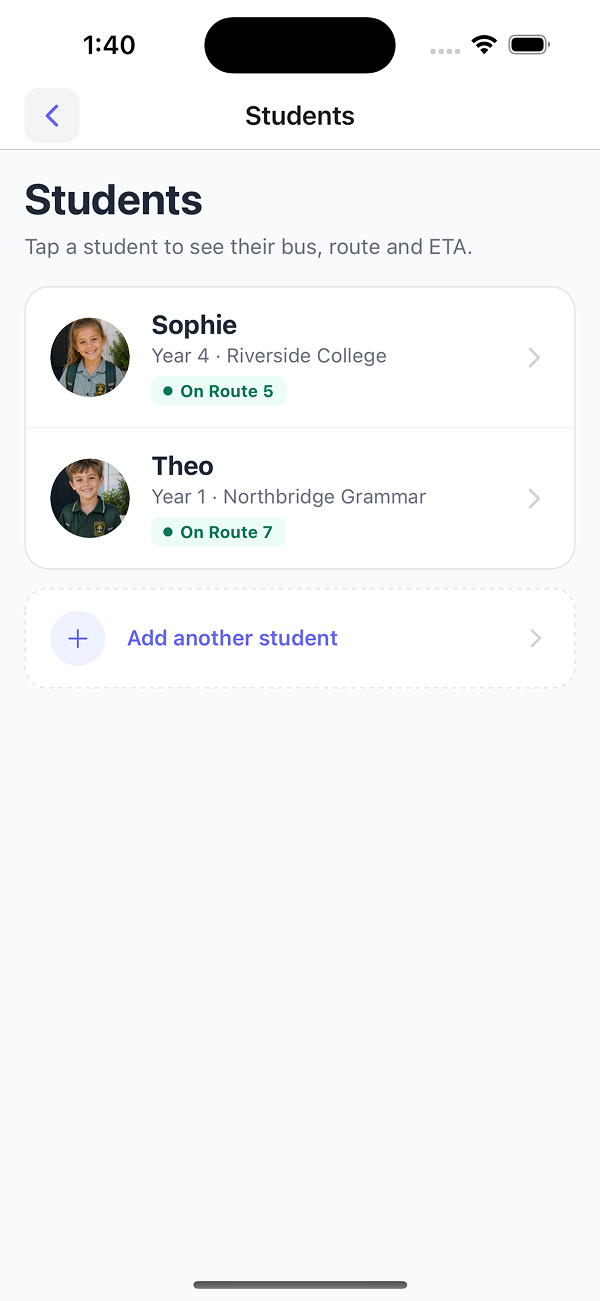
Each child appears with their assigned service. Tap a student to follow the bus on the map.
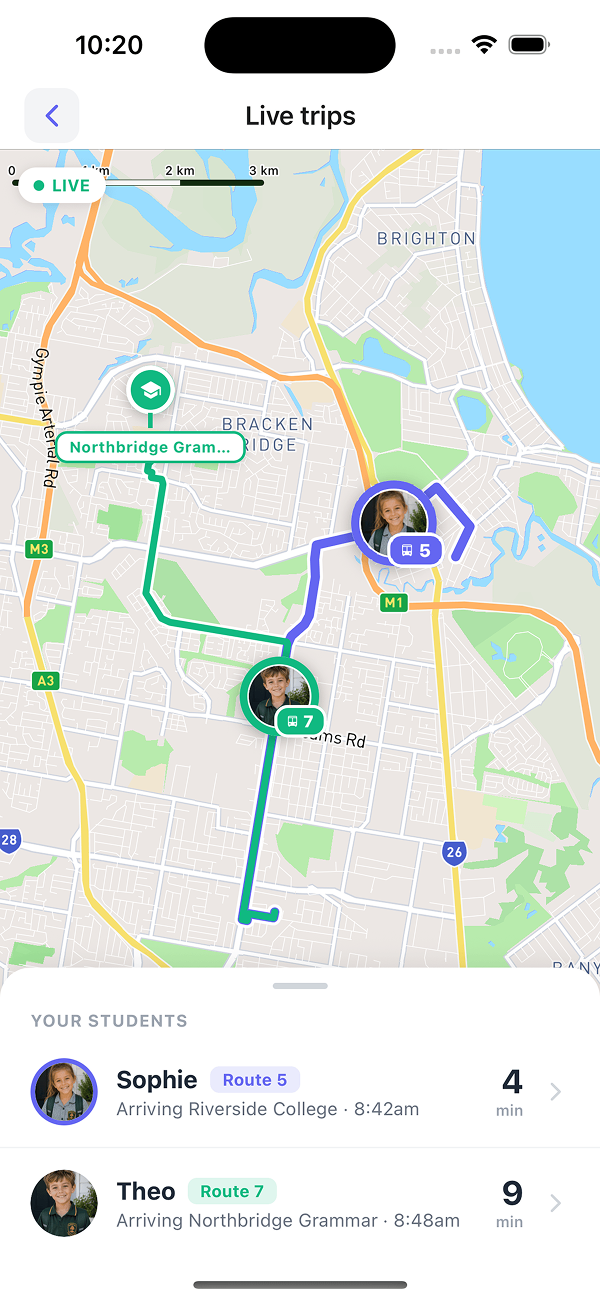
ETAs update in real time as the buses run. Multiple children on multiple routes shown on a single screen.
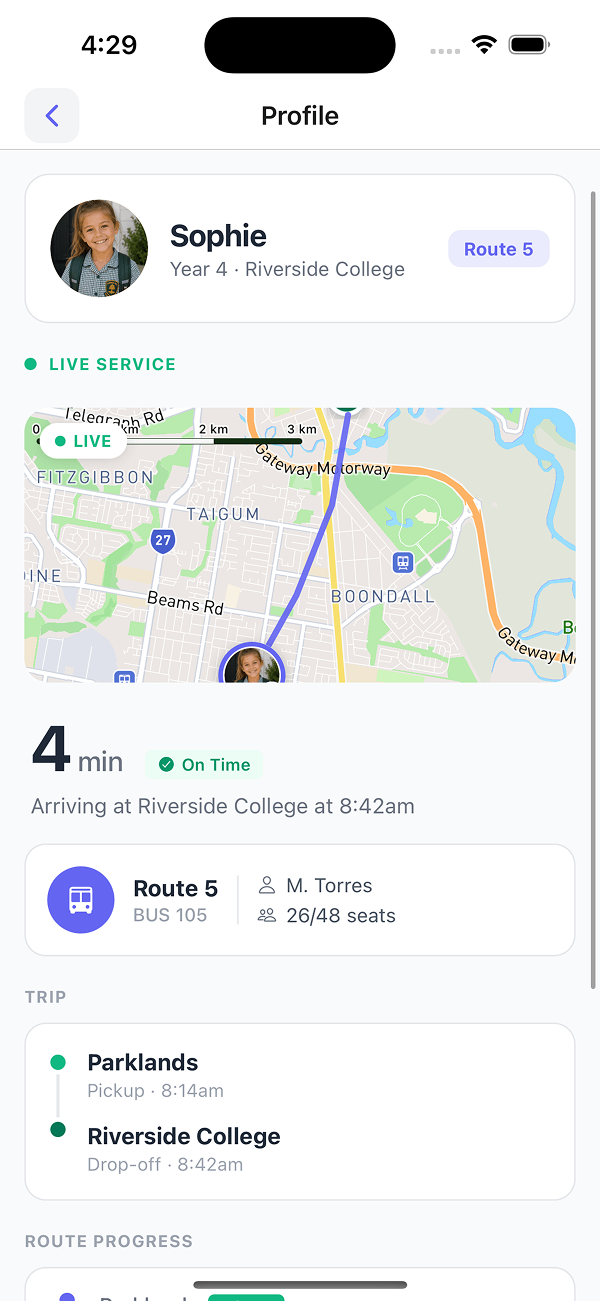
Route, bus number, driver, seat occupancy, on-time status, and stop-by-stop progress -- the same operational view your dispatch has.
Parents book single trips or a full term themselves. Seat counts and the per-service manifest update as bookings are confirmed.
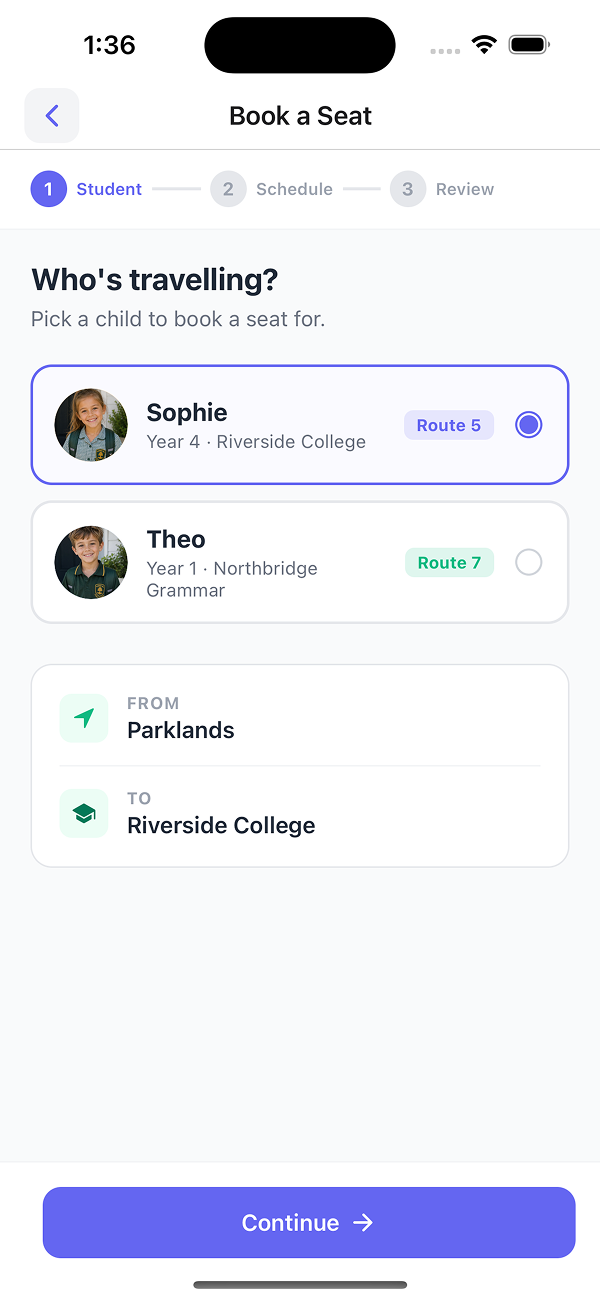
The parent selects the child. Route, pickup, and school are pre-filled from setup.
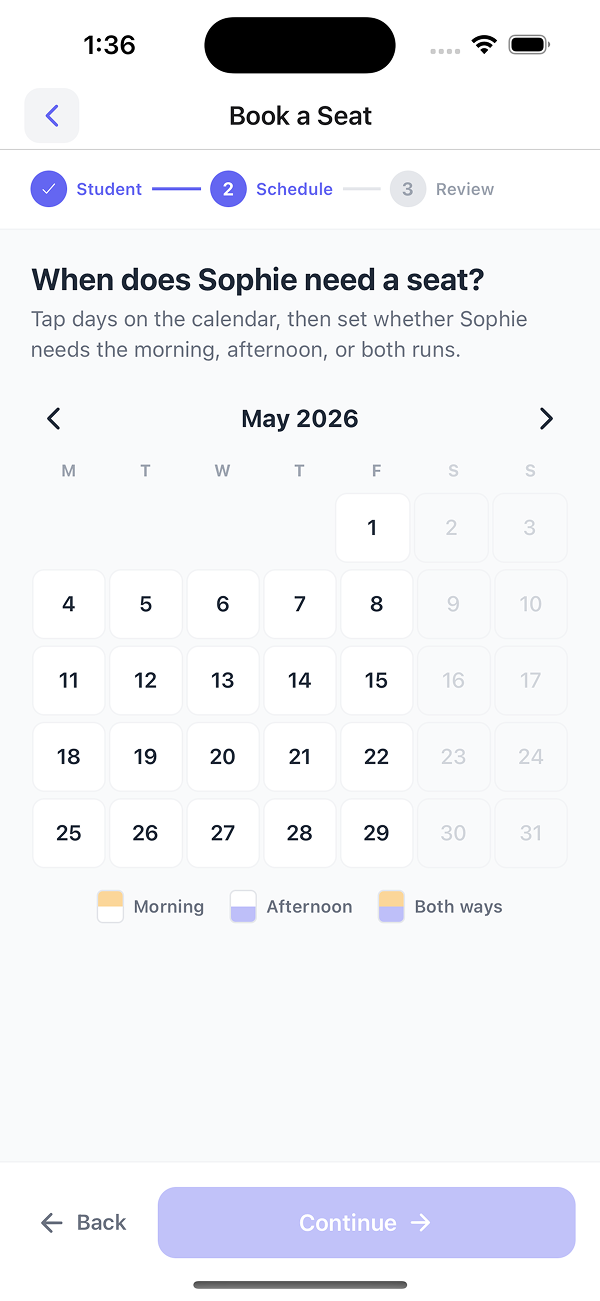
Parents pick AM, PM, or both runs across the calendar. Non-service days are disabled to prevent invalid bookings.
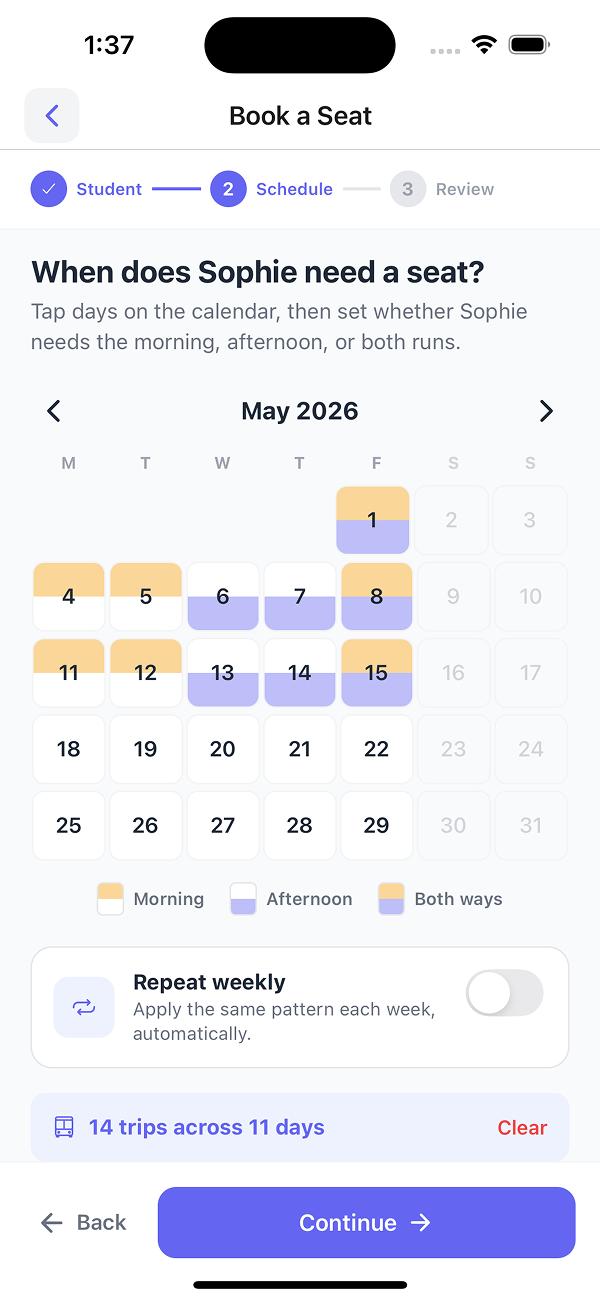
Selected days and total trip count update as the parent taps, so the volume they are committing to is visible before confirmation.
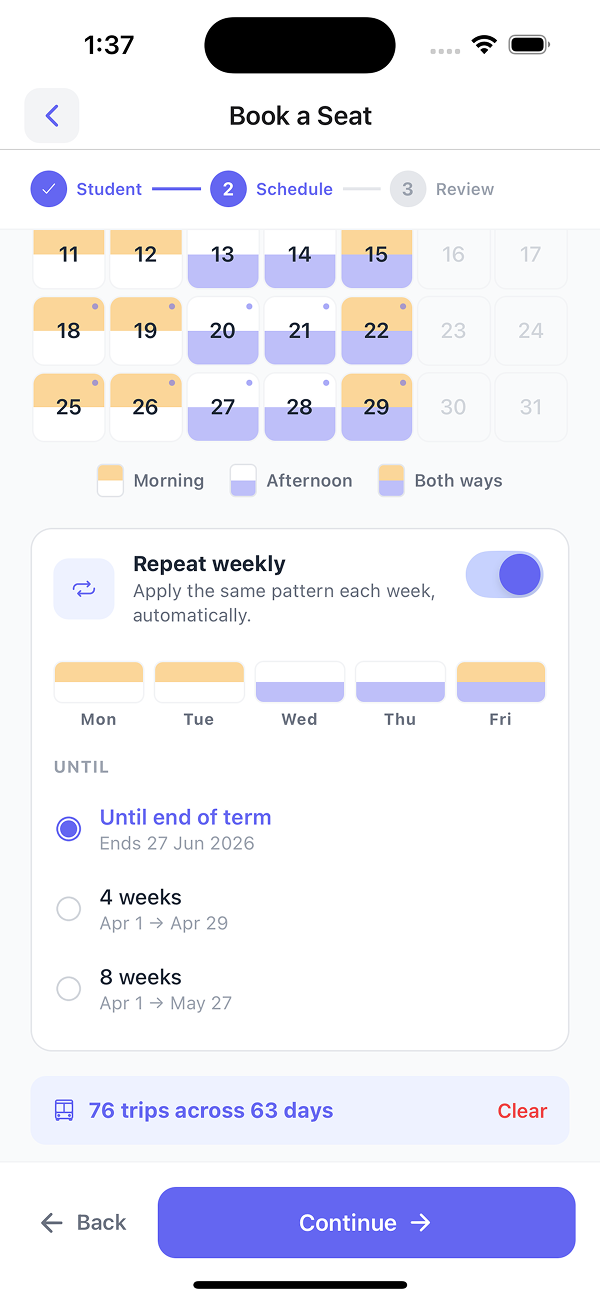
A single toggle applies the same weekly pattern through to the end of term. Long bookings -- for example, 76 trips across 63 days -- complete in one transaction.
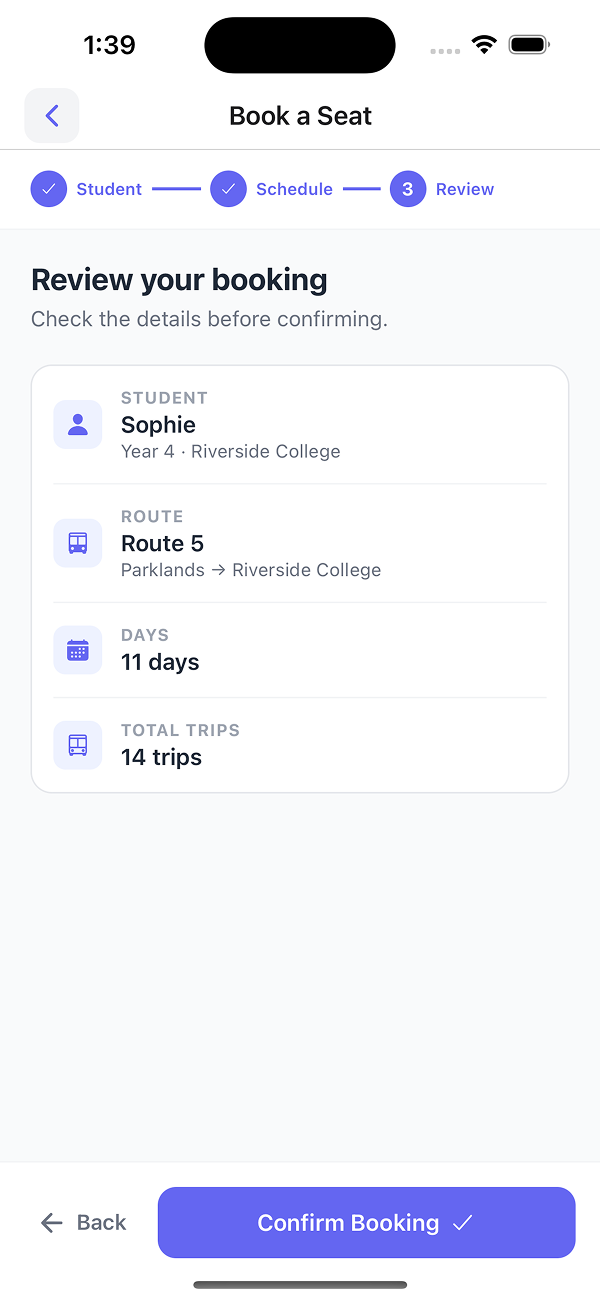
Student, route, days, and total trip count are displayed before the parent confirms. Reduces post-booking disputes.
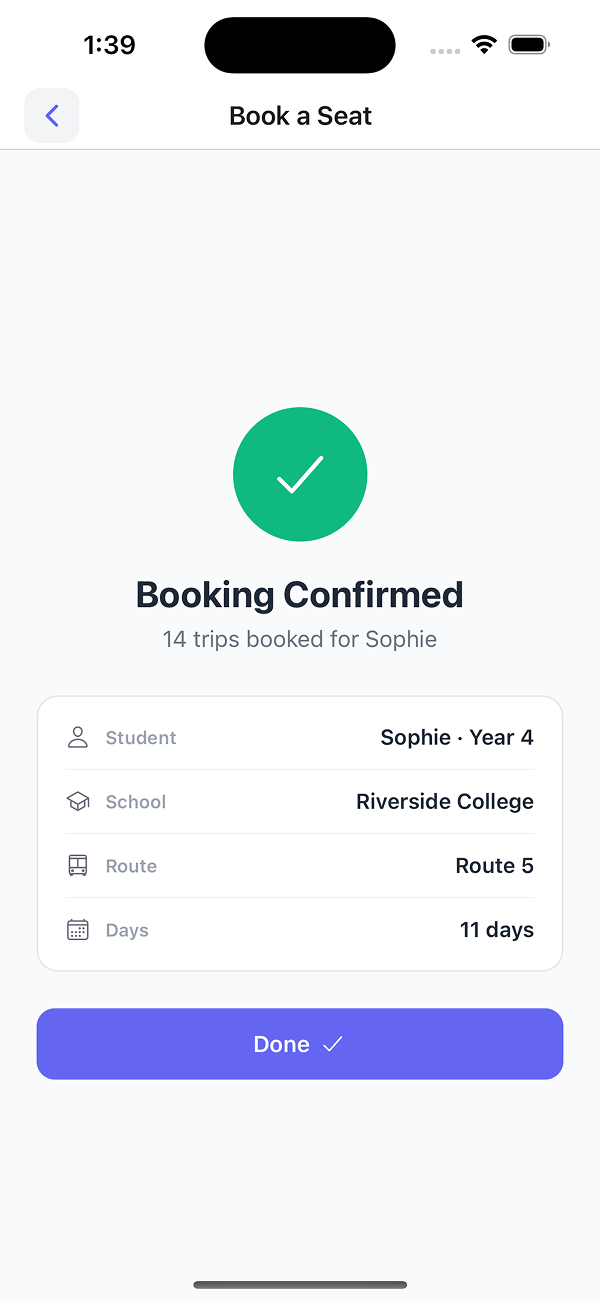
A reference number is issued for every trip. The booking is added to the per-service manifest and seat counts your driver and dispatch already use.
Upcoming, past, and cancelled bookings with reference numbers. Reduces queries about whether trips were confirmed or completed.
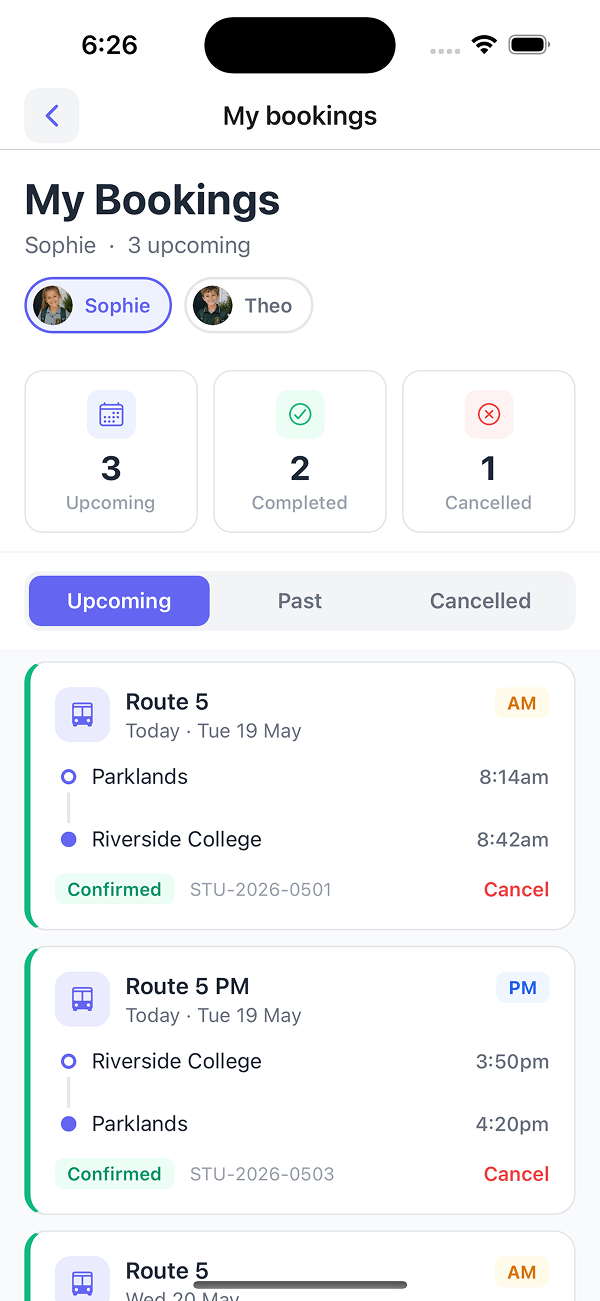
AM/PM, pickup and drop-off times, reference number, and one-tap cancel per booking. Parents switch between students at the top.
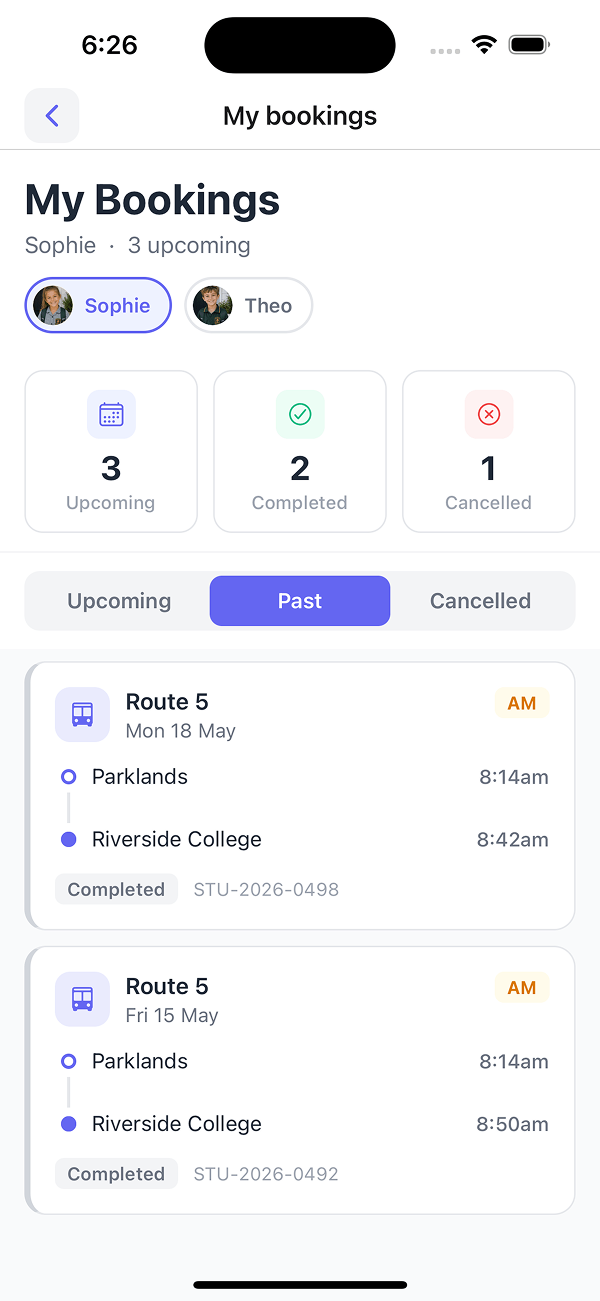
Every completed trip is retained with the same detail as the upcoming view, so parents can self-serve attendance queries.
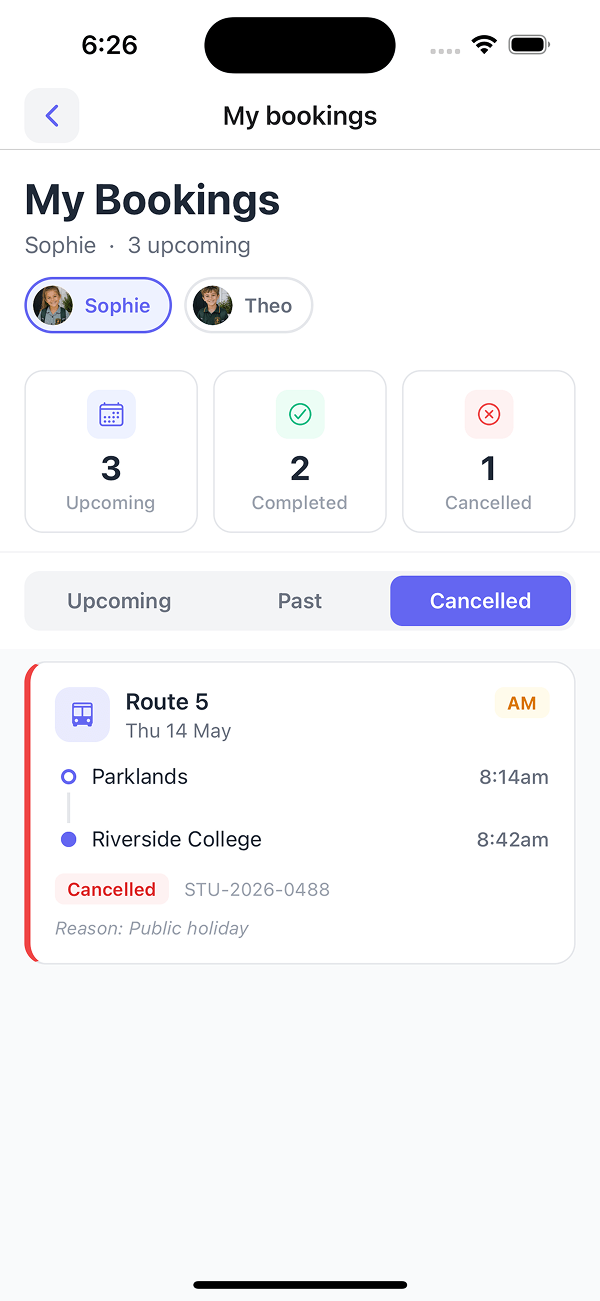
Public holiday, parent cancellation, or operator cancellation -- the reason is captured against each cancelled trip.
When a service is held, delayed, diverted, or cancelled, dispatch logs the event once and sends the notification. Only the parents of the affected students are notified.
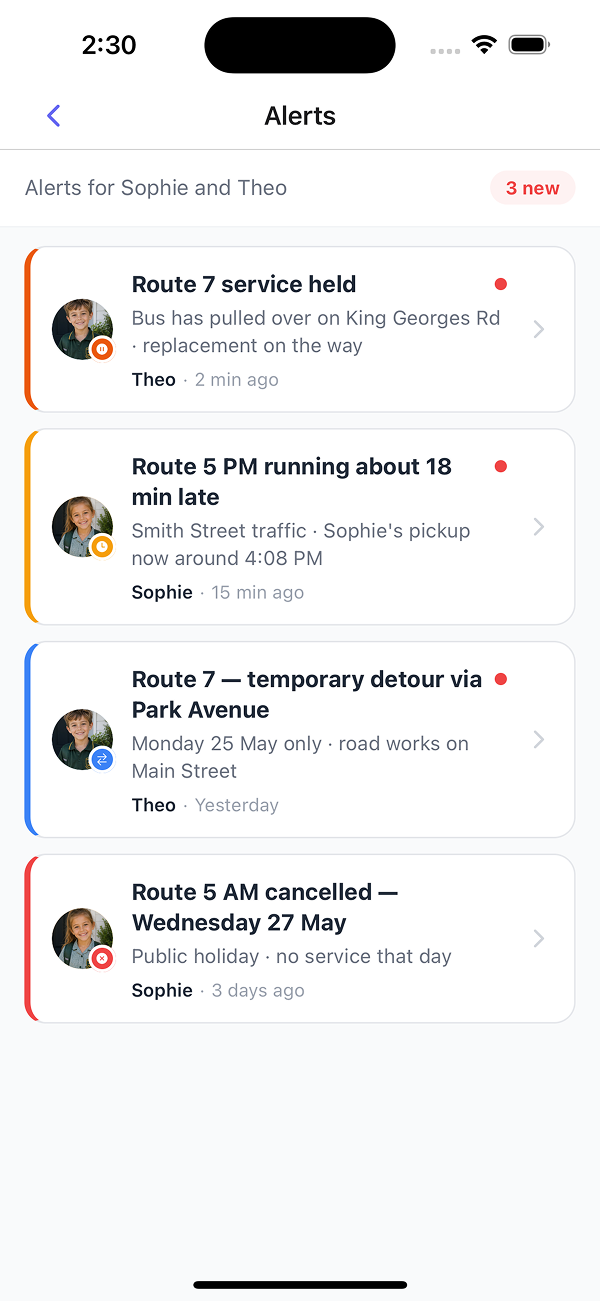
Service held, delayed, diverted, or cancelled -- shown only against the parent's own children. No noise from unrelated services.
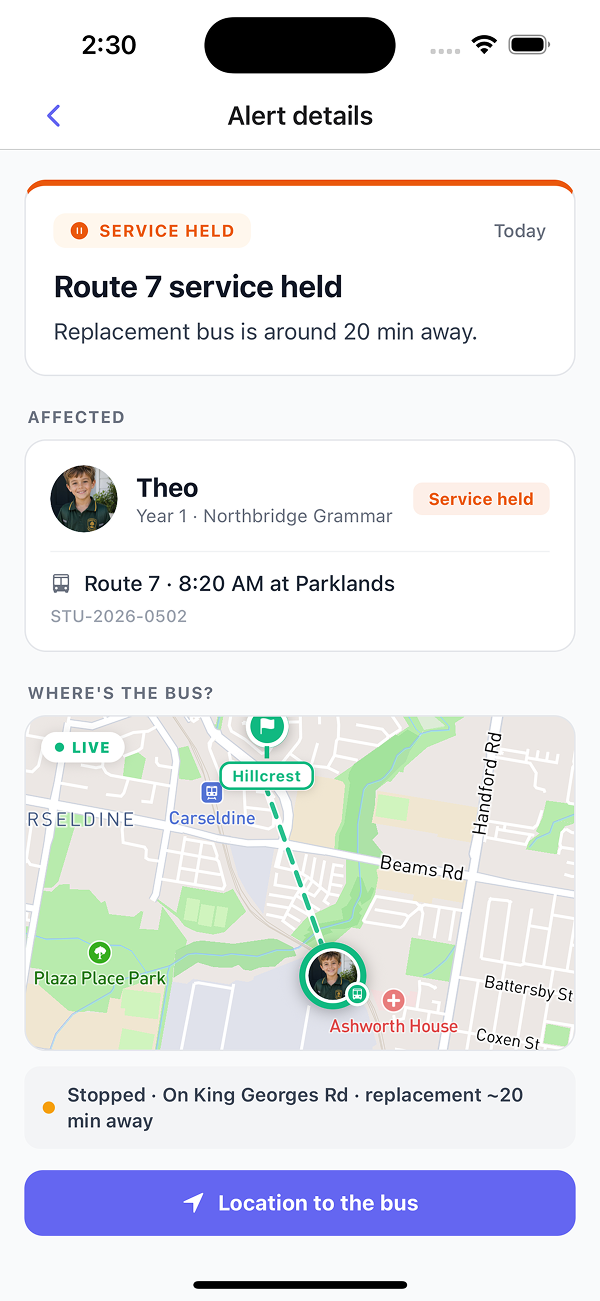
Replacement bus ETA, live position of the affected bus, and one-tap directions. Parents have what they need without phoning dispatch.
The school sees every service running into the campus, then drills into a single service for boarding status per student.
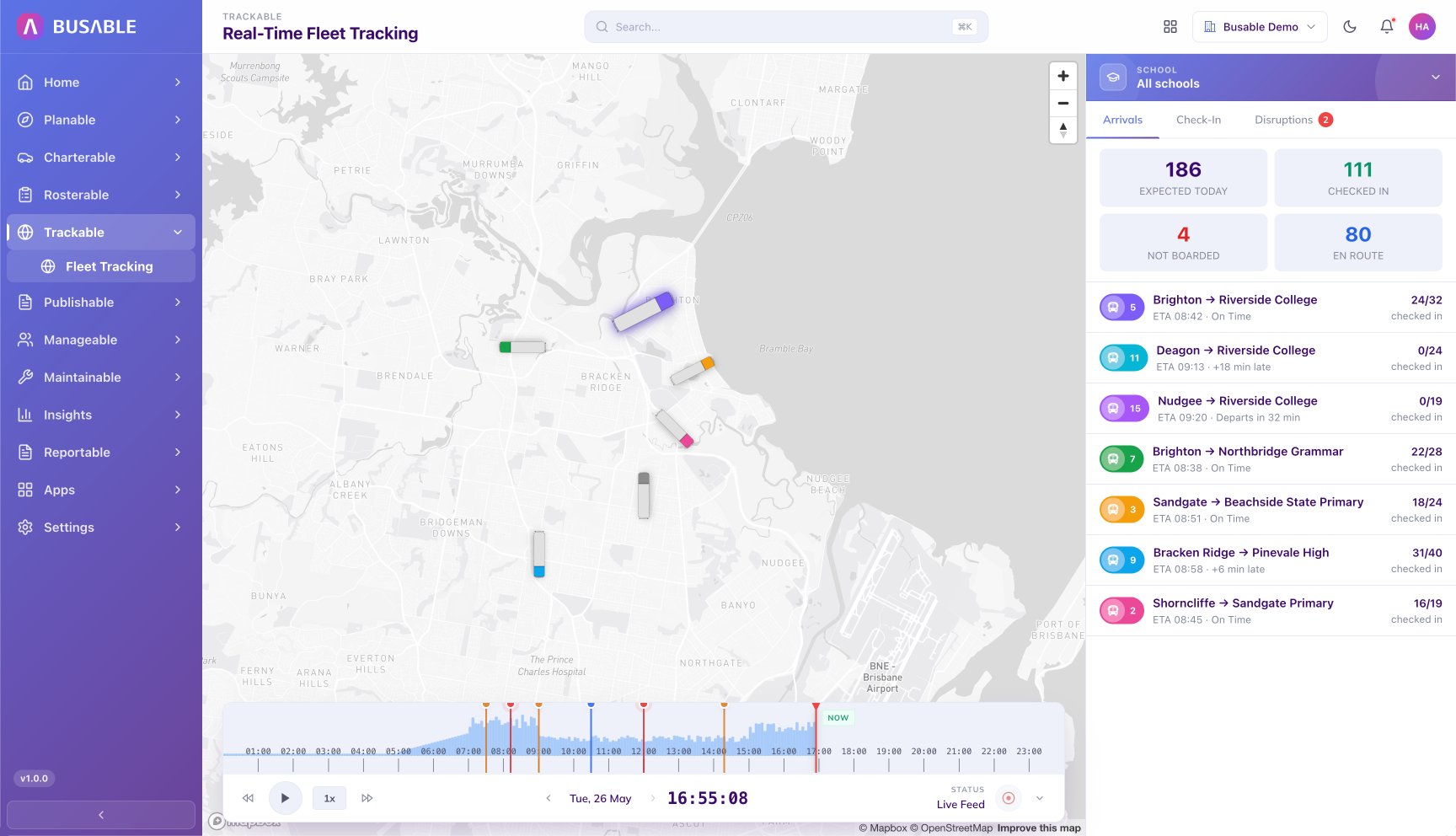
Expected, checked in, not boarded, and pickup counts for every service into the campus. Each row updates as the buses run.
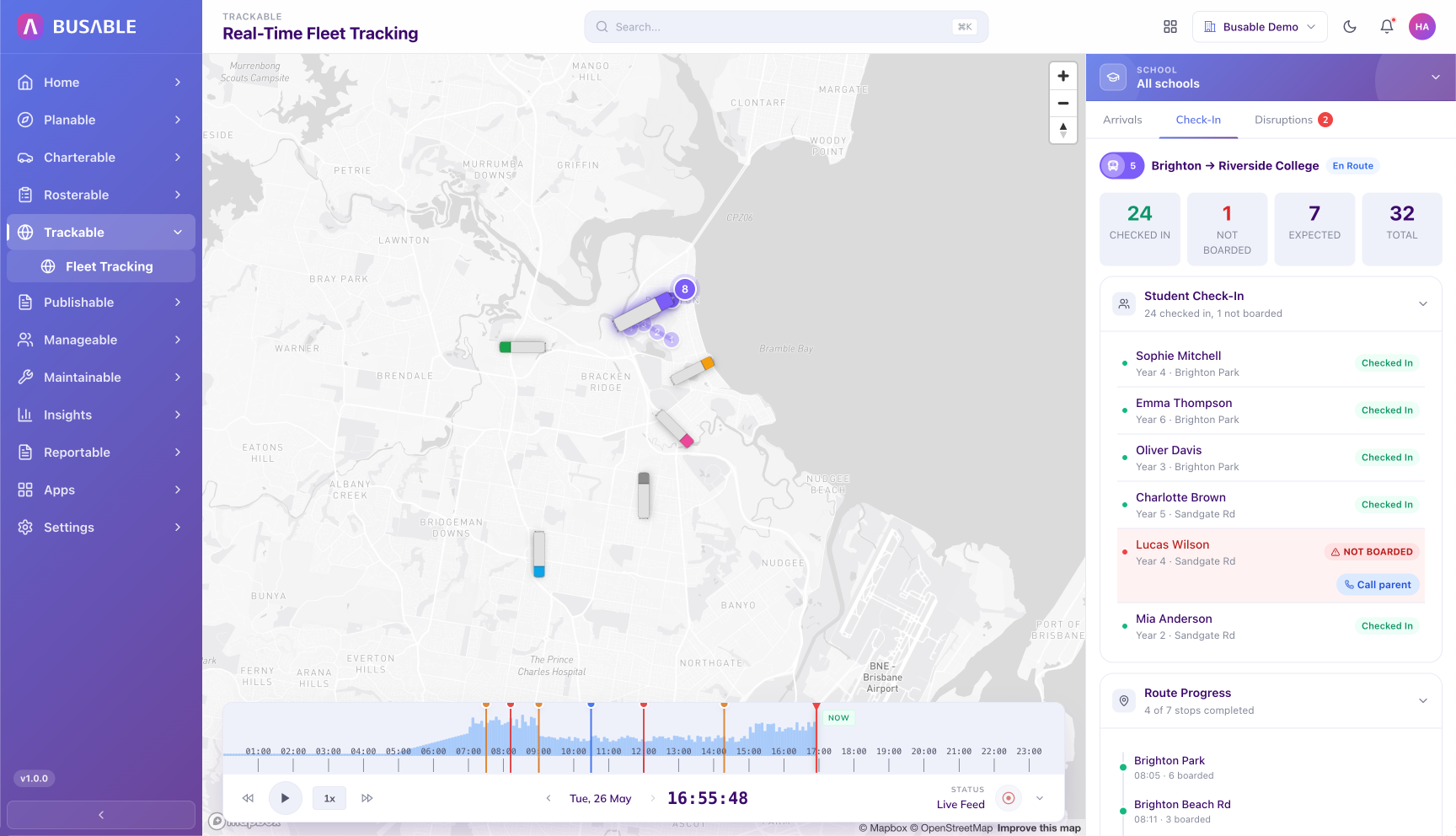
Drill into a single service for the named passenger list -- who has checked in, who has not, and route progress. The school office can contact flagged parents directly from the row.
Boarding rates, AM/PM peaks, no-shows, and per-service utilisation across the school's services. Supports route review and consolidation discussions.
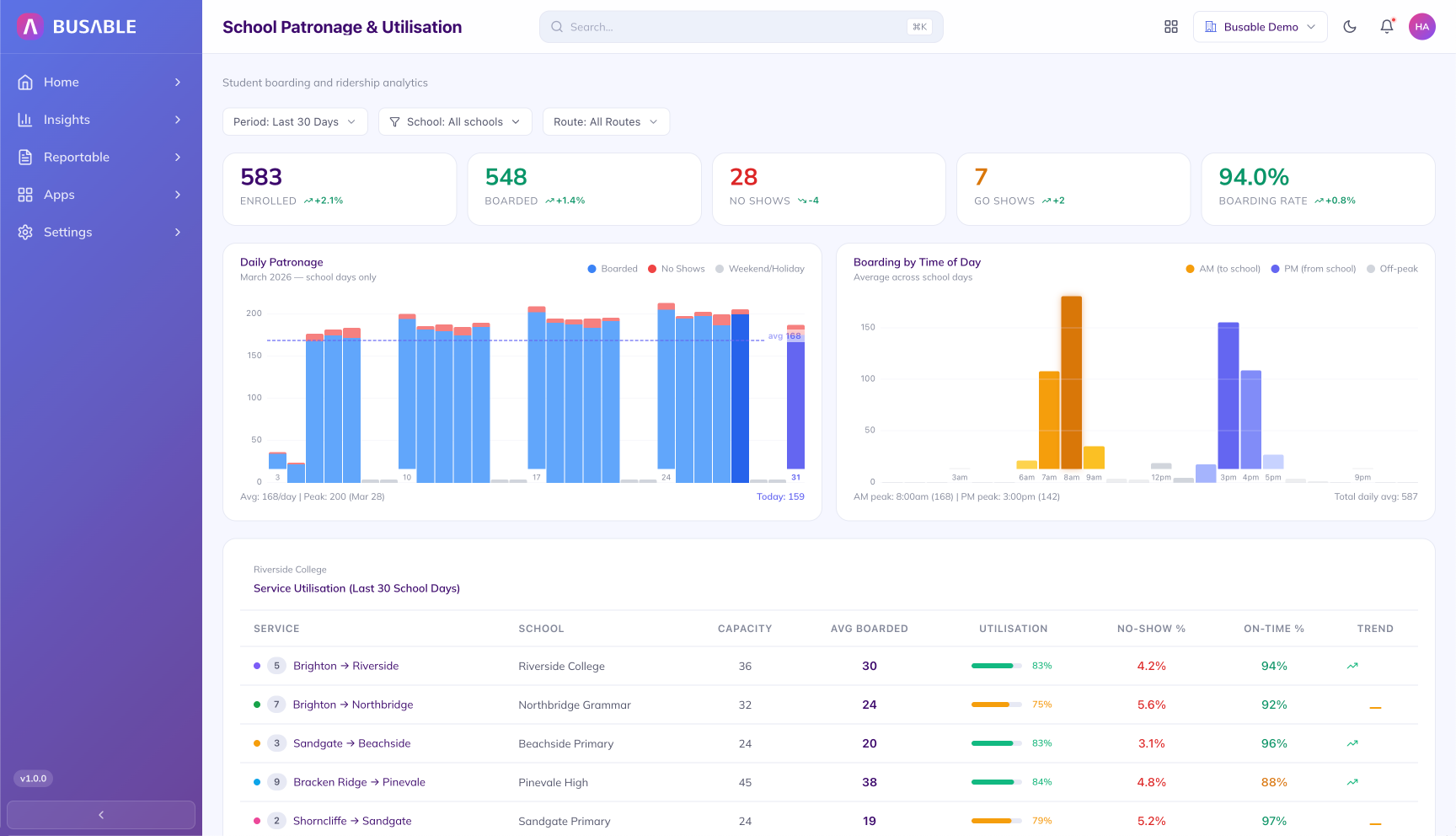
Enrolled, boarded, no-shows, and go-shows for the selected period, with daily patronage and AM/PM boarding charts. The service utilisation table breaks down on-time rate and load per route. Period and route filters at the top of the screen.
Every vehicle running across every school contract on one map, with drill-in to the live student manifest per bus.
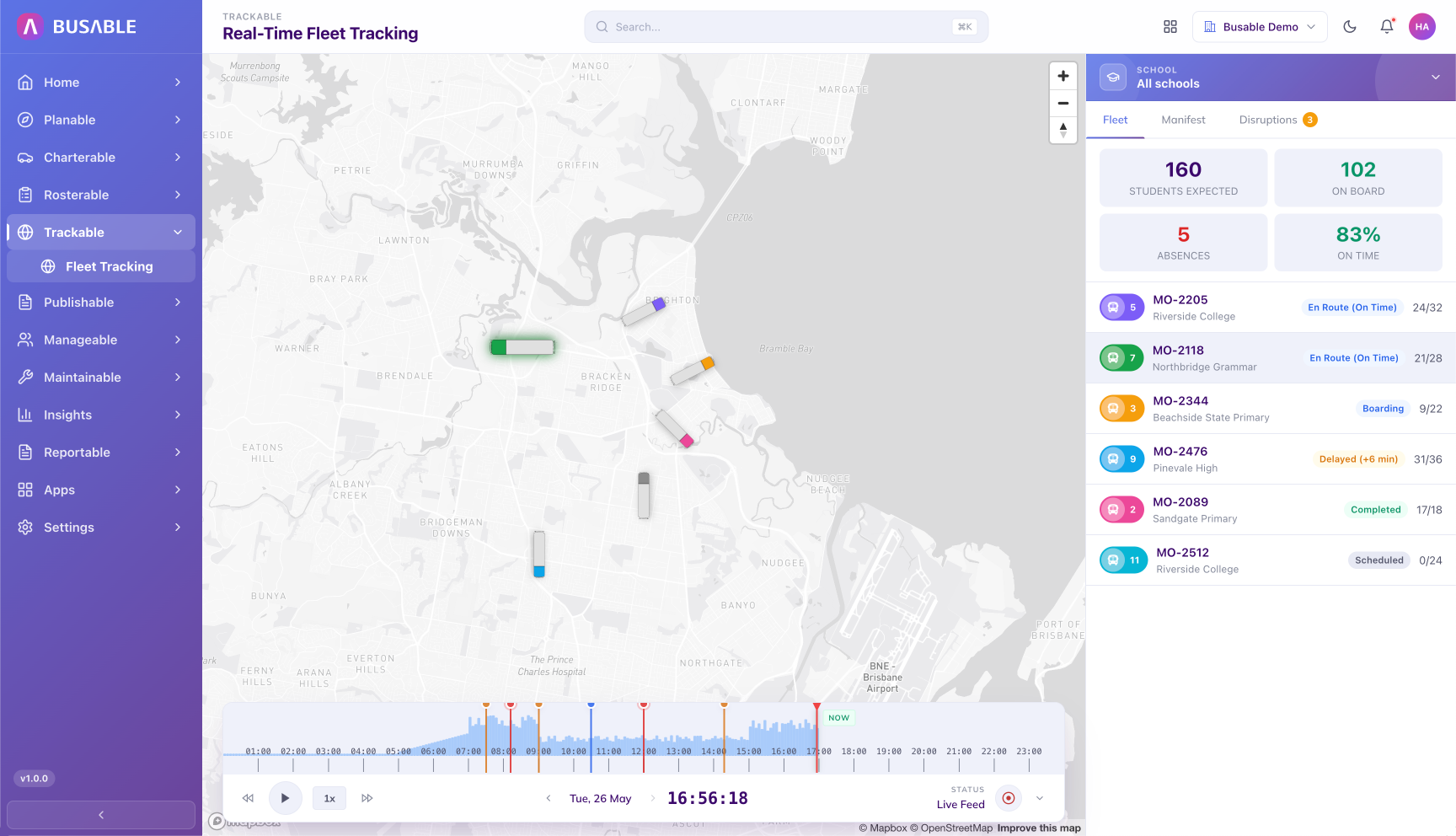
Live map plus a fleet-wide snapshot -- students aboard, in transit, arrived, and on-time rate. Each vehicle row updates in place as the day runs.
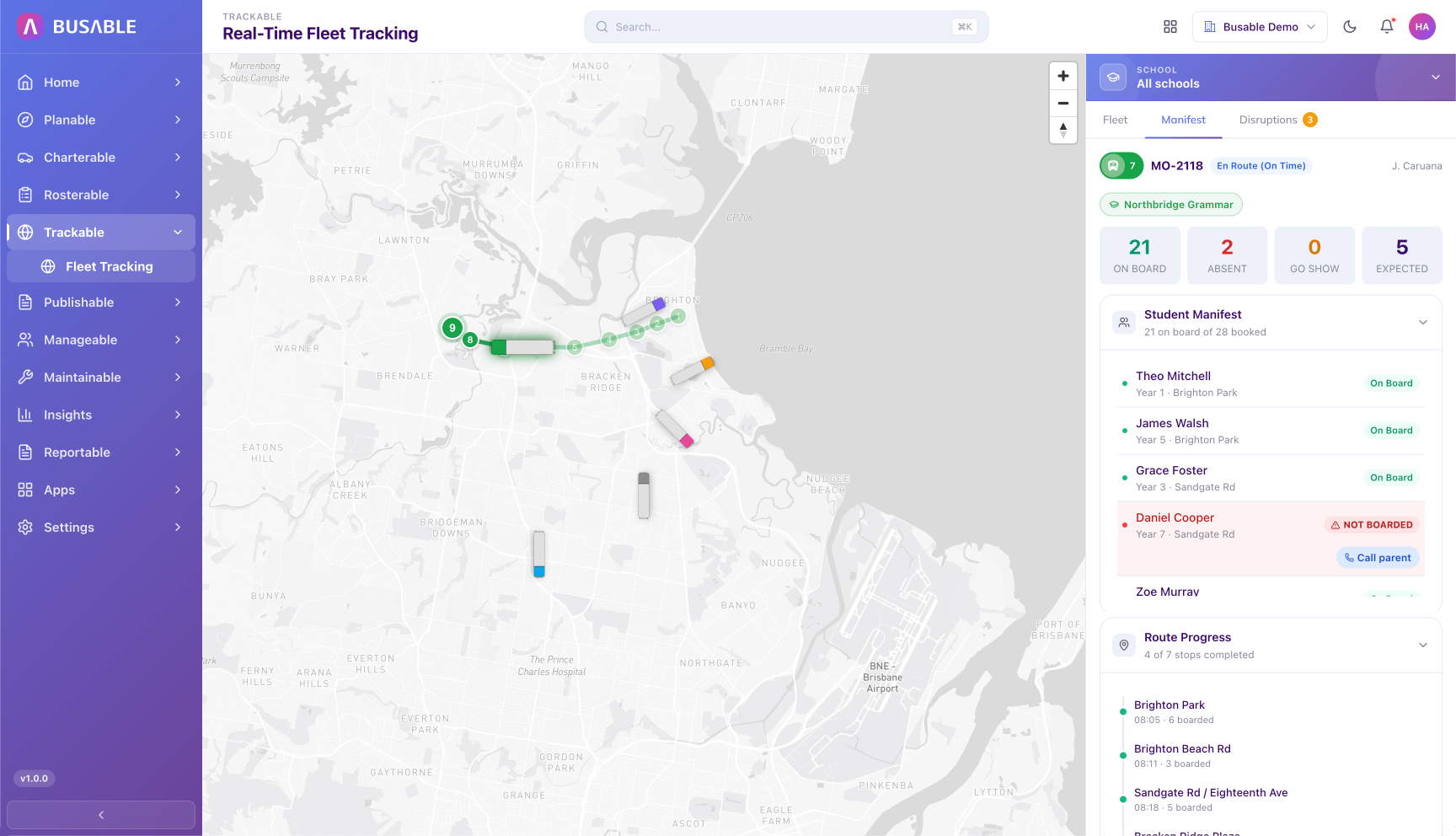
Pick any bus for its student list -- on board, not boarded, and route progress. Call the parent of any no-show directly from the row.
Total students, boarding rate, no-show and go-show rates, and per-service utilisation across all of your school contracts. Filterable by period, school, and route.
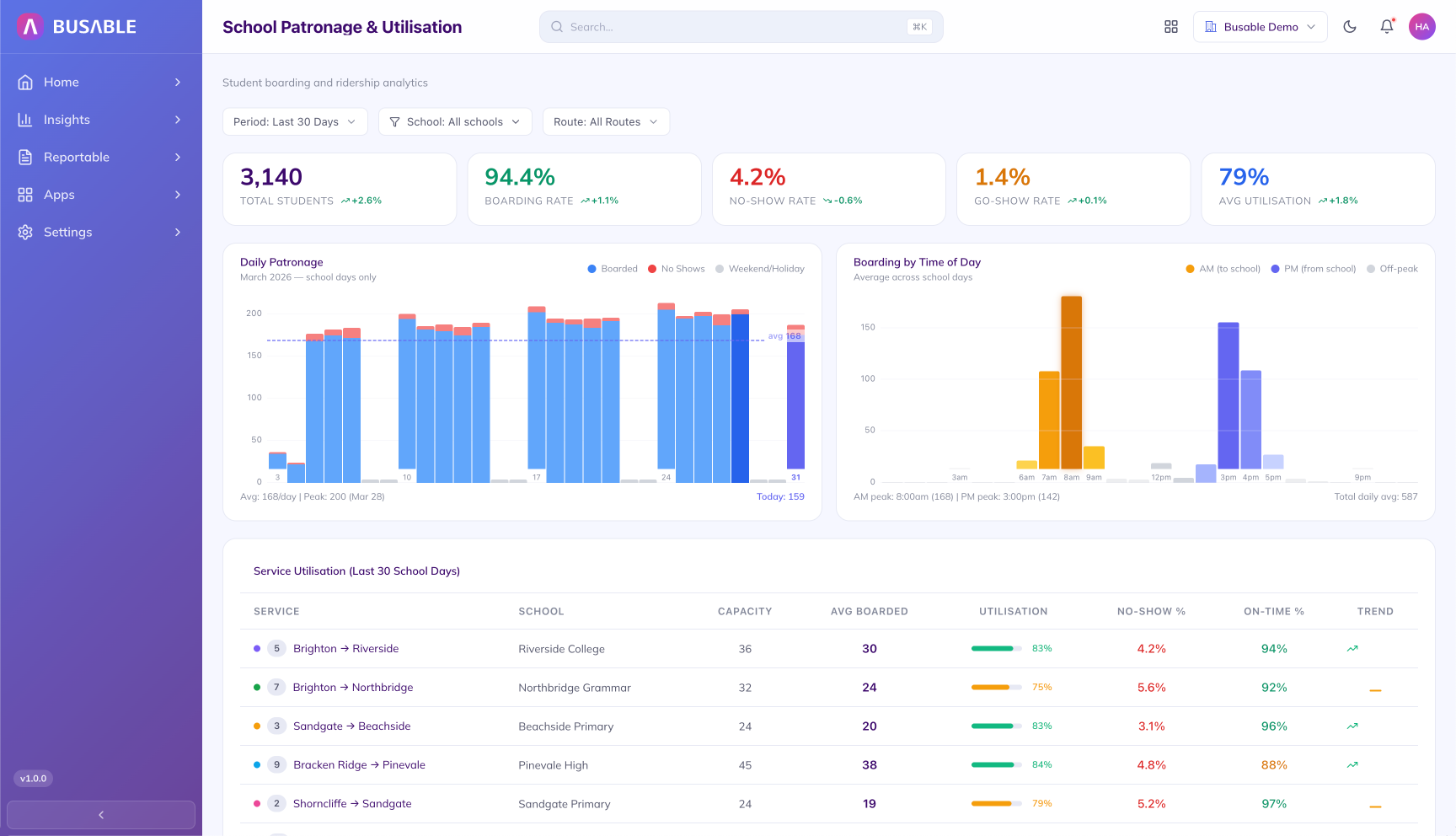
Total students, boarding rate, no-show rate, go-show rate, and average utilisation across the whole contract. Daily patronage and AM/PM boarding charts plus a per-service utilisation table. Period, school, and route filters at the top of the screen.
Replace the spreadsheet-and-email handover with a CSV import that validates the records and applies updates in a single pass.
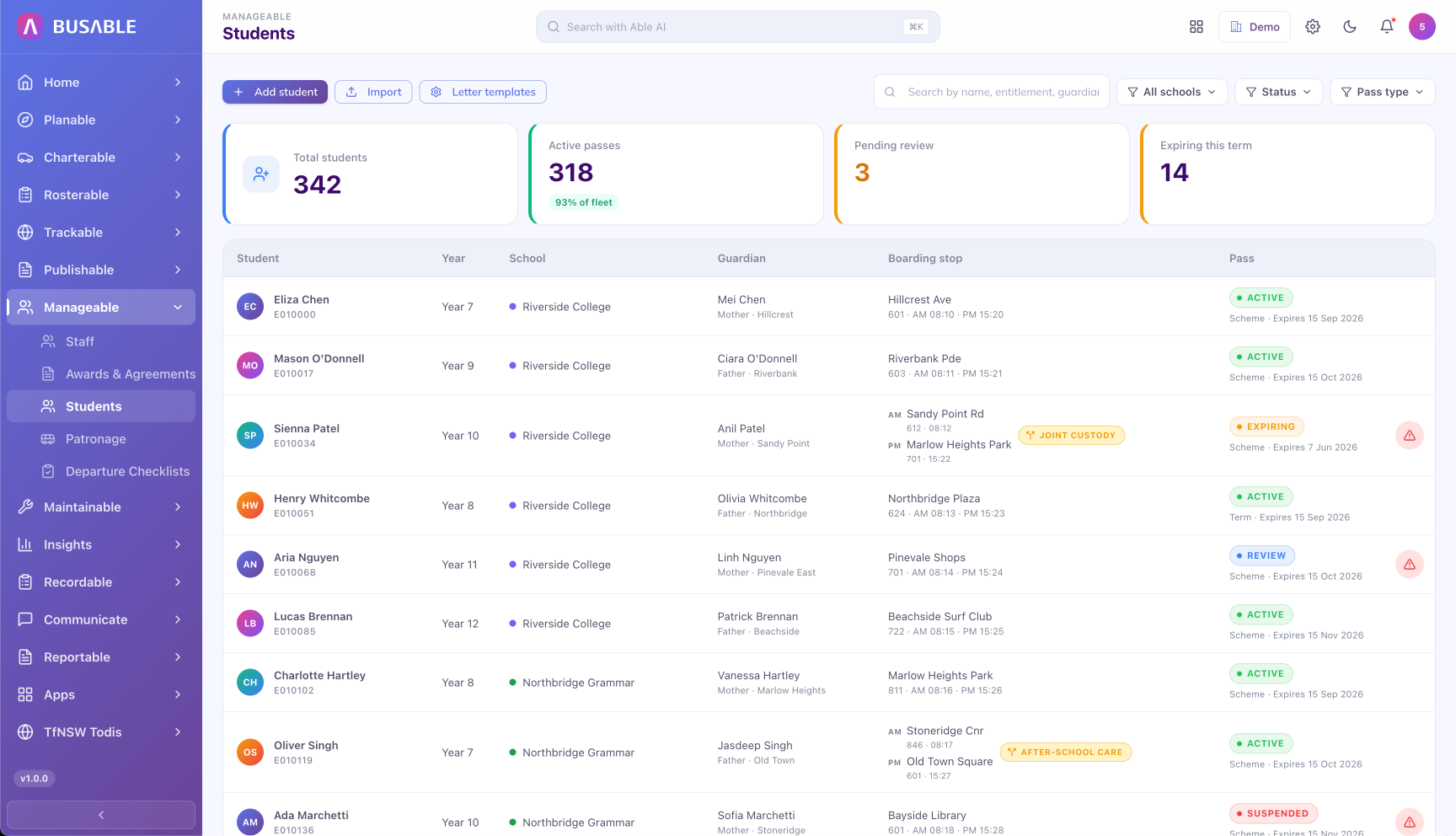
Every student across every contract, with status counts -- active, pending review, awaiting term start -- and per-student detail on school, guardian, boarding stop, and pass.
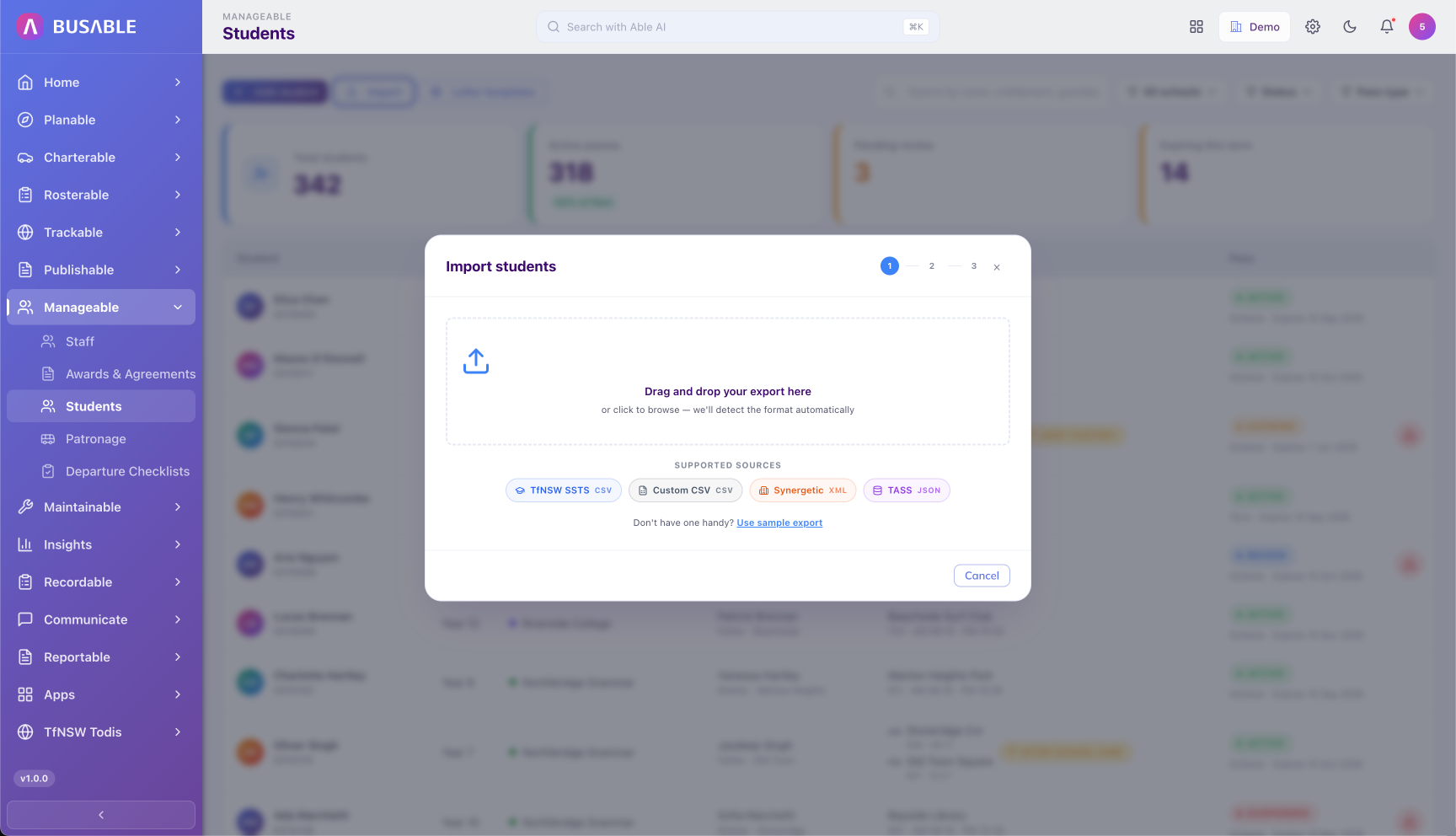
Drag and drop a CSV from the school's system (TASS, Compass, Sentral, or a generic template). The columns are auto-mapped, replacing the manual back-and-forth at every term roll-over.
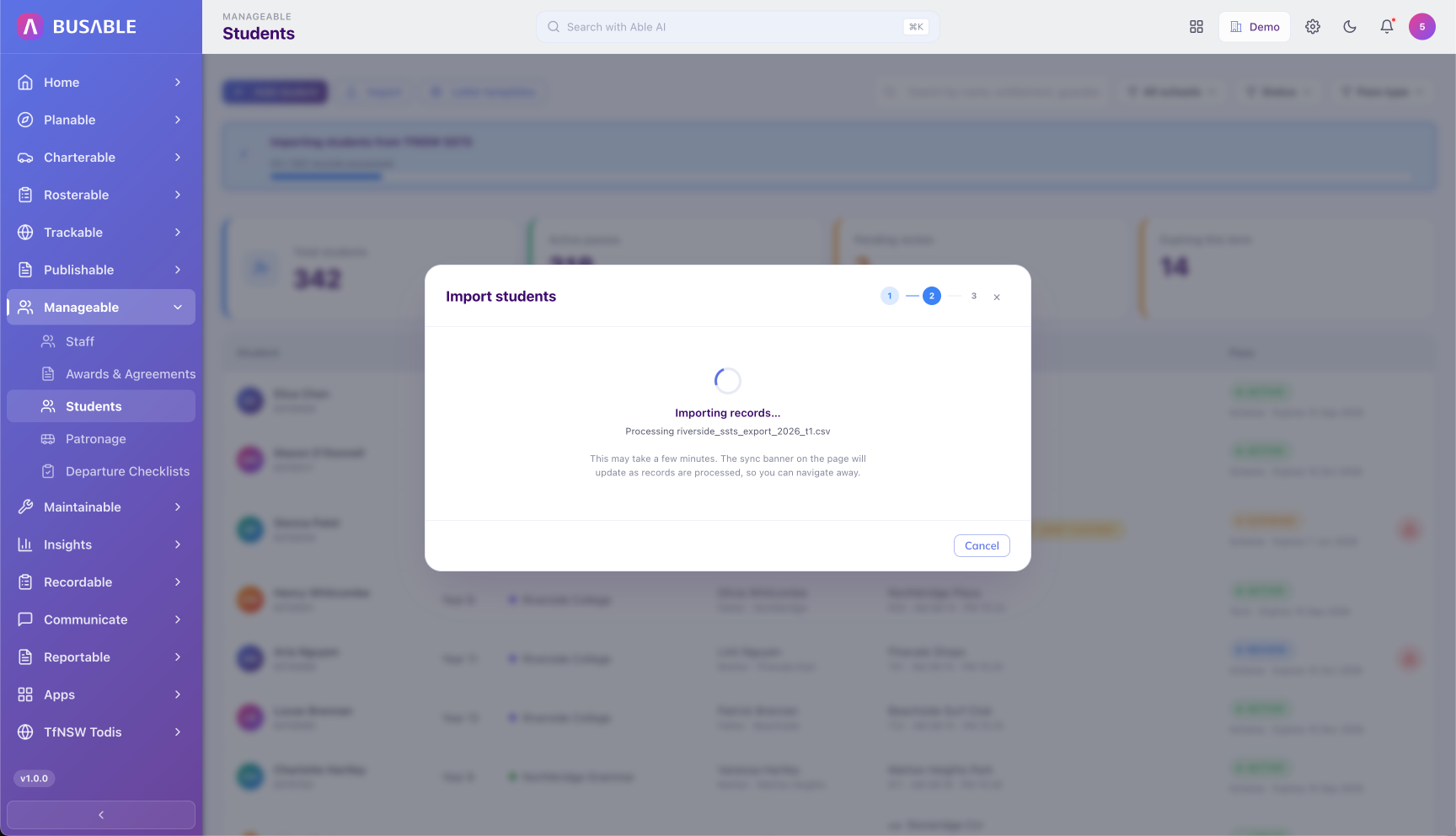
Each record is checked against the schema and the existing student register. Conflicts and errors are surfaced before anything is written, so the import doesn't corrupt your register.
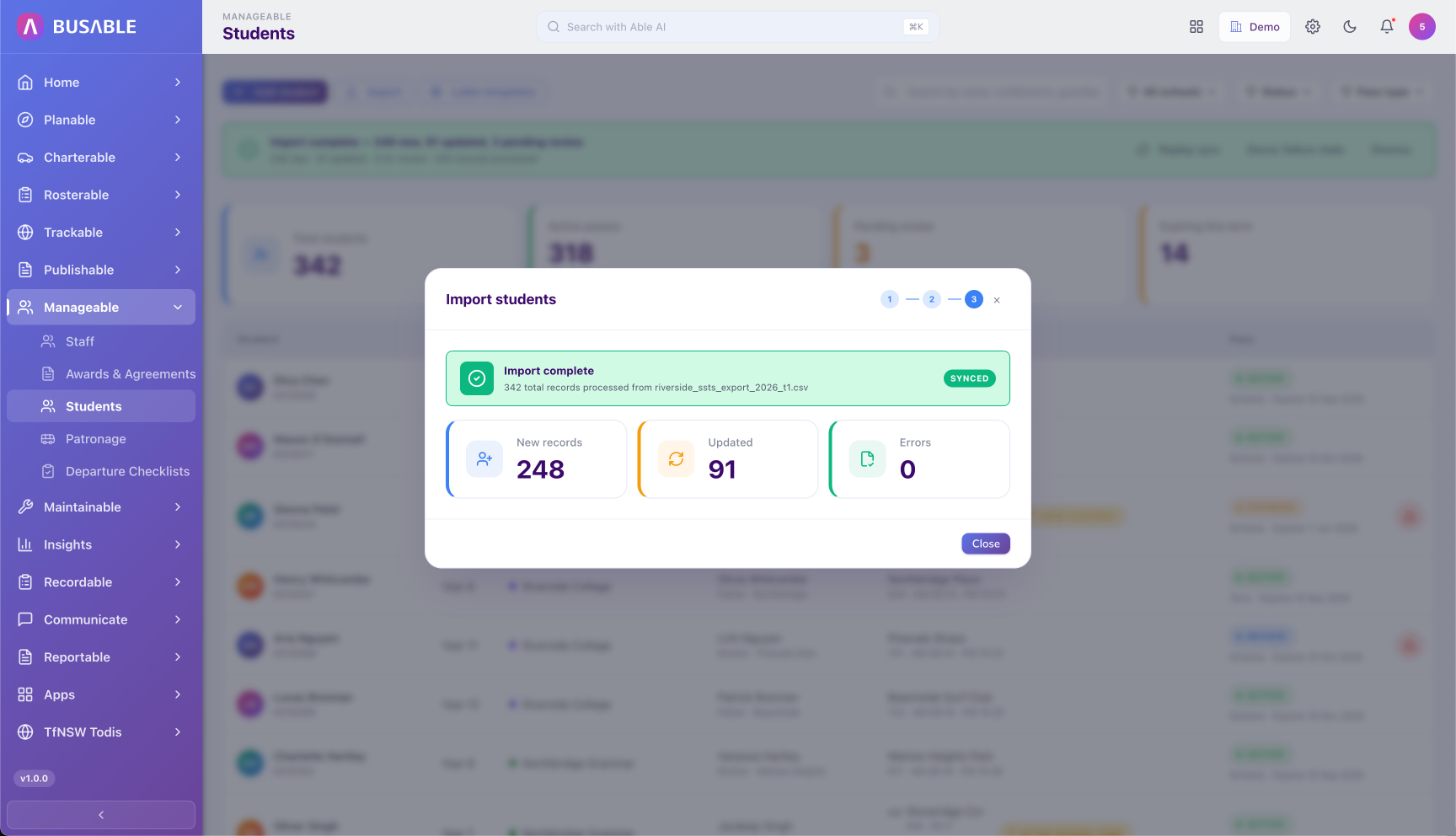
Per-import summary -- new records added, existing records updated, and any errors flagged for review. The audit trail is retained for compliance and roll-back.
Record on-bus incidents against the student, with severity level, category, and parent correspondence kept in one place. Replaces the loose paper trail that follows incidents around.
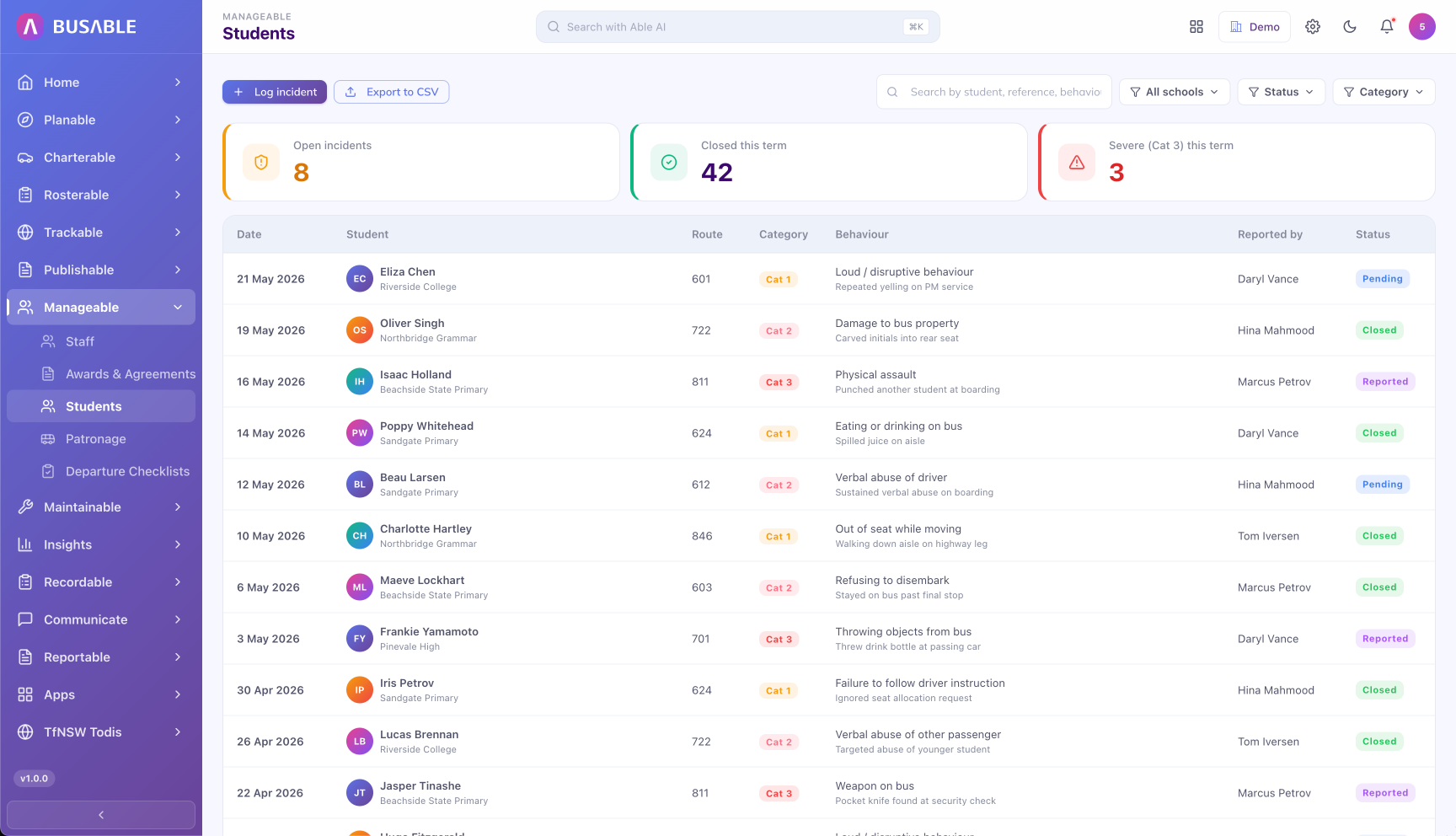
Every incident across the fleet -- date, student, level, category, behaviour, reported by, and status. Headline counts on open cases, monthly volume, and severe events at the top.
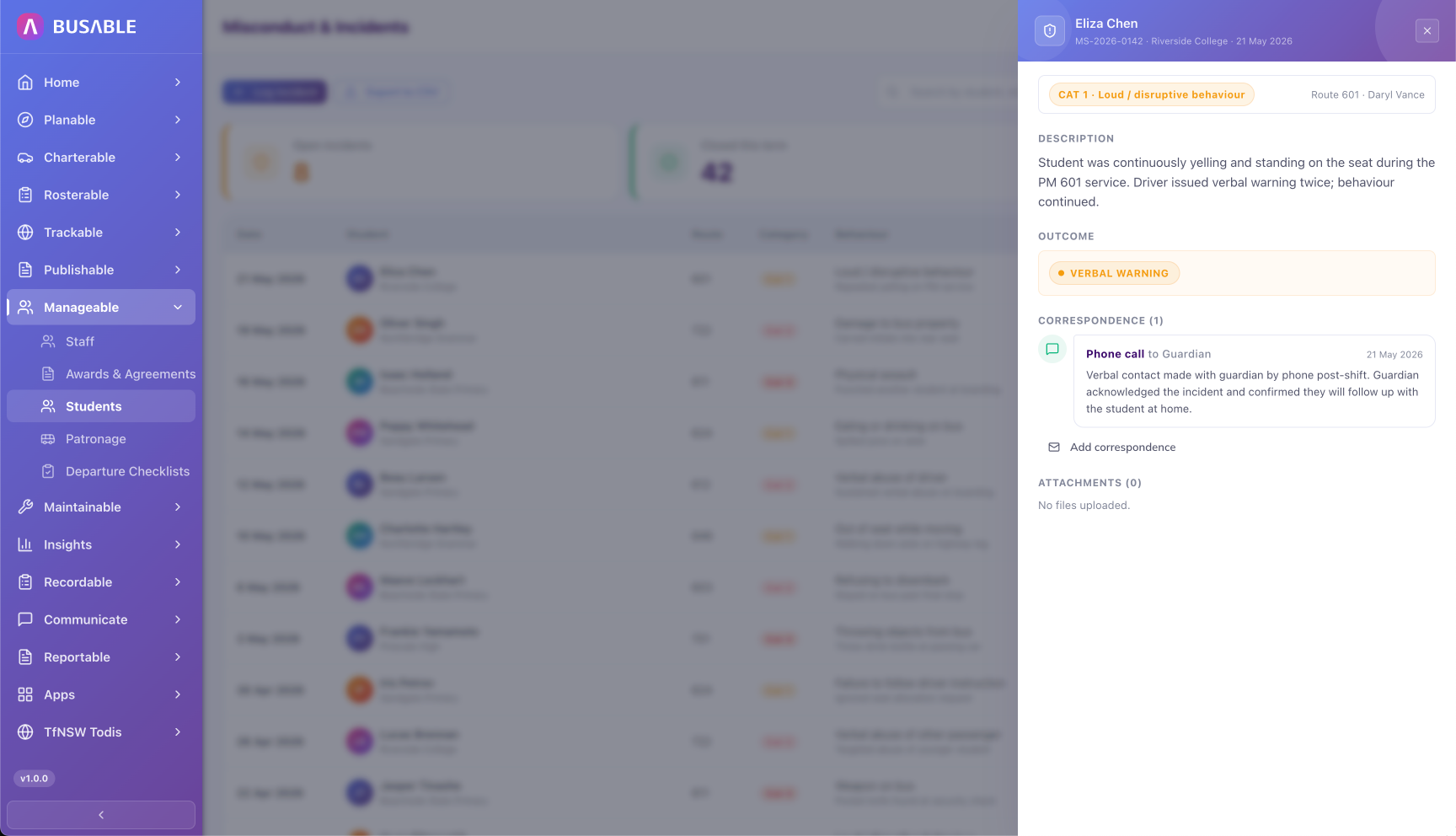
Each incident retains the description, outcome, attachments, and a time-stamped parent correspondence log -- so the audit trail is complete when the school or the parent asks for it.
Pass issuance, expiry tracking, and government scheme reconciliation (SSTS, TfNSW, and similar) for every student under contract.
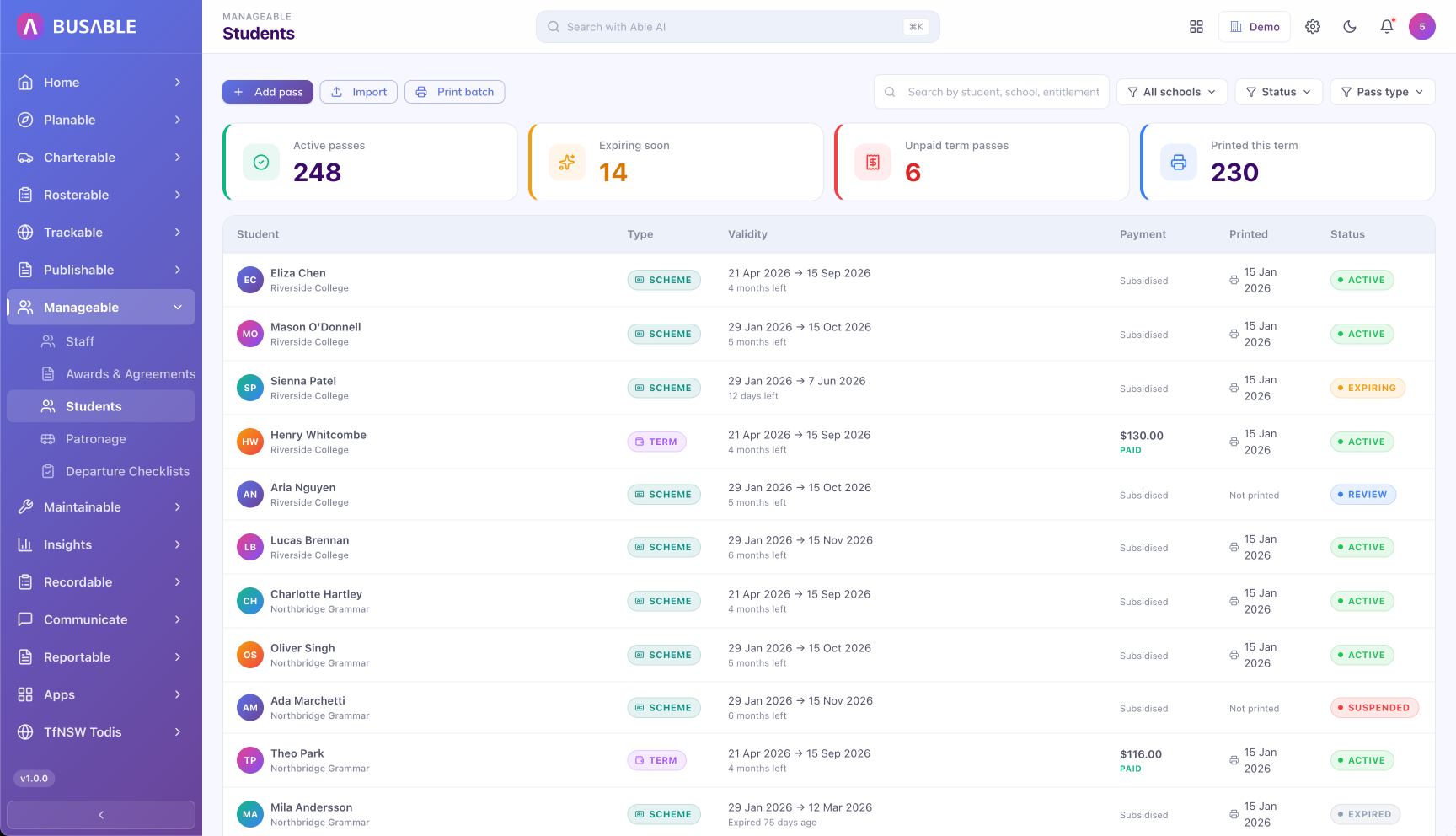
Every issued pass with its type, validity, payment status, and printed state. Headline counts on active passes, expiring soon, unpaid or unissued, and fees settled.
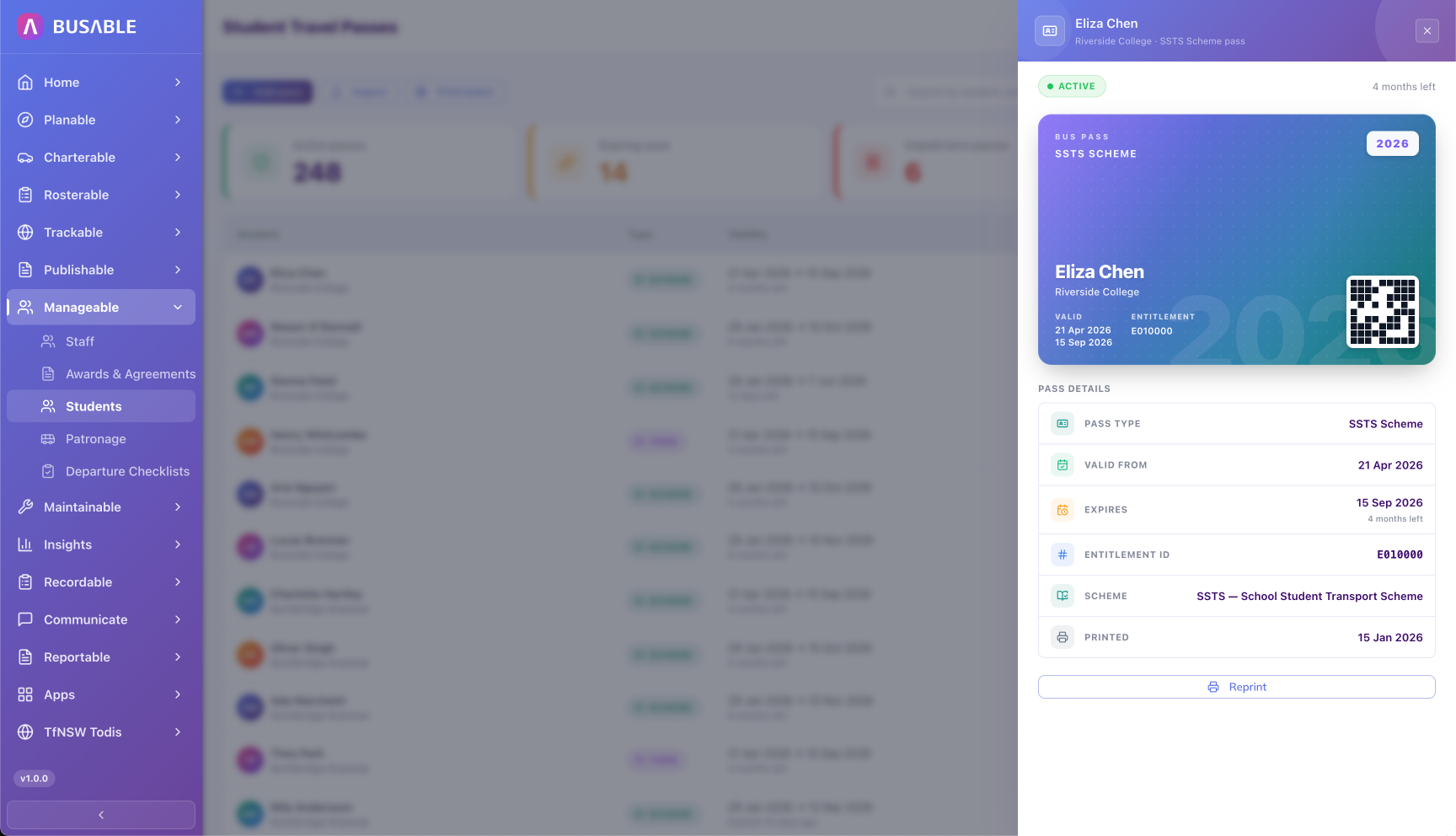
Per-student pass card with the scannable QR. Scheme reference (e.g. SSTS), validity period, settlement ID, and invoice all in one record for audit and reissue.
On-time running for the contract period, broken down to overview, per-route, and per-vehicle-block. The numbers operators put in front of the contract holder.
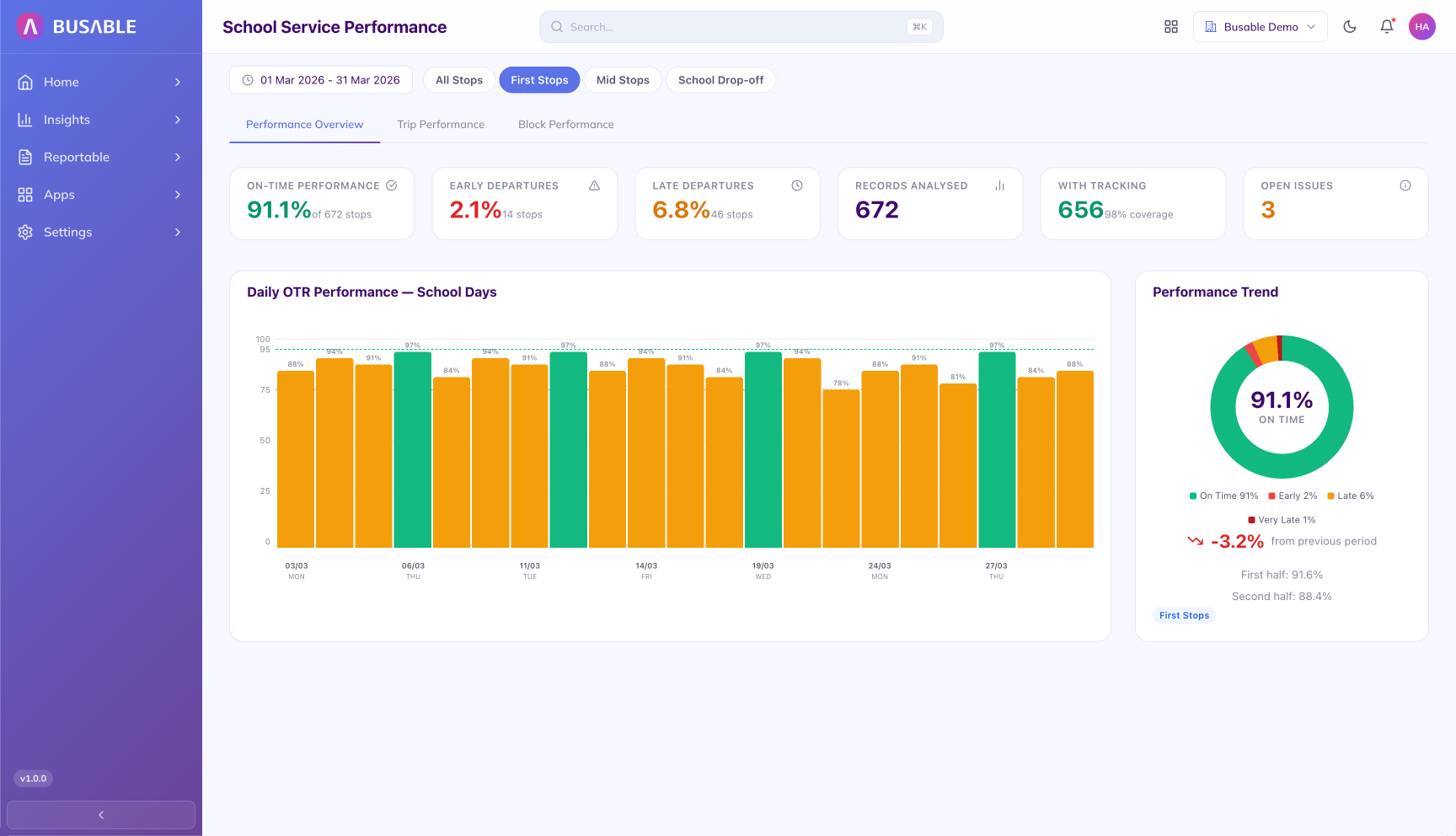
On-time, early, late, records analysed, tracking coverage, and open issues -- with a daily OTR chart and the period trend ring. Trip-leg filter (first stops, mid stops, school drop-off) at the top.
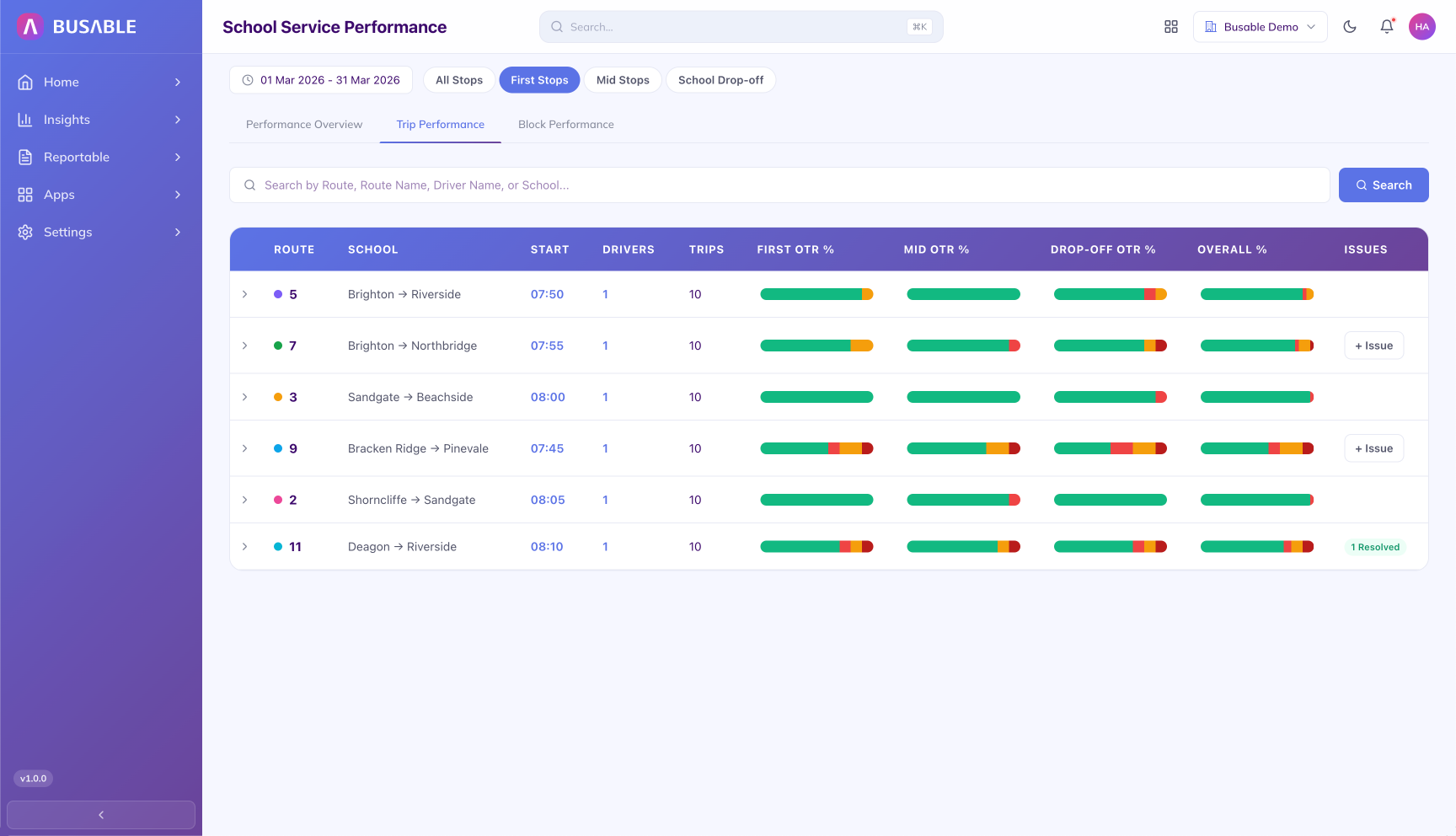
OTR for each route split across first stop, mid stops, drop-off, and overall. Identifies the leg responsible for the OTR loss, with an issue raised against the row.
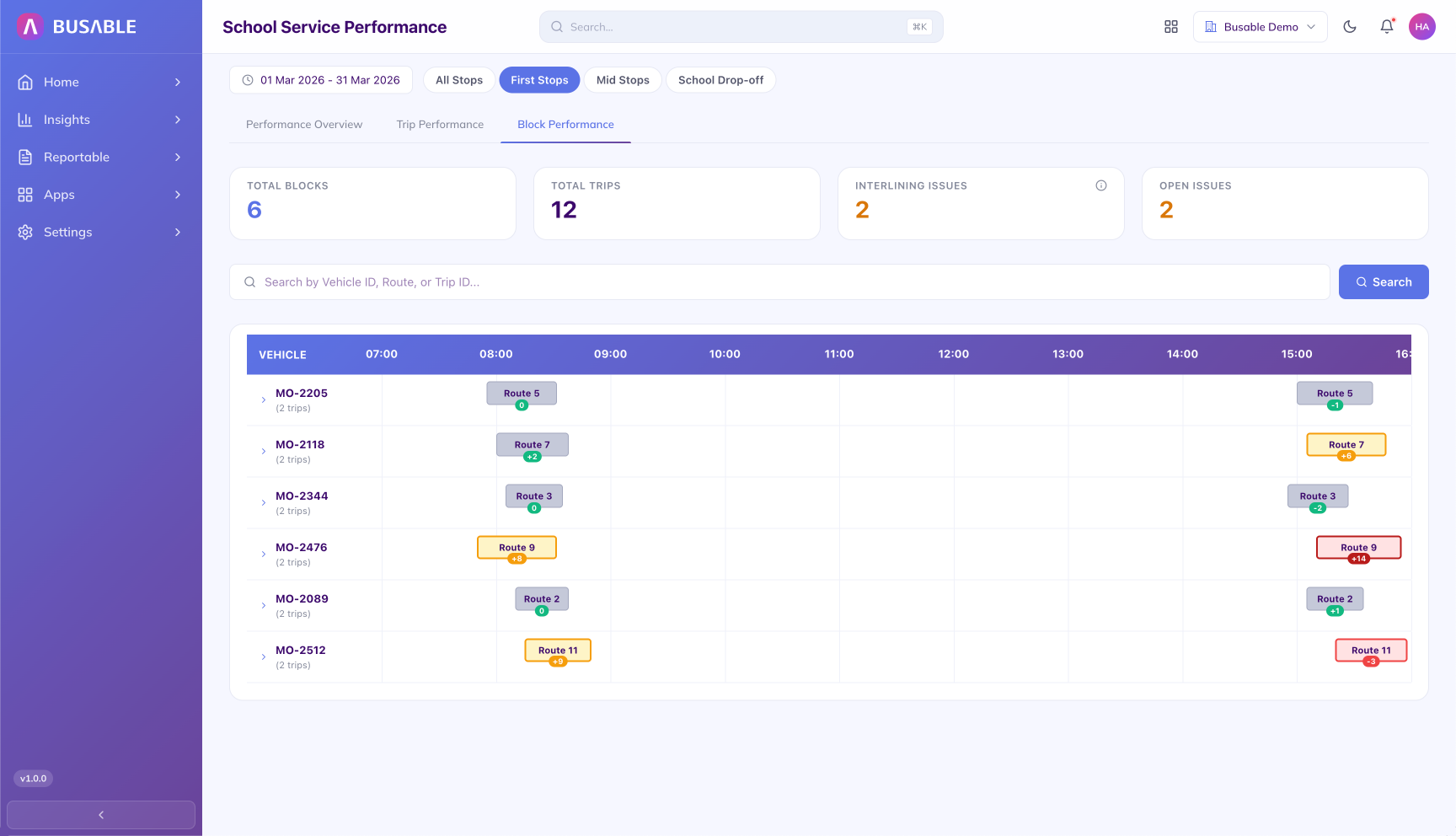
AM and PM trips per vehicle laid out across the school day, with interlining gaps and schedule-connection issues flagged. Total blocks, total trips, interlining issues, and open issues at the top.
We'll load your schools, routes and students and walk you through it end to end.
Book a demo