
The workshops
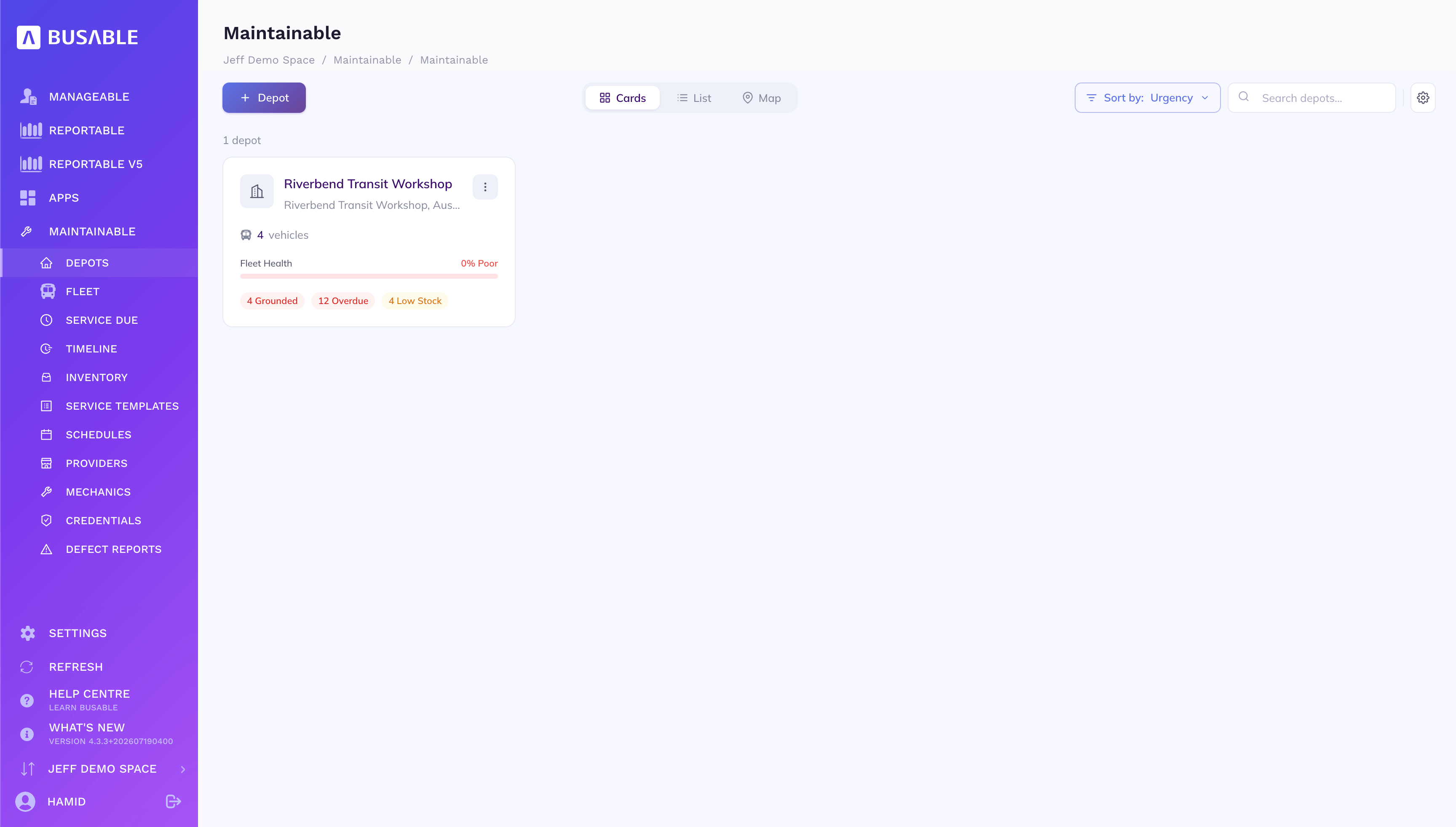
Vehicles, fleet health and the grounded, overdue and low-stock counts for each depot — sort by urgency or drop to a map.
A/B/C/D services by time or distance, defect reports straight from the driver, work-order checklists on the workshop floor, parts and stock, and a timeline that shows what's due weeks out — one place for the whole workshop.
Depots & fleet · the vehicle record · what's due & the job card · the service timeline · parts & stock · templates & schedules · defect reports
Each workshop as a card — how many vehicles, how healthy the fleet is, and what needs attention: grounded buses, overdue services and low stock.
Vehicles, fleet health and the grounded, overdue and low-stock counts for each depot — sort by urgency or drop to a map.
Open a depot for the full picture — availability and grounded vehicles, the work-order queue, parts on the shelf, and the compliance buffers that decide when a service is overdue.
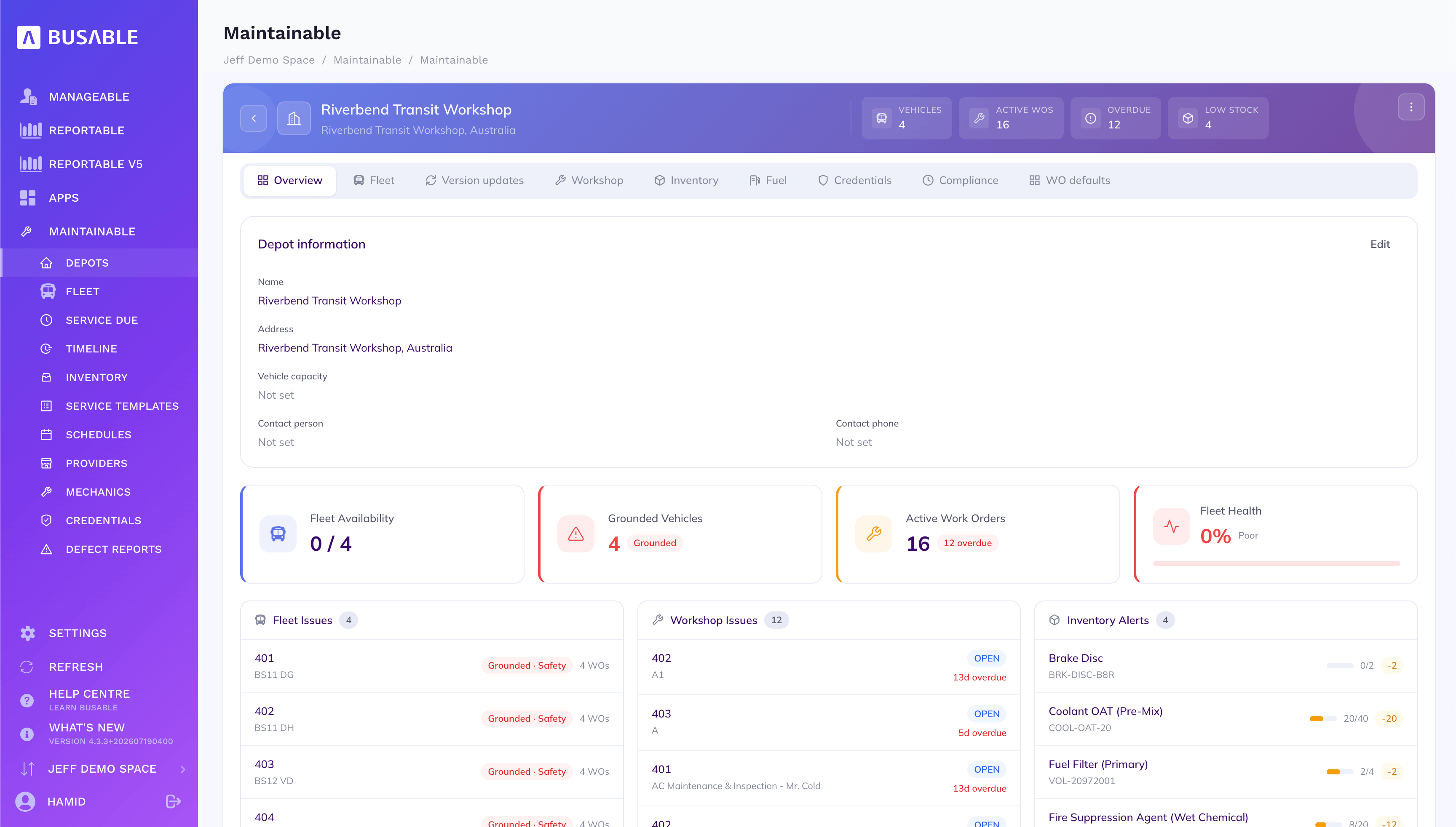
Fleet availability, grounded vehicles, active and overdue work orders and fleet health, with fleet, workshop and inventory issues listed below.
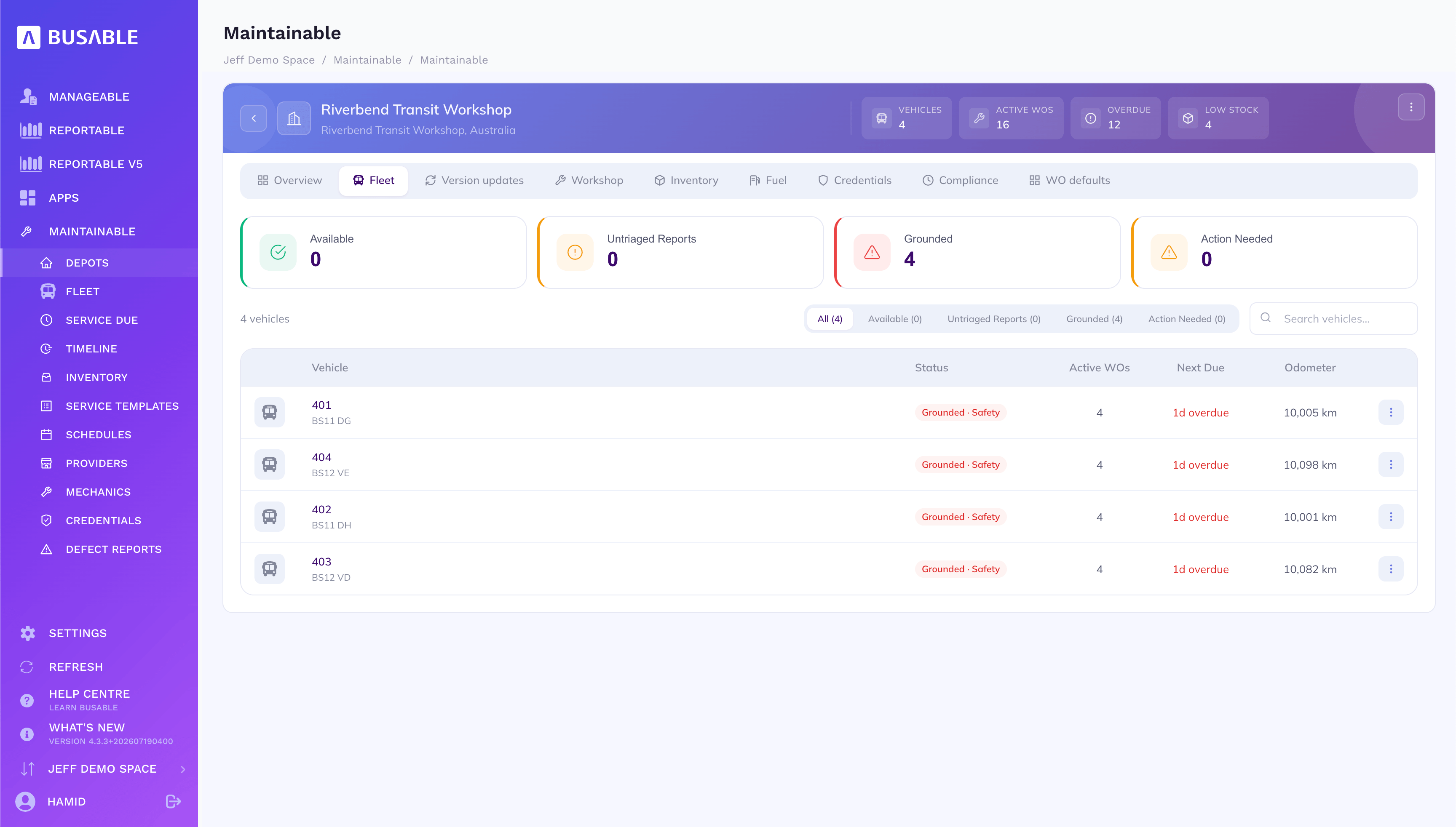
Every bus at the depot — grounded, available or action-needed — with active work orders, what's next due and the odometer.
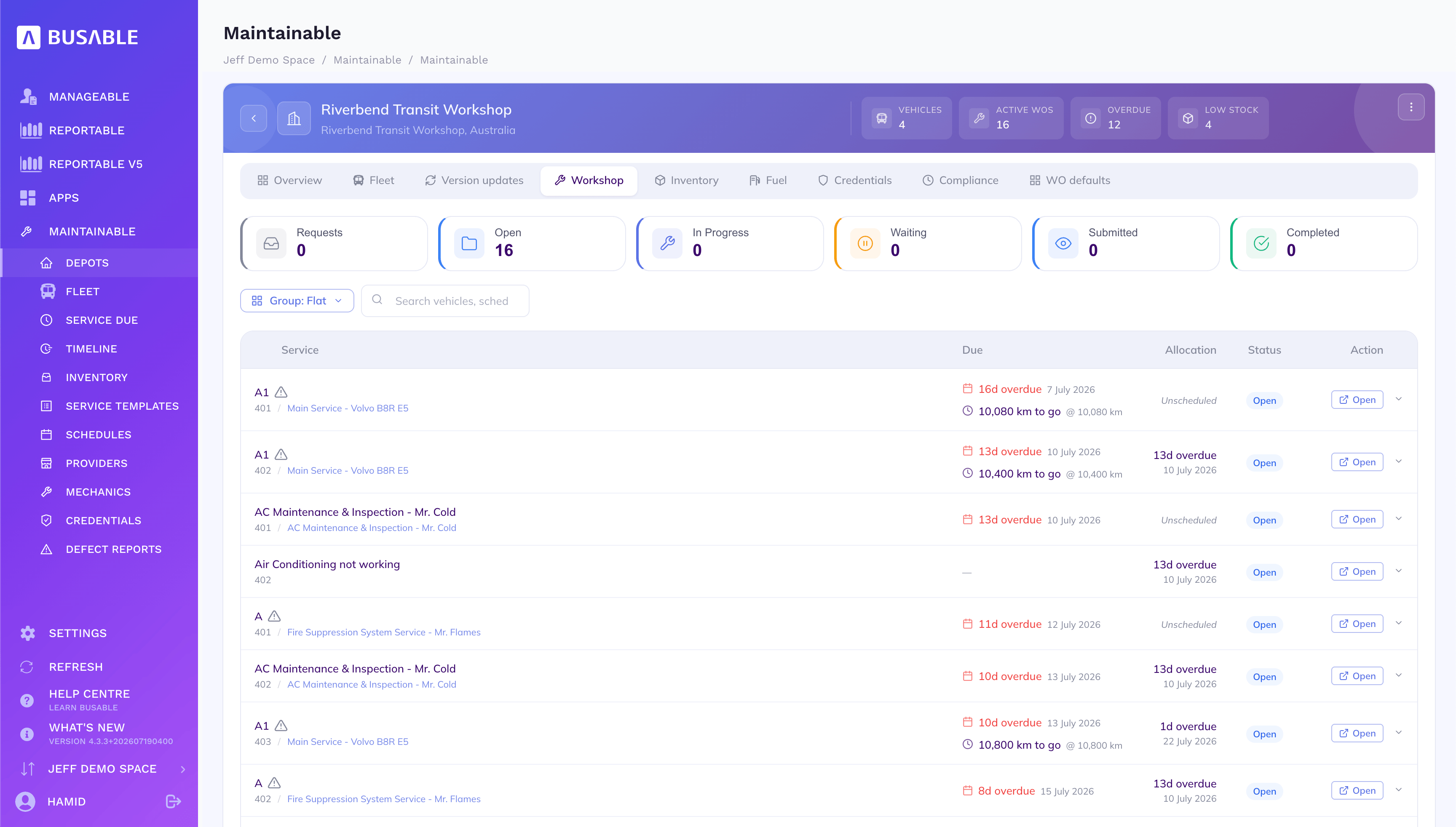
Requests, open, in progress, waiting and completed — with each service, when it's due and how many kilometres to go.
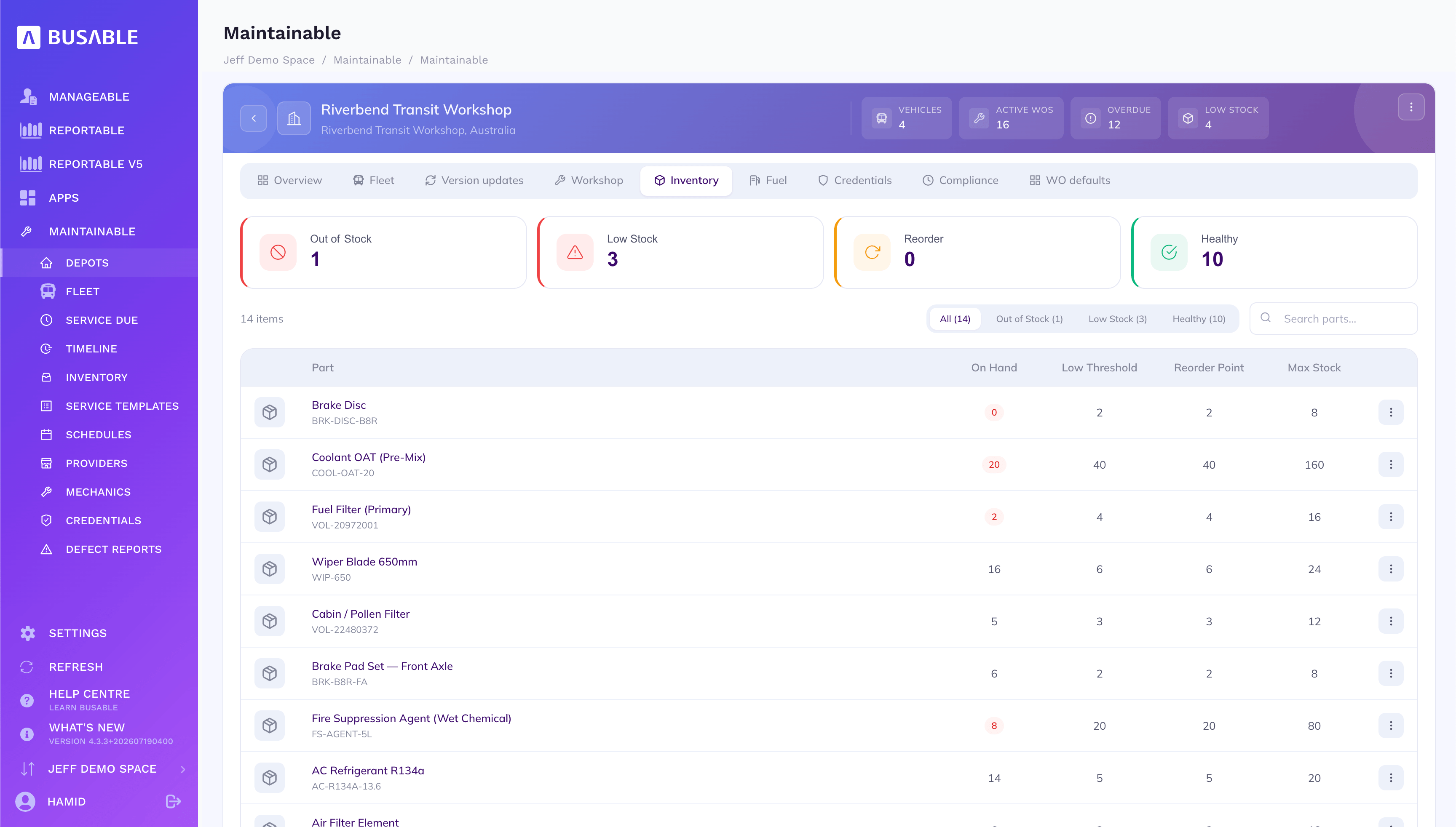
Parts on hand against low thresholds and reorder points — out of stock, low or healthy at a glance.
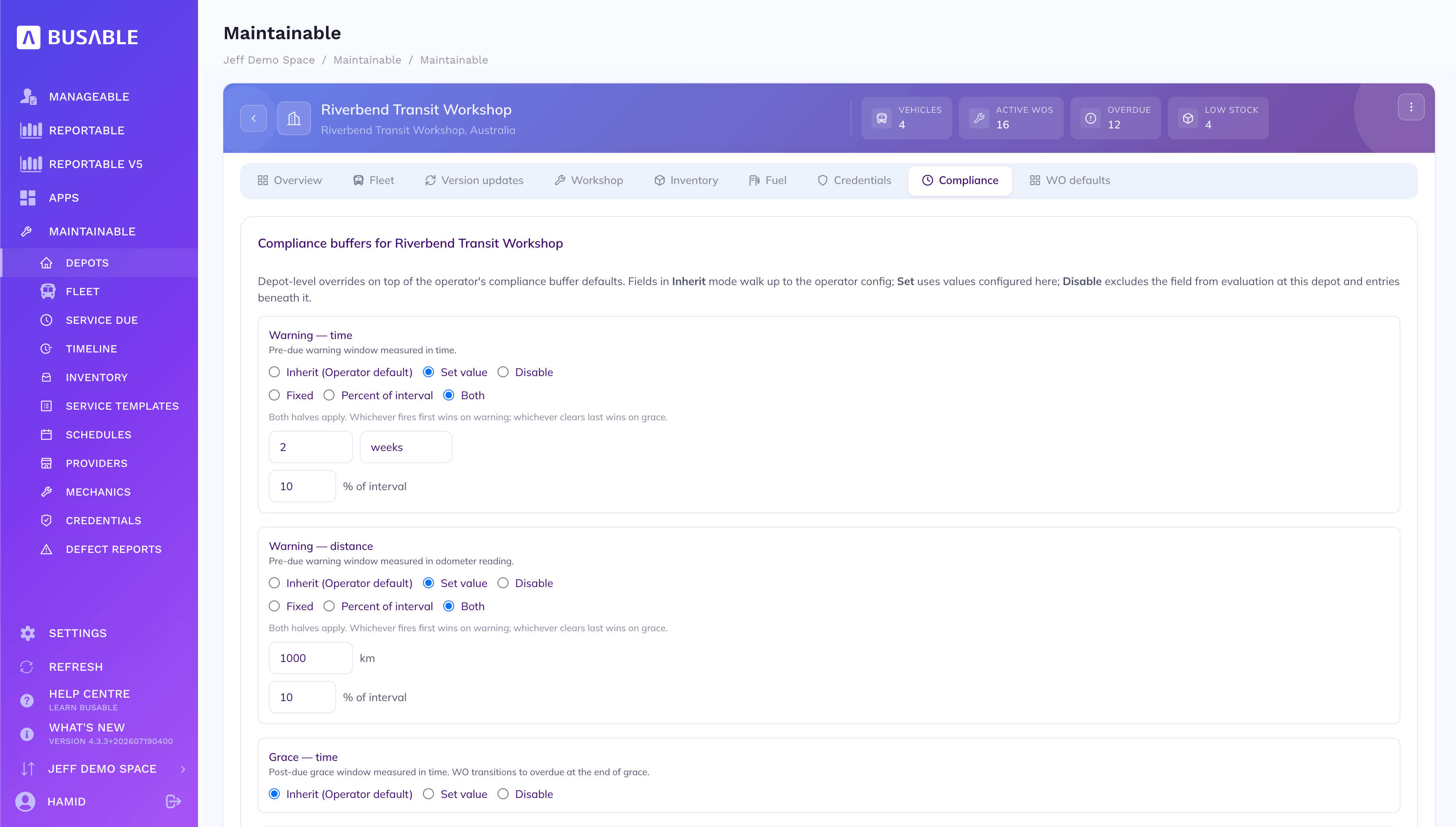
Per-depot warning and grace buffers, by time and distance — inherit the operator default, set your own, or turn a field off.
The whole fleet across depots — status, active work orders, what's next due and the odometer — as a list or as cards.
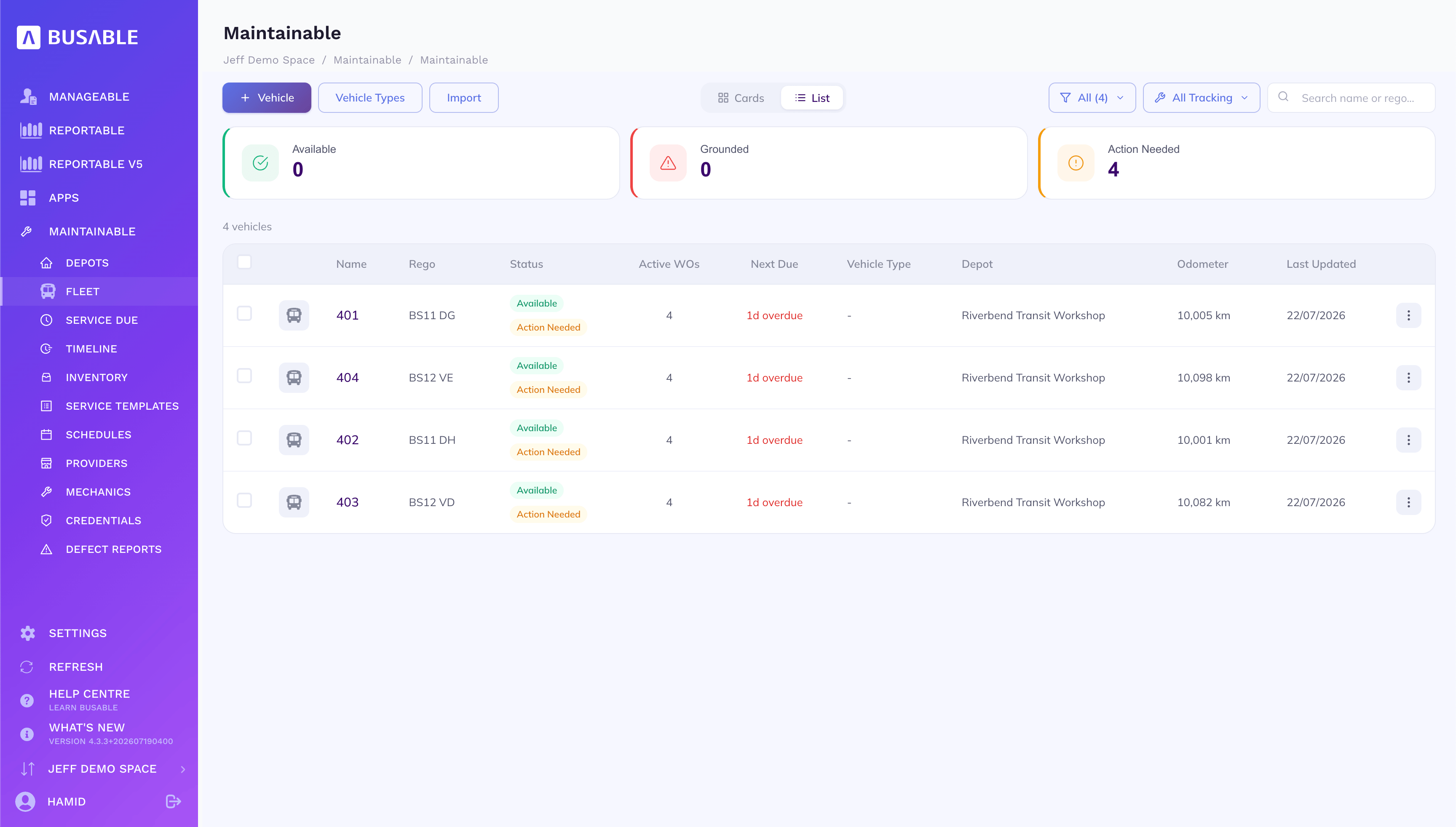
Name, rego, status, active work orders, next due and odometer for every vehicle, filterable by availability.
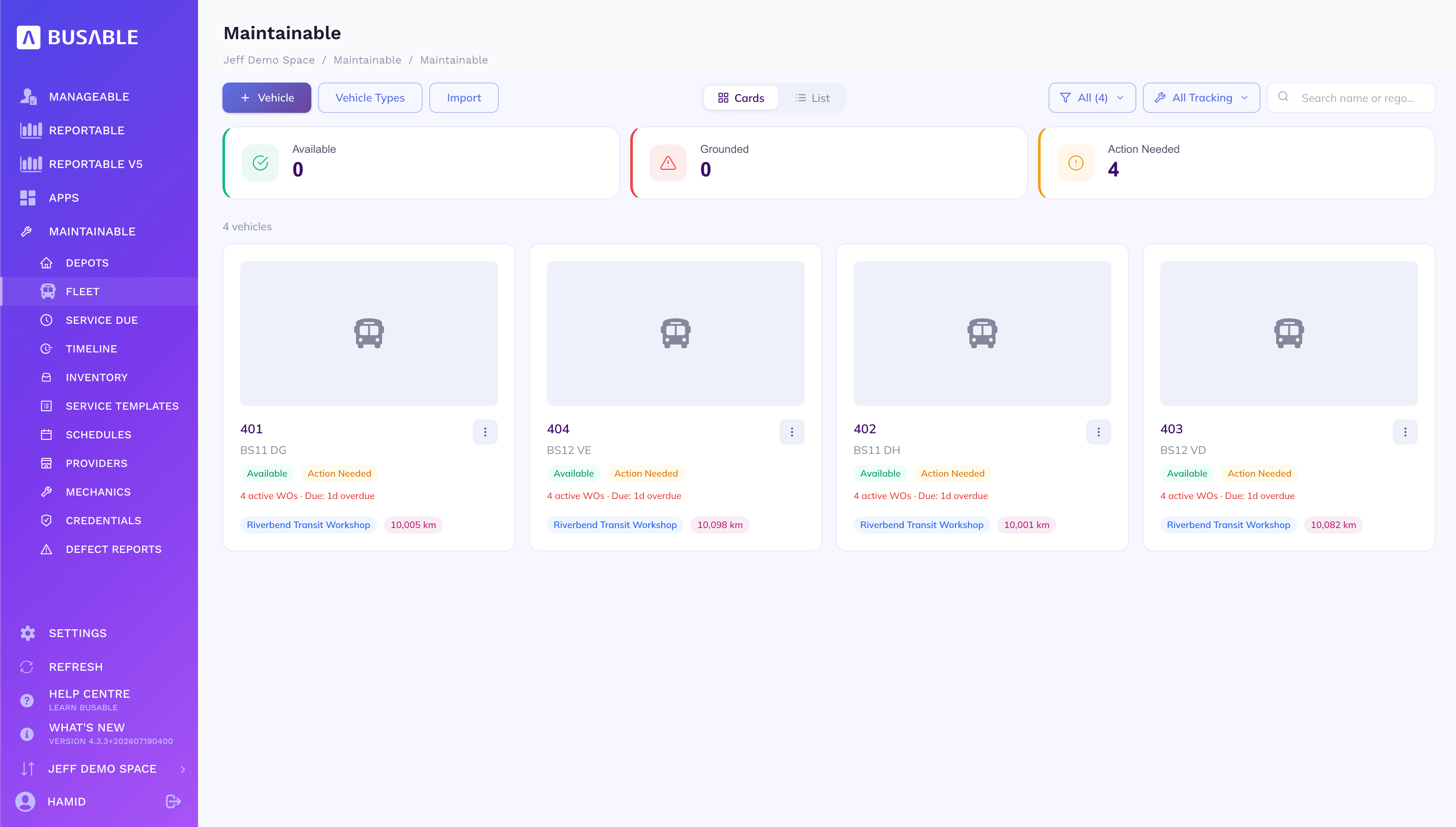
The same fleet as cards — status, active work orders, due date and depot on each.
Open a vehicle for its status and open work, its build and specs, the services it's subscribed to, its work orders and its odometer history.
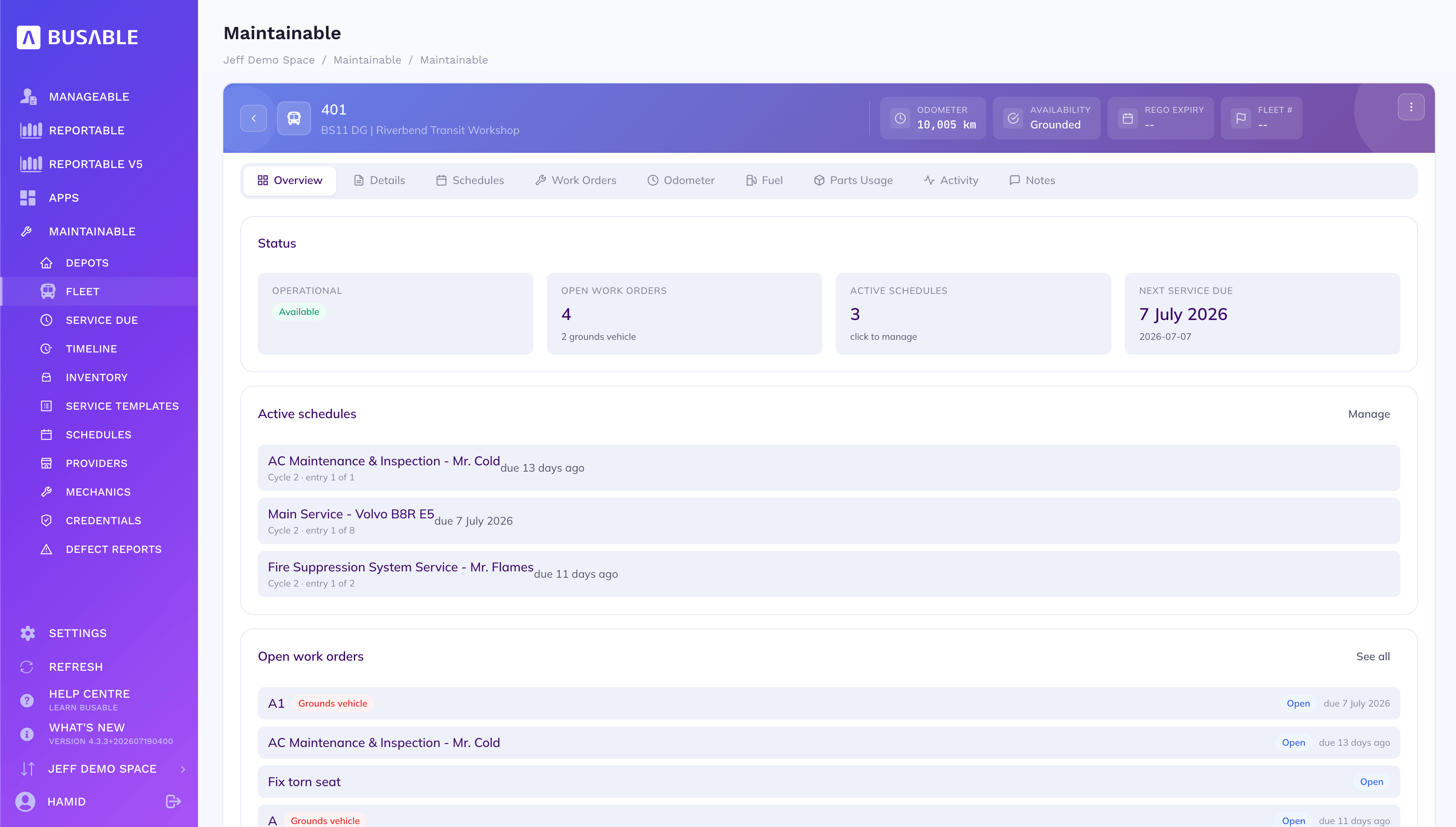
Operational status, open work orders, active schedules and the next service due — with the open jobs listed below.
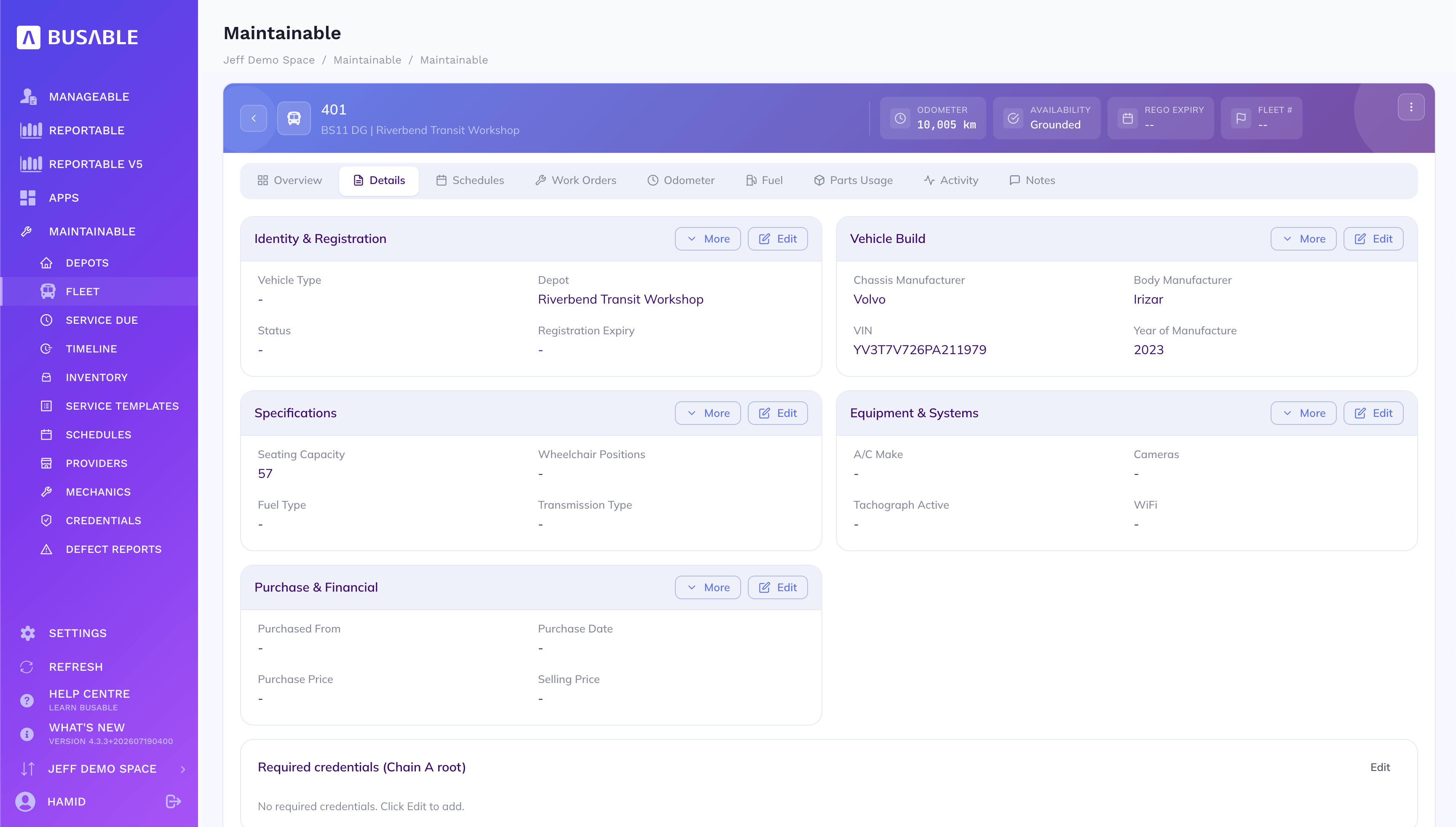
Chassis and body make, VIN and year, seating and equipment, and the purchase and financial detail.
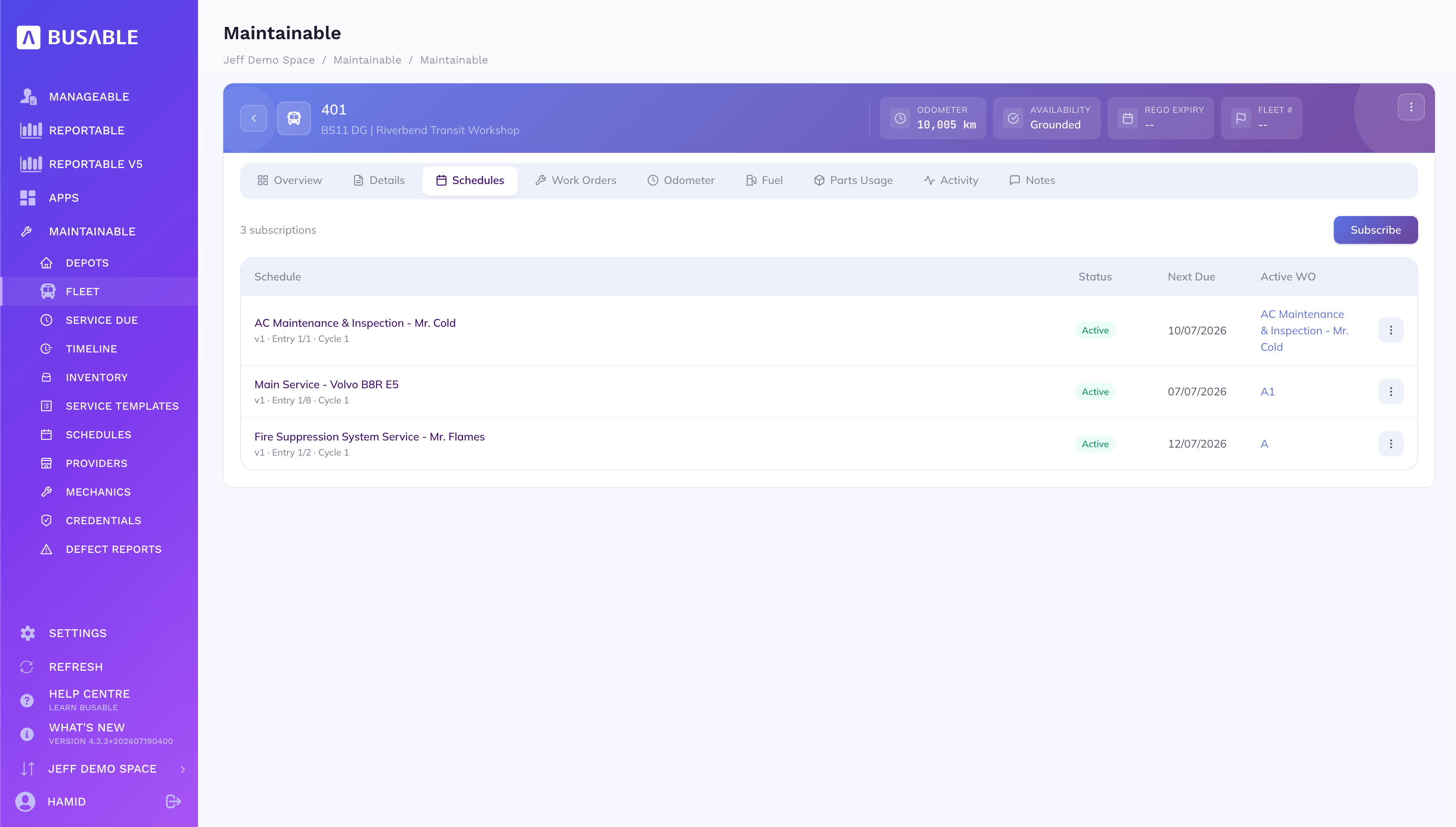
Every service the bus is on — status, next due and the active work order it's generated.
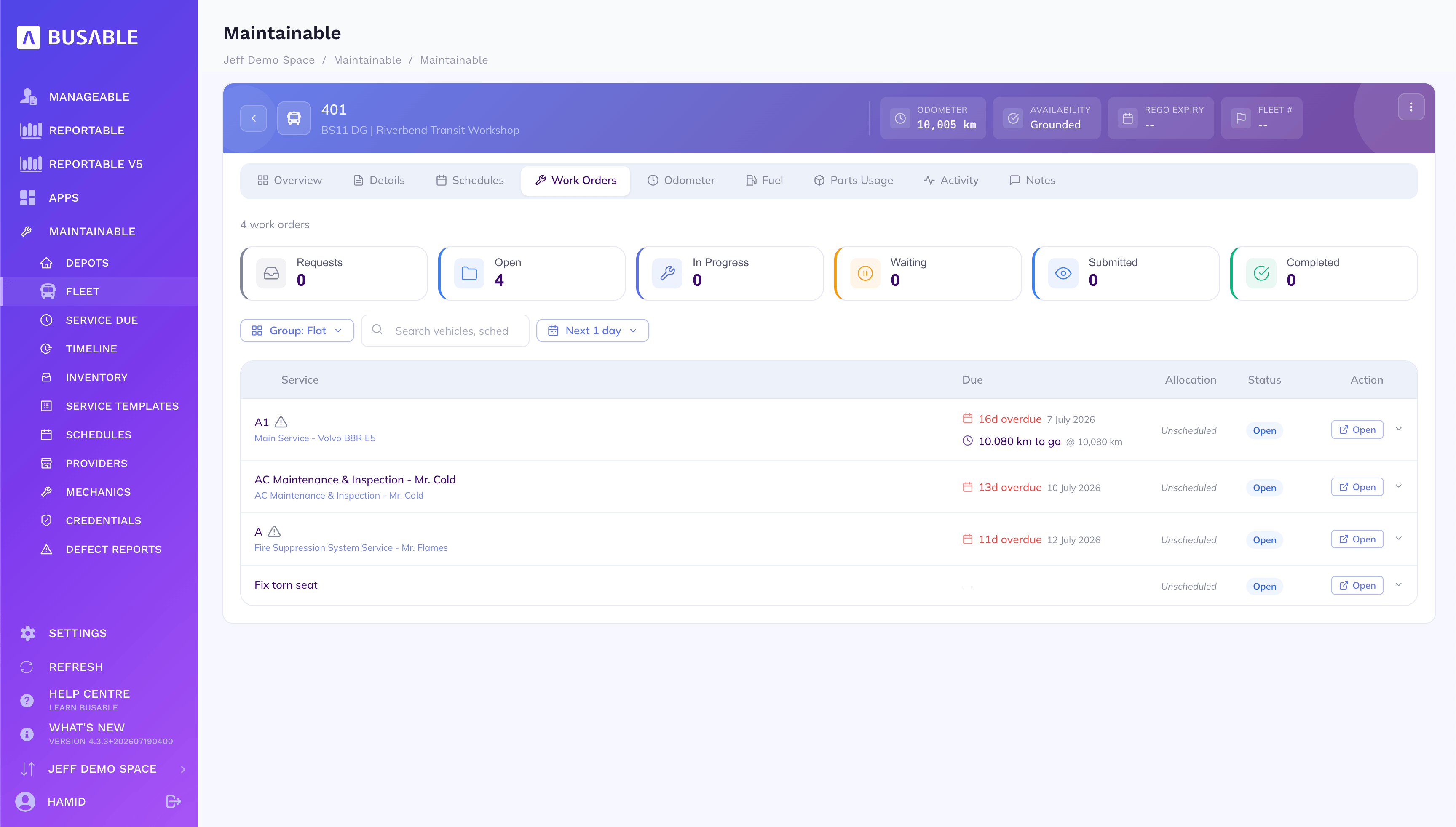
The vehicle's own work-order queue, each with when it's due and the kilometres to go.
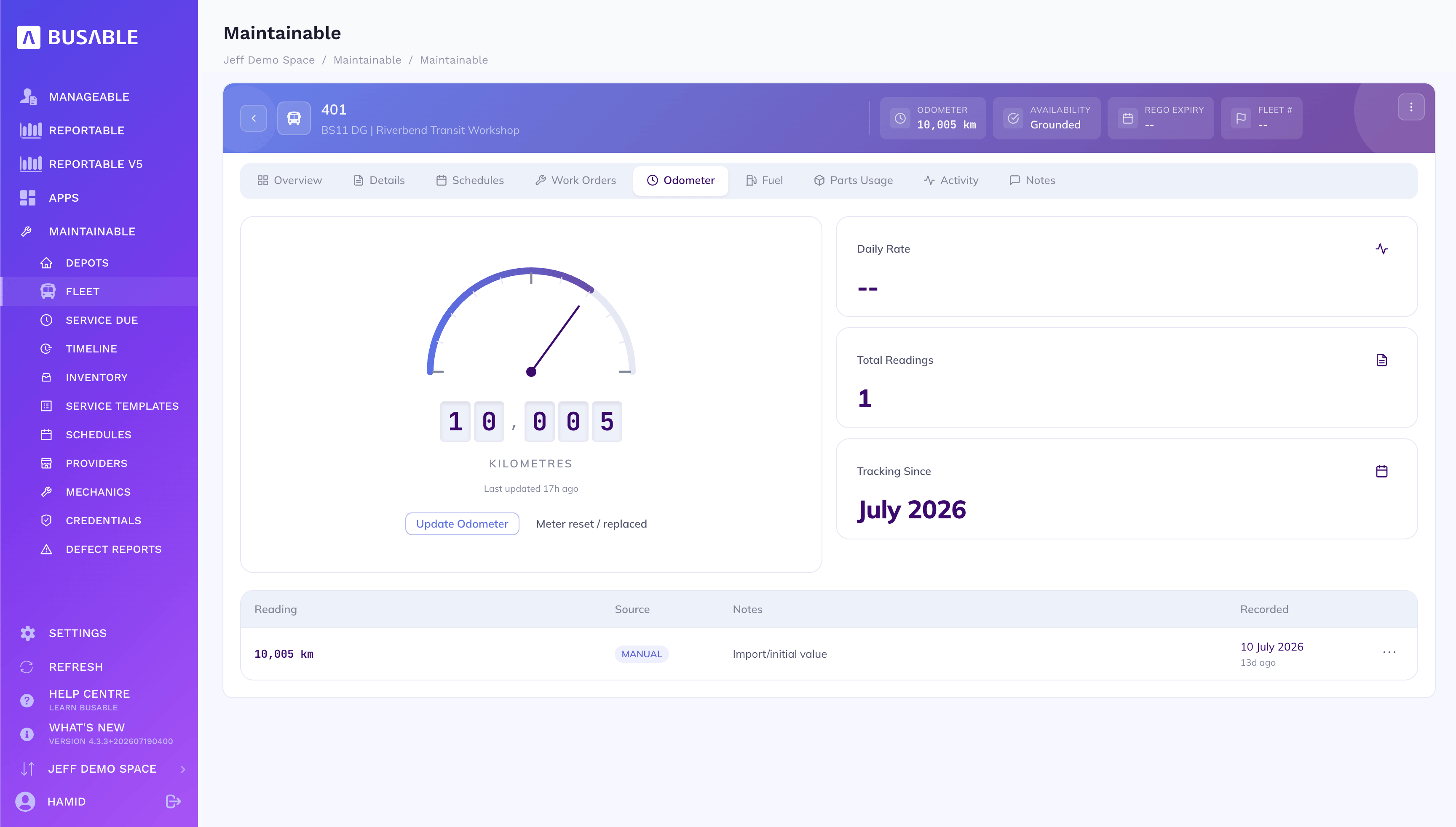
The current reading, how it's tracking, and every reading recorded against the bus.
The maintenance diary shows what's due, overdue and in grace across the fleet — open a job and the mechanic gets the checklist, the timer and the parts, right on the floor.
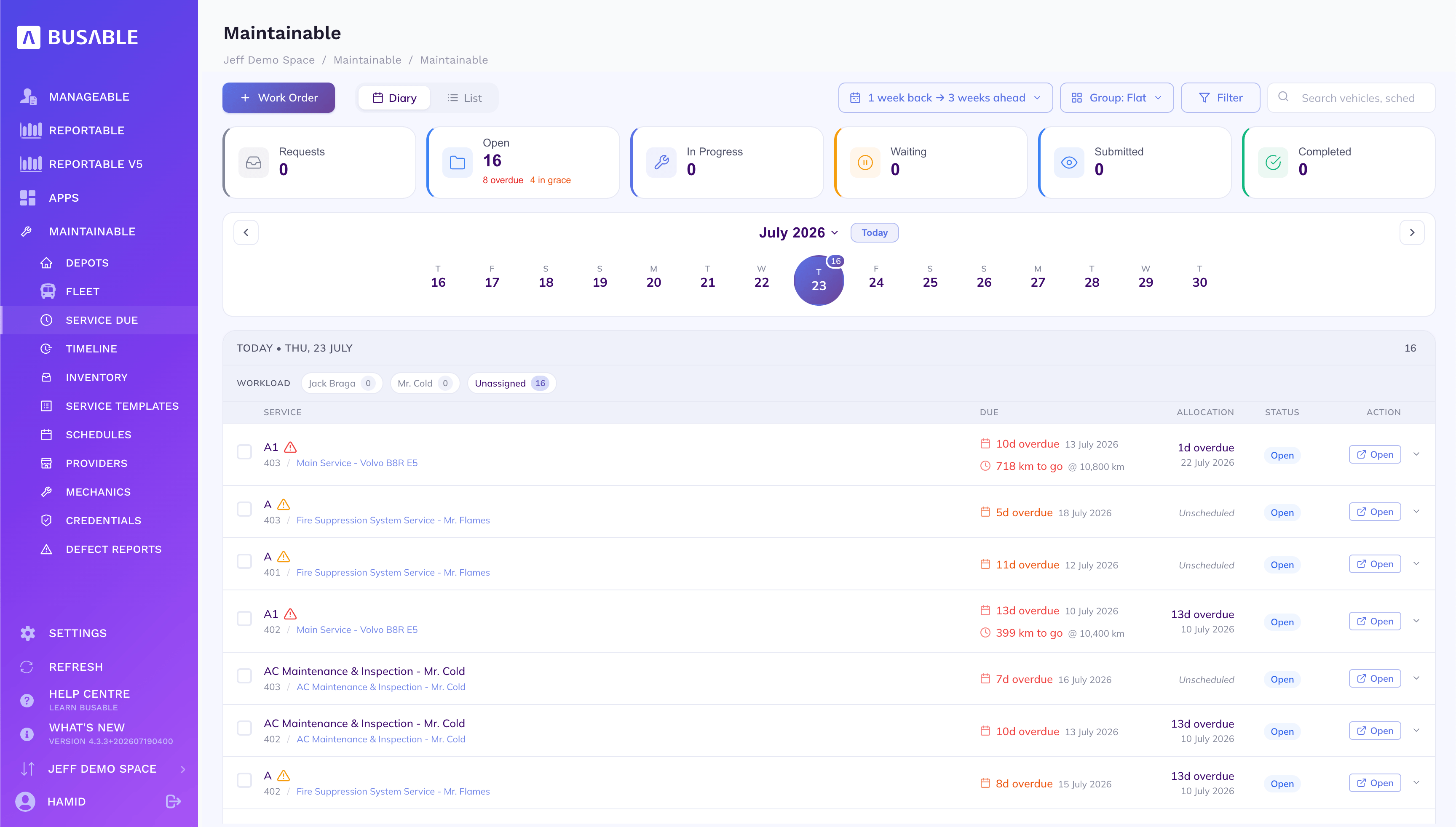
What's due day by day, split by mechanic, with overdue and in-grace flagged — assign the work and go.
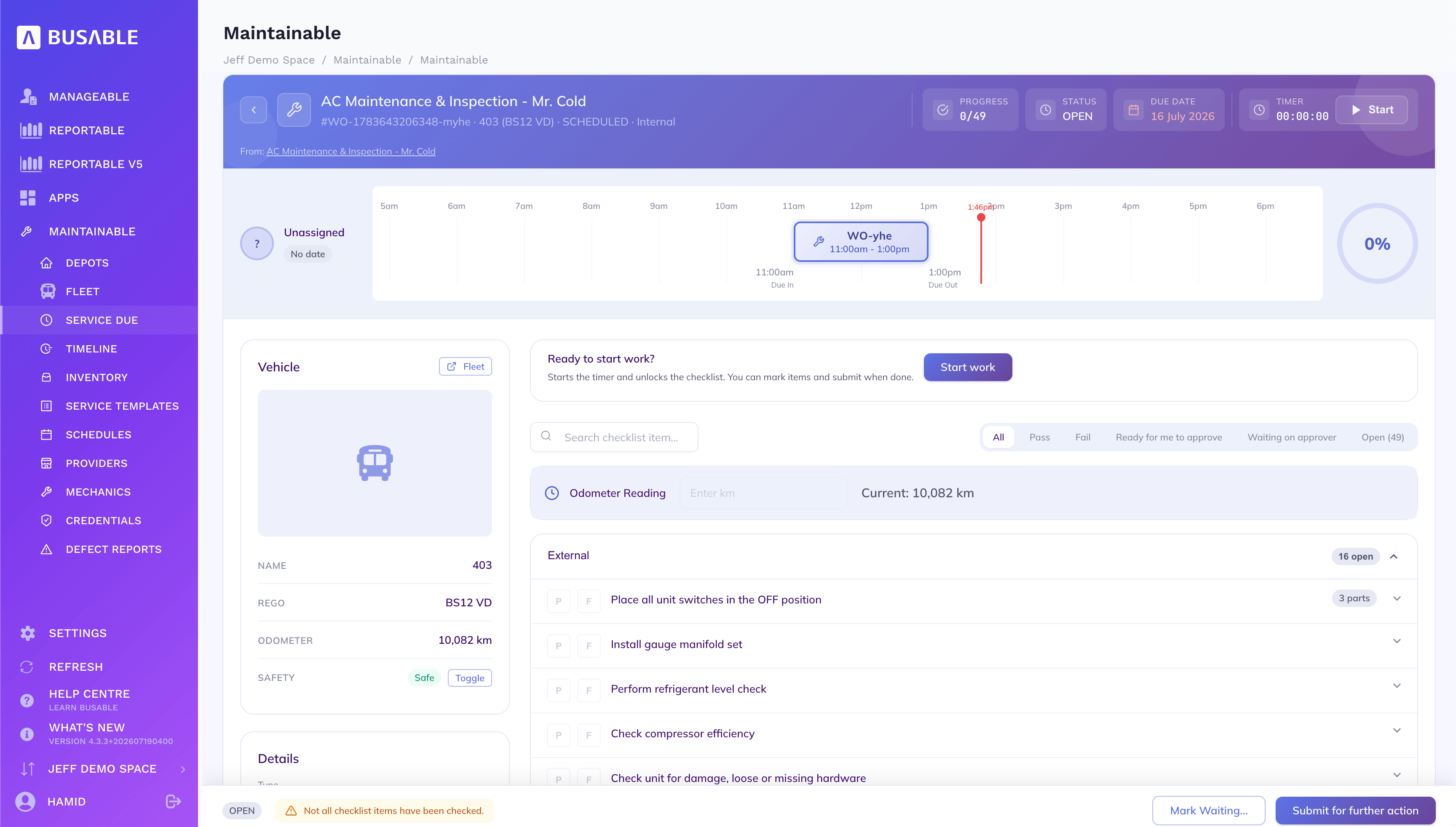
The checklist for the job — pass or fail each item, log the parts and odometer, run the timer and submit for sign-off.
Every service across the fleet projected forward — see the load building before it lands, and where it bunches up.
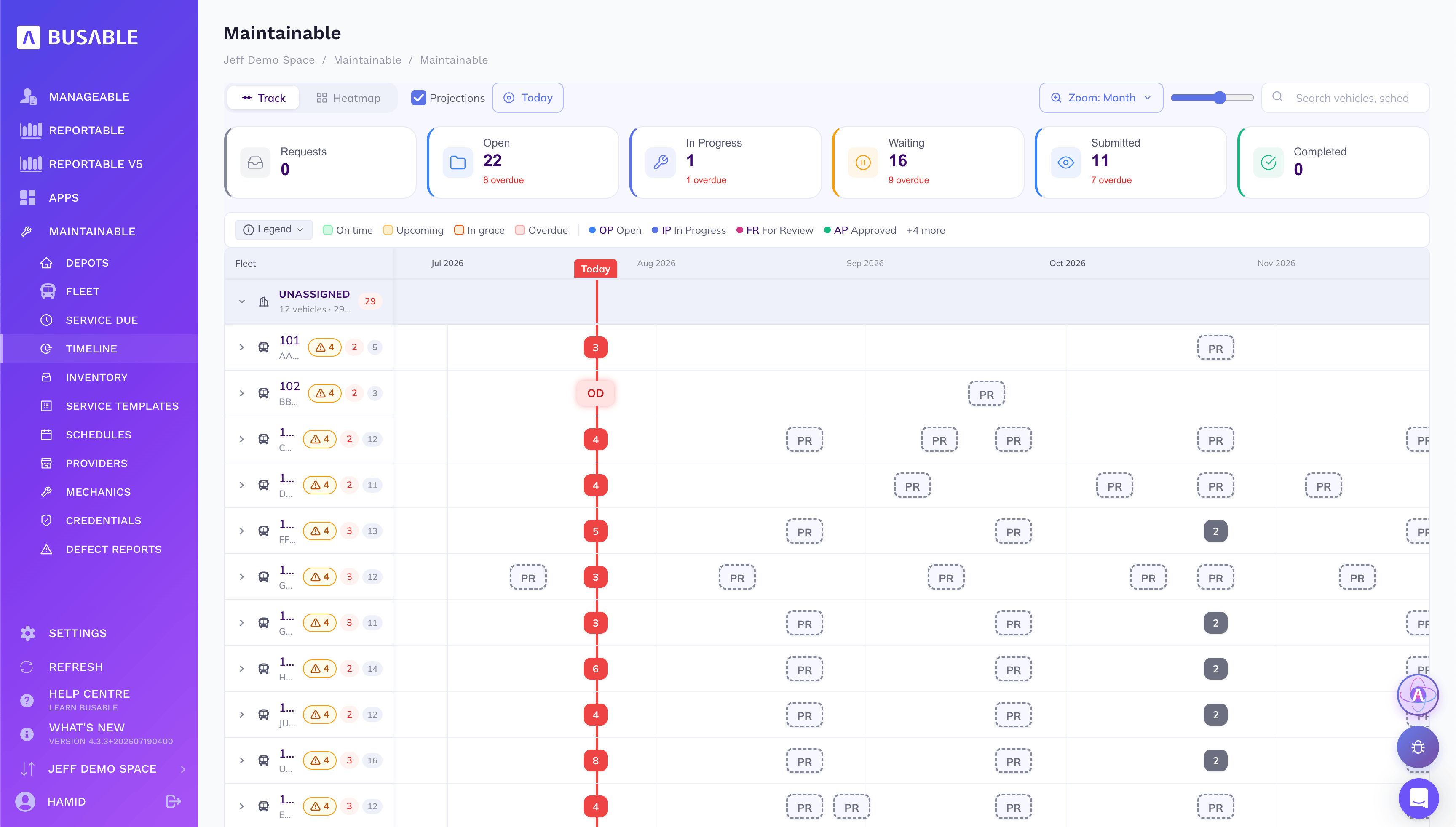
Each vehicle's services laid out across the months ahead — on time, upcoming, in grace or overdue.
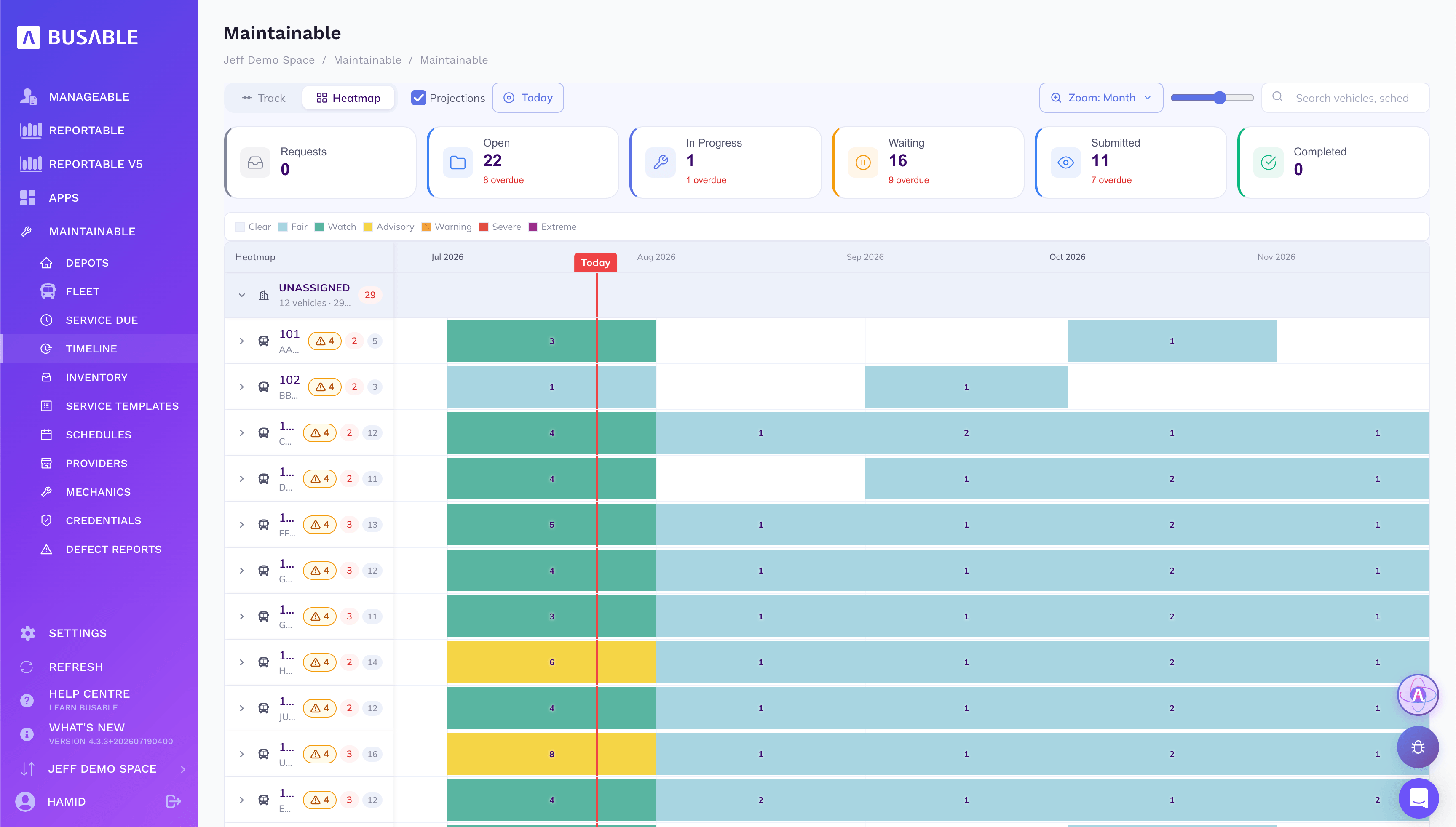
The same plan as a heatmap — clear to severe — so you can spot the heavy months and level the load.
One catalogue of every part — number, category, price and supplier — with every restock and every part consumed on a service recorded against it.
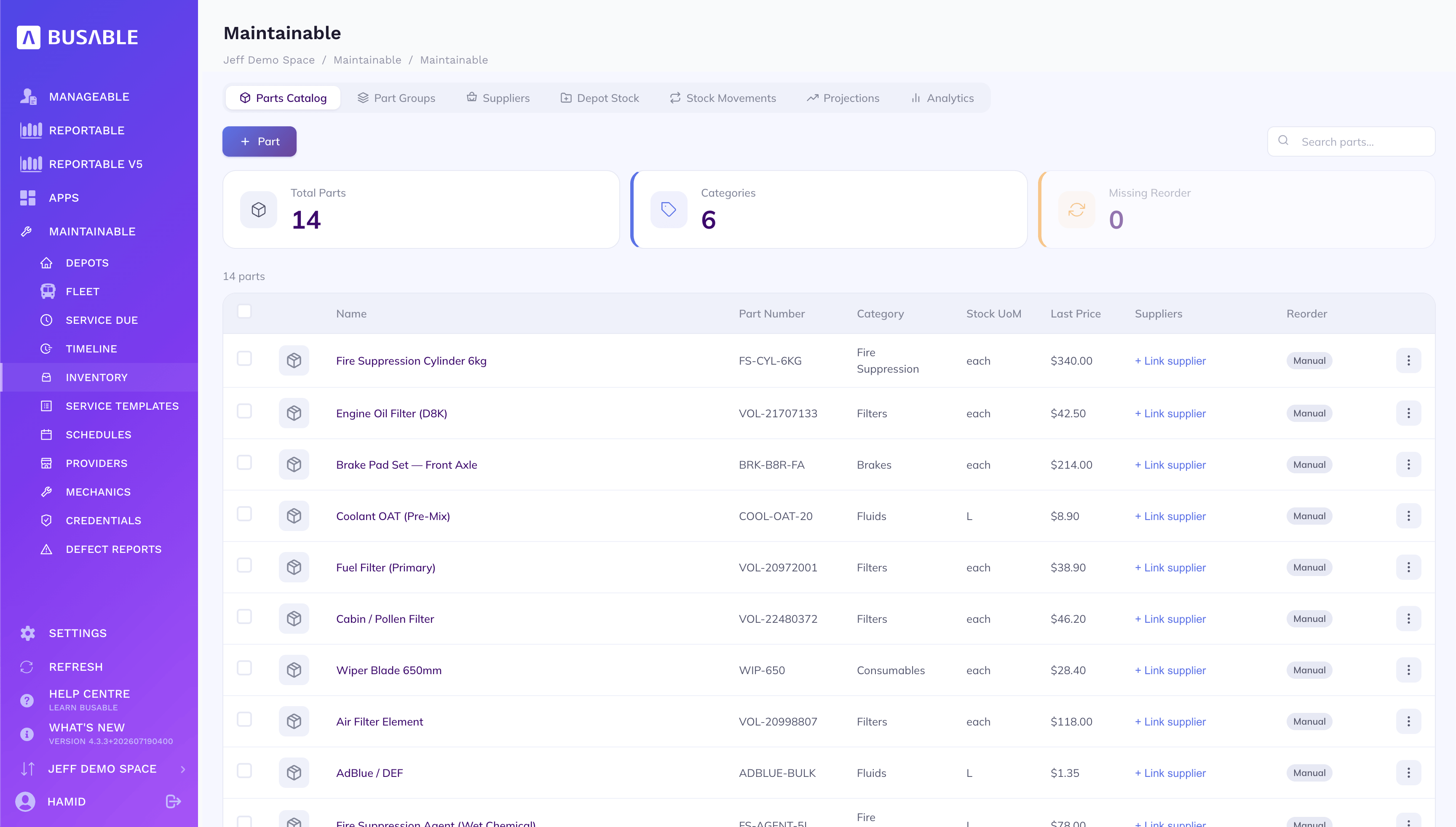
Part number, category, unit and last price for every part, with suppliers linked and reorder set.
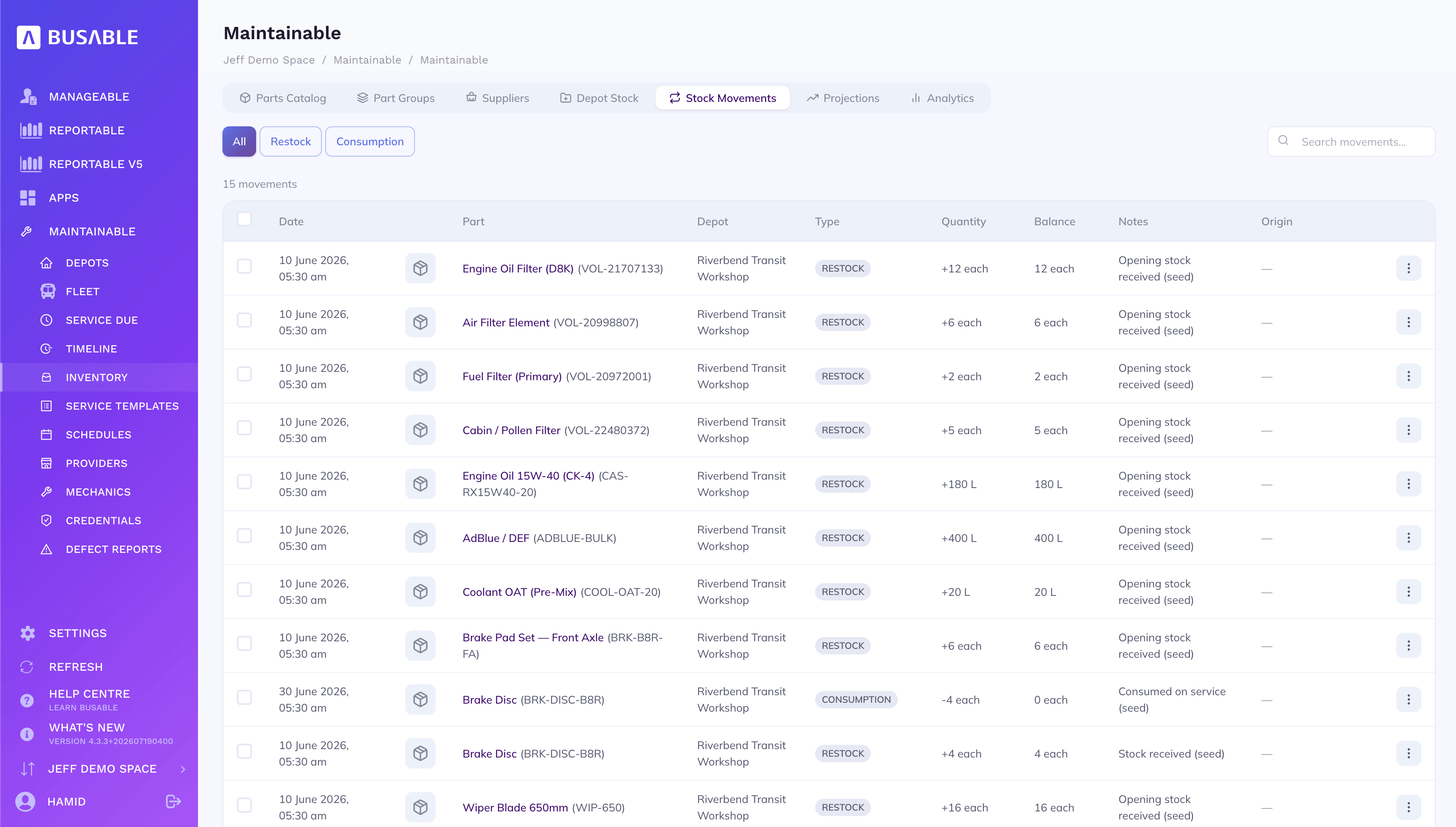
Restocks in and parts consumed on service out — quantity, running balance and the note behind each.
The inspection checklists your services run from — a monthly pre-trip, a quarterly safety check, the annual heavy-vehicle inspection — published and versioned. Scan a paper worksheet and it drafts the template for you to check and publish.
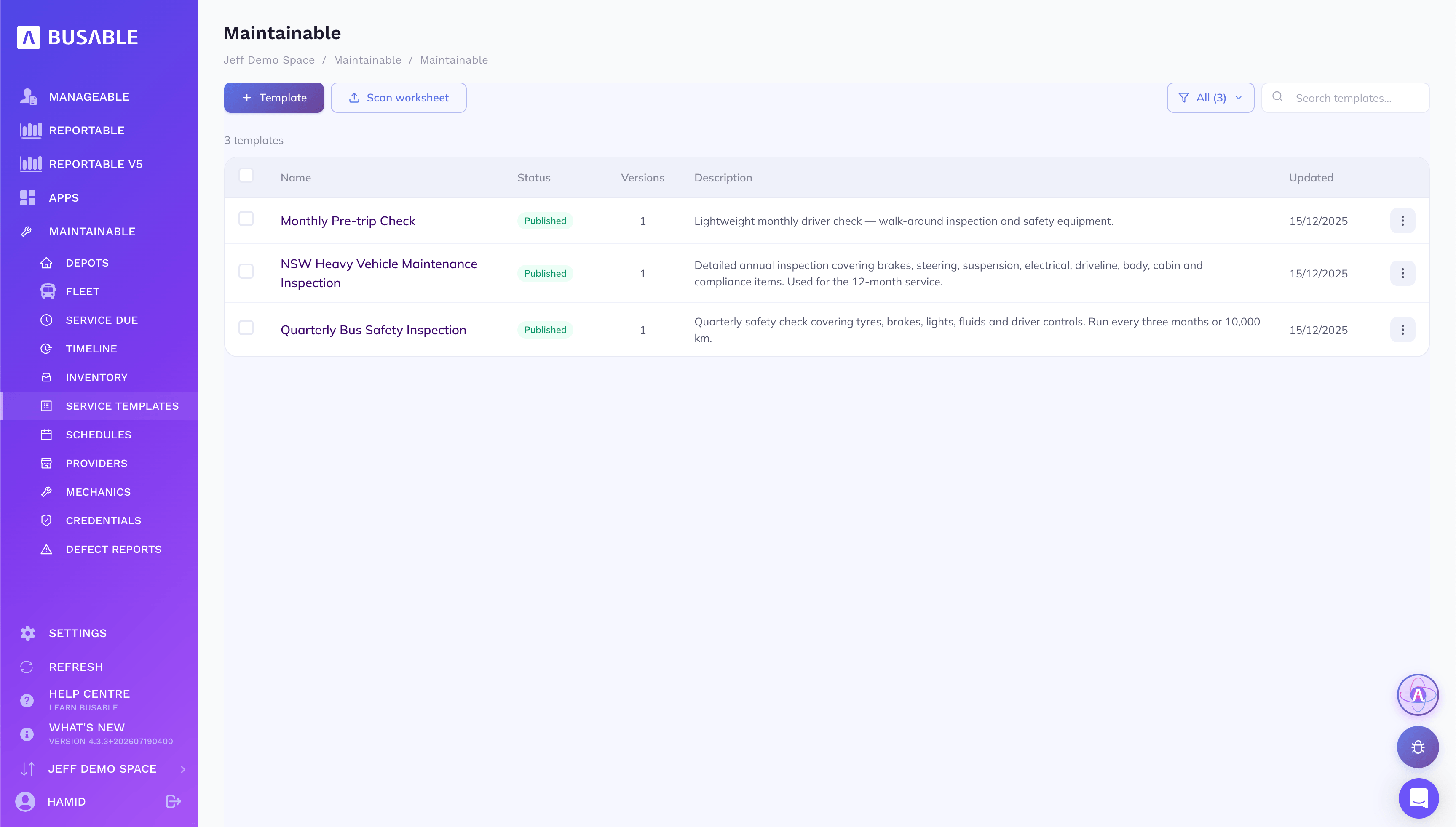
Each template — what it covers and when it's run — published, versioned, and ready to scan in from a paper worksheet.
The service cycle itself — A1, B1, C and the rest — each entry a template that fires on time or distance, with the vehicles subscribed to it.
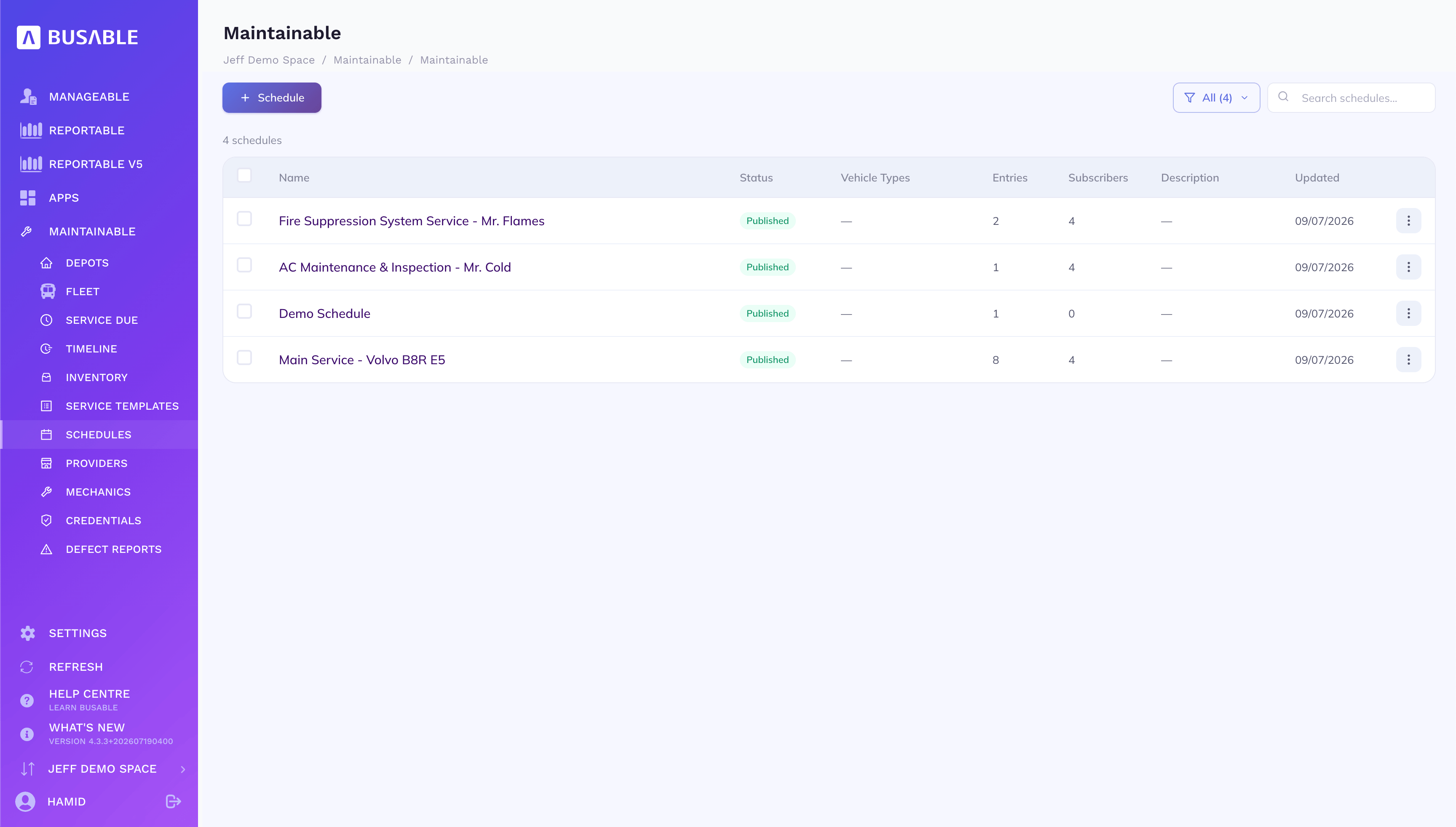
Each schedule — its entries, the vehicle types it covers and how many buses are subscribed.
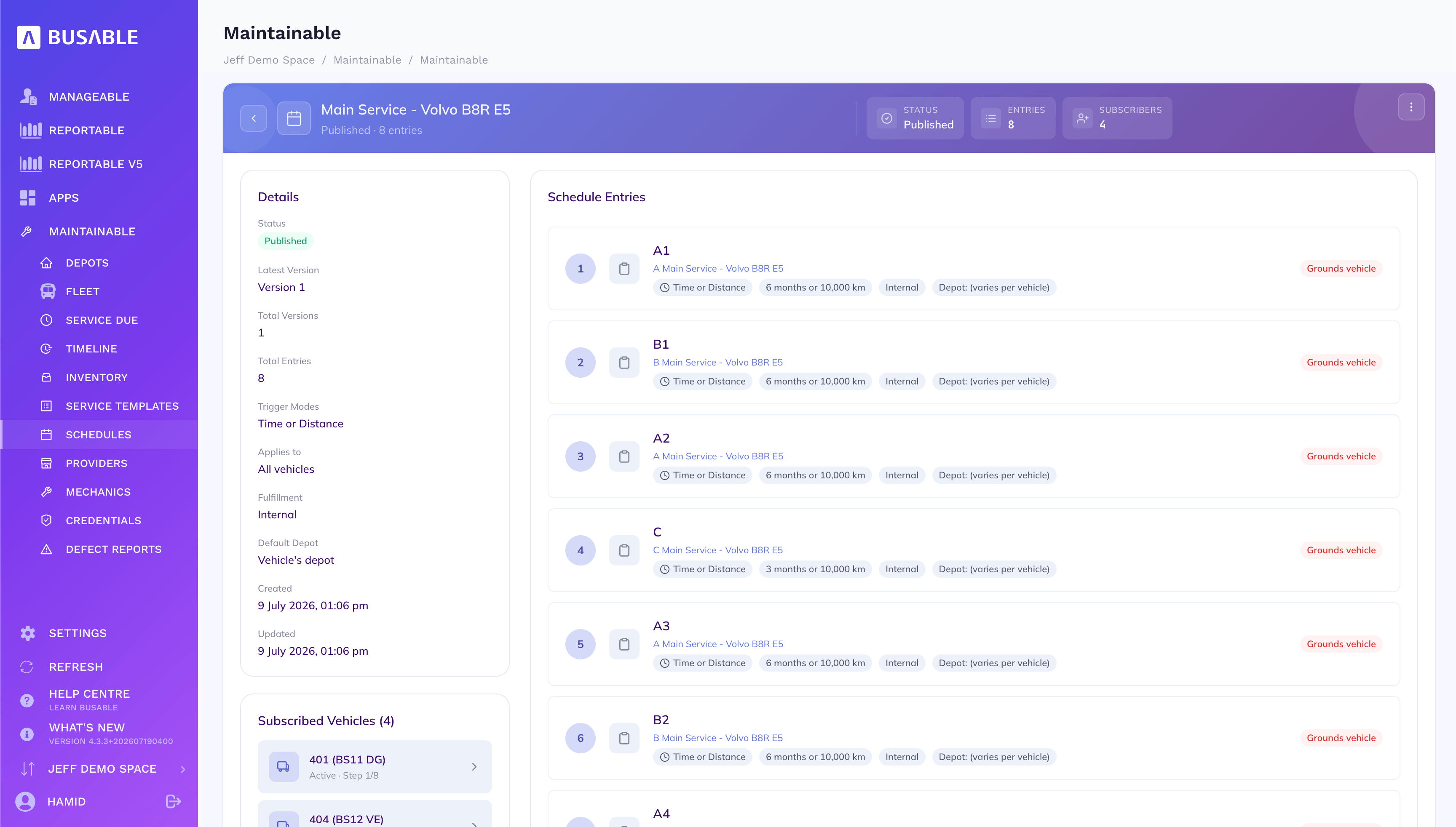
The A/B/C/D entries in order, each firing at six months or 10,000 km, with every subscribed vehicle and its next step.
A driver reports a fault against a bus with photos. A foreman reviews it, decides whether to ground the vehicle, and turns it into a work order — so the call is made by someone qualified to make it, on the same day it is reported.
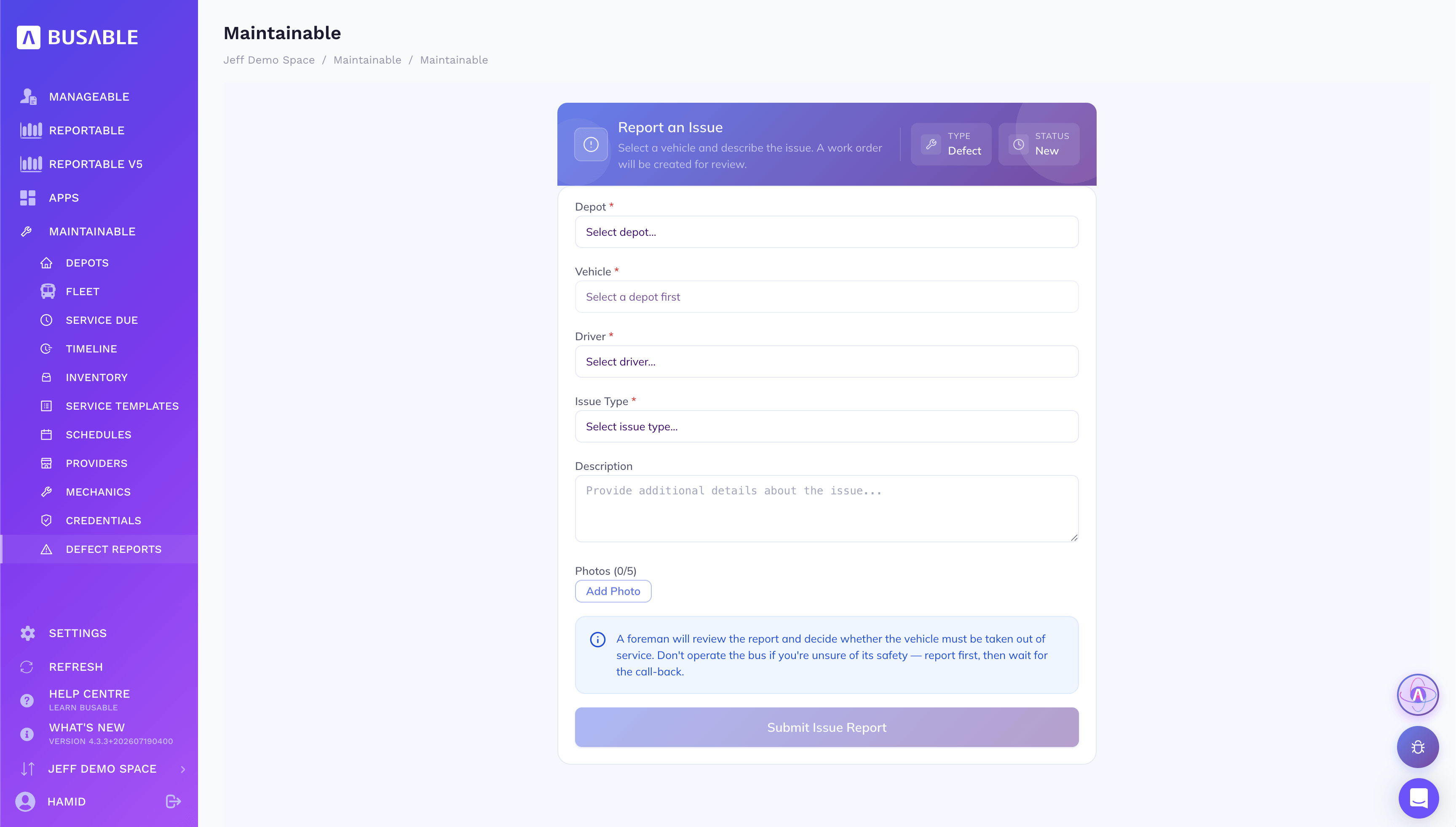
Depot, vehicle, driver, issue type and photos — submitted for a foreman to review and turn into a work order.
We'll load your depots, vehicles and services and walk you through it end to end.
Book a demo