
Driver navigation for every shift.
Turn-by-turn navigation on the tablet in the cab. The driver's shift, every stop and the safety checks are in front of them, so a driver on an unfamiliar route, a relief shift or a rail replacement job knows where to go without ringing the depot.
Follow a driver through a shift: sign on, walk-around check, navigate the route, clear the bus at the end.
Scroll to explore
01 · Shift Navigation
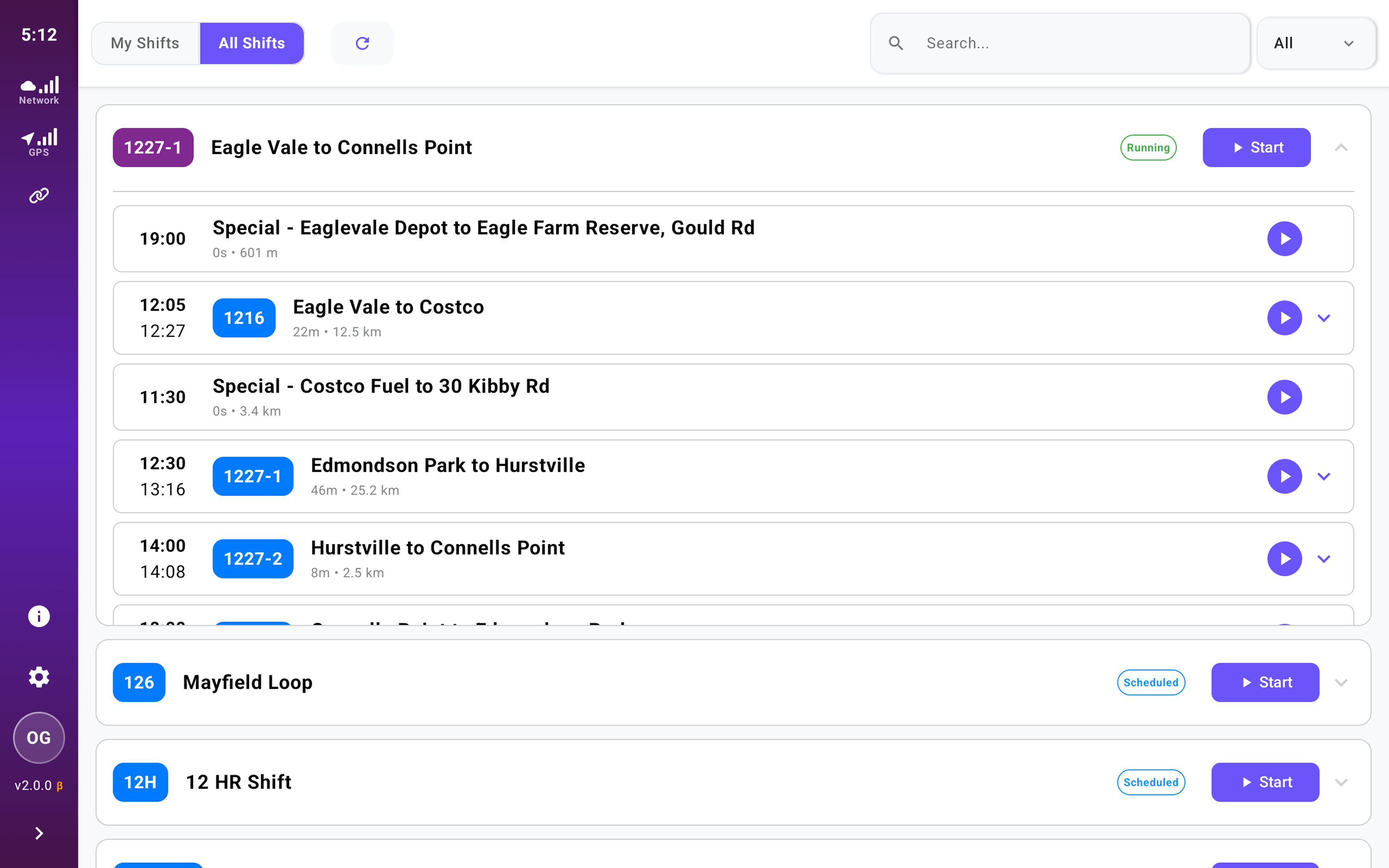
Sign on to a shift, not a list of trips
The driver signs on once and gets the whole shift, every service in order with its departure time and distance. There is no picking the right trip at each terminus, so there is less to get wrong and less on the driver's mind between runs.
02 · Turn-by-Turn
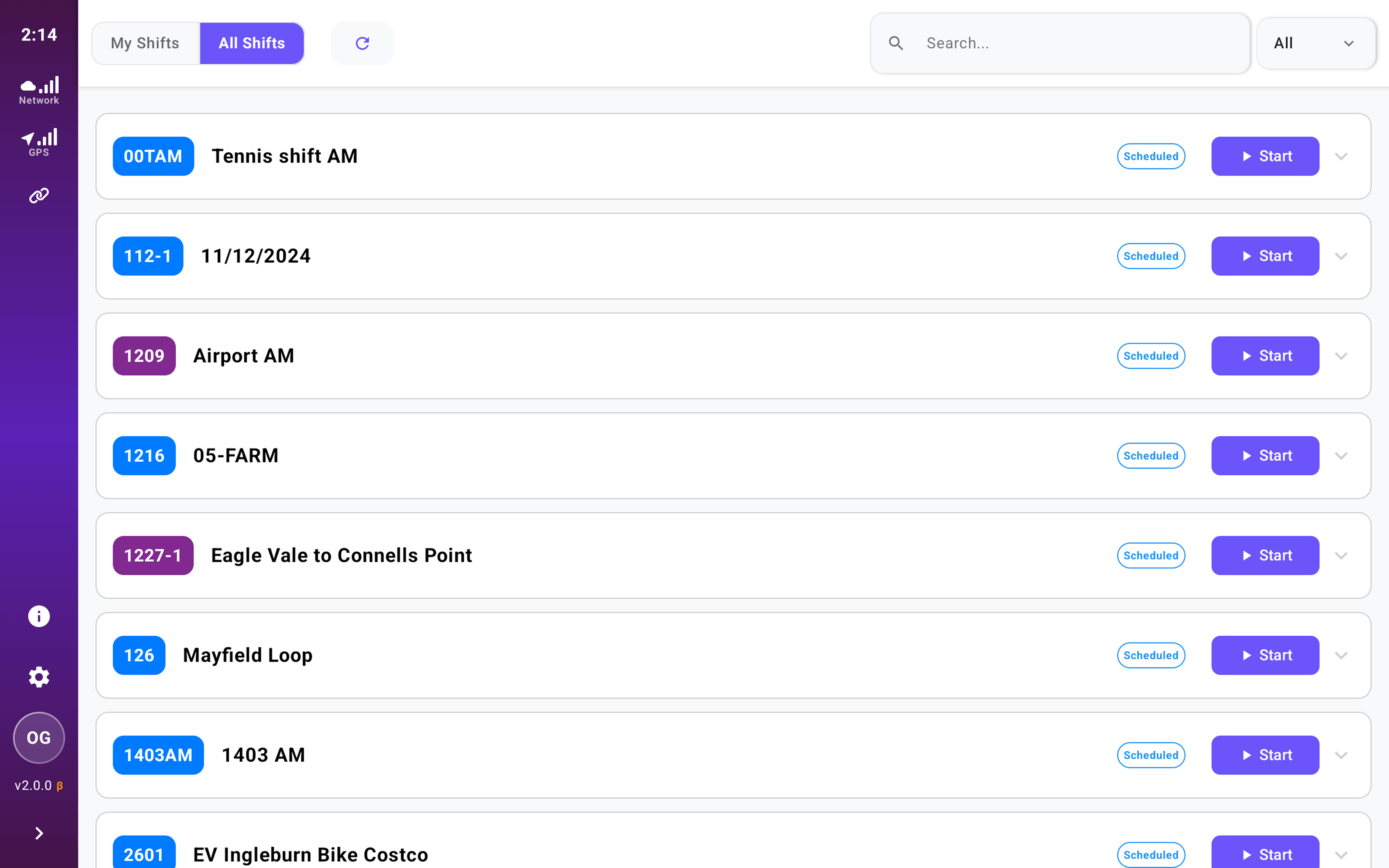
Turn-by-turn navigation on the planned route
Directions follow the service route as your team planned it, not whichever road a map app thinks is fastest. The driver knows they are on the right route and the office knows the service ran as planned.
03 · On-time Running
On-time running, in front of the driver
At every stop the driver sees whether they are running early or late and by how much, so they can hold at a stop instead of running early, and the office sees the same status without a radio call. Each stop time feeds the on-time running report in Reportable™, the KPI contracted services are measured on.
04 · Route Overview
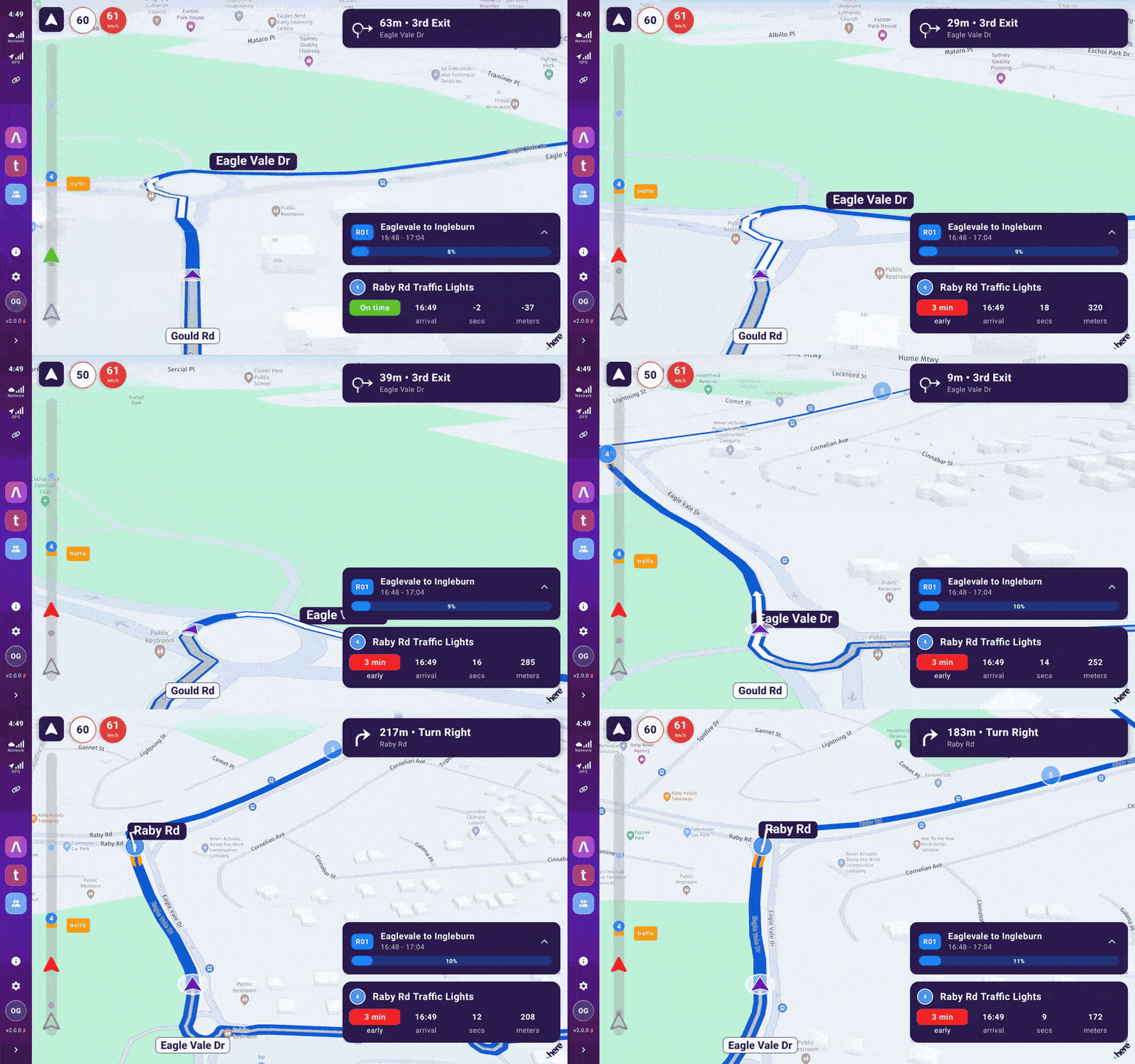
Your full shift at a glance
See every service in your shift with departure times, route codes, and distances. The service list panel overlays the live map so you never lose context.
05 · Heavy Vehicle Re-routing
Off route, re-routed for a bus
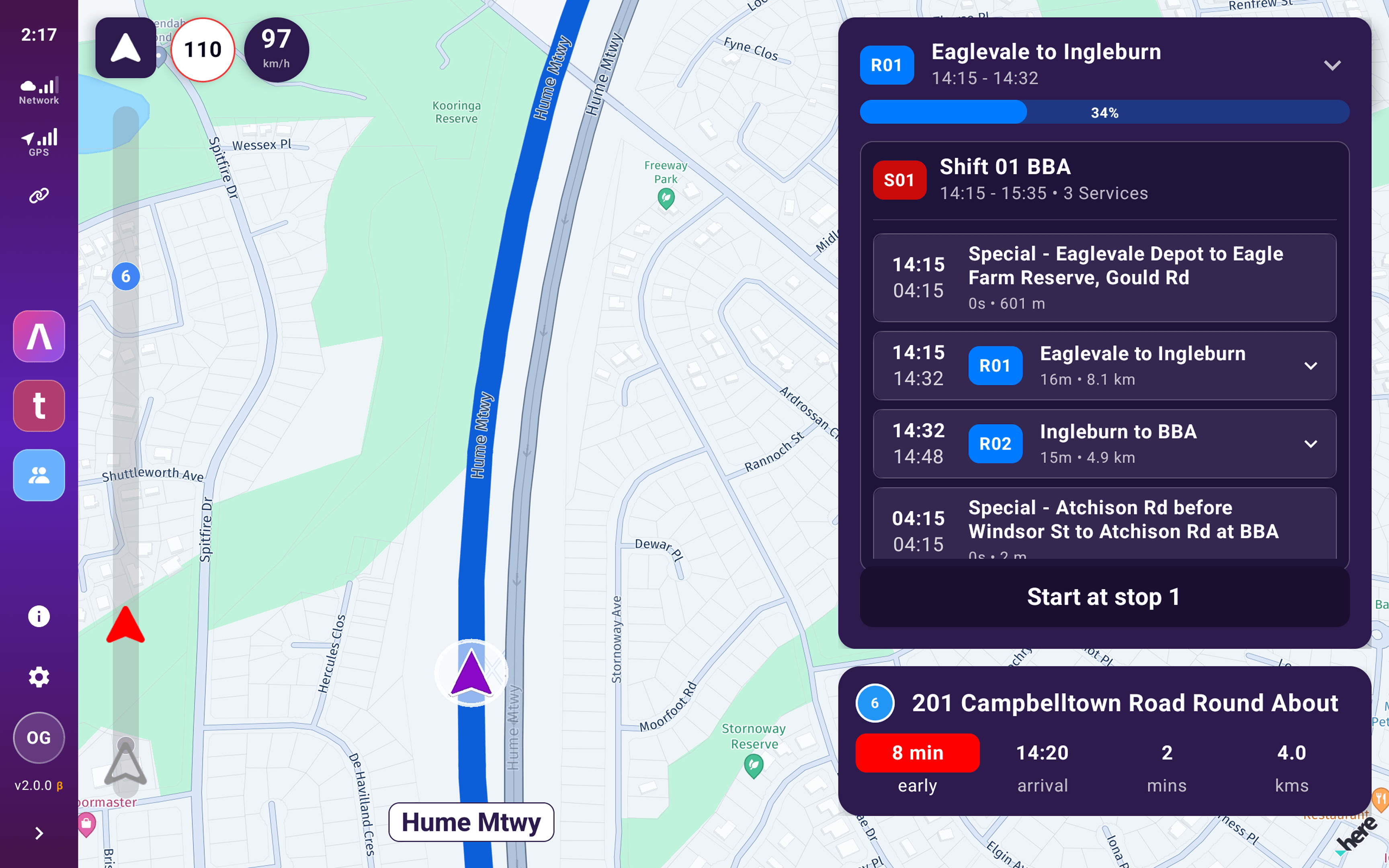
If a driver misses a turn or has to leave the route, Driverable re-routes them back to the planned route using heavy vehicle routing from our technology partner HERE Technologies, keeping clear of low bridges, load limits and roads a bus is not allowed on. If there is no bus-legal way back, it tells the driver to park safely and contact Ops instead of guessing.
Back to the planned route
The driver turns off the route. A bus-legal way back is drawn in red, and the driver follows it until they rejoin the service.
No bus-legal route, no guessing
When heavy vehicle restrictions leave no safe way through, the tablet says so: park the bus safely and contact Ops.
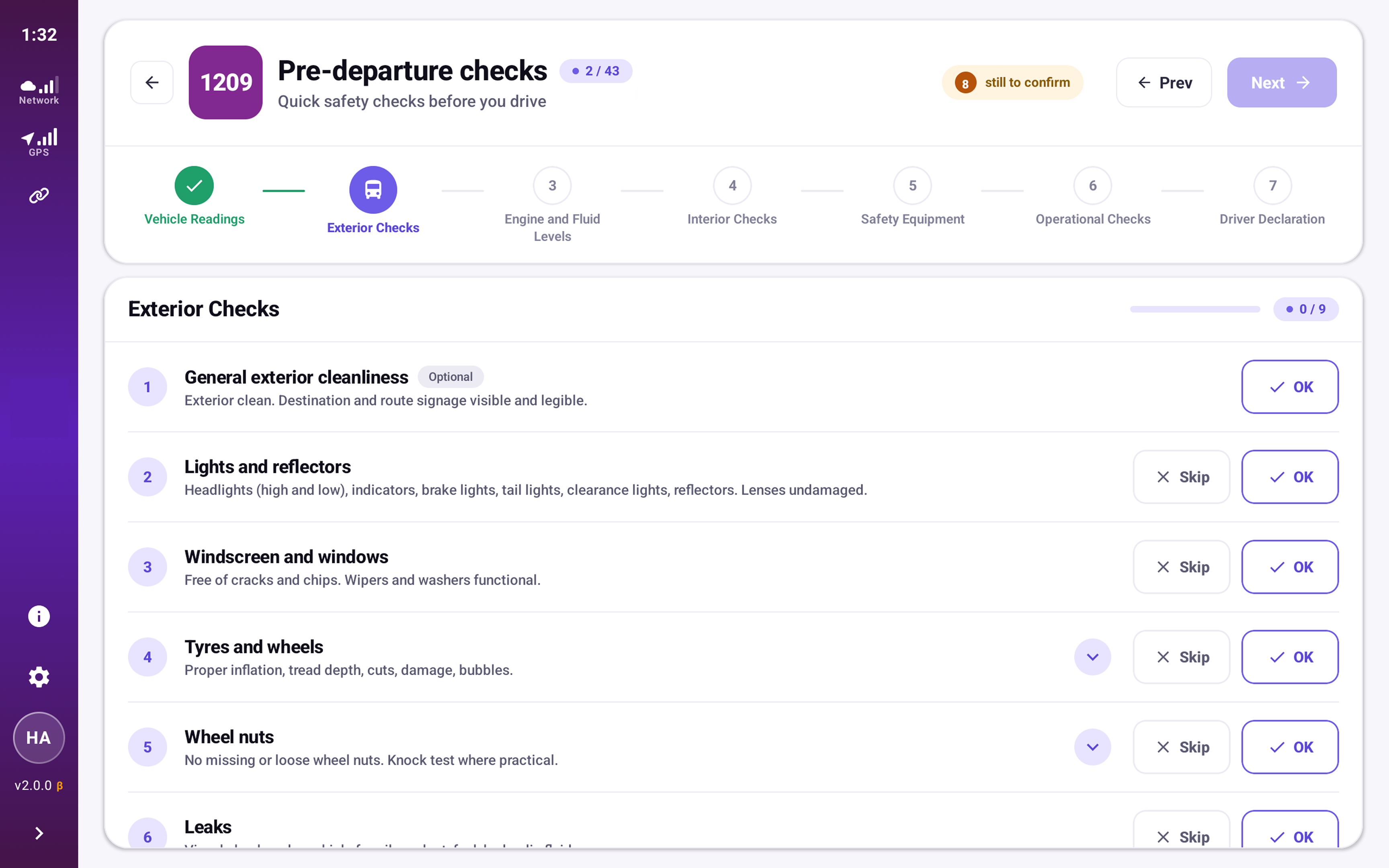
06 · Pre-departure Check
Walk-around before you go
Step through BOAS-mandated exterior, engine, interior, safety, and operational checks. Progress tracked across all five categories with a driver declaration at the end.
07 · Inspection Guidance
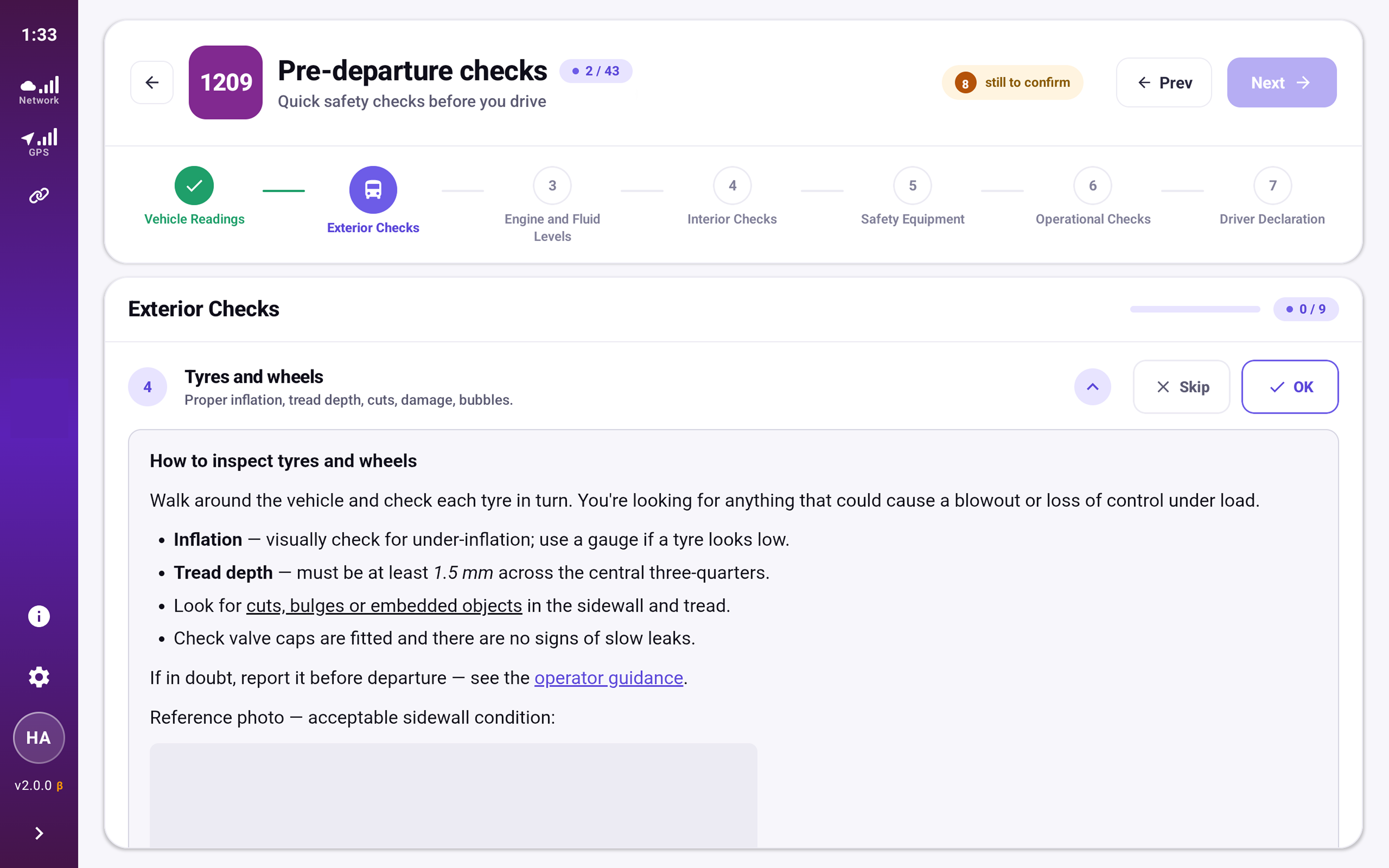
Guidance for every check
Tap any item to see exactly how to inspect it — what to look for, the pass thresholds, and a reference photo or video. The standard is built in for new and relief drivers, with a link straight to operator guidance.
08 · Post-shift Check
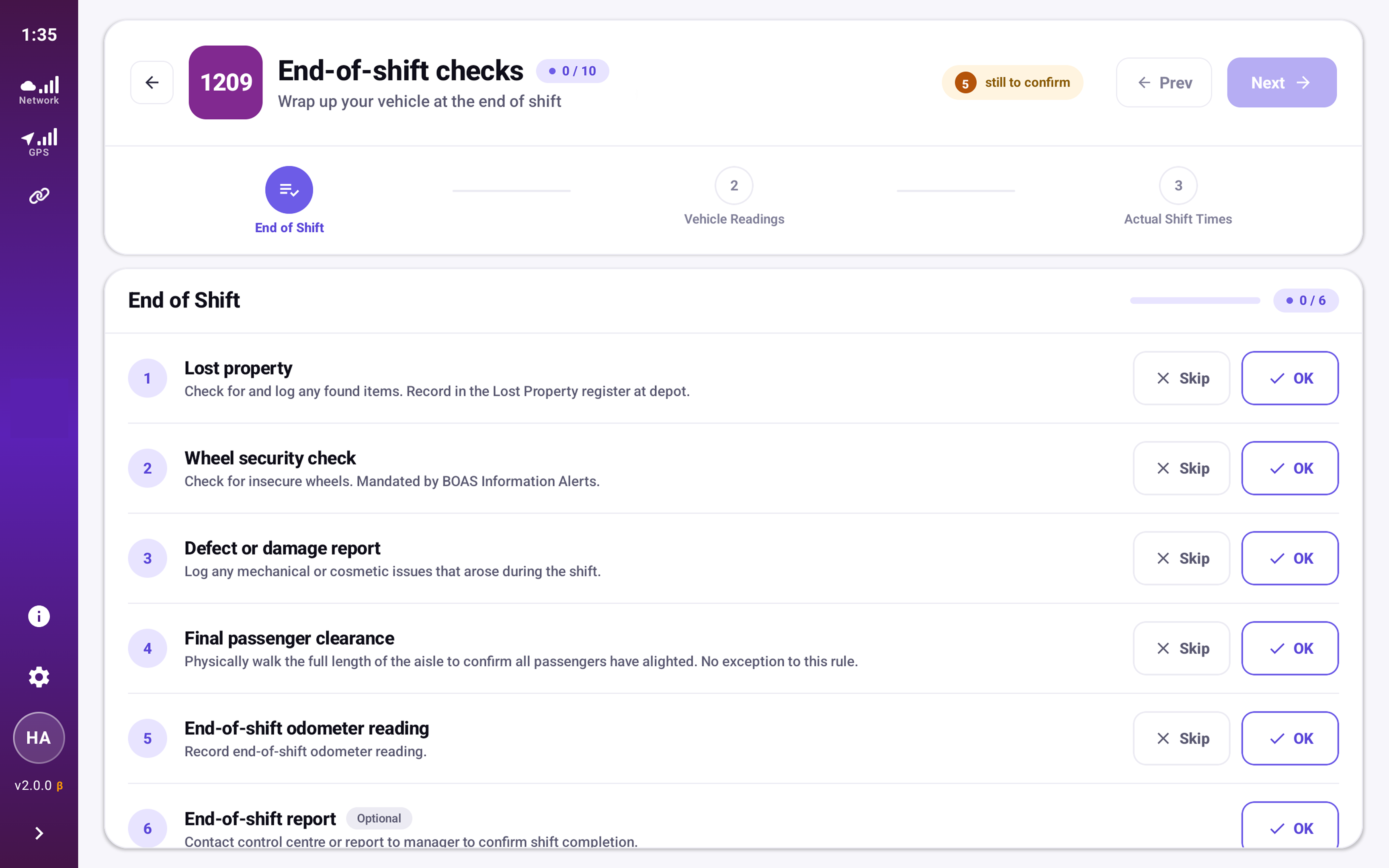
End-of-shift clearance
Final passenger aisle walk, wheel security, lost property check, defect logging, and odometer reading. Submit to complete your shift and report to control.
09 · Ticketing
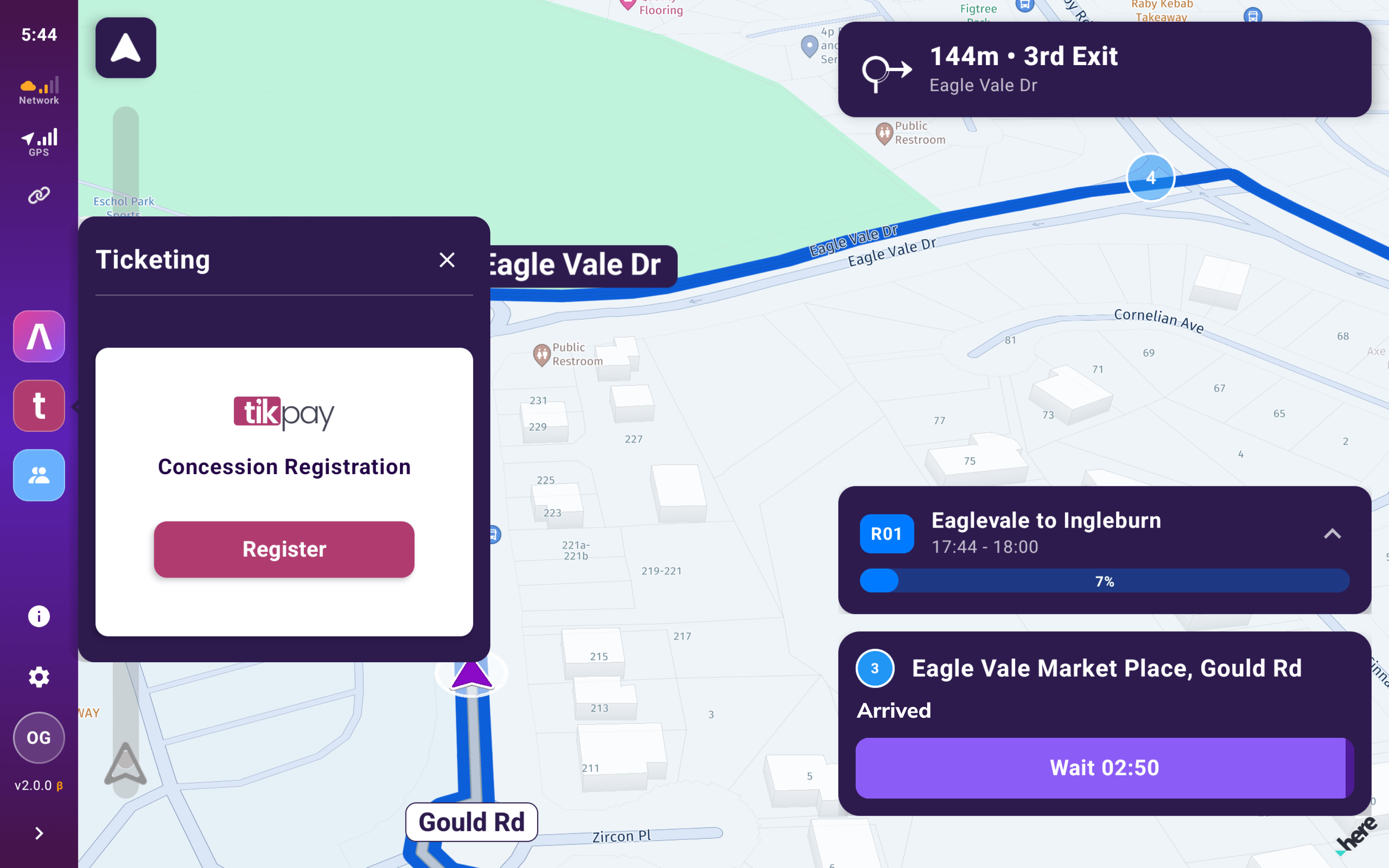
Integrated fare collection
tikpay integration for concession registration and ticket validation. Runs alongside navigation without interrupting your route guidance.
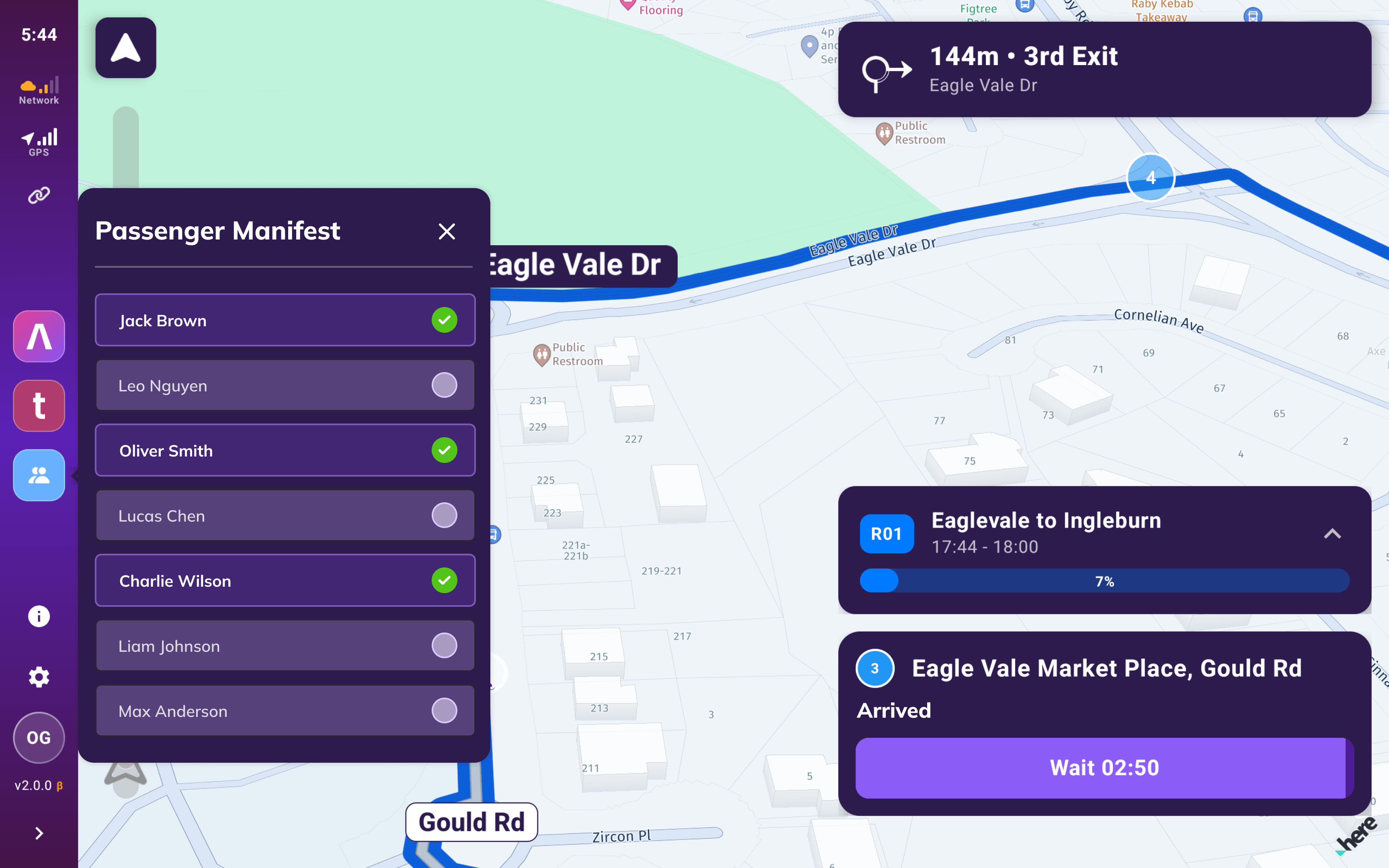
10 · Passenger Manifest
Know who's on board
Live passenger list with boarding status. Green checks confirm scanned passengers. Accessible at any point during the service without leaving navigation.
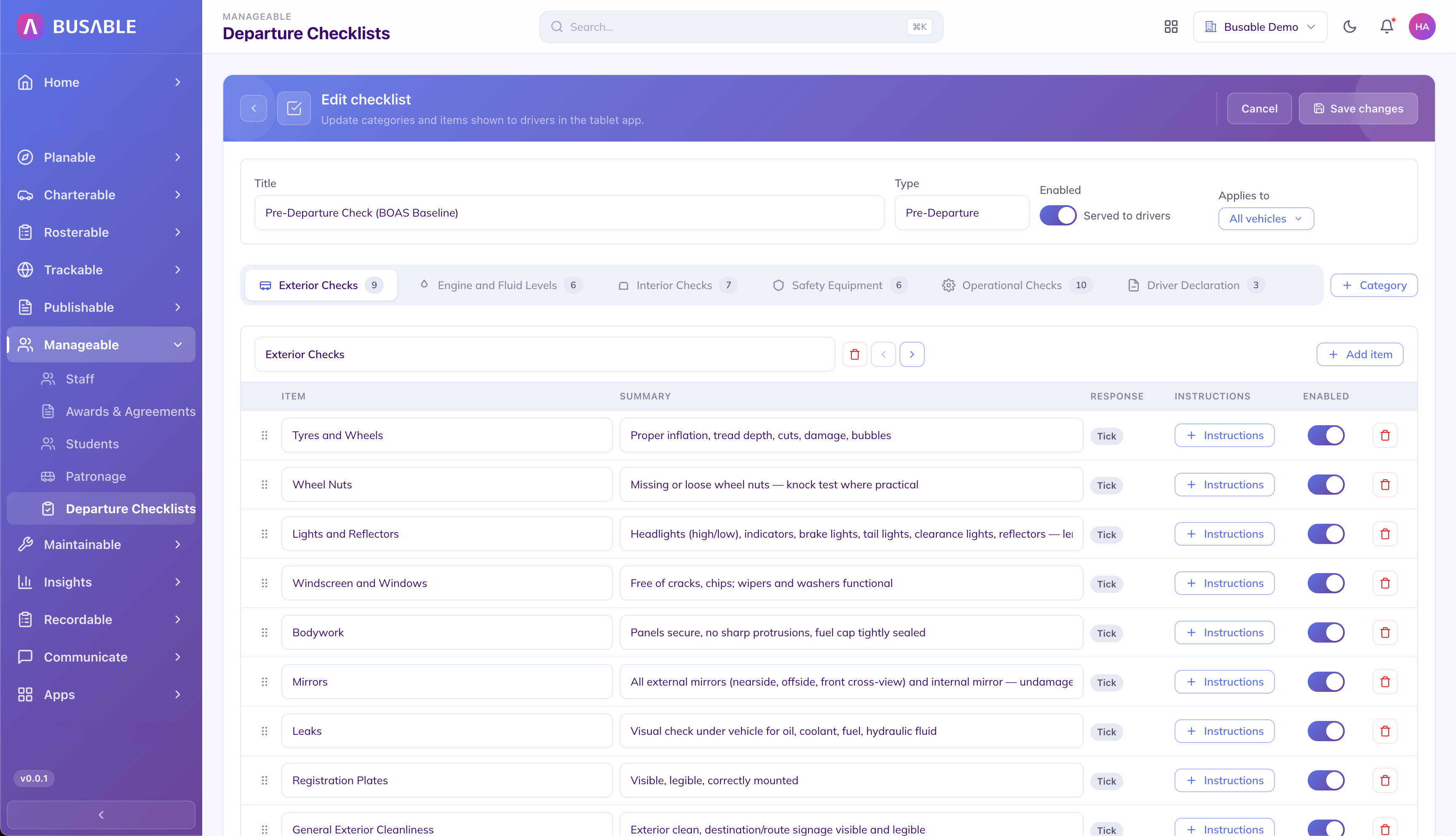
11 · Checklist Builder
Configure every checklist
Build pre- and post-departure checklists by category — exterior, engine, interior, safety, operational. Set which items appear, reorder them, toggle them on or off, then review the checklist and publish it to your drivers.
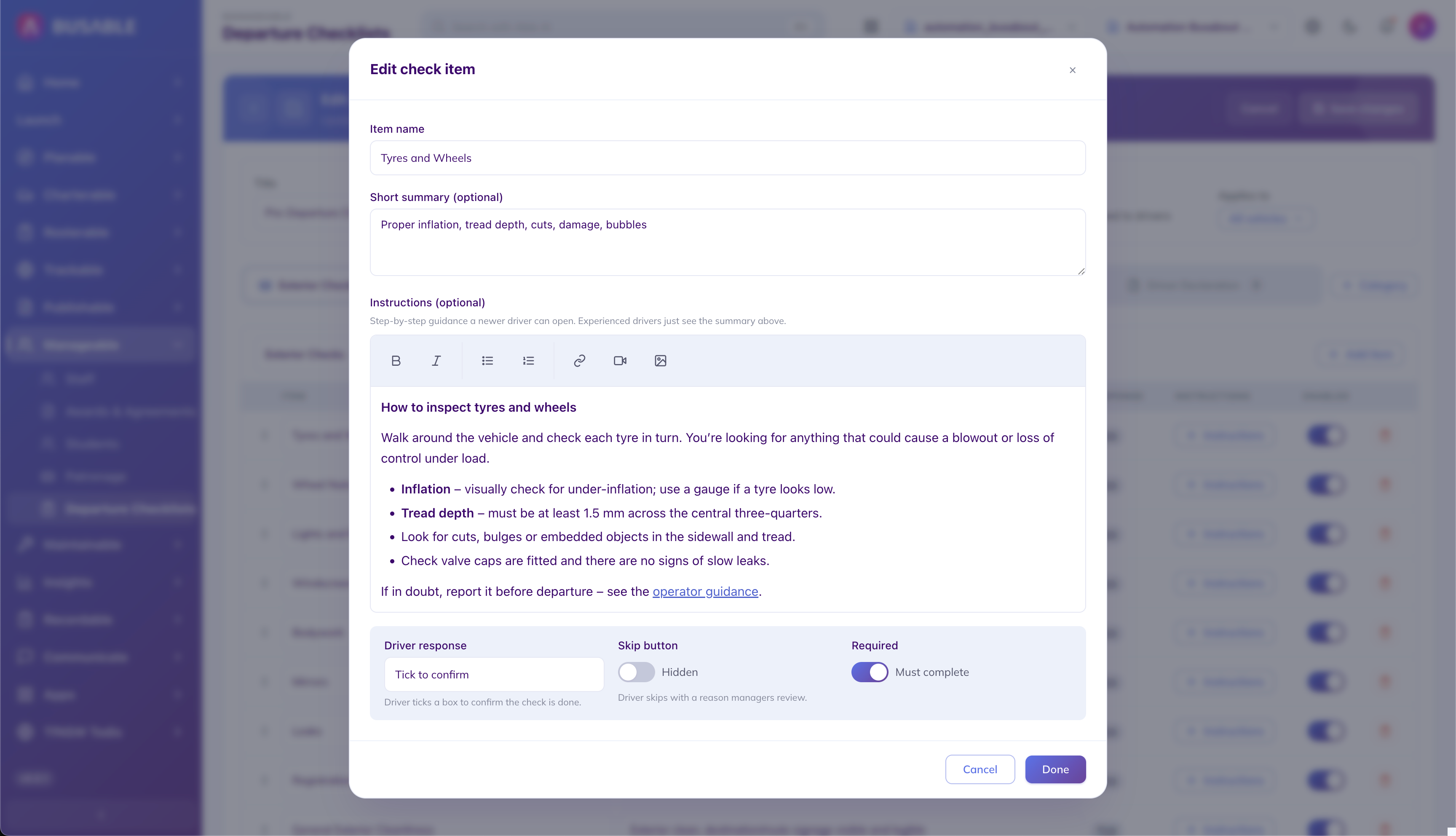
12 · Item Detail
Set the guidance drivers read
For each check, define the name, summary, and step-by-step inspection instructions — the same guidance drivers see on the tablet. Choose the driver response type and mark the item required.
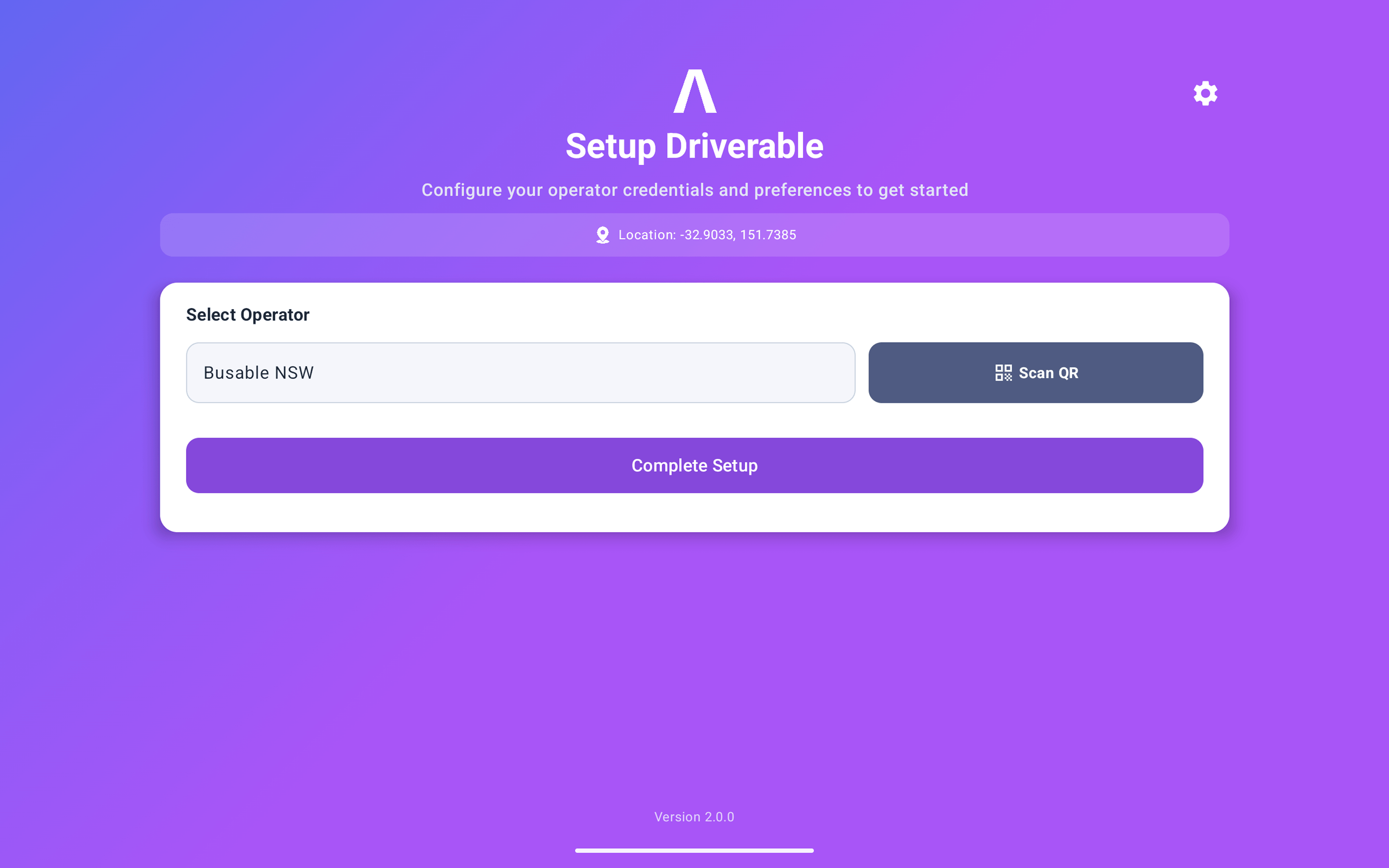
13 · Setup
Configure your tablet
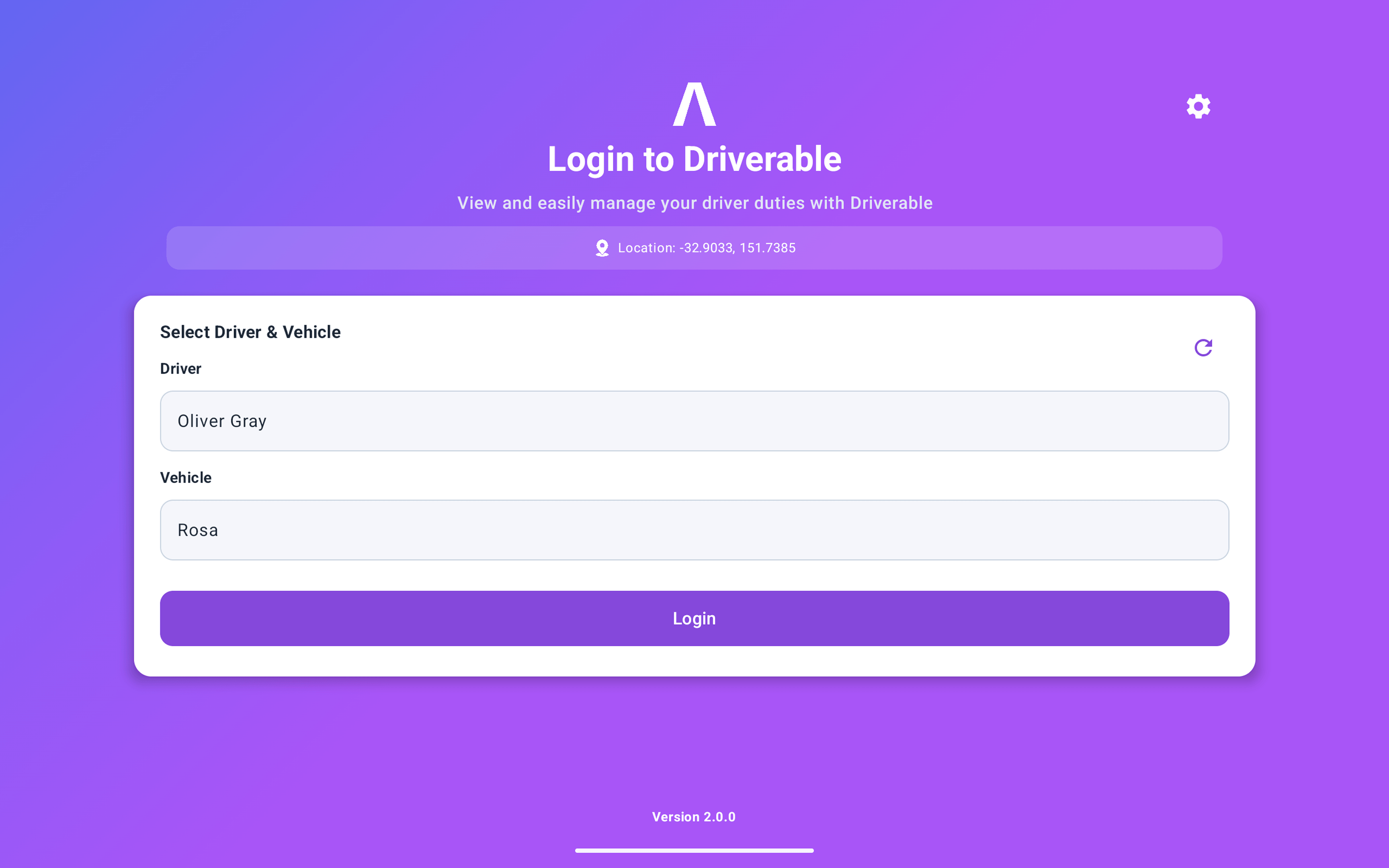
Select your operator or scan a QR code to connect. GPS location is detected automatically, and drivers sign on by picking their name and vehicle from the roster.
Driverable
See driver navigation on your own routes
We'll set it up with your shifts, vehicles and safety checks and walk you through it end to end.
Book a demo