
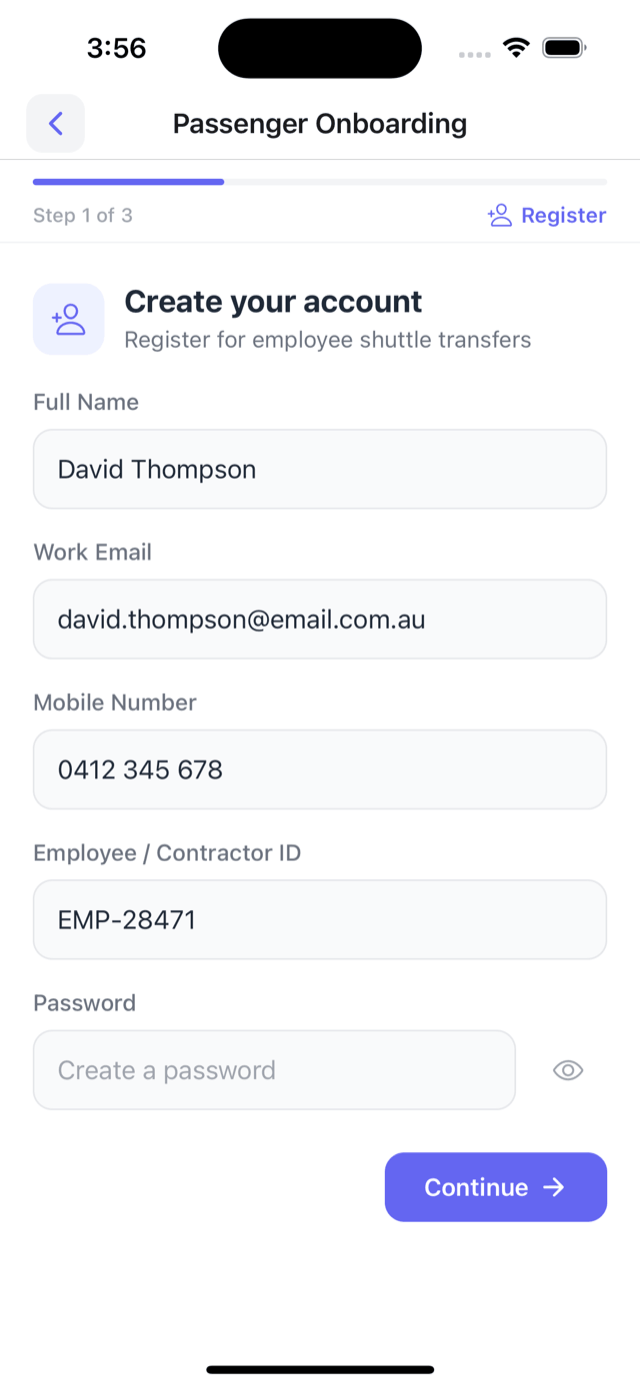
Create an account
Name, work email, and employee ID. Three steps and they're in.
One platform for your passengers, your corporate clients, and your office. Book a seat, track every bus, and show the client who turned up -- all in one place.
Start with the app your passengers use, then what your corporate client sees, then what your office sees.
They register, agree to the conduct rules, and confirm by text. No one in your office sets up accounts by hand.
Name, work email, and employee ID. Three steps and they're in.
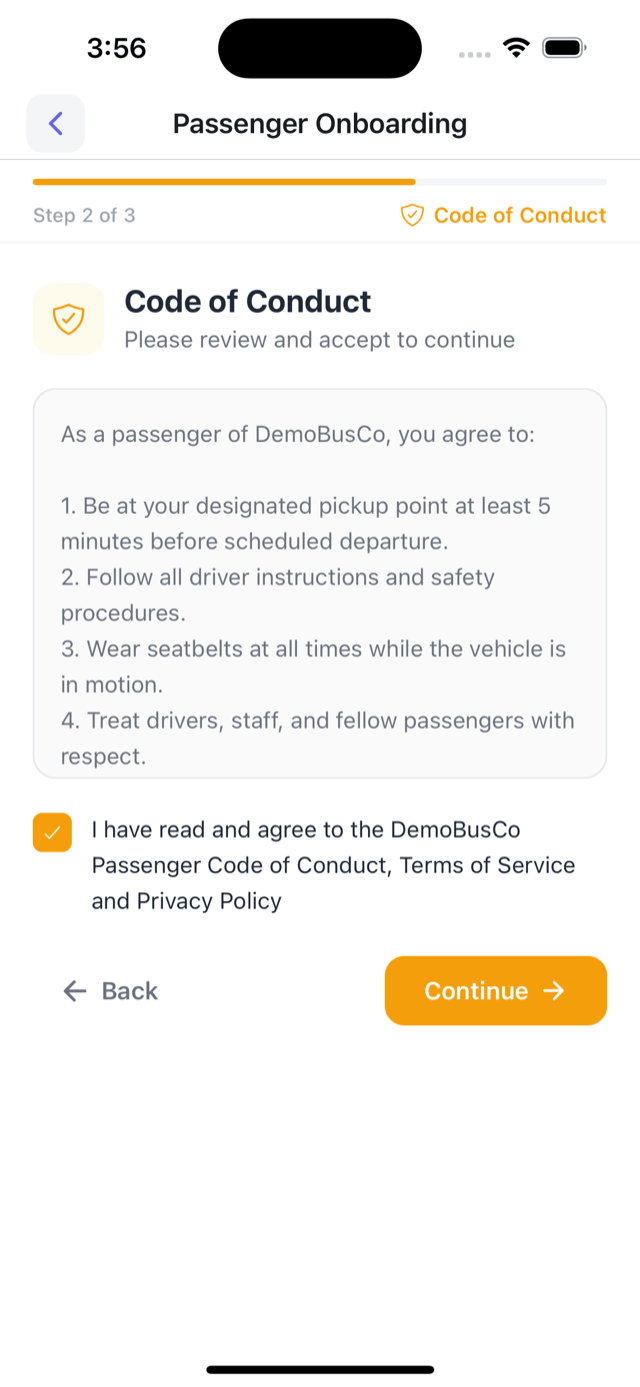
They read the site's safety rules and tick to agree before their first trip.
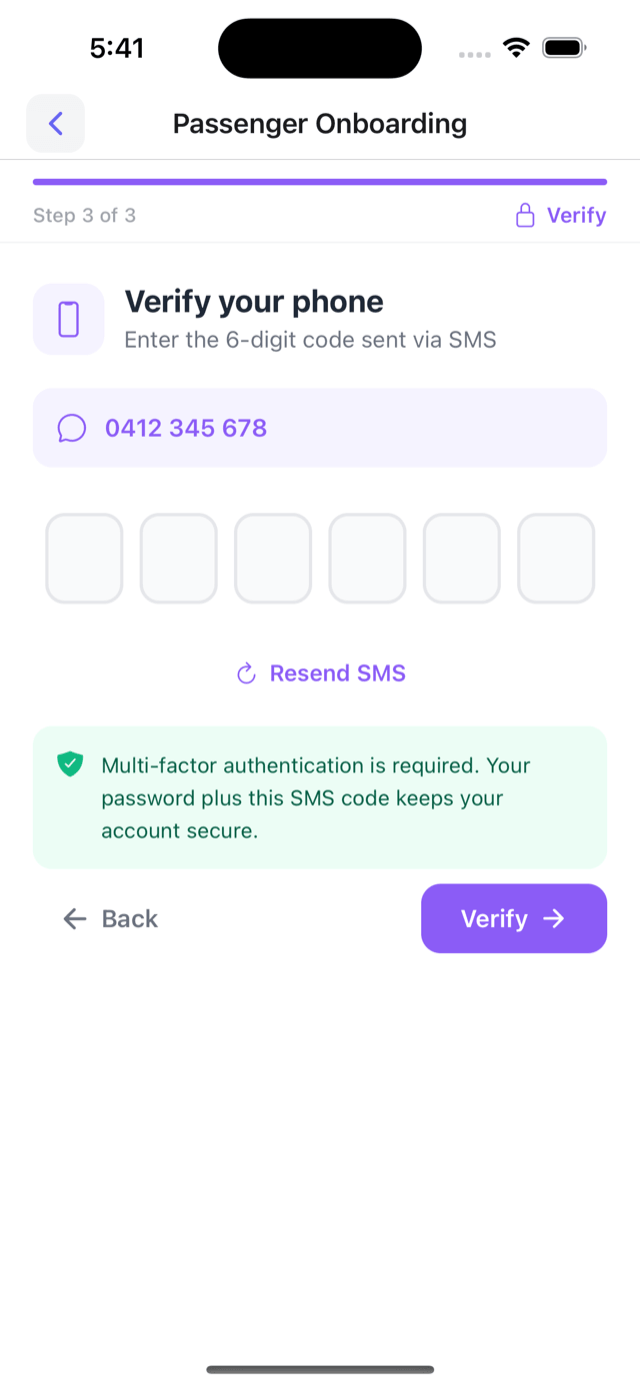
A six-digit code arrives by text. Password plus code keeps the sign-in secure.
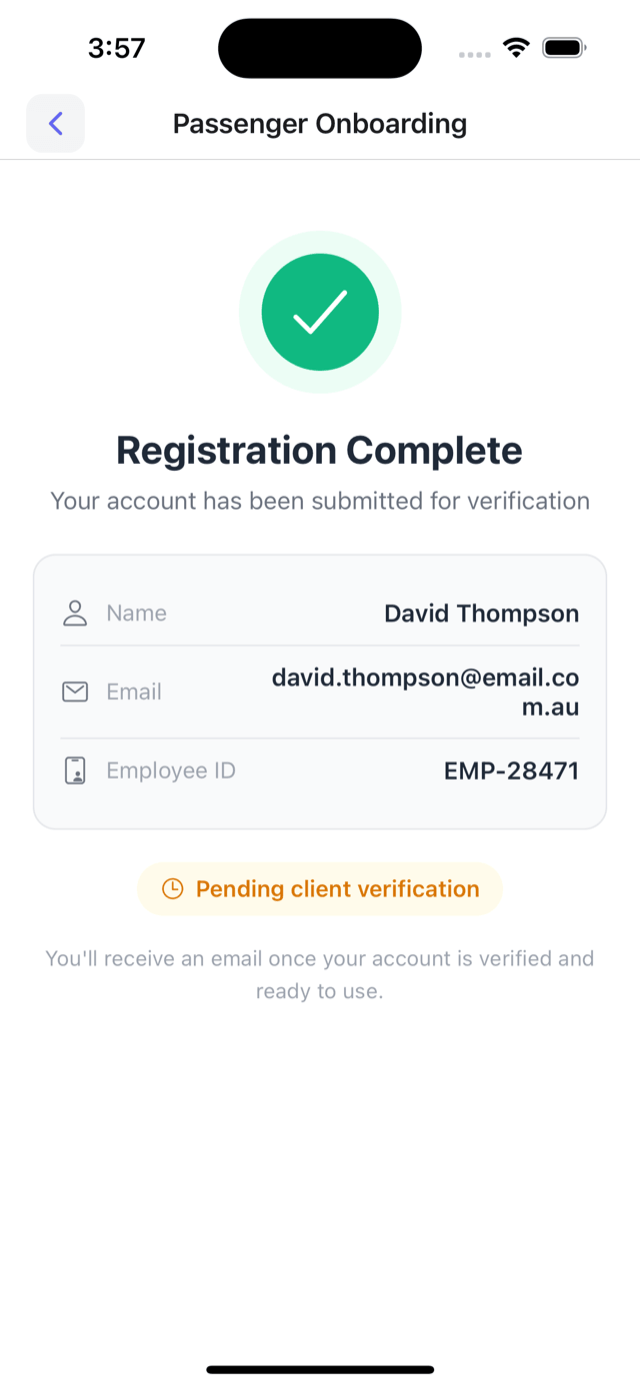
The account waits for approval. Once it's approved, they can book.
They pick where they're going, choose a service with spare seats, and pick the days. One trip or a regular booking -- your office doesn't take the call.
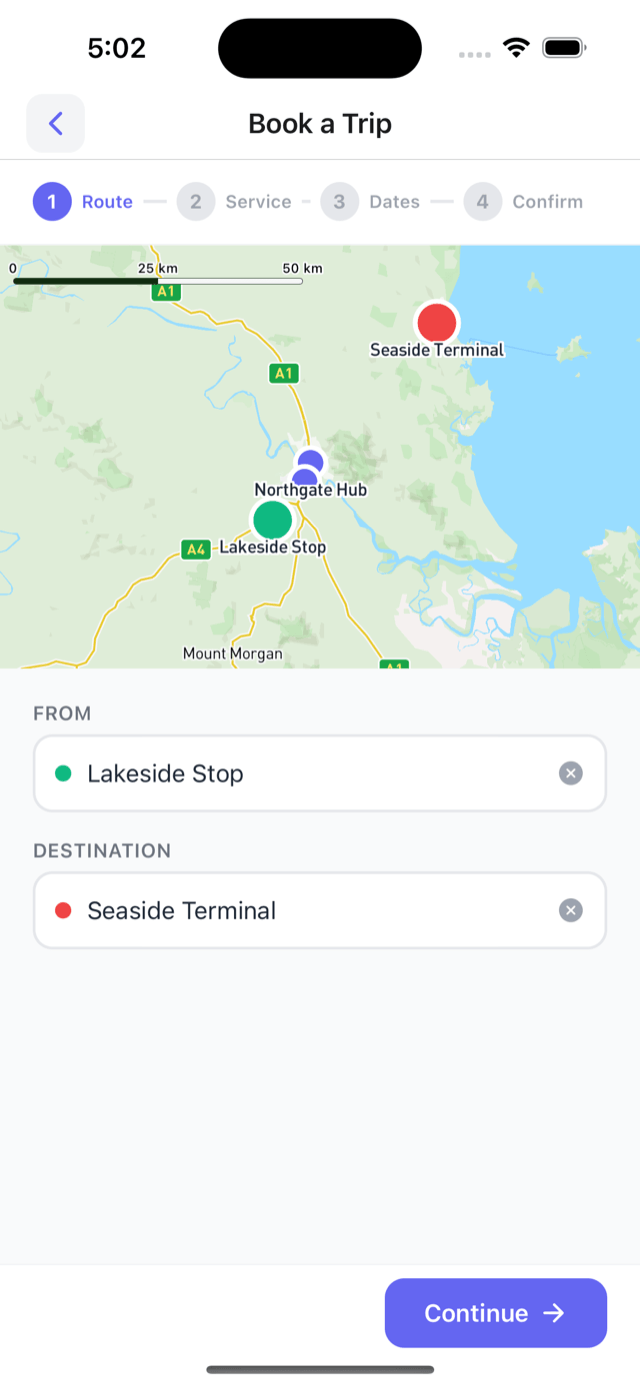
Choose the stop and where they're headed. The app shows the services going that way.
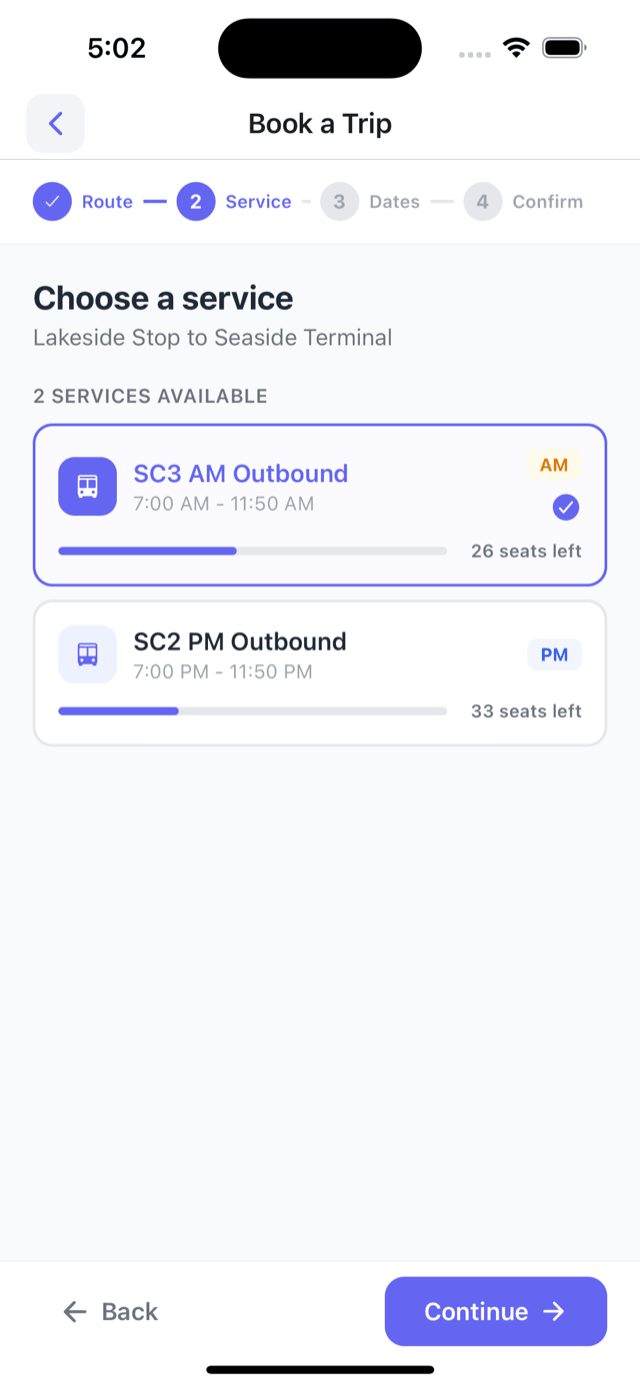
Each service shows how many seats are left. They choose the one that fits their shift.
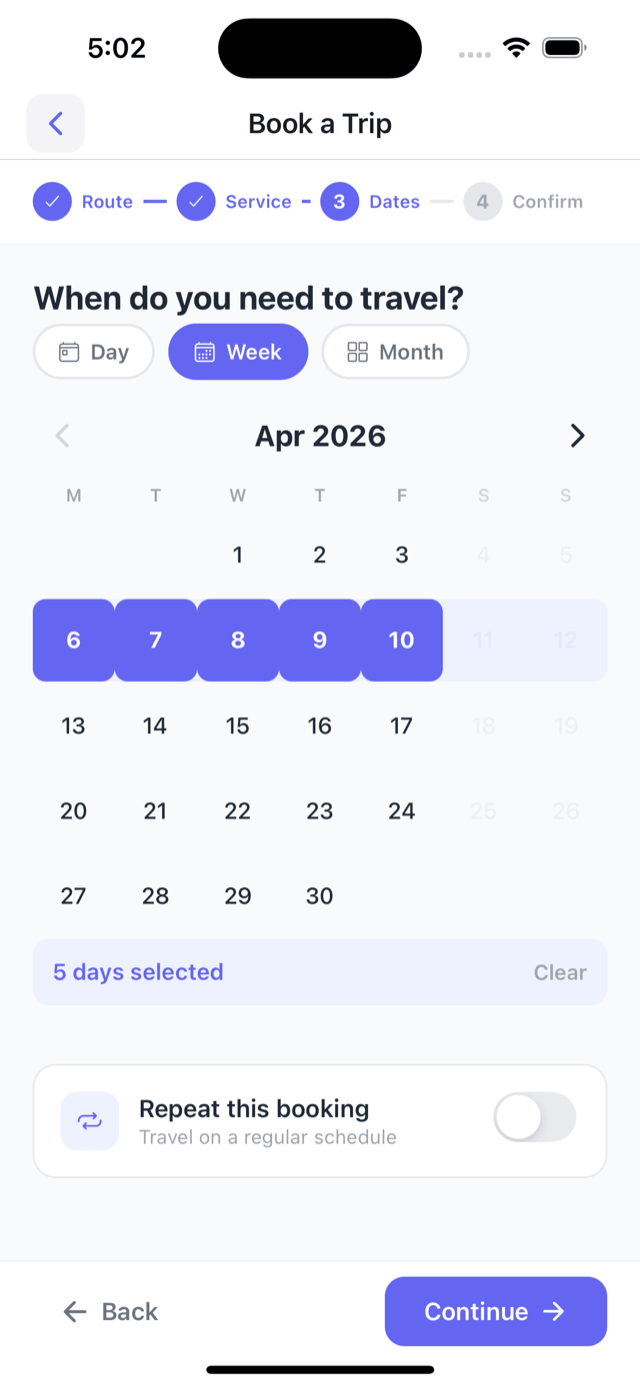
Single days, a whole week, or set it to repeat. Day, week, and month views.
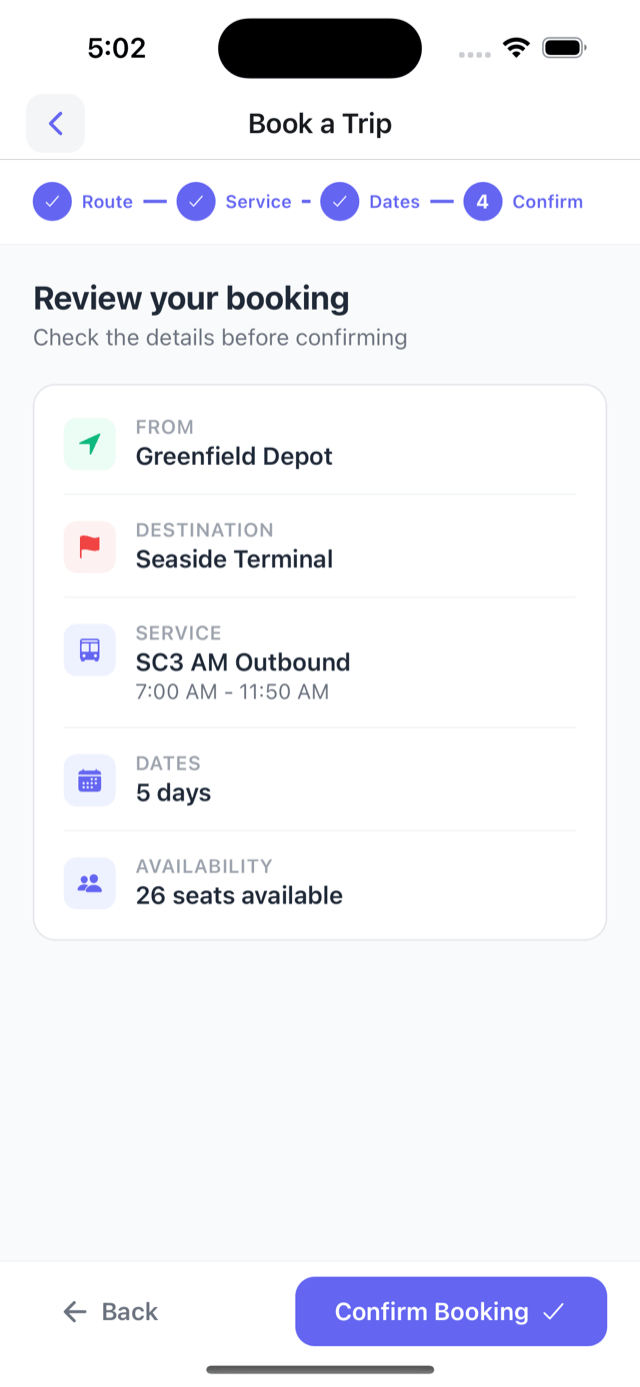
Service, days, and seats on one screen. One tap to book.
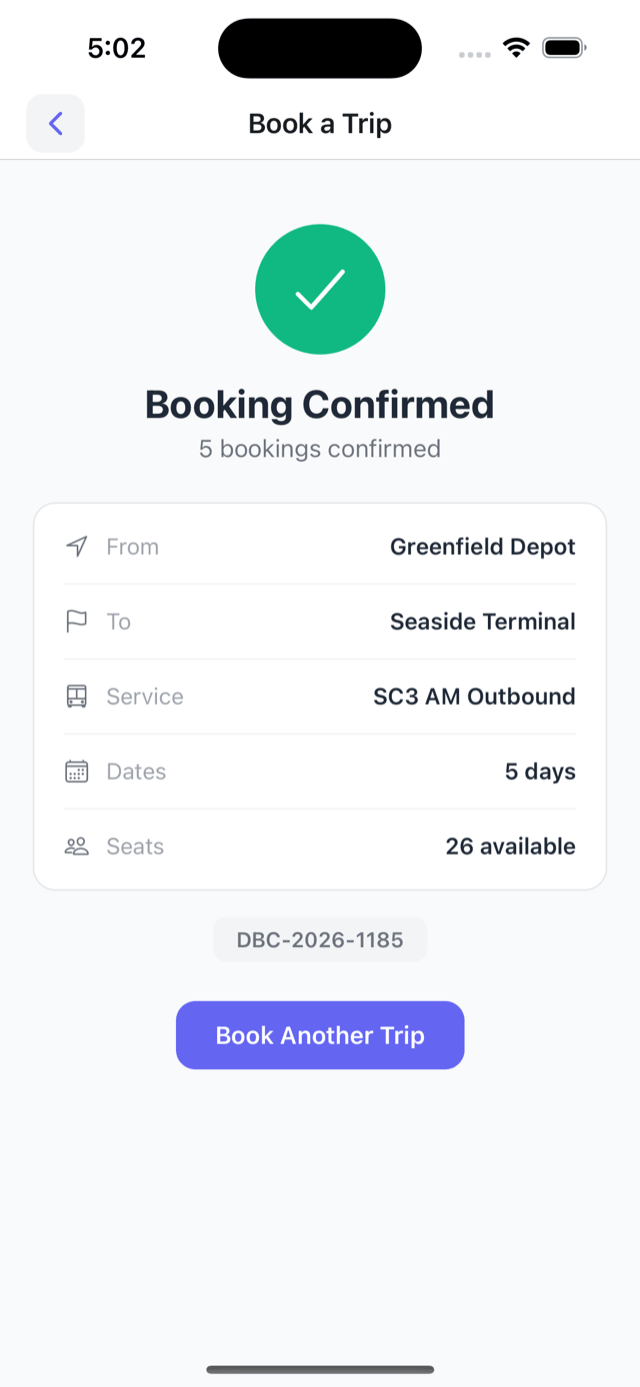
A reference number comes straight back. Book again or head to their trips.
Coming up, done, and cancelled -- with reference numbers, plus where the bus is right now on the day.
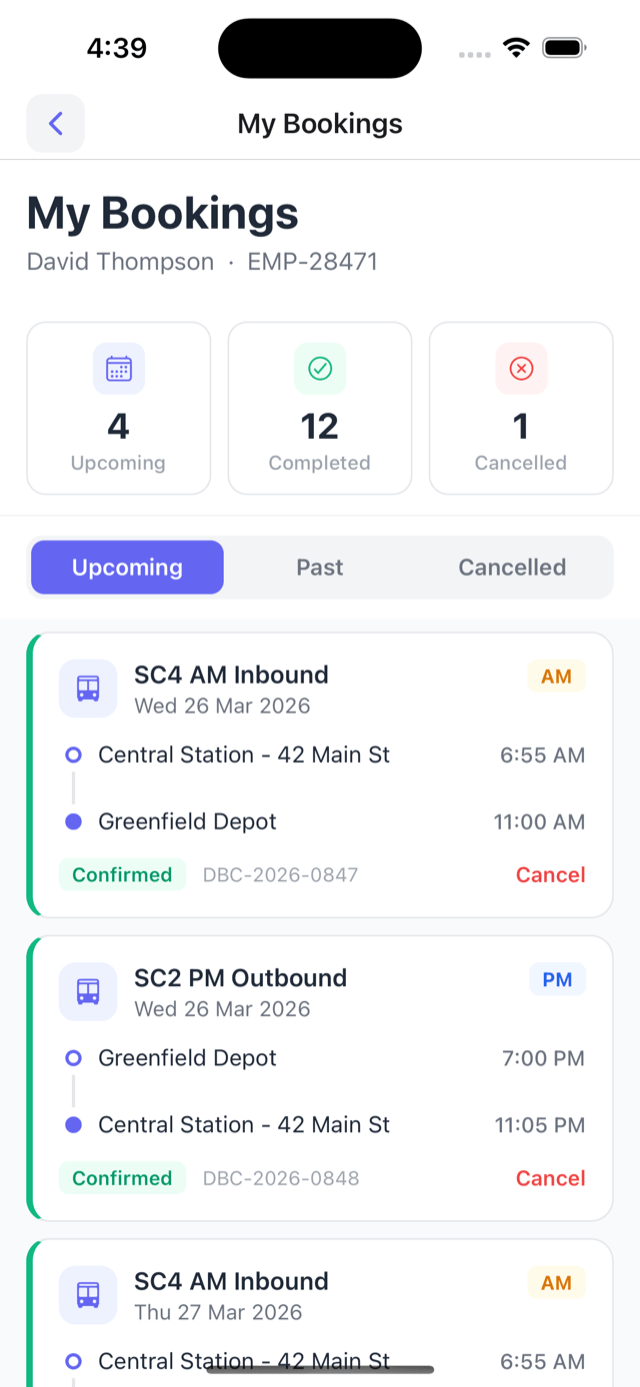
Every booked trip -- service, stops, times, and reference number. Cancel any of them with one tap.
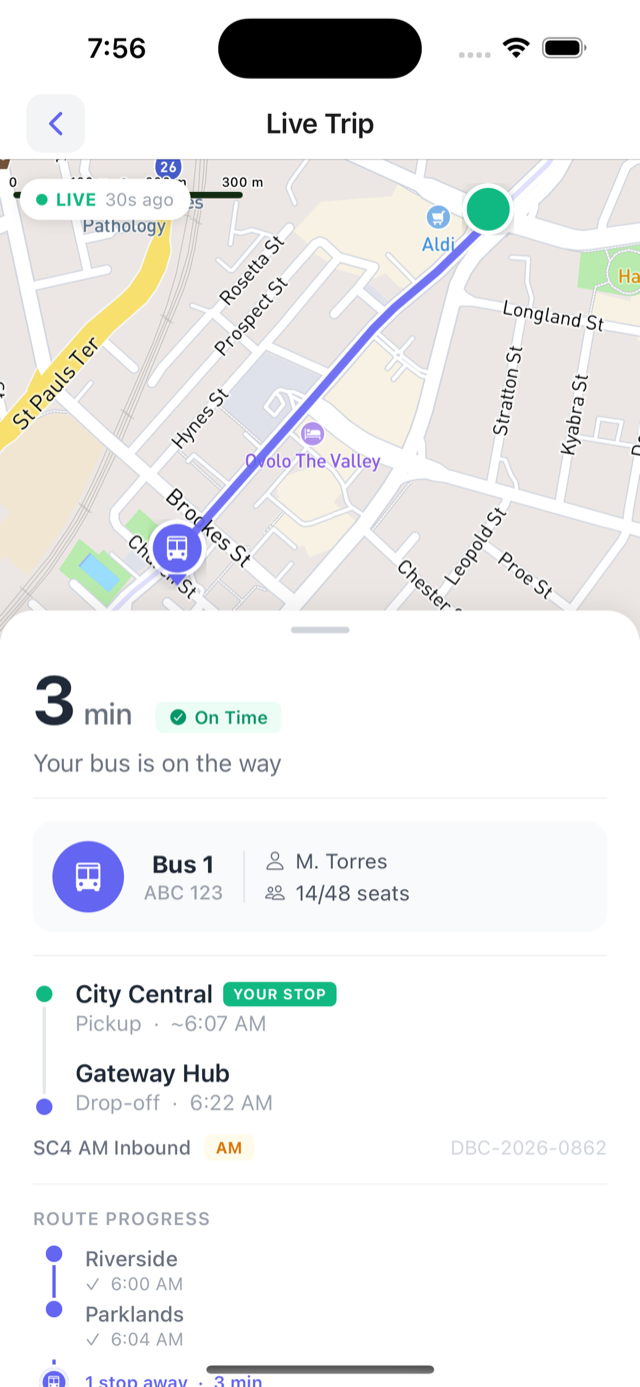
The bus on the map, how many minutes away, and which stops are done. On time or running late, updated live.
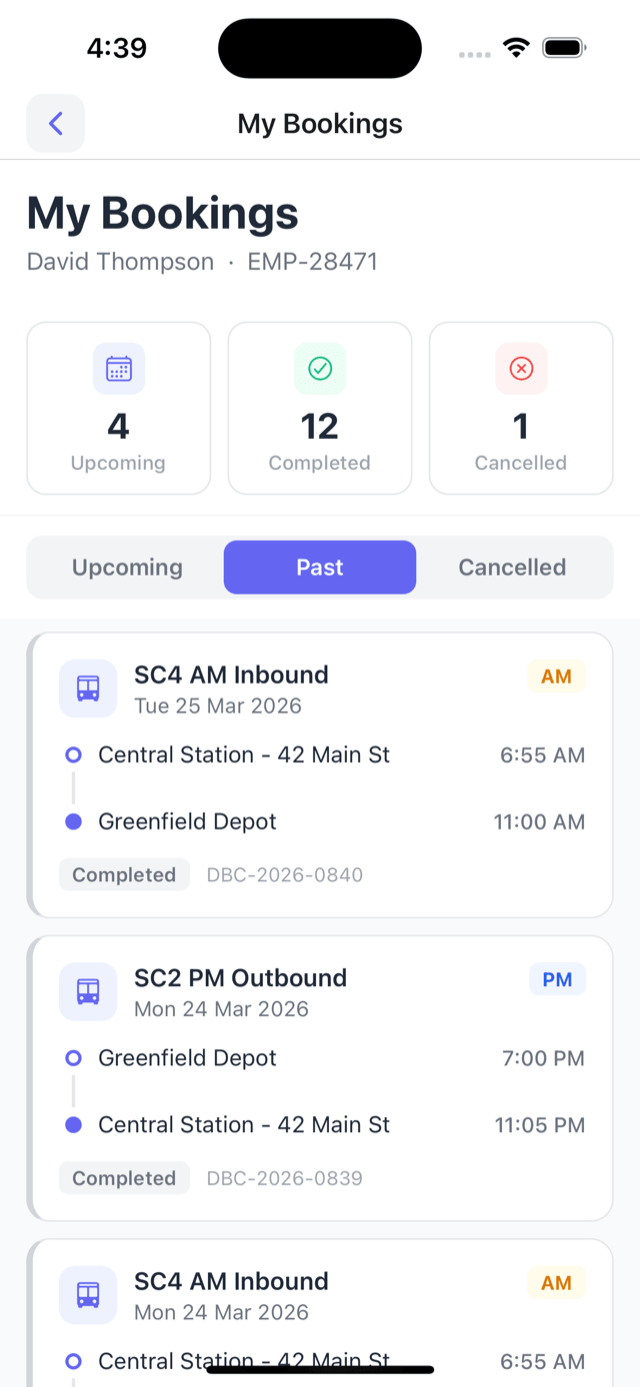
Every finished trip is saved automatically, with the service and times.
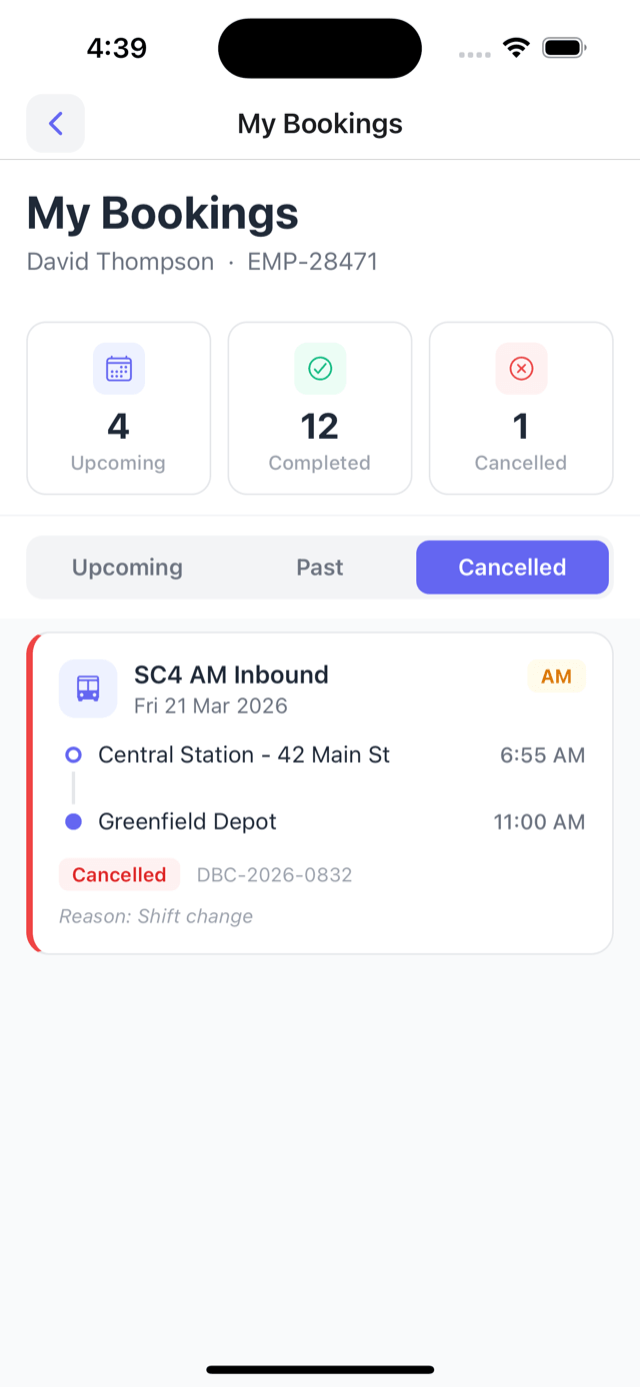
Cancelled trips show the reason. Nothing goes missing.
Workers scan the code on the bus as they board. Every boarding is logged, so the headcount's right without anyone ticking a list.
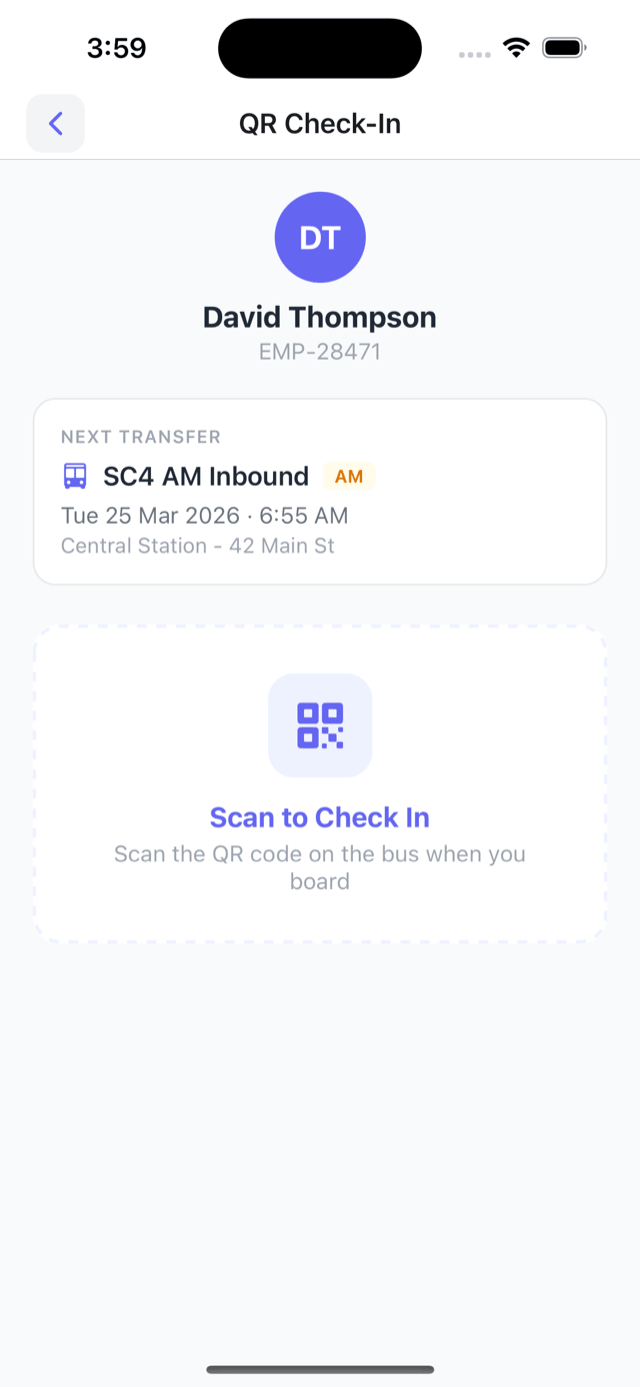
Their next trip is right there. When the bus pulls in, they tap to scan.
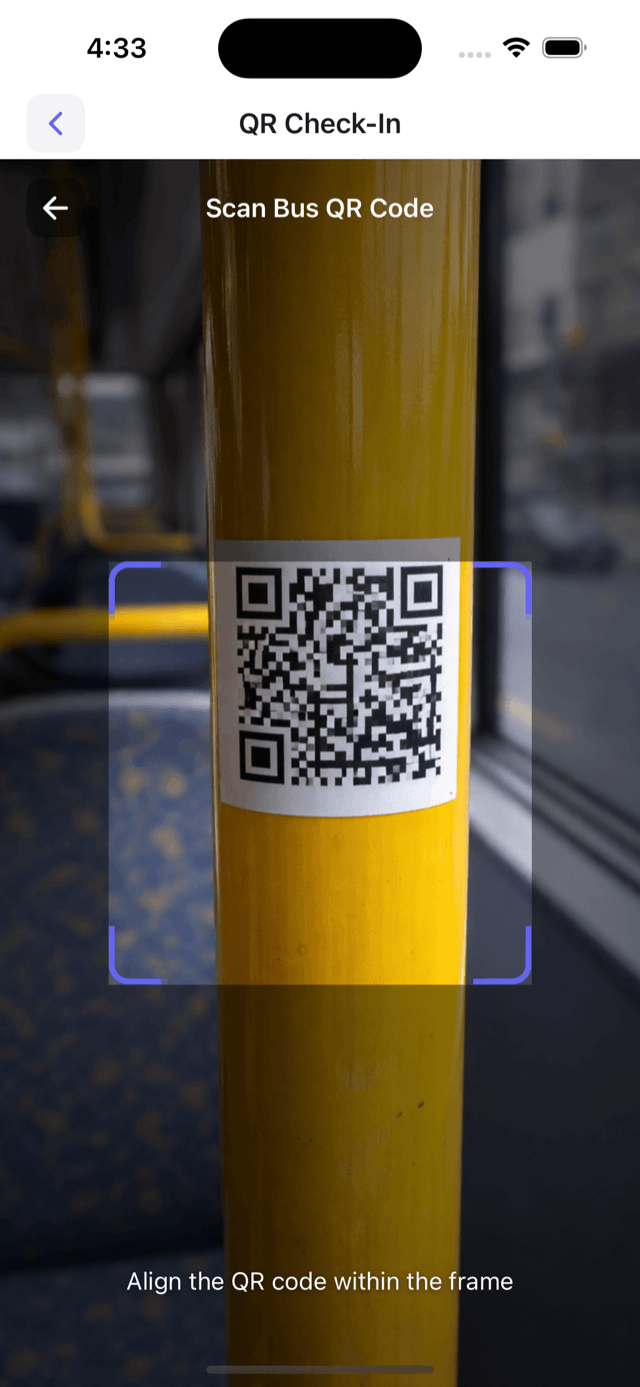
Point the phone at the code by the door. It picks it up on its own.
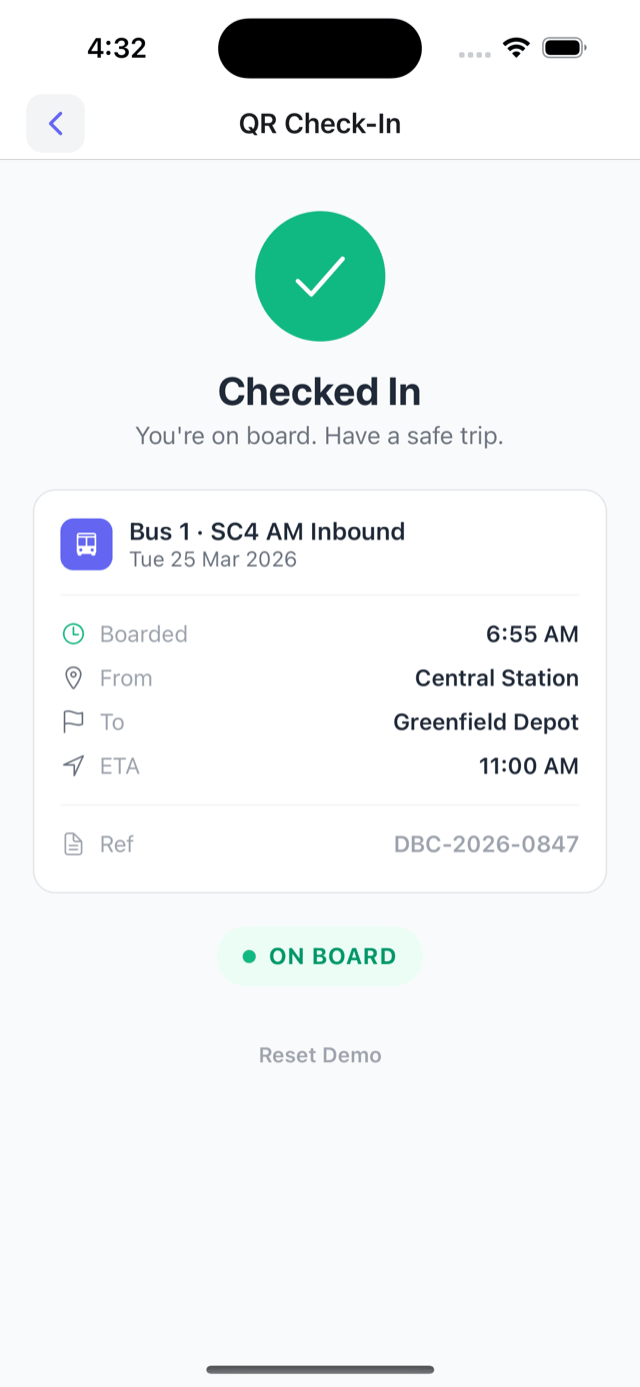
Check-in's done and the trip's logged. The site knows they made it on.
Every service running into the client's site, then the names on any one service -- who's on, who isn't.
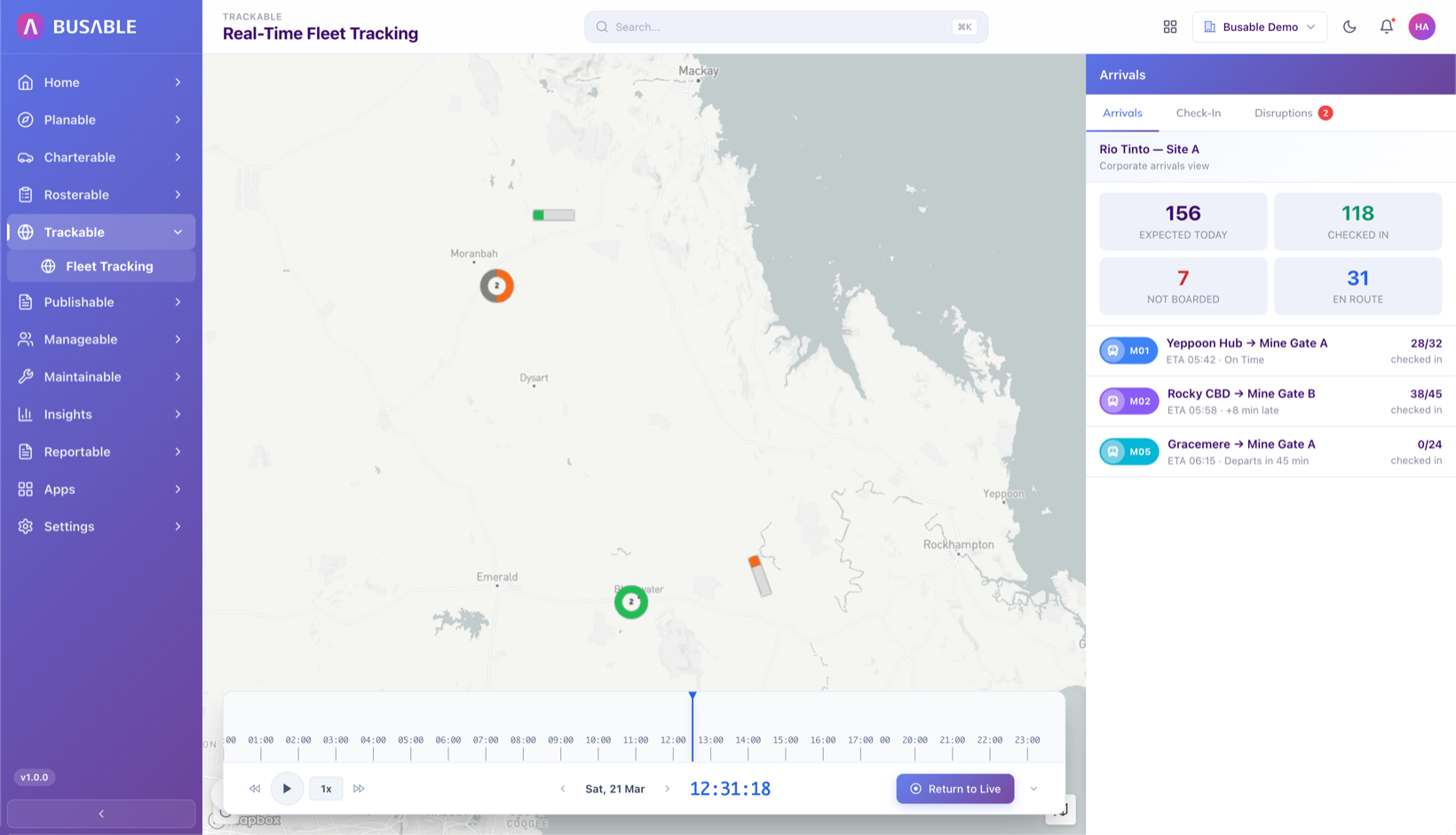
Expected, checked in, not boarded, and on the way -- for the client's site only. Every service on one screen.
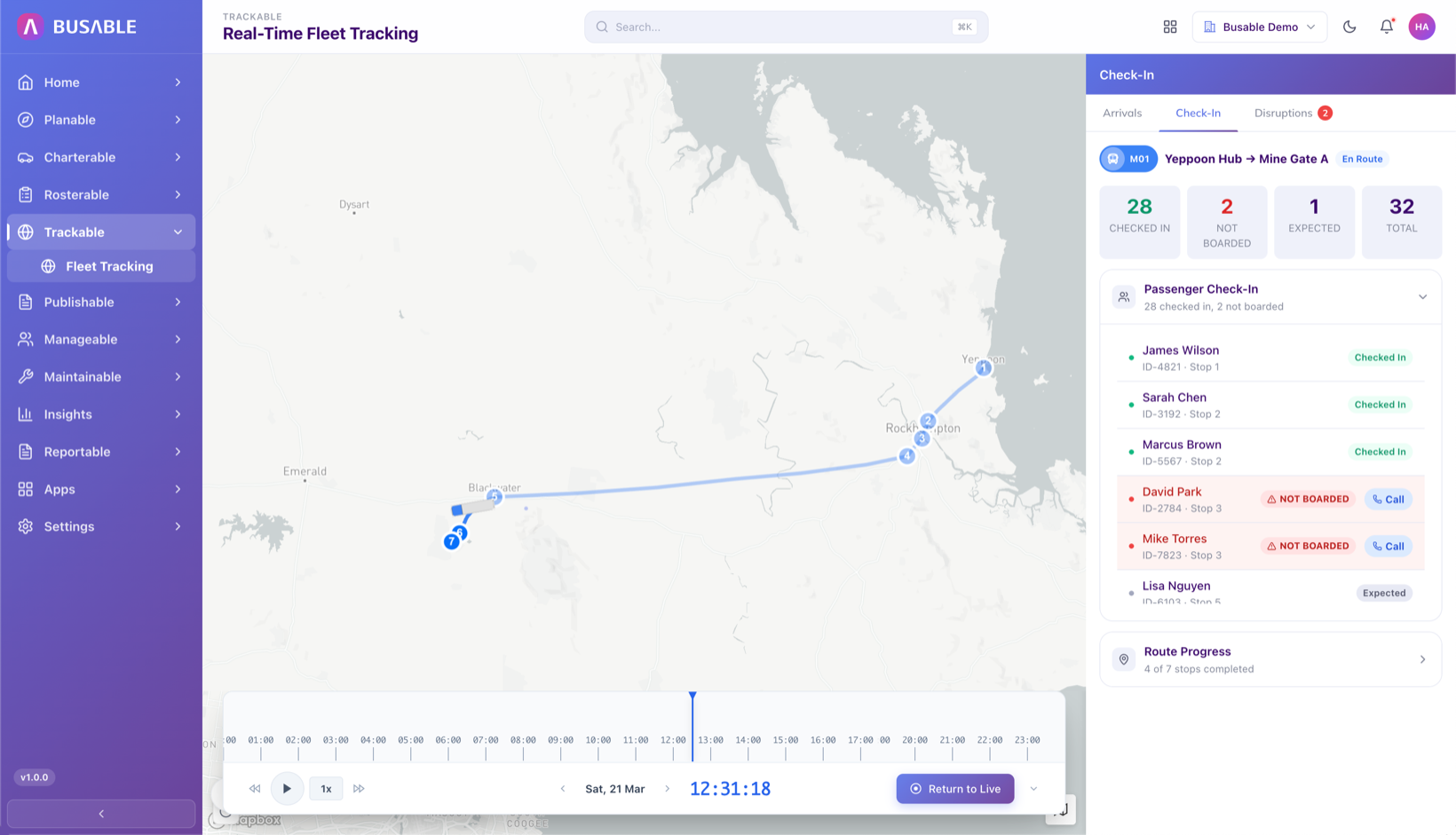
Open a service to see the names -- who's scanned on and who hasn't. If someone's missing, call them straight from the list.
Bookings, how many actually boarded, and the no-shows -- for the client's site. Export it to help plan rosters and runs.
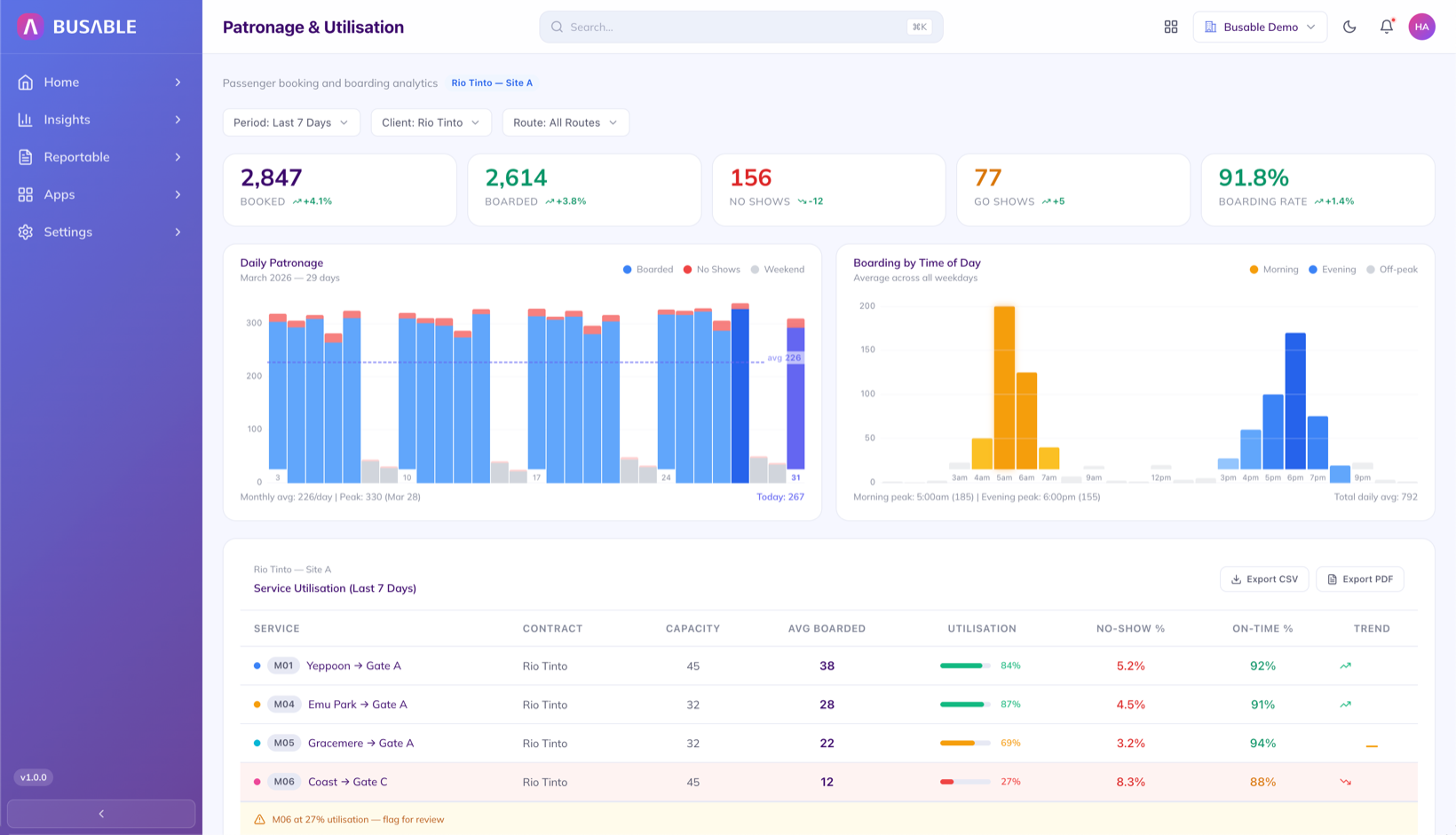
Bookings, boarding numbers, no-shows, and walk-ons for the period, with day-by-day and time-of-day charts. Export it to plan rosters and runs.
All your buses across every contract on one map, then the list of who's on any bus.
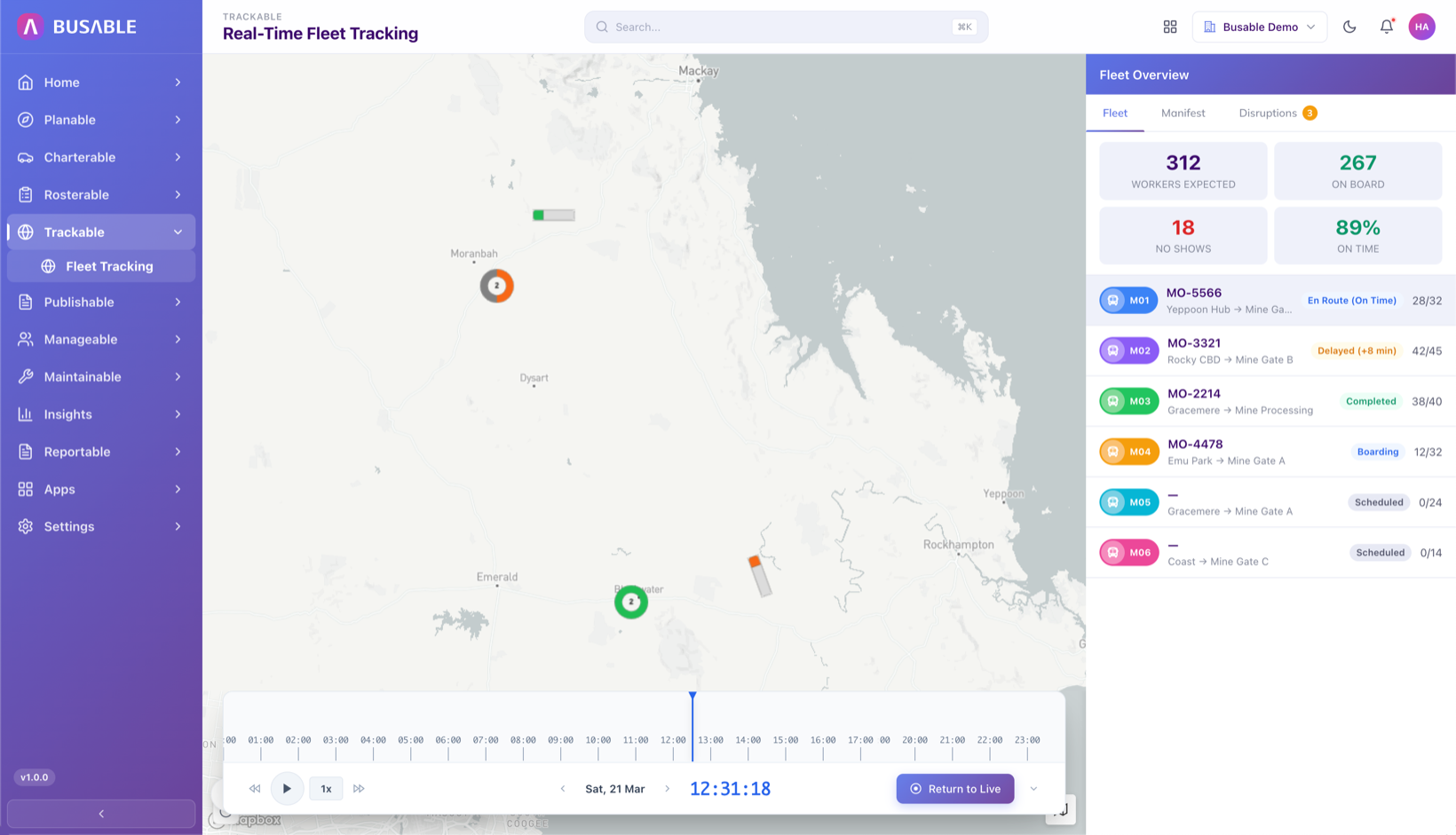
Where every bus is, how many are on board, and who's on time. See who's running, who's behind, and who's connected -- live.
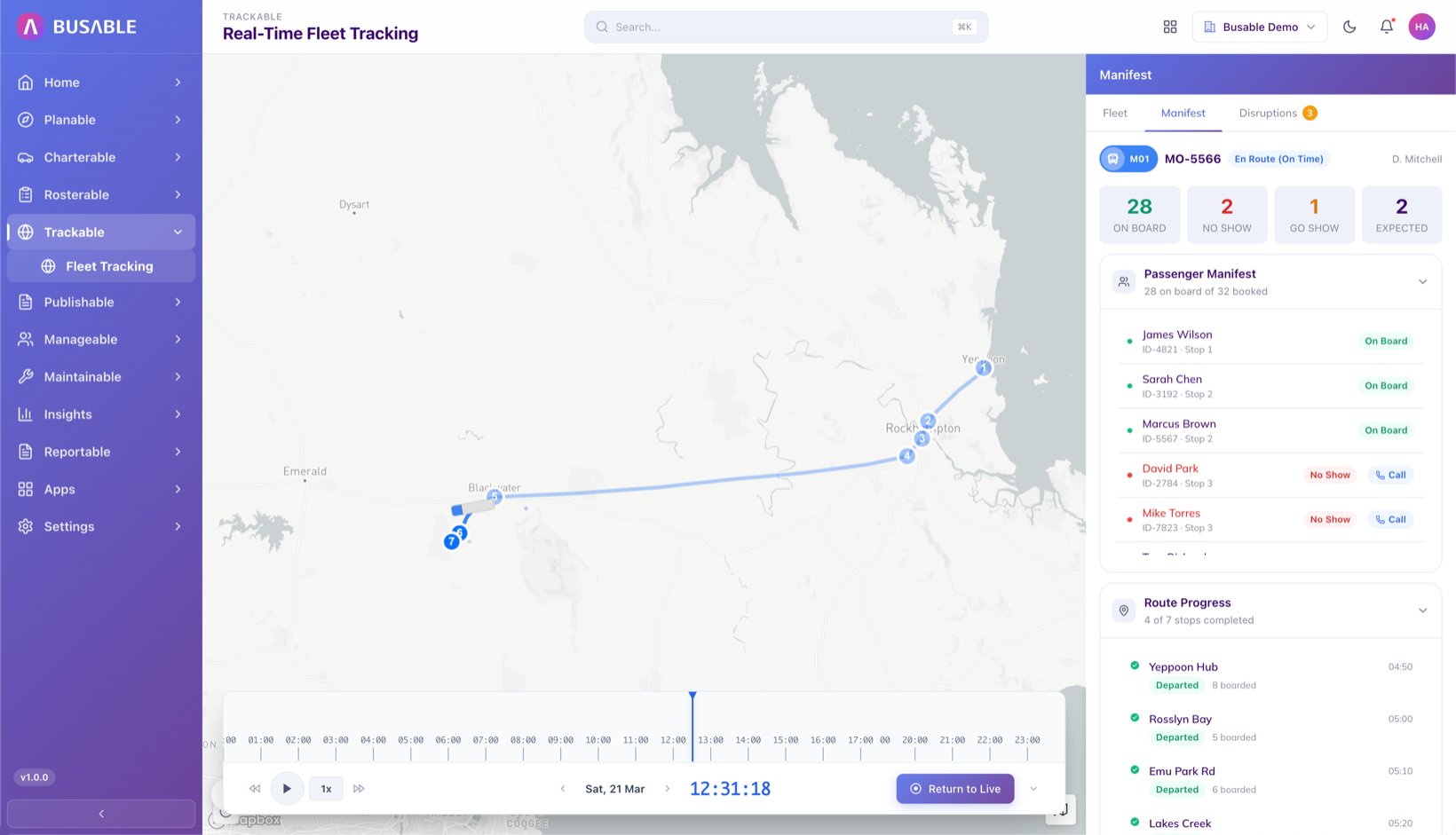
Open any bus for its list -- who's on, who isn't, and which stops are done. Call a no-show straight from the list.
Boarding numbers, no-shows, and how many seats get used on each service. Day-by-day and time-of-day, so you can trim or add runs.
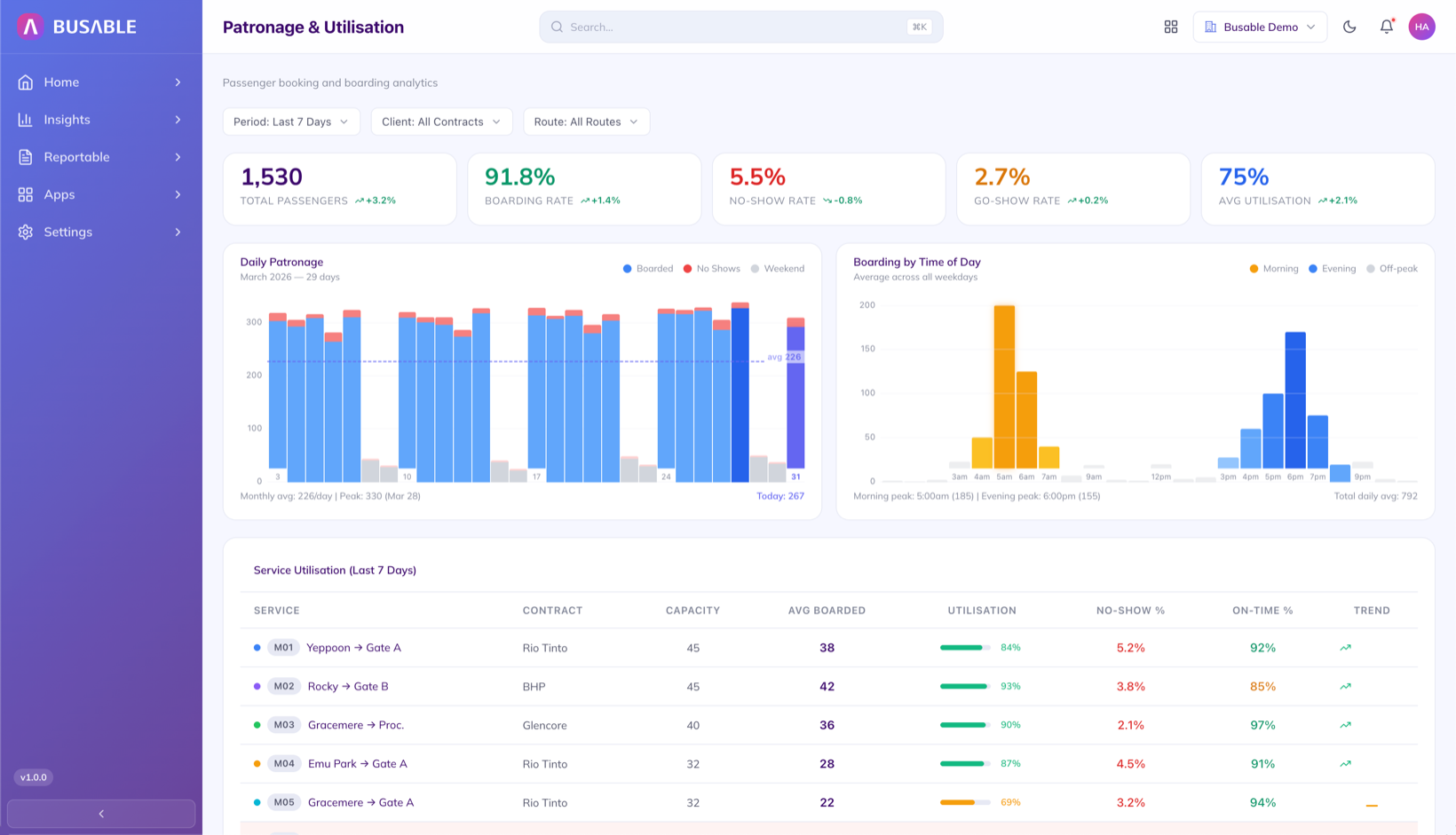
Boarding numbers, no-show trends, and how many seats fill on each service. Day-by-day and time-of-day charts to get every run right.
On-time running for the contract -- overall, service by service, and bus by bus. The numbers you hand the contract holder.
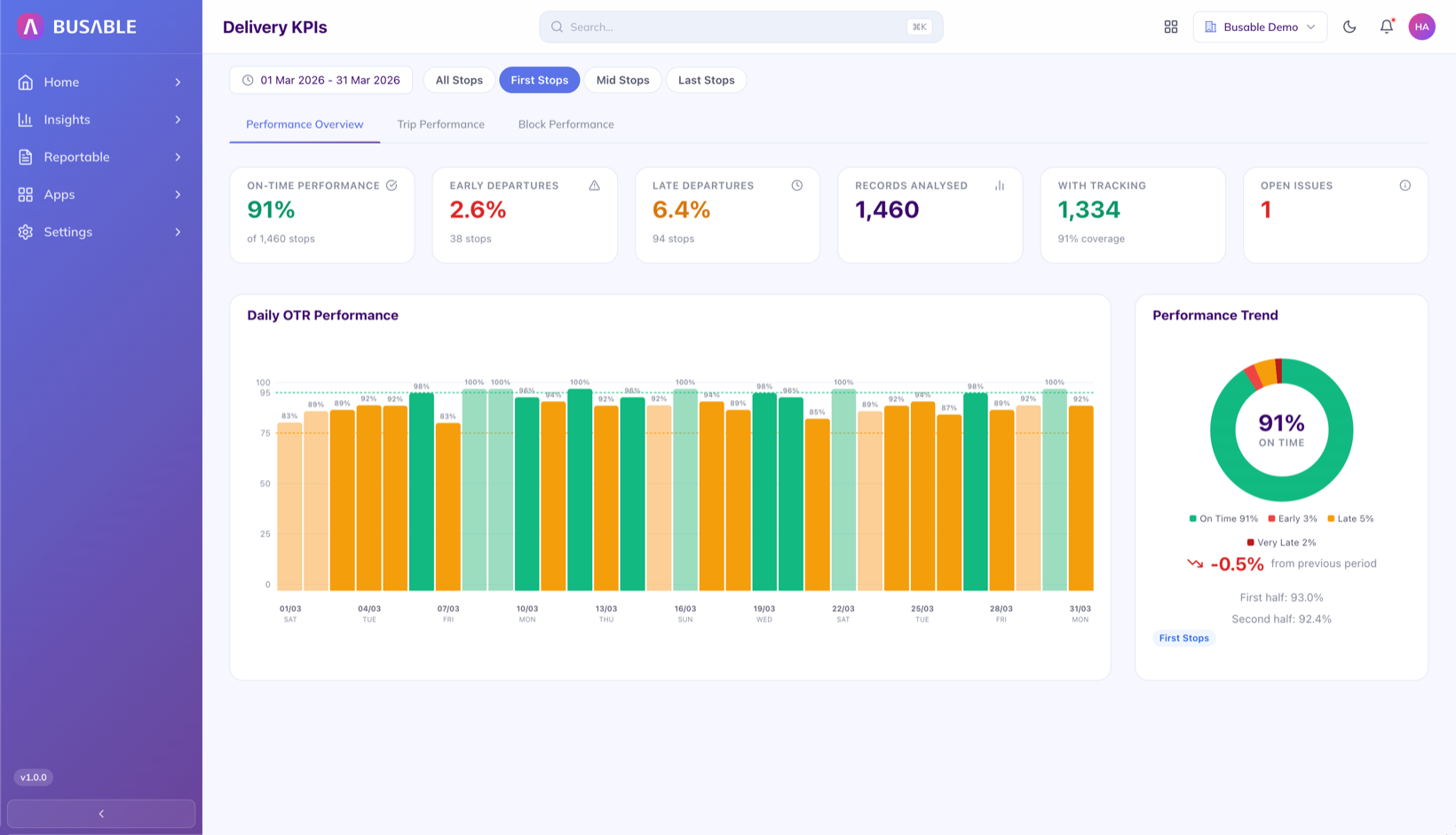
On-time percentage, late departures, missed services, and boarding numbers, with how it's tracked over time.
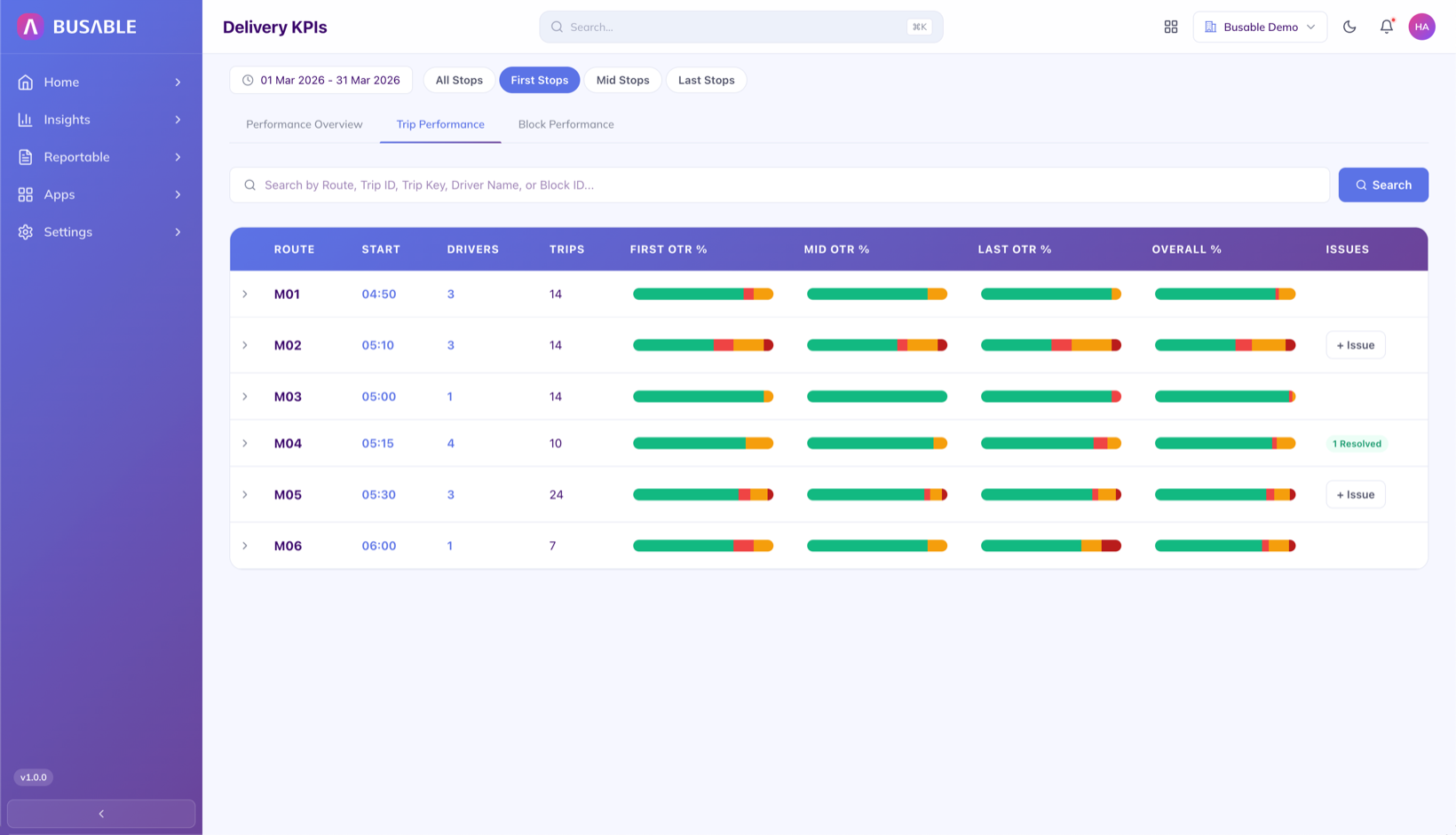
On time at the first stop, the last stop, and in between, with an overall score per service. Spot the services that are slipping.
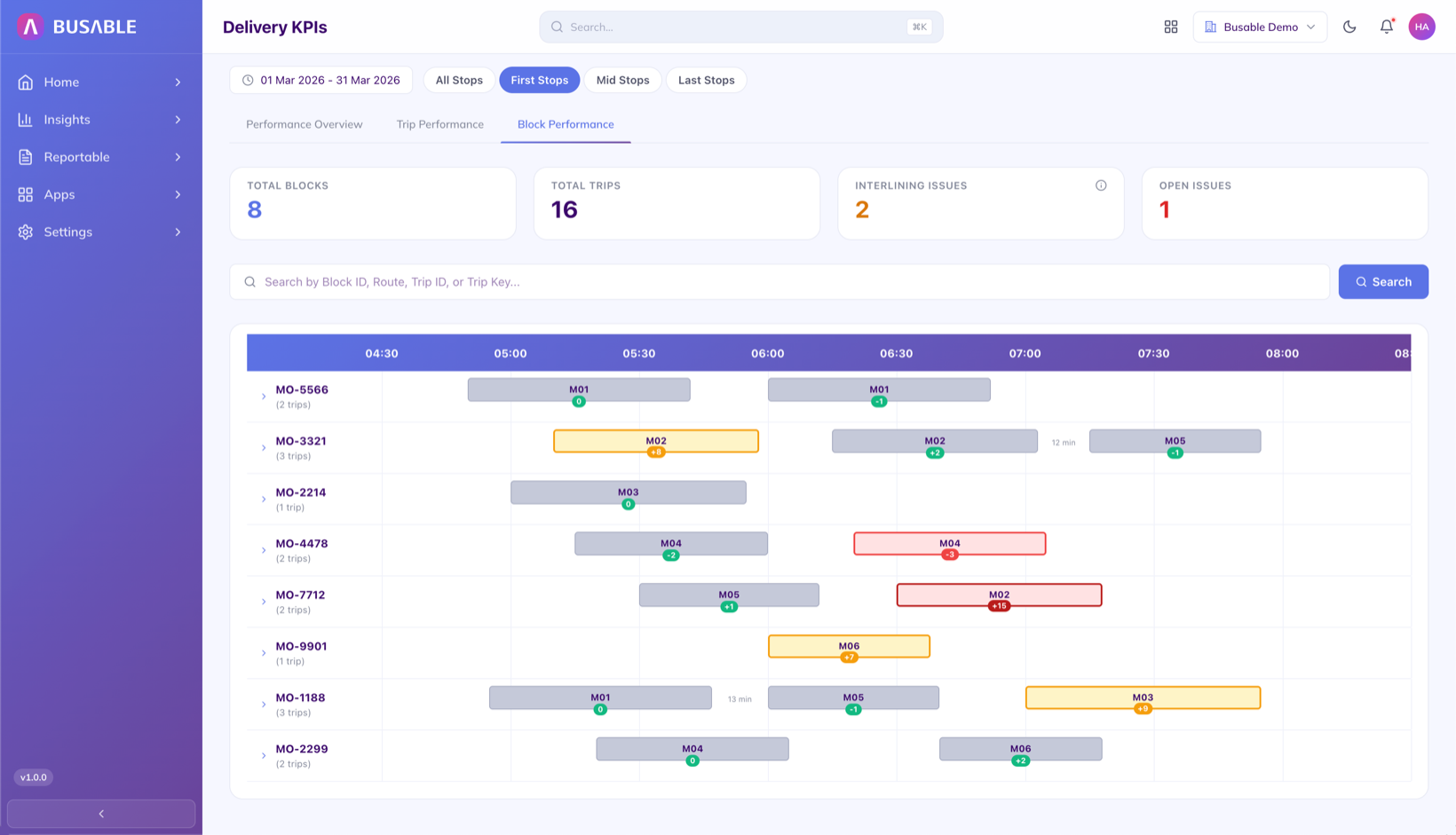
A timeline of every trip each bus runs. Early, on time, late, and missed -- colour-coded so you can read it at a glance.
We'll load your services and walk you through it end to end.
Book a demo